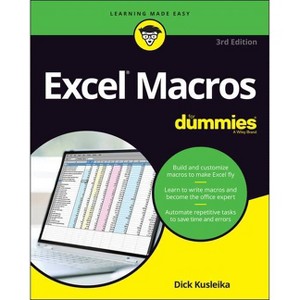
Save time and become an Excel wizard with the world's leading Excel macro guide Do you love Excel and all the things you can do with it, but wish you could just work...faster?
About the Author: Dick Kusleika has been helping users get the most out of Microsoft Office products for more than 25 years through online forums, blogging, books, and conferences.
304 Pages
Computers, Business & Productivity Software
Description
About the Book
Offers instructions on automating aspects of Excel in order to streamline workflow and minimize errors.
Book Synopsis
Save time and become an Excel wizard with the world's leading Excel macro guide
Do you love Excel and all the things you can do with it, but wish you could just work...faster? Excel macros--automated workflows that save you time and energy--might be just what you need. In Excel Macros For Dummies, you'll learn over 70 of the most productive, time-saving macros in less time than it takes to back up the files on your computer!
Every chapter in the book gives you practical info and exercises you can put to work immediately, alongside step-by-step instructions and guidance on how to customize Excel to fit your every need. Inside, you'll find:
Automations that take your Excel productivity to the next level, and beyond
Fully updated macros compatible with the newest version of Excel included in Microsoft 365
Careful explanations of the basics as well as tips for the advanced user
With something for everyone, Excel Macros For Dummies is the productivity supercharger you've been waiting for. Grab a copy today!
From the Back Cover
Make Excel(R) do your routine work
Macros are those little snippets of wizardry that can turn your Excel files from boring old spreadsheets into do-anything super files. Excel(R) Macros For Dummies shows you how to get started. Learn how to manipulate data, automate reporting tasks, send emails directly from Excel, assign macros to buttons (fun!), and keep your macros running smoothly. Find over 70 automations you can use right away, plus step-by-step guides and go-to reference material you'll use again and again.
Inside...
The what and why of macros
All about PivotTables
Using the Visual Basic Editor
Cleaning up messy data
Making macros run faster
Automating all the busywork
Keeping macros secure
Fixing errors in your macros
About the Author
Dick Kusleika has been helping users get the most out of Microsoft Office products for more than 25 years through online forums, blogging, books, and conferences.
Dimensions (Overall): 9.3 Inches (H) x 7.4 Inches (W) x .6 Inches (D)
Weight: .9 Pounds
Suggested Age: 22 Years and Up
Number of Pages: 304
Genre: Computers
Sub-Genre: Business & Productivity Software
Publisher: For Dummies
Theme: Spreadsheets
Edition: 3rd Edition
Format: Paperback
Author: Dick Kusleika
Language: English
Street Date: March 22, 2022
TCIN: 84908623
UPC: 9781119844433
Item Number (DPCI): 247-33-2266
Origin: Made in the USA or Imported
If the item details aren’t accurate or complete, we want to know about it.
Shipping details
Estimated ship dimensions: 0.6 inches length x 7.4 inches width x 9.3 inches height
Estimated ship weight: 0.9 pounds
We regret that this item cannot be shipped to PO Boxes.
This item cannot be shipped to the following locations: American Samoa (see also separate entry under AS), Guam (see also separate entry under GU), Northern Mariana Islands, Puerto Rico (see also separate entry under PR), United States Minor Outlying Islands, Virgin Islands, U.S., APO/FPO, Alaska, Hawaii
Return details
This item can be returned to any Target store or Target.com.
This item must be returned within 90 days of the date it was purchased in store, delivered to the guest, delivered by a Shipt shopper, or picked up by the guest.