Target New ArrivalsBack to SchoolCollegeClothing, Shoes & AccessoriesHome & DecorKitchen & DiningOutdoor Living & GardenGroceryHousehold EssentialsBabyBeautyPersonal CareSports & OutdoorsHealthWellnessSchool & Office SuppliesToys & GamesElectronics & TechVideo GamesMovies, Music & BooksParty SuppliesGift IdeasGift CardsPetsUlta Beauty at TargetShop by CommunityTarget OpticalDealsClearanceNew ArrivalsBack to SchoolCollegeTop DealsTarget Circle DealsWeekly AdShop Order PickupShop Same Day DeliveryRegistryRedCardTarget CircleFind Stores
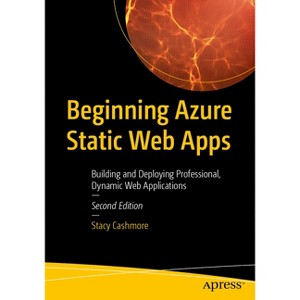
Beginning Azure Static Web Apps - 2nd Edition by  Stacy Cashmore (Paperback) - 1 of 1

Beginning Azure Static Web Apps - 2nd Edition by Stacy Cashmore (Paperback)

$52.06Save $12.93 (20% off)

In Stock

Free & easy returns
Free & easy returns
Return this item by mail or in store within 90 days for a full refund.
Eligible for registries and wish lists

About this item

Highlights

  • Create rich and dynamic web applications built on the Azure cloud platform using static web development techniques built around Blazor WebAssembly, APIs, and Markup, whilst leveraging the paradigm commonly known as JAMstack.
  • About the Author: Speaker, author and software developer- Stacy has been developing solutions since the mid-1990s in various companies and industries ranging from facilitating contract jobbing to allowing consumers to close a mortgage without the help of a financial adviser - with lots in between.
  • 409 Pages
  • Computers, Programming

Description


Book Synopsis


Create rich and dynamic web applications built on the Azure cloud platform using static web development techniques built around Blazor WebAssembly, APIs, and Markup, whilst leveraging the paradigm commonly known as JAMstack.

This book starts with demonstrating you how to create an environment for deploying your first application. You will create a blogging application using an Azure Static Web App with a Blazor WebAssembly application and add dynamic content using both .NET Azure functions and the Data API Builder, before deploying from GitHub. You will then learn how to run and debug your application locally, both from inside of Visual Studio, as well as from the command line using a simple Static Web App CLI command. The book takes a deep dive into the CLI to allow you to emulate all the features available in the Azure Environment. You will go through the authentication and authoring options with your app to allow you to protect your editing and creation functionality in the blog application. Moving forward, you will understand how to add a custom domain to your application and discuss what options are available to you. Finally, the book will compare the differences between the free and paid hosting tiers for Azure Static Web Apps.

New in this second edition:

  • Using the latest .NET 9 runtime with C#12 syntax, including isolated Azure functions
  • Accessing data directly using the new Data API Builder functionality of Azure Static Web Apps
  • Deeper dive into the deployment functionality of both the SWA CLI and the `staticwebapp` command of the Azure CLI
  • Moving beyond the 'out of the box' GitHub workflow and creating our own, including infrastructure as code

What You Will Learn:

  • Create an Azure Static Web Apps using Blazor technology
  • Add dynamic content using connected Azure Functions and Data API Builder
  • Debug the application locally, emulating the features available to you in the Azure environment
  • Implement basic authentication from both Microsoft Entra ID and GitHub, as well as looking at custom authentication using openID and Auth0
  • Understand the workflow of the out of the box GitHub workflow, as well as how to create your own, including infrastructure as code.

Who This Book Is For:

Azure and Web developers looking to deploy feature rich applications to the cloud


From the Back Cover


Create rich and dynamic web applications built on the Azure cloud platform using static web development techniques built around Blazor WebAssembly, APIs, and Markup, whilst leveraging the paradigm commonly known as JAMstack.

This book starts with demonstrating you how to create an environment for deploying your first application. You will create a blogging application using an Azure Static Web App with a Blazor WebAssembly application and add dynamic content using both .NET Azure functions and the Data API Builder, before deploying from GitHub. You will then learn how to run and debug your application locally, both from inside of Visual Studio, as well as from the command line using a simple Static Web App CLI command. The book takes a deep dive into the CLI to allow you to emulate all the features available in the Azure Environment. You will go through the authentication and authoring options with your app to allow you to protect your editing and creation functionality in the blog application. Moving forward, you will understand how to add a custom domain to your application and discuss what options are available to you. Finally, the book will compare the differences between the free and paid hosting tiers for Azure Static Web Apps.

New in this second edition:

  • Using the latest .NET runtime with C#12 syntax, including isolated Azure functions
  • Accessing data directly using the new Data API Builder functionality of Azure Static Web Apps
  • Deeper dive into the deployment functionality of both the SWA CLI and the `staticwebapp` command of the Azure CLI
  • Moving beyond the 'out of the box' GitHub workflow and creating our own, including infrastructure as code

What You Will Learn:

  • Create an Azure Static Web Apps using Blazor technology
  • Add dynamic content using connected Azure Functions and Data API Builder
  • Debug the application locally, emulating the features available to you in the Azure environment
  • Implement basic authentication from both Microsoft Entra ID and GitHub, as well as looking at custom authentication using openID and Auth0
  • Understand the workflow of the out of the box GitHub workflow, as well as how to create your own, including infrastructure as code.


About the Author


Speaker, author and software developer- Stacy has been developing solutions since the mid-1990s in various companies and industries ranging from facilitating contract jobbing to allowing consumers to close a mortgage without the help of a financial adviser - with lots in between.

She has a passion for sharing knowledge: using story telling for sharing her experiences to help teams grow in the ways that they develop software and work together, and performing live coding demonstrations to inspire others to try new technologies.

For her effort in the community, Stacy has been awarded the Microsoft MVP for Developer Technologies since 2020.

Dimensions (Overall): 10.0 Inches (H) x 7.0 Inches (W) x .87 Inches (D)
Weight: 1.63 Pounds
Suggested Age: 22 Years and Up
Number of Pages: 409
Genre: Computers
Sub-Genre: Programming
Publisher: Apress
Theme: Microsoft
Format: Paperback
Author: Stacy Cashmore
Language: English
Street Date: February 21, 2026
TCIN: 1006610367
UPC: 9798868813207
Item Number (DPCI): 247-51-6971
Origin: Made in the USA or Imported
If the item details aren’t accurate or complete, we want to know about it.

Shipping details

Estimated ship dimensions: 0.87 inches length x 7 inches width x 10 inches height
Estimated ship weight: 1.63 pounds
We regret that this item cannot be shipped to PO Boxes.
This item cannot be shipped to the following locations: American Samoa (see also separate entry under AS), Guam (see also separate entry under GU), Northern Mariana Islands, Puerto Rico (see also separate entry under PR), United States Minor Outlying Islands, Virgin Islands, U.S., APO/FPO, Alaska, Hawaii

Return details

This item can be returned to any Target store or Target.com.
This item must be returned within 90 days of the date it was purchased in store, delivered to the guest, delivered by a Shipt shopper, or picked up by the guest.
See the return policy for complete information.

Additional product information and recommendations

Discover more options

Skip to next section

Frequently bought together

Skip to next section

Best-selling All Book Genres

Skip to next section

Get top deals, latest trends, and more.