

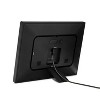

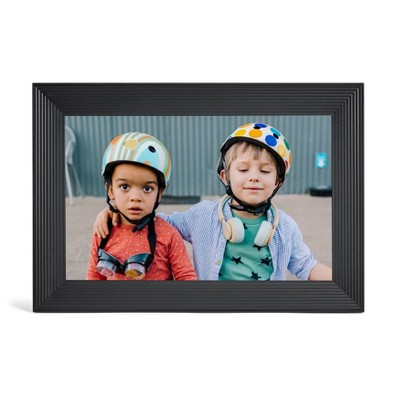
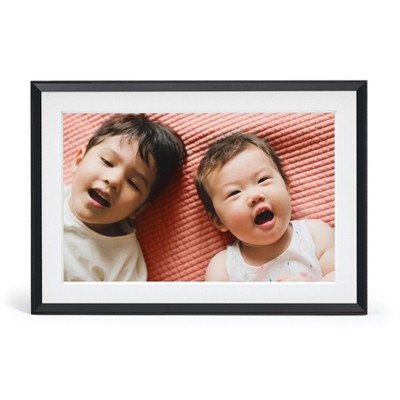
Skylight 10" Digital Photo Frame - Black: Wi-Fi Enabled, Wall Mountable, 1280 x 800 Resolution
$139.99
ColorBlack
In Stock
Eligible for registries and wish lists
About this item
Additional product information and recommendations
Discover more options
- $149.99 - $179.99reg $249.98 - $299.98 Sale5 out of 5 stars with 1 ratings
- $109.99reg $119.99 Sale



Frequently bought together
- $25.00 - $60.00Lower price on select items3.9 out of 5 stars with 16774 ratings
- $13.49 - $21.49reg $17.99 - $28.69 Sale
- $12.49 - $19.99reg $16.69 - $29.99 Sale



Guests also viewed
- $149.99reg $249.99 Sale
- $149.99 - $179.99reg $249.98 - $299.98 Sale5 out of 5 stars with 1 ratings
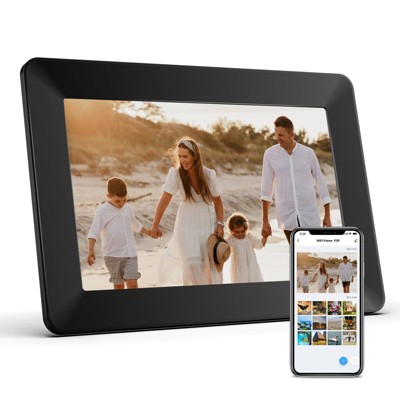


Related Categories
Guests are saying
The Skylight frame is a beloved addition to many homes, allowing guests to effortlessly display and share cherished family photos. Its user-friendly setup and ability to receive pictures via email make it a delightful way to stay connected with loved ones. While some guests appreciate its sleek design and vibrant display, others have noted challenges with setup and subscription features. Overall, it serves as a heartwarming centerpiece for family memories.
Summary created by AI from text of reviews reflecting recent feedback provided across different star ratings (includes incentivized reviews)
4.6 out of 5 stars with 4500 reviews
quality: 4.07 out of 5
value: 3.85 out of 5
70% would recommend
74 recommendations
5 out of 5 stars
20 October, 2026
originally posted on skylightframe.com

Awesome interactive photo album
This product is a fun way to share photos with family and friends. Easy to set up and ask family to send photos. Great way to get photos off your phone.
5 out of 5 stars
17 October, 2026
originally posted on skylightframe.com
Skylight
Love the color and clarity as well as the ease of use.
5 out of 5 stars
17 October, 2026
originally posted on skylightframe.com
wonderful
my wife and i love it...a wonderful way to share new members or the family...
5 out of 5 stars
16 October, 2026
originally posted on skylightframe.com
Great company
Skylight is a company that truly stands behind their products. My frame suddenly lost WiFi connection and we tried several ways to connect it and couldn't. Skylight is sending a replacement. I love my Skylight frame and can't imagine not having it. Thank you Khila and Josh.
2 out of 5 stars
15 October, 2026
originally posted on skylightframe.com
No
I received my skylight, I am now 45 minutes into trying to put the easel on the back of the skylight. I cannot screw those little screws in. I’m sending it back.
5 out of 5 stars
14 October, 2026
originally posted on skylightframe.com
Skylight e frame
Great reliable frame. Easy for even a Sr. citizen like me to use. Great service from the company. We received ours as a gift. I have purchased 3 more to give as gifts.
4 out of 5 stars
12 October, 2026
originally posted on skylightframe.com
Love My Skylight
Enjoy looking at all my pictures. Such nice memories can be seen all day long.
5 out of 5 stars
12 October, 2026
originally posted on skylightframe.com
Thoroughly enjoy this product. Very
Thoroughly enjoy this product. Very nice design and the app is easy to use to add photos to the frame.
4 out of 5 stars
12 October, 2026
originally posted on skylightframe.com
Skylight
We love our skylight. Our only critique is the stand does not hold it up.
5 out of 5 stars
9 October, 2026
originally posted on skylightframe.com
Skylight Keeps the FAMily Going
We love our Skylight frame. My mama is in assisted living, dealing with dementia, and her frame helps her connect with her caregivers. The pictures bring family to mind, so she can talk to them about her life and her family. This is a second frame for her. My only comment is the stand doesn't stay secure, and the frame has fallen over a couple of times. Maybe I need to work with it some more. Love it, planning to upgrade my home frame to the calendar frame soon.
5 out of 5 stars
9 October, 2026
originally posted on skylightframe.com
We've Purchased Many for Family Members!
After purchasing one for my parents, we've bought many as gifts for other family members—even got one for ourselves. It's easy to share photos via the app, and it's mesmerizing to watch the slideshows. Far-away relatives always thank us for sharing photos.
5 out of 5 stars
8 October, 2026
originally posted on skylightframe.com
Standing by their product!
Have to tell you about my experience with my Skylight frame. It was cycling thru the same 20 or so photos which was frustrating. Thought maybe I had too many pictures. But, then, the sleep timer was off as well. Anyways, had added more pictures recently. I tried to load them and my stupid frame got stuck on the loading part. After trying to reset several times, I got frustrated and sought help thru the app. We tried a hard reset several times, to no avail. So the gal said she needed some info to see if I might qualify for a replacement. Oh great, I figured... Of course it won't! Well, honestly, easily enough, she said it did! I just received my replacement and only have to return the old one. Easy enough! I ended up having to set the pics to cycle thru faster because I want to see all the ones I've been missing for the last few years! I'm so happy AND pleased! So, if your Skylight happens to give you issues, don't hesitate to reach out to them. I didn't have proof of purchase. As a matter of fact, I mentioned it was a gift from my kids and could only guess at the basic information they asked for. That didn't sway them from standing behind their product! And that made my heart happy! I'm getting all the warm happys from all the pictures thru the years!
3 out of 5 stars
8 October, 2026
originally posted on skylightframe.com
Not worth the money
I would also love to see animated seasonal effects on the Calendar screen itself, not just static themes or screensavers. For example, subtle falling snow during Christmas, falling leaves in autumn, twinkling lights, small animated holiday elements, rain or spring effects, while the calendar and events remain fully visible and usable. The display is clearly capable of showing beautiful visual content, so having optional animated effects would make the Calendar feel much more interactive, customizable, and worthy of its premium price. These effects should be optional and customizable so users can choose between a simple calendar, a static seasonal theme, or animated seasonal effects.
5 out of 5 stars
7 October, 2026
originally posted on skylightframe.com
Great product with great satisfaction potential
I had enjoyed my Skylight Picture Frame for several years and suddenly the sleep mode function was not working properly. I work diligent to try and reprogram it without success so I contacted the Skylight support line. They tried it as well without success. A graciously sent me a new picture frame, which I just activated. I can’t tell you how much I enjoy this. I got it as an idea from my daughter who has also got the picture frame and the calendar frame in her kitchen as well, which is very nice. I recommend this product to anyone interested. Well worth the money.
5 out of 5 stars
7 October, 2026
originally posted on skylightframe.com
Beautiful Picture Fame.
We've had the Skylight for about a month now and love it! Very easy to set up and uploading pictures is easy, We appreciate the 'time on time off' function.
2 out of 5 stars
2 October, 2026
originally posted on skylightframe.com
Esthetically pleasing, functionality lacking
I really wanted to like my Skylight calendar but just could not justify the price for what it is. And I can justify a lot of things.. esthetically, it is very pleasing, loved the brass tones of the frame and the preset pictures. Functionally, I wish you could take off all the side menu items that you aren’t using (IE the concept of assigning chores to family members is dated and flawed as it takes away from any intrinsic motivation). I’m also pretty capable/tech savvy and I had trouble syncing multiple calendars. For the price, I wish I could have streamlined and taken off the menu items that I was not using. My kids asked if it played music which it does not, but that would make it more usable. I will hold out hope that improvements are made down the line to make this a better product.
1 out of 5 stars
2 October, 2026
originally posted on skylightframe.com
Don’t Bother
I have bought 2 Skylight frames in the past 6 months and both have died. Both were second generation and the first ones lasted several years. Obviously the quality has gone down the tubrs
5 out of 5 stars
2 October, 2026
originally posted on skylightframe.com
A gift for my husband
After viewing mine for the past few months he wanted one for his office. I got him one for his 75th birthday! He loves it !
5 out of 5 stars
30 September, 2026
originally posted on skylightframe.com
review
I love seeing my photos and memories right at my desktop! Yet, I don't see a way to organize the order of my photos in line with the order I took my photos. Can you provide some instruction there? Also, a total photo count or indication of remaining storage capacity would be helpful as to note when getting full - & not have some deleted off automatically when the limit is hit.
2 out of 5 stars
30 September, 2026
originally posted on skylightframe.com
Nice product poor & costly AI Platform
I hate they that this doesn't have an open plug-in for any of the open market llms (open AI/claude) and that they make you pay for their own AI program.