Sponsored
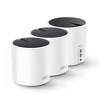
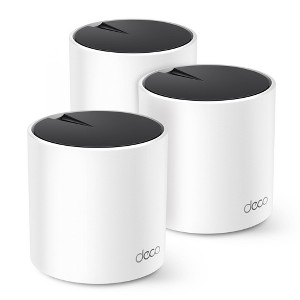
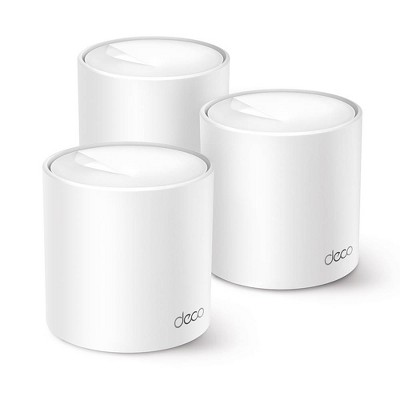
TP-Link AX1800 3pk Mesh WiFi 3pk
$115.99 was $129.99
New lower price
save $14.00 (11% reduction)In Stock
Eligible for registries and wish lists
Sponsored
About this item
Highlights
- Dual-Band Wi-Fi 6 Speeds: Experience speeds up to 1.8 Gbps, perfect for streaming, online gaming, large downloads, video calls, and more.[1] [2]
- Whole-Home Coverage: Three Deco units work together to provide coverage up to 5,800 square feet and keep up to 150 devices running without slowing down. Easily pair new Deco units to your existing network for additional coverage.[1]
- Seamless Roaming: Create a single network name and password for all your Decos and receive the best possible connection as you walk from room to room.[3]
- Total Security: Protect your network and devices with built-in antivirus, parental controls to manage online WiFi use, and advanced QoS to prioritize devices.
- Easy Setup and Management: The Deco app helps you set up your network in minutes with clear visual guidance and keeps you in control even when you are not home.
- Universally Compatible: Compatible with all WiFi generations (a/b/g/n/ac), WiFi-Enabled Devices, and all Internet Service Providers.
- Works with Amazon Alexa: Control your network with your voice and automatically trigger actions between smart home devices and applications.
- Go Faster - Wired or Wireless: Create stable wired connections using 2 x Gigabit WAN/LAN ports.
Description
Upgrade to Wi-Fi 6 Whole Home Mesh WiFi System to experience faster speeds, greater capacity, and expanded coverage for homes – all shapes and sizes.[2]
Three Deco units work together to provide dual-band speeds up to 1800 Mbps and coverage up to 5,800 sq. ft. reaching every corner of your home. [1] Connect up to 150 devices and seamlessly move from room to room without changing your WiFi network or experiencing buffering or lag.[1]
Use parental controls to limit, monitor, and manage WiFi use for the whole family. Built-in antivirus protects your network and all connected devices. In addition, assign your favorite devices to have the fastest connections with QoS.
Decos are easy to set up with the TP-Link Deco app which guides you through the setup process and works with all Internet Service Providers.
Package Contents:
3 x Deco X25 Units
3 x Power supply unit
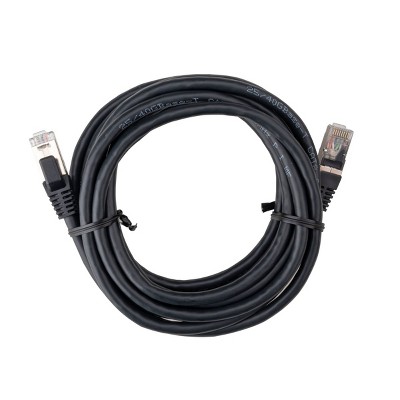
1 x Ethernet Cable
1 x Quick Installation Guide
[1] Maximum wireless transmission rates are the physical rates derived from IEEE Standard 802.11 specifications. Range and coverage specifications are based upon test results under normal usage conditions. Actual wireless transmission rate and wireless coverage are not guaranteed, and will vary as a result of 1) environmental factors, including building materials, physical objects and obstacles, 2) network conditions, including local interference, volume and density of traffic, product location, network complexity, and network overhead and 3) client limitations, including rated performance, location, connection quality, and client condition. Actual network speed may be limited by the rate of the product's Ethernet WAN or LAN port, the rate supported by the network cable, Internet service provider factors and other environmental conditions.
[2] Capacity refers to overall average throughput. This amendment defines standardized modifications to both the IEEE 802.11 physical layers (PHY) and the IEEE 802.11 Medium Access Control layer (MAC) that enable at least one mode of operation capable of supporting at least four times improvement in the average throughput per station (measured at the MAC data service access point) in a dense deployment scenario, while maintaining or improving the power efficiency per station.
[3] Smart Roaming is designed for devices that support the 802.11k / v standard.
Three Deco units work together to provide dual-band speeds up to 1800 Mbps and coverage up to 5,800 sq. ft. reaching every corner of your home. [1] Connect up to 150 devices and seamlessly move from room to room without changing your WiFi network or experiencing buffering or lag.[1]
Use parental controls to limit, monitor, and manage WiFi use for the whole family. Built-in antivirus protects your network and all connected devices. In addition, assign your favorite devices to have the fastest connections with QoS.
Decos are easy to set up with the TP-Link Deco app which guides you through the setup process and works with all Internet Service Providers.
Package Contents:
3 x Deco X25 Units
3 x Power supply unit
1 x Ethernet Cable
1 x Quick Installation Guide
[1] Maximum wireless transmission rates are the physical rates derived from IEEE Standard 802.11 specifications. Range and coverage specifications are based upon test results under normal usage conditions. Actual wireless transmission rate and wireless coverage are not guaranteed, and will vary as a result of 1) environmental factors, including building materials, physical objects and obstacles, 2) network conditions, including local interference, volume and density of traffic, product location, network complexity, and network overhead and 3) client limitations, including rated performance, location, connection quality, and client condition. Actual network speed may be limited by the rate of the product's Ethernet WAN or LAN port, the rate supported by the network cable, Internet service provider factors and other environmental conditions.
[2] Capacity refers to overall average throughput. This amendment defines standardized modifications to both the IEEE 802.11 physical layers (PHY) and the IEEE 802.11 Medium Access Control layer (MAC) that enable at least one mode of operation capable of supporting at least four times improvement in the average throughput per station (measured at the MAC data service access point) in a dense deployment scenario, while maintaining or improving the power efficiency per station.
[3] Smart Roaming is designed for devices that support the 802.11k / v standard.
Dimensions (Overall): 4.99 Inches (H) x 4.33 Inches (W) x 4.33 Inches (D)
Weight: 2 Pounds
Number of Ethernet Ports: 2
Electronics Features: Controlled by Smartphone App, Gigabit Ethernet, Parental Controls, WPA3 Security, Dual Band
Connection Type: RJ-45 (Ethernet)
Includes: Ethernet Cable, Quick Start Guide, AC Power Adapter
Wireless Frequency/Band: 2.4 GHz / 5 GHz
Wireless Technology: Wi-Fi 6 (IEEE 802.11ax)
Industry or Government Certifications: No Certifications
Model name: Deco X25 (3-Pack)
Maximum Wi-Fi Speed: 1775 Mbps
Mesh Networking: Mesh Compatible
Maximum Wired Speed: 1000 Mbps
Compatible Service Providers: CenturyLink, Xfinity, GCI, Spectrum, Armstrong, Dish, RCN, Cox, Sparklight
Battery: No Battery Used
Warranty: 2 Year Limited Warranty. To obtain a copy of the manufacturer's or supplier's warranty for this item prior to purchasing the item, please call Target Guest Services at 1-800-591-3869
TCIN: 82714827
UPC: 840030701726
Item Number (DPCI): 056-02-0118
Origin: Imported
If the item details aren’t accurate or complete, we want to know about it.
Shipping details
Estimated ship dimensions: 14.73 inches length x 11.02 inches width x 4.92 inches height
Estimated ship weight: 5.34 pounds
Return details
This item can be returned to any Target store or Target.com.
This item must be returned within 30 days of the date it was purchased in store, shipped, delivered by a Shipt shopper, or made ready for pickup.
See the return policy for complete information.
Frequently bought together

Discover more options
$49.99 - $99.99
reg $149.99 - $214.99 Sale
Related Categories
Guests are saying
The Deco X25 3 Pack Whole Home Mesh Wi-Fi 6 System offers impressive coverage and speed, making it an excellent choice for larger homes. Guests appreciate its easy setup through the Deco app, which guides users step-by-step. With the ability to connect up to 150 devices, it effectively eliminates dead zones and provides reliable internet access throughout the house. The stylish design and additional features like parental controls and antivirus make it a standout option for modern households.
Summary created by AI from text of reviews reflecting recent feedback provided across different star ratings (includes incentivized reviews)
4.7 out of 5 stars with 46 reviews
quality: 4.33 out of 5
value: 4.33 out of 5
94% would recommend
35 recommendations
4 out of 5 stars
Thumbs up graphic, would recommend
12 February, 2025Verified purchase
Good booster.
I liked them, but did not boost my wifi enough for what I purchased them for. It was great for my computer and streaming televisions, but that is not what I needed them for.
5 out of 5 stars
Thumbs up graphic, would recommend
12 January, 2025Verified purchase
Highly effective
Worked right out of the box. After I set up the main router, I walked around the house with my phone, running an internet speed test in different spots, until I found a spot with high speed and good access to the rest of the house. Then I plugged in the second one, and walked around testing again for speed with my phone for where to put the third one. Now I have blazing fast internet everywhere in the house, where previously there were dead spots.
5 out of 5 stars
Thumbs up graphic, would recommend
20 November, 2024Verified purchase
Great Mesh WiFi Option
Easy setup, pleased with the coverage I’m getting throughout the house.
1 out of 5 stars
Thumbs down graphic, would not recommend
23 October, 2022Verified purchase
TP-Link - More China junk.
Worked for 7 months.
1 reply from TPLinkSupport team - 3 years ago
Hi, Thank you for your review. Your Deco Mesh Wi-Fi system comes with a 2-year warranty, and we would greatly appreciate the opportunity to follow up with you and address your concerns. At your earliest convenience, please reach out to our free support team using any of the resources included with the product, or from our official website, and we'll gladly have a Support Agent follow up with you directly. Thank you, TP-Link Support
5 out of 5 stars
Thumbs up graphic, would recommend
27 September, 2022Verified purchase
TP-Link Rocks!
First time using mesh network. Nice and sturdy design. I've use d TP-Link in the pass and like their products. Fast connection paired with fiber modem. Setup seemed easy but had issues with ignitial setup. 1st tier tech support could not help. 2nd tier, Jennifer, was great. Knew exactly where to go for the issue.
5 out of 5 stars
Thumbs up graphic, would recommend
28 July, 2022Verified purchase
Easy to install, avoids big tech surveillance
Very happy with this purchase. I hate installing stuff like this but it was so easy with the Deco app. Took almost no time. I have had problems with wi-fi in my sunroom and in the basement, and this mesh set up really did the trick. I have a strong signal everywhere in our house now. (Our home is 2900 square foot, single story w/basement.) There are three pieces, the main receiver that attaches to your modem and then you decide where to put the other two -- they plug into the wall. They are unobtrusive.
1 out of 5 stars
Thumbs down graphic, would not recommend
9 May, 2022Verified purchase
Decreased speed
These are nice being smaller however with my prior router my speed was between 800-900mbps download. With these it was just over 200 and I pay for 1gig. These r going back!
1 reply from TPLinkSupport team - 4 years ago
Hi, Thank you for your review. Our Deco Mesh Wi-Fi systems are designed to provide robust, seamless Mesh Wi-Fi for your whole home. In your case we first recommend ensuring your Deco app and firmware are both fully up to date and your Deco units are optimally positioned within your home and in proximity to each other. Our support team is always happy to answer any questions you might have about our products. Please reach out to our free support team using any of the resources included with the product, or from our official website, and we'll gladly have a Support Agent follow up with you directly. Thank you, TP-Link Support
5 out of 5 stars
Thumbs up graphic, would recommend
5 May, 2022Verified purchase
None
My Wifi Speed Increased
3 out of 5 stars
30 January, 2022
Ok at best...
So far I am not impressed. The Deco mesh system is not easy to fully set up. Its not nearly as easy as any other mesh system I have put in.
1 reply from TPLinkSupport team - 4 years ago
Hi, Thank you for your review. Our Deco Mesh Wi-Fi systems are designed to provide robust, seamless Mesh Wi-Fi for your whole home with quick and convenient setup via the Deco app. If you have any concerns regarding the setup process, you can find helpful and informative setup videos on our official TP-Link website. Our support team is always happy to answer any questions you might have about our products. Please reach out to our free support team using any of the resources included with the product, or from our official website, and we'll gladly have a Support Agent follow up with you directly. Thank you, TP-Link Support
5 out of 5 stars
Thumbs up graphic, would recommend
10 December, 2021Verified purchase
Awesome!
Blazing fast speed throughout entire home and easy setup. Replaced a netgear unit that was 5 years old. Extremely happy with purchase.
5 out of 5 stars
Thumbs up graphic, would recommend
25 November, 2021Verified purchase
Excellent, easy set up
Super easy set up. Download the Deco app and it walks you through everything. The Wi-Fi in my old apartment with old heavy walls is great now, and phone calls don’t drop if I walk through the house. I also like that I can put my kid’s device on a list, and turn Wi-Fi off to that device on a schedule, like 10pm-7am school days. Also you can set it so that the LED lights dim on a night mode schedule, so that the lights are very low while you’re sleeping. It’s perfect and I’m glad I paid for the good set.
4 out of 5 stars
Thumbs up graphic, would recommend
18 November, 2021
Easy set up, but requires additional work.
This is one of those YMMV reviews. The devices themselves were easy to set up. They emit a bright green light when they’re working so you want to make sure they’re in a place where the light won’t bother you. They have those narrow sideways plugs which are nice. I’m not savvy enough to be able to give you performance stats on how this worked. Things seem better in our home. I’m glad we have them. The app is fine, but I’ve used better apps That said, when you install these, you’re going to want to do your homework and figure out how they’re going to fit into your current situation. You’re going to be creating a whole new network in your home. So it is entirely possible for these things to be hooked up and fully functioning but not actually doing anything for you unless you hook your devices up to this new network. I can see this being frustrating for some people.
5 out of 5 stars
Thumbs up graphic, would recommend
16 November, 2021
Great system - easy to setup!
I’m using the Deco AX1800 to replace a 7-year old, single unit, WiFi router. The user experience of opening the package was excellent as it was simple, yet provided everything I needed to know. The instructions on the inside of the box were only 4 steps! I downloaded the app by searching for “Deco App” in the app store. Next I removed the 3 units and the accessories from the packaging - each accessory was individually packaged as well. The system was very easy to set up and I didn’t need to open the installation manual that was included with the network cable. Kudos to tp-link for including wires that are flat, as it makes tucking them away much easier after installation. I followed the instructions on the app and setup was easy. There's no guessing on what's happening during the setup as the app keeps you updated and the Yellow/Blue/Green/Red light system makes process identification simple. Once the first unit is connected, simply plug each additional unit into power and they locate and identify each other. Not sure how it could be any easier. My previous router was maxing out around 115Mbps, the AX1800 is providing wireless download speeds of 237 Mbps. Remarkably fast! The navigation of the app and its features is very intuitive and the parental controls are fantastic. After about 15 minutes, I had all 3 units working and the WiFi in my home has never been better. I highly recommend this product to anyone wanting to upgrade their wireless network.
5 out of 5 stars
Thumbs up graphic, would recommend
11 November, 2021
Connects up to 150 devices!
This Deco X25 3 pack is really easy to set up , I’m not that savvy in tech but I had no issues connecting it . My garage and farthest room in the house from my router had little to no Wi-Fi signal but now I have great coverage every where in the house . I can tell that my internet speed has really improved. This system is loaded with great features you can manage your WiFi at home or away from home though the app . It is Alexa compatible. It even has built in Antivirus and parental controls. All the Deco units work together seamlessly.
5 out of 5 stars
Thumbs up graphic, would recommend
11 November, 2021
Awesome home mesh wifi system
Deco X25 Ax 1800 is an awesome home mesh wifi system. Instructions were easy to read and follow making set up very easy. Basically you plug in the 3 separate devices & down load app to your phone, create an account and your good to go. No more kids whining the internet is slow or lagging. Everyone can stream & or play video games without interruptions. ( Amazingly able to connect up to 150 devices, who doesn't love that with a House of teens & adults everyone always on their devices.) Now we have great internet connection all around the house for everyone. I would definitely recommend Deco mesh wifi system especially if you're a house like ours with everyone having smart phones , smart tvs & gaming systems and everyone wants to be on at the same time. You WONT be disappointed.
5 out of 5 stars
Thumbs up graphic, would recommend
9 November, 2021
Great!!!!
When I tell you that the Deco X25 (3-pack) - Whole Home Mesh Wi-Fi 6 System is the best on the market. Before we received theDeco X25 (3-pack) - Whole Home Mesh Wi-Fi 6 System the internet was very slow know that we have the deco X25 the internet has been so much better. We had so many things on that network that we have been able to move to the Deco X25 Wi-Fi. I would recommend.
5 out of 5 stars
Thumbs up graphic, would recommend
6 November, 2021
Good Product
I live in the country and I have a FROG (front room over garage) so my Wi-Fi has been spotty with only 2 bars upstairs. I figured I'd give the TP-Link AX1800, X25 a try and see if it made a difference in that room. Once I downloaded the app and connected the first Deco, which was fairly easy, to my router downstairs I originally thought that the Wi-Fi coverage on the Deco X25 was okay and didn't make much of a difference. However, when I added the second deco in my FROG, my Wi-Fi on my laptop went from 2 bars to the full 4 bars. I'm now able to work remotely in the FROG which is my office also. Note* You will need to download the Deco App and create a name and password for your Deco Wi-Fi. This will be used each time you connect a new device if you are utilizing the deco TP-Link.
5 out of 5 stars
Thumbs up graphic, would recommend
29 October, 2021
I can craft with internet now
These are amazing! Previously my craft room was a complete dead zone for reliable wifi. I had given up and used my mobile hotspot for the last year. I decided to try one more product and luckily I spotted this! Firstly set up was crazy easy. I plugged them in and downloaded and app. It took me longer to decide where to put them than to set it up. I also love how small and unnoticeable they are. They just blend right in and aren't an eyesore at all!
5 out of 5 stars
Thumbs up graphic, would recommend
29 October, 2021
Great Wifi Now
I received Deco X25 (3-pack) - Whole Home Mesh Wi-Fi 6 System about two weeks ago. I was having trouble with my wifi being slow. Since I have been using these my wifi has been a lot faster. I love how stylish and sleek these look in each of our bedrooms. They were so easy to set up and well worth the money. I would highly recommend this to anyone with slow wifi. I love how it can connect up to 150 devices and it even works in the dead zone in my basement .
5 out of 5 stars
Thumbs up graphic, would recommend
26 October, 2021
(no review title)
Deco X25 (3-pack) - Whole Home Mesh Wi-Fi 6 System is really great, does a great job of extending WiFi throughout the house but also helps broadcast the range to other buildings on my property. Easy to install and use. I would highly recommend!