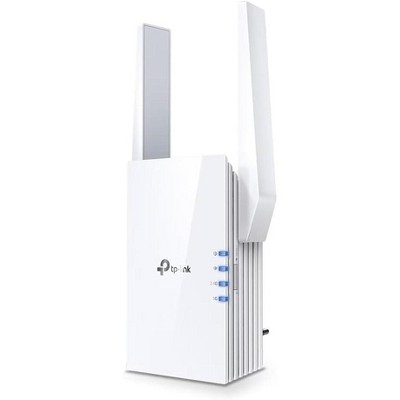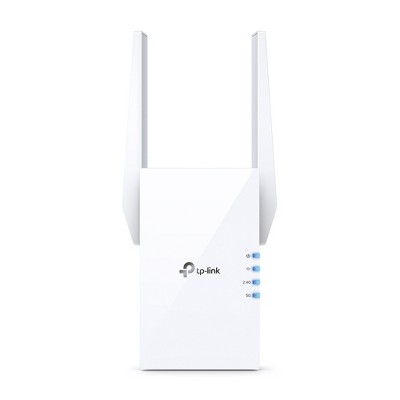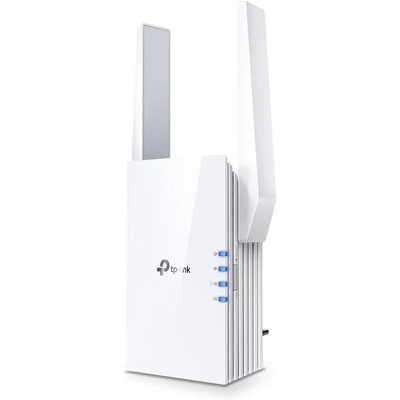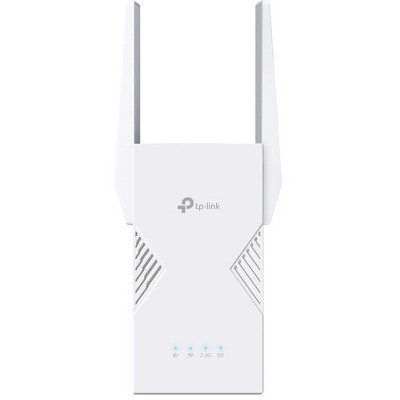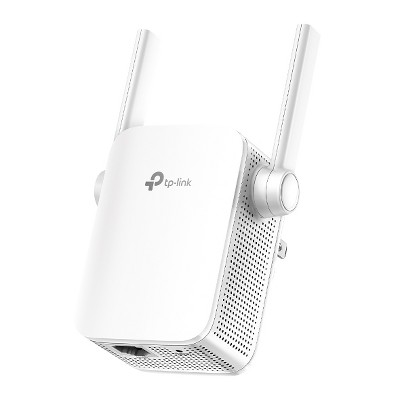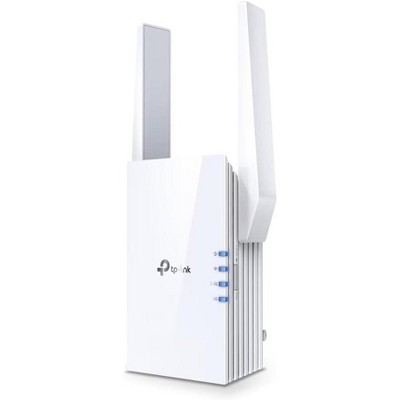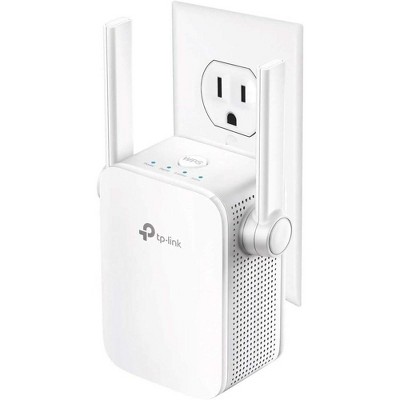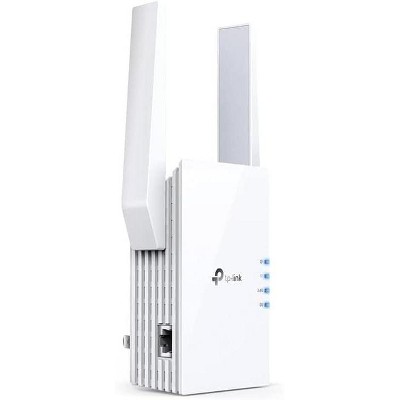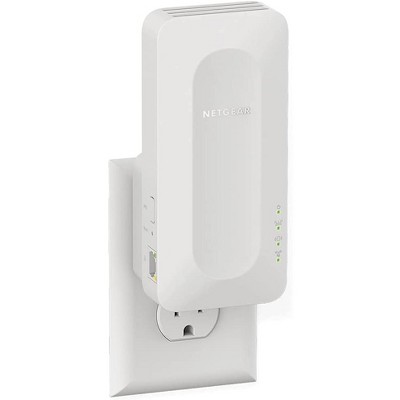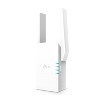
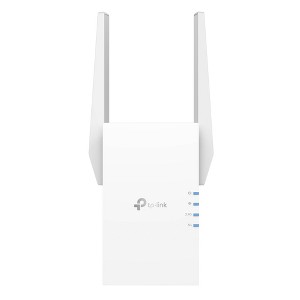
Wi-Fi 6 Speeds: Enjoy smoother and more reliable streaming, gaming, downloading, and more with dual-band WiFi speeds up to 1.5 Gbps (1201 Mbps on 5 GHz band and 300 Mbps on 2.4 GHz band).[1,2]
Connect More Devices to Your Network: Connect more devices that are out of range from your main router to keep them running at top speed.
OneMesh™ Technology: Create a mesh network that only needs one name and password by pairing RE505X with a TP-Link Mesh router. You can easily roam from room to room without changing your WiFi network.[3]
Gigabit Ethernet Port: Create fast, reliable wired connections for your PC, Smart TV, or gaming console anywhere in your home with the gigabit ethernet port.
Access Point Mode: Transform your extender into a high-speed wireless hub by connecting it to your router using an ethernet cable.
Set Up in Minutes: Easily set up and manage your WiFi in a few quick and easy steps using the TP-Link Tether app (Android, iOS).
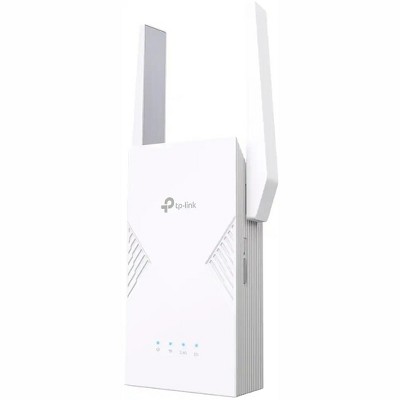
Intelligent Placement: Find the optimal location for the best WiFi connection using the RE505X’s intelligent signal indicator.
Universal Compatibility: The AX1500 range extender is compatible with all WiFi-enabled devices and routers or access points. It even supports new AX phones, laptops and other devices.[4]
Description
Extend high-performance WiFi across your home to remove dead spots and WiFi drop zones with RE505X Wi-Fi 6 range extender. High-gain antennas extend your routers’ WiFi signal so you can enjoy smoother and more reliable streaming, gaming, downloading, and more with dual-band WiFi speeds up to 1.5 Gbps (1201 Mbps on 5 GHz band and 300 Mbps on 2.4 GHz band).[1,2] Pair RE505X with a TP-Link OneMesh™ compatible router to create a network that only needs one name and password. Easily set up and manage RE505X with TP-Link Tether app (Android, iOS). Plus, the intelligent signal indicator will help you find the best placement for your range extender.
Package Contents 1 x RE505X – AX1500 Wi-Fi Range Extender 1 x Quick Installation Guide
[1] This range extender may not support all the mandatory features as ratified in Draft 3.0 of IEEE 802.11ax specification. Further software upgrades for feature availability may be required. [2] Maximum wireless signal rates are the physical rates derived from IEEE Standard 802.11 specifications. Actual wireless data throughput, wireless coverage, and number of connected devices are not guaranteed and will vary as a result of network conditions, client limitations, and environmental factors, including building materials, obstacles, volume and density of traffic, and client location. Actual network speed may be limited by the rate of the product's Ethernet WAN or LAN port, the rate supported by the network cable, Internet service provider factors and other environmental conditions. [3] Smart Roaming is designed for devices that support the 802.11k / v standard. [4] The product may not be compatible with routers or gateways with firmware that has been altered, is based on open source programs, or is non-standard or outdated. *All WiFi extenders are designed to increase or improve WiFi coverage, not to directly increase speed. In some cases, improving signal reliability can affect overall throughput.
Dimensions (Overall): 4.9 Inches (H) x 2.9 Inches (W) x 1.8 Inches (D)
Weight: .5 Pounds
Number of Ethernet Ports: 1
Electronics Features: Dual Band, Controlled by Smartphone App
Connection Type: RJ-45 (Ethernet)
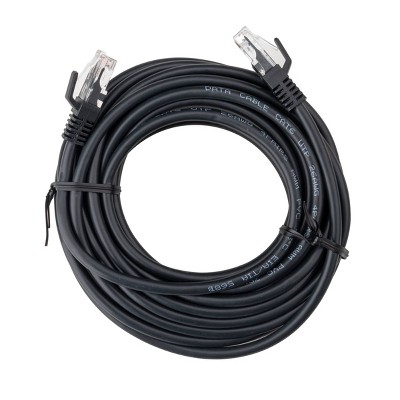
Includes: Instruction Manual, Ethernet Cable, AC Power Adapter
Wireless Frequency/Band: 2.4 GHz / 5 GHz
Wireless Technology: Wi-Fi 6 (IEEE 802.11ax)
Industry or Government Certifications: No Certifications
Warranty: 2 Year Limited Warranty. To obtain a copy of the manufacturer's or supplier's warranty for this item prior to purchasing the item, please call Target Guest Services at 1-800-591-3869
TCIN: 79847576
UPC: 840030700422
Item Number (DPCI): 056-02-0084
Origin: Imported
If the item details aren’t accurate or complete, we want to know about it.
Shipping details
Estimated ship dimensions: 7.9 inches length x 4.96 inches width x 3.9 inches height
Estimated ship weight: 0.926 pounds
Return details
This item can be returned to any Target store or Target.com.
This item must be returned within 30 days of the date it was purchased in store, delivered to the guest, delivered by a Shipt shopper, or picked up by the guest.
Q: Does it have automatic firmware updates?
Is it compatible with WiFi 5?
submitted by Catgirl22 - 1 month ago
A: Wi-Fi 6, 6E, and 7 are all backward compatible with Wi-Fi 5, and in some cases you will see noticeable improvements for your legacy devices. TP-Link Devices, when linked to a TP-Link ID do have the ability to pull firmware via an OTA (over the air) update. The AX1500 is a well-established model that is very reliable. If you do purchase, please know that TP-Link support is free and available 24 hours a day if needed.
submitted byTPLinkSupport - 1 month ago
Brand expert
A: Hi, thanks for reaching out about the
TP-Link AX1500 Mesh Dual Band Range Extender
Yes, it is compatible with Wi‑Fi 5 (802.11ac). The TP‑Link AX1500 Mesh Dual Band Range Extender is a Wi‑Fi 6 extender, but Wi‑Fi standards are backward compatible, so it can extend networks using Wi‑Fi 5 as well as older Wi‑Fi standards
If you have any additional questions, we welcome you to contact MyTGTtech at 833-848-8324 every day between 7 am and 11 pm CST.
submitted byRena - 1 month ago
Target expert support
Q: Is this compatible with Verizon fios
submitted by Anna - 2 months ago
A: Yes, TP-Link Wi-Fi Range Extenders are designed to be universally compatible with Wi-Fi routers.
submitted byTPLinkSupport - 2 months ago
Brand expert
A: Hi, thanks for reaching out about TP-Link AX1500 Mesh Dual Band Range Extender.
Yes. The TP‑Link AX1500 Mesh Dual Band Range Extender is designed to work with virtually any Wi‑Fi router, including Verizon Fios routers. TP‑Link states that its AX1500 range extenders work with any Wi‑Fi router to extend wireless coverage and eliminate dead zones.
If you have any additional questions, we welcome you to contact MyTGTtech at 833-848-8324 every day, between 7am-11pm CST.
submitted byJoe - 2 months ago
Target staff support
Q: Is this compatible with kinetic
submitted by Tam - 2 months ago
A: TP-Link Wi-Fi Range Extenders are designed for universal compatibility with Wi-Fi routers. If you already have a Wi-Fi router at home, this extender can be quickly and intuitively set up to extend Wi-Fi coverage.
submitted byTPLinkSupport - 2 months ago
Brand expert
A: Hi, thank you for reaching out about TP-Link AX1500 Mesh Dual Band Range Extender.
Yes, the TP-Link AX1500 Range Extender (such as models RE505X or RE1500X) is universally compatible with virtually all routers, including the ones provided by Kinetic (Windstream)
If you have any additional questions, we welcome you to contact MyTGTtech at 833-848-8324 every day, between 7am-11pm CST.
submitted byMatt - 2 months ago
Target expert support
Q: What is the range of this extender?
submitted by CC - 4 months ago
A: The extended Wi-Fi range may vary based on environmental factors, including the extender's location, physical obstructions (e.g., walls) between the extender and connecting devices, and which Wi-Fi band (2.4 GHz or 5 GHz) devices use for connectivity. Generally, for best results, we recommend placing the extender between the router and the "Wi-Fi dead zone", in a location where your router's signal is sufficiently stable, yet far enough to effectively extend its range.
submitted byTPLinkSupport - 4 months ago
Brand expert
A: Hi, thanks for reaching out about the TP-Link AX1500 Mesh Dual Band Range Extender
Up to about 1,500 sq. ft. of additional coverage
If you have any additional questions, we welcome you to contact MyTGTtech at 833-848-8324 every day between 7 am and 11 pm CST.
submitted byRena - 4 months ago
Target expert support
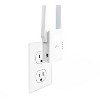
Q: Where would I plug it at directly in my room ?
submitted by Chris - 8 months ago
A: Hi Chris,
Generally, Wi-Fi Range Extenders operate best when installed somewhere between your router and the area you want to extend Wi-Fi into. You'll want to plug it into a location where your router's signal is sufficiently strong and stable, yet far enough from the router to effectively extend your Wi-Fi to where you need it.
submitted byTPLinkSupport - 8 months ago
Brand expert
A: Hi, thank you for reaching out about TP-Link AX1500 Mesh Dual Band Range Extender.
You plug your TP-Link AX1500 extender halfway between your main router and the dead zone, in a spot that still gets a strong signal from the router, using an outlet. For setup, place it near the router, then once configured (via WPS or Tether App), move it to that ideal middle location, avoiding thick walls and metal objects for the best performance, as guided by the extender's signal light.
If you have any additional questions, we welcome you to contact MyTGTtech at 833-848-8324 every day, between 7am-11pm CST.
submitted byMatt - 8 months ago
Target expert support
Q: Is this ATT compatible? If yes, does it have to be connected via ethernet to the router? If yes, is that just for installation or is it continuous connection?
submitted by SHG - 9 months ago
A: Hi SHG,
This Wi-Fi Range Extender can be connected to and extend your existing Wi-Fi router's network, either via Wi-Fi or Ethernet, depending on your preference and networking needs.
submitted byTPLinkSupport - 9 months ago
Brand expert
A: Hi, thanks for reaching out about TP-Link AX1500 Mesh Dual Band Range Extender
To better understand your individual needs, we welcome you to contact MyTGTtech at 833-848-8324 every day, between 7am-11pm CST.
submitted byMike - 9 months ago
Target expert support
Q: Is this compatible with Starlink
submitted by Doesnt work - 10 months ago
A: Hi,
Yes, TP-Link Wi-Fi Range Extenders are designed for universal compatibility with Wi-Fi routers.
submitted byTPLinkSupport - 10 months ago
Brand expert
A: Hi, thanks for reaching out about TP-Link AX1500 Mesh Dual Band Range Extender
Yes, this is compatible with Starlink, however the exact hardware of your network can change the setup process quite a bit.
If you have any additional questions, we welcome you to contact MyTGTtech at 833-848-8324 every day, between 7am-11pm CST.
submitted byMike - 10 months ago
Target expert support
Q: Does this work with Hughesnet?
submitted by Happy Customer - 10 months ago
A: Hi,
Yes, TP-Link Wi-Fi Range Extenders are universally compatible with Wi-Fi Routers.
submitted byTPLinkSupport - 10 months ago
Brand expert
A: Hi, thank you for reaching out about TP-Link AX1500 Mesh Dual Band Range Extender.
Yes, the TP-Link AX1500 range extender is universally compatible and will work with your Hughesnet modem/router.
If you have any additional questions, we welcome you to contact MyTGTtech at 833-848-8324 every day, between 7am-11pm CST.
submitted byMatt - 10 months ago
Target expert support
Q: Can i plug my desktop computer into this using an Ethernet cable to gain direct internet access?
submitted by TayNicole - 2 years ago
A: Hi TayNicole, thanks for reaching out about TP-Link AX1500 Mesh Dual Band Range Extender.
This does have 1 ethernet port to connect a device. It is an extender, and a compatible router is required to send a wireless connection to it.
If you have any additional questions, we welcome you to contact MyTGTtech at 833-848-8324 every day, between 7am-11pm CST.
submitted byMatt - 2 years ago
Target expert support
A: Hi TayNicole,
Yes, as long as your existing router has Internet connectivity and the Range Extender has been correctly configured and connected to the router's Wi-Fi.
submitted byTPLinkSupport - 2 years ago
Brand expert
Q: I'm currently at college and my school WiFi is laggy, I brought my PlayStation to school and I want to use a Ethernet cable to make it better but there's no Ethernet plug, will this work?
submitted by School wifi - 14 days ago
A: Yes, once connected to the existing Wi-Fi network, the Ethernet port on the extender can supply wired connectivity to your PS5 or other wired devices. Please note that the network quality through the Ethernet port will depend on the network quality the extender receives via Wi-Fi.
This WiFi extender is designed to enhance connectivity throughout your home, making it ideal for guests seeking to eliminate dead zones and improve internet access in hard-to-reach areas. Many guests appreciate its easy setup process, often taking just minutes, and its ability to boost signal strength effectively. While some guests experienced connectivity issues, the overall performance in extending WiFi coverage has been positively noted, especially for streaming and online activities.
Summary created by AI from text of reviews reflecting recent feedback provided across different star ratings (includes incentivized reviews)
4.2
4.2 out of 5 stars
55 star ratings
4.2 out of 5 stars with 55 reviews
quality
3.6 out of 5
quality: 3.58 out of 5
value
3.3 out of 5
value: 3.33 out of 5
86% would recommend
30 recommendations
5 out of 5 stars
Thumbs up graphic, would recommendWould recommend
25 August, 2026Verified purchase
Simple Use
Did the job for a wifi extender to reach my detached garage. Easy set up as well.
Son
quality
5.0 out of 5
quality: 5 out of 5
value
5.0 out of 5
value: 5 out of 5
Did you find this review helpful?
1 out of 5 stars
Thumbs down graphic, would not recommendWould not recommend
8 August, 2026Verified purchase
(no review title)
Fairly easy setup. However, it seems to interfere with internet service rather than boost the connection
quality
1.0 out of 5
quality: 1 out of 5
value
1.0 out of 5
value: 1 out of 5
Did you find this review helpful?
5 out of 5 stars
26 December, 2025Verified purchase
(no review title)
Works well, easy to setup
Madeline
Did you find this review helpful?
5 out of 5 stars
Thumbs up graphic, would recommendWould recommend
15 December, 2025Verified purchase
(no review title)
works great
Andrea
Did you find this review helpful?
1 out of 5 stars
23 October, 2025
(no review title)
Literally didn't work at all. Showed full bars but made my connection worse even though the app said everything was excellent.
1 reply from TPLinkSupport team - 10 months ago
Hi Emily, Thank you for your review. If you haven't noticed a significant improvement in Wi-Fi coverage after installing the extender, we recommend relocating the unit to a position within your home where the router's Wi-Fi signal is sufficiently strong; yet far enough from the router to effectively extend its range. Please verify the RE status LED is indicating a solid connection. We also recommend ensuring the extender's firmware is fully up to date using the steps outlined in FAQ 1406 on our official website. To locate this FAQ, visit our website and enter 1406 in the top-right search field, then click the corresponding FAQ in the search results. If you would like assistance with any of these steps, please reach out to our support team using any of the resources included with the product, or from our official website, and we'll gladly have a Support Agent follow up with you directly. Thank you, TP-Link Systems Support
Emily
1 guest found this review helpful. Did you?
1 out of 5 stars
Thumbs down graphic, would not recommendWould not recommend
7 September, 2025Verified purchase
Thought it was good but its not
Buffers so many times
1 reply from TPLinkSupport team - 1 year ago
Hi Ashley, Thank you for your review. If you haven't noticed a significant improvement in Wi-Fi coverage after installing the extender, we suggest moving the unit to a spot in your home where the router's Wi-Fi signal is strong enough but still far enough away from the router to effectively extend its range. Please check that the RE status LED shows a solid connection. We also recommend ensuring the extender's firmware is fully up to date using the steps outlined in FAQ 1406 on our official website. To locate this FAQ, visit our website and enter 1406 in the top-right search field, then click the corresponding FAQ in the search results. If you would like assistance with any of these steps, please reach out to our support team using any of the resources included with the product, or from our official website, and we'll gladly have a Support Agent follow up with you directly. Thank you, TP-Link Systems Support
Ashley
quality
4.0 out of 5
quality: 4 out of 5
value
1.0 out of 5
value: 1 out of 5
1 guest found this review helpful. Did you?
5 out of 5 stars
Thumbs up graphic, would recommendWould recommend
18 June, 2025Verified purchase
Great buy
Works well, we have a split level home and our router is on the lower level and the extender is on the upper level. We are now able to get 3 bars all over the home.
VD
quality
5.0 out of 5
quality: 5 out of 5
value
5.0 out of 5
value: 5 out of 5
Did you find this review helpful?
5 out of 5 stars
Thumbs up graphic, would recommendWould recommend
22 February, 2025
Great coverage
Works great. Covers our house.
Target Team Member
quality
4.0 out of 5
quality: 4 out of 5
value
4.0 out of 5
value: 4 out of 5
Did you find this review helpful?
5 out of 5 stars
2 August, 2021
Works Great
I’m not tech savvy AT ALL and this thing was simple to setup and works great. The setup took me maybe 5-10 minutes. We no longer have dead spots upstairs. The product exceeded my expectations and I was a little worried based on the price and bad reviews.
Cj langley
quality
5.0 out of 5
quality: 5 out of 5
value
5.0 out of 5
value: 5 out of 5
6 guests found this review helpful. Did you?
5 out of 5 stars
Thumbs up graphic, would recommendWould recommend
19 July, 2021
Perfect for adding printer to network!
We recently upgraded to the latest modem/router from CenturyLink and now our older model printer is unable to connect to it. All options to bring the 2 closer together to do a wired connection doesn’t work for us. So we decided to give this a shot so we won’t have to buy a new printer. Setup was super simple, just press the WPS buttons on both the modem and the extender and they connected within a minute! I hadn’t even fully downloaded the app for the extender yet, but it looks like you don’t really need it unless you want to customize certain settings (which I haven’t bothered looking at). I have no idea how well it works for actually extending the network since that’s not why I bought it, but jobs get sent to the printer the same as thru a wired connection to a computer!
HappyMama
quality
5.0 out of 5
quality: 5 out of 5
value
4.0 out of 5
value: 4 out of 5
5 guests found this review helpful. Did you?
1 out of 5 stars
Thumbs down graphic, would not recommendWould not recommend
27 June, 2021
Don't waste your time
Was simple enough to set up but never worked after with no indication as to what the problem was, just told me to "reset and try again" every time: very frustrating.
1 reply from TPLinkSupport team - 5 years ago
Hi, Thank you for your review. If you are experiencing difficulty connecting the extender to your router, we recommend setting up the device in the same room as your router, then relocating it after setup is complete. We also suggest re-verifying your router's WiFi password during setup, or if using the WPS setup method, ensuring the WPS process is performed in the correct order. The extender's indicator LEDs will help you determine which position in your home is ideal. We also highly recommend ensuring the extender's firmware is fully up to date using the steps outlined in FAQ 1406 on our official website. To locate this FAQ, visit our website and enter 1406 in the top-right search field, then click the corresponding FAQ in the search results. If you would like assistance with any of these steps, please reach out to our free support team using any of the resources included with the product, or from our official website, and we'll gladly have a Support Agent follow up with you directly. Thank you, TP-Link Support
tbm555
7 guests found this review helpful. Did you?
1 out of 5 stars
30 April, 2021
Messed up EVERYTHING.
Connected as the directions said to. Seemed fine at first. Within an hour, we lost internet connectivity to every device in our house. Tried to disconnect it & that doesn't work. Unplugged it, deleted the app from my phone, tried resetting our router, NO INTERNET CONNECTION at all now. Literally nothing in our house connects to internet and we WORK FROM HOME. This thing destroyed our $280 router!! Returning it today & have to BUY A NEW ROUTER! Thanks a lot!!
1 reply from TPLinkSupport team - 5 years ago
Hi, Thank you for your review. If you do not have Internet access after setting up your Extender, please re-verify your WiFi password and re-configure the unit. We also suggest relocating the extender to another position in your home where your router’s WiFi signal is sufficiently strong; yet far enough from the router to effectively extend its range. We also highly recommend ensuring the extender's firmware is fully up to date using the steps outlined in FAQ 1406 on our official website. To locate this FAQ, visit our website and enter 1406 in the top-right search field, then click the corresponding FAQ in the search results. In your particular case, it is important to bear in mind that a WiFi extender simply extends the WiFi signal that it receives from your router - it does not affect your router or modem's connection to your ISP. Please ensure that if you opted to use the WPS button setup method, that you pressed the correct button (WPS) on your router, and not the reset button. Contacting your router manufacturer or ISP, or consulting the support documentation for your router or gateway is highly recommended. Thank you, TP-Link Support
JT
quality
1.0 out of 5
quality: 1 out of 5
value
1.0 out of 5
value: 1 out of 5
7 guests found this review helpful. Did you?
1 out of 5 stars
Thumbs down graphic, would not recommendWould not recommend
30 January, 2021Verified purchase
What a waste!
Save your money and invest in a new mesh system. The extender did not work and actually slowed down my wifi. Hard pass. I went with an Orbi system in the end.
1 reply from TPLinkSupport team - 6 years ago
Hi, Thank you for your review. Please bear in mind WiFi extenders utilize half-duplex transmission. As a result, throughput when connecting to the extender may be reduced when compared to the router. This is an industry standard for WiFi extenders and is not exclusive to TP-Link. In your case, we recommend relocating the unit to a position in your home where the router's WiFi signal is sufficiently strong; yet far enough from the router to effectively extend its range. Depending on your particular networking environment and the layout of your home, a Mesh WiFi solution, such as our Deco Mesh WiFi offerings, may be a suitable option. If you'd like assistance with any of these steps, please reach out to our free support team using any of the resources included with the product, or from our official website, and we'll gladly have a Support Agent follow up with you directly. Thank you, TP-Link Support
KLGG
value
1.0 out of 5
value: 1 out of 5
quality
1.0 out of 5
quality: 1 out of 5
11 guests found this review helpful. Did you?
5 out of 5 stars
Thumbs up graphic, would recommendWould recommend
14 January, 2021Verified purchase
buy it
it works amazing. I have between 20-40ms latency and almost 100 mbps download speed. completely changed my internet upstairs in my house.
griffiles95123
2 guests found this review helpful. Did you?
3 out of 5 stars
10 January, 2021
Bad performance with 2.4Ghz
I installed this Extender with a new TP-Link AX1500 router. The Extender's 5g speed matches the routers but the Extender's 2.4g speed is only 1/4 of the routers even with the latest 1.0.9 firmware and 4' in-front of the Extender. Doesn't matter which device or speed test is used. Apparently, there is known 2.4g problem with some TP-Link products.
1 reply from TPLinkSupport team - 6 years ago
Hi, If you haven't noticed a significant improvement in WiFi coverage after installing the extender, we recommend relocating the unit to a position within your home where the router's WiFi signal is sufficiently strong; yet far enough from the router to effectively extend its range. Please verify the RE status LED is indicating a solid connection. We also recommend ensuring the extender's firmware is fully up to date using the steps outlined in FAQ 1406 on our official website. To locate this FAQ, visit our website and enter 1406 in the top-right search field, then click the corresponding FAQ in the search results. If you'd like assistance with any of these steps, please reach out to our free support team using any of the resources included with the product, or from our official website, and we'll gladly have a Support Agent follow up with you directly. Thank you, TP-Link Support
MrZee
quality
2.0 out of 5
quality: 2 out of 5
value
3.0 out of 5
value: 3 out of 5
6 guests found this review helpful. Did you?
5 out of 5 stars
Thumbs up graphic, would recommendWould recommend
3 January, 2021
Fast and easy set up
Easy set up. My son set it up quickly and without any issues. Seems to be working. He has WiFi in his room again!
I think that it works good. It's kind of hard to explain they've been working on putting fiber optic cables around my home. I feel like as spotty as our service is, this extender does the best it can to make the range wider.
We had been looking for something to increase the wi-fi speed and connectivity in our basement. This did the trick! We are now able to access internet on our devices with speeds equal to those in the rest of the house. Worked great!
PBMom
2 guests found this review helpful. Did you?
5 out of 5 stars
Thumbs up graphic, would recommendWould recommend
8 December, 2020Verified purchase
Great Range
I used this product to connect the WIFI from Second Floor to Basement. My security camera system is located the basement that does not have ethernet port. This product fits my need perfect. Excellent.
This is a nice addition to my smart home. I have it plugged in at the far corner of my house, a spot that sometimes looses strong wifi signal. So far it has worked great! The setup was super easy and the speed is just as good! The only reason for loss of one star, is that TP Link has not yet integrated this with my router (planned in the future) so it is not a seamless transition. You have to switch your wifi network to this, as opposed to it happening automatically, which will hopefully change sometime soon!