Target New ArrivalsBack to SchoolCollegeClothing, Shoes & AccessoriesHome & DecorKitchen & DiningOutdoor Living & GardenGroceryHousehold EssentialsBabyBeautyPersonal CareSports & OutdoorsHealthWellnessSchool & Office SuppliesToys & GamesElectronics & TechVideo GamesMovies, Music & BooksParty SuppliesGift IdeasGift CardsPetsUlta Beauty at TargetShop by CommunityTarget OpticalDealsClearanceNew ArrivalsBack to SchoolCollegeTop DealsTarget Circle DealsWeekly AdShop Order PickupShop Same Day DeliveryRegistryRedCardTarget CircleFind Stores

desk attachment

1,000+ results for “desk attachment”
VICTOR® Smart Charge Pencil Cup™ with USB Hub

Sponsored

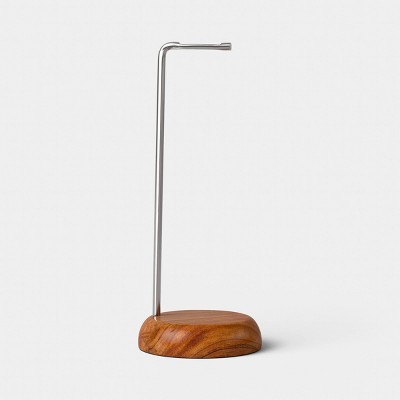
Pen + Desk Organizer - Large - Steel + Wood

$42.00

Sponsored

Powered by AI

Guests also ask:

Docking-style desk attachments commonly list video ports (HDMI or DisplayPort), USB-A and USB-C ports, SD/MicroSD card readers, Ethernet, and 3.5 mm audio. Larger docks or built-in hubs sometimes combine several of these (for example SD, MicroSD, HDMI, USB-A, USB-C, Ethernet and audio) on one unit.

Laptop stands and monitor risers elevate devices to free up usable desk space and reduce visible cable clutter. Some models add organizational features—built-in hubs for connections or pull-out drawers—so cables and small office items stay accessible and tidy.

Installation is generally straightforward: listings note included mounting hardware for a hassle-free setup and advise confirming there’s sufficient mounting space under your tabletop before purchase.

Power delivery varies by model. Some laptop-stand hubs list 100W PD, larger docking stations describe distributed power supplies (for example a 150W total supply with up to 96W dedicated to host charging), and other docks provide lower-wattage PD ports for phones and tablets.

Support varies by dock: some docking attachments can run two external 4K displays at 60 Hz, while other multiport stations can support up to three external displays using combinations of HDMI and DisplayPort outputs.

Get top deals, latest trends, and more.