Target New ArrivalsBack to SchoolCollegeHalloweenClothing, Shoes & AccessoriesHome & DecorKitchen & DiningOutdoor Living & GardenGroceryHousehold EssentialsBabyBeautyPersonal CareSports & OutdoorsPetsHealthWellnessSchool & Office SuppliesToys & GamesElectronics & TechVideo GamesMovies, Music & BooksParty SuppliesGift IdeasGift CardsShop by CommunityTarget OpticalDealsClearanceNew ArrivalsBack to SchoolCollegeTop DealsTarget Circle DealsWeekly AdShop Order PickupShop Same Day DeliveryRegistryRedCardTarget CircleFind Stores

usb table microphone

233 results for “usb table microphone”

Sponsored

HyperX Caster

Sponsored

Powered by AI

Guests also ask:

Sampling and bit-depth support varies by model. Examples in the results include 16-bit/48 kHz, 24-bit at higher sample rates, 24-bit/192 kHz, and on some devices a 48 kHz, 32-bit-float option.

Many USB table microphones include a 3.5 mm headphone jack for real-time monitoring. Some packages bundle monitor earphones or provide a dedicated headphone/aux output for direct monitoring.

Frequency response varies widely by model. Examples provided range from roughly 100 Hz–10 kHz up to full-range 20 Hz–20 kHz. Consult a specific model’s spec sheet to confirm its exact response and whether it suits voice-only or full-spectrum recording.

Desktop/table USB microphones most commonly use USB-A or USB-C connections and are bus-powered (no internal battery). Many include USB cables or adapters (for example Micro‑B to USB‑A/C) for plug-and-play operation.

Pickup patterns range from directional cardioid to omnidirectional. Some models offer selectable modes—such as cardioid, bidirectional, omnidirectional, and stereo—to suit single-voice, interview, or group recording scenarios.

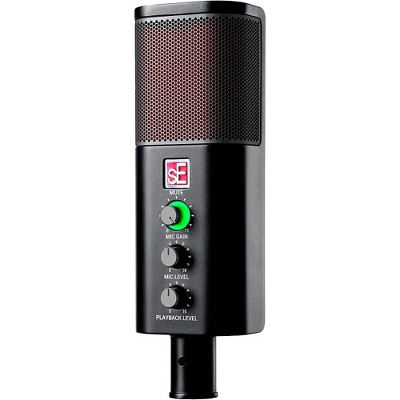
Onboard controls that help improve clarity include DSP or speech-enhancement modes, selectable pickup patterns, sensitivity/gain adjustments, mute and headphone-volume controls, and sometimes a high-pass filter to reduce low-frequency rumble.

Get top deals, latest trends, and more.