


Target New ArrivalsChristmasTarget Black FridayGift IdeasHoliday Kids CatalogHome & DecorKitchen & DiningToys & GamesElectronics & TechVideo GamesGift CardsClothing, Shoes & AccessoriesGroceryBabyBeautyTarget Beauty StudioPersonal CareHousehold EssentialsHealthWellnessBooks, Music & MoviesSports & OutdoorsPetsSchool & Office SuppliesParty SuppliesAutomotiveTarget OpticalClearanceNew ArrivalsChristmasGift IdeasTop DealsTarget Circle DealsWeekly AdShop Order PickupShop Same Day DeliveryRegistryRedCardTarget CircleFind Stores
Apple HomeView - 2 of 4Apple HomeView - 3 of 4Apple HomeView - 4 of 4
Apple HomeView - 1 of 4

Apple HomeView - Space Gray

6 Questions
New at  target 
$299.99

In Stock


Add plans or services
Make your selection before adding to cart
AppleCare+ for Apple HomeView 2-Year Accidental Damage Coverage
$49.00
2 Year Electronics Protection Plan ($250-$299.99) - Allstate
$40.00

Find alternative
Skip to next section
Eligible for registries and wish lists
Save 5% every day
With Target Circle™ Card (restrictions apply)

About this item

Highlights

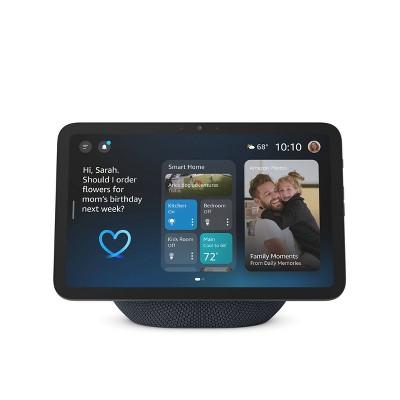
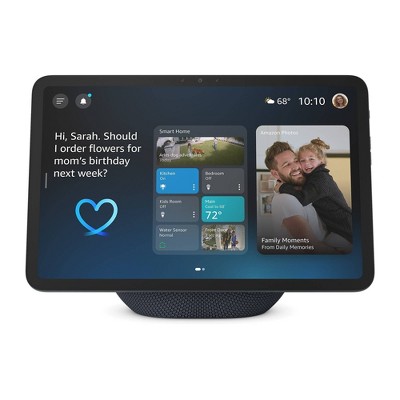
  • DESIGNED FOR LIFE AT HOME—Apple HomeView keeps the whole home connected, entertained, and in the know. All in one place.
  • UP TO SIX USERS—Apple HomeView can recognize the faces and voices of up to six people and seamlessly switch between them, delivering a personalized experience for each one.⁴
  • SIRI AI—Siri AI, powered by Apple Intelligence, comes built into Apple HomeView to help you find what you need and get more done while protecting your privacy.¹ Available in English to start. Usage limits may apply.
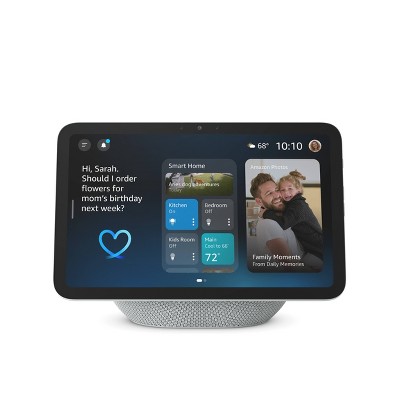
  • INCREDIBLE SOUND AND VISUALS—Powerful speakers deliver Spatial Audio for rich, room-filling sound.⁵ The 7-inch Liquid Retina display delivers vibrant colors and sharp details.⁶
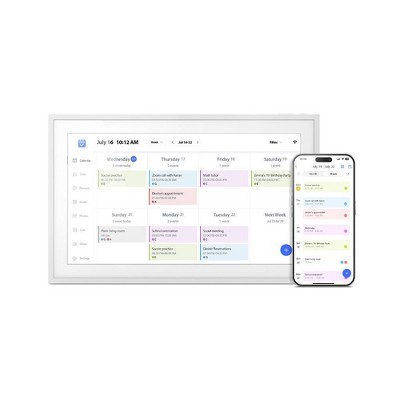
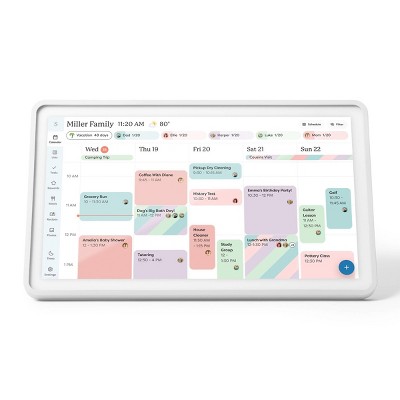
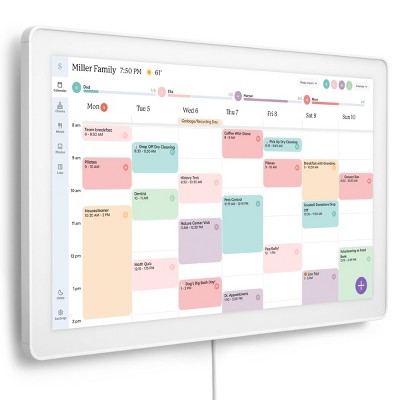
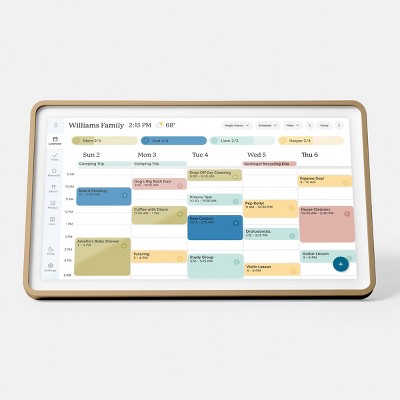
  • CUSTOMIZABLE FACES—Bring beauty to any room. Relive your favorite memories with the stunning Photos face. Choose playful faces like Snoopy or helpful options like Calendar, Weather, and more.
  • ENTERTAINMENT—Apple HomeView keeps you engaged and entertained with music, podcasts, audiobooks, TV, and more.⁷ Have an impromptu singalong, immerse yourself in a good story, or keep an eye on the game while you do the dishes.
  • FACETIME. TEXT. INTERCOM—Enjoy clear, hands-free FaceTime calls.² Send messages and make calls using just your voice. Use Intercom to communicate with people throughout the house using Apple devices.
  • SMART HOME—Working seamlessly with the Home app, Apple HomeView is a central hub to control all your smart home accessories.³
  • PRIVACY FOR YOUR HOME—Apple HomeView comes with privacy protections built in at every step and is designed to keep everyone’s personal information secure.⁸

Description

Welcome, Apple HomeView
Designed for life at home.

Legal
¹Some features may not be available in all regions or languages. Some devices may not be available in all regions. Siri AI is available in beta in Apple HomeView software version 27.2. Personal context requests require a paired Apple Intelligence–enabled iPhone or iPad running the latest software version with Siri AI turned on and set to a supported language. Certain Apple Intelligence features that rely on server-side models are subject to daily usage limits. Expanded access to such features will be available for a fee in the future. Use of these features is subject to the Apple Intelligence Terms and Conditions. Learn more at support.apple.com/148587.
²FaceTime calling requires a FaceTime-enabled device for the caller and recipient and a Wi‑Fi connection.
³Controlling your smart home requires a HomeKit- or Matter-enabled accessory. Smart home accessories sold separately. Some features, applications, services, and smart home accessories may not be available in all regions or all languages.
⁴Requires a compatible iPhone or iPad running the latest software.
⁵Spatial Audio works with compatible content in supported apps. Not all content is available in Dolby Atmos.
⁶The display has rounded corners. When measured diagonally, the screen is 6.98 inches. Actual viewable area is less.
⁷A subscription may be required to access some content. Some applications are not available in all areas.
⁸Requires the user to be recognized by their face or voice, and the paired iPhone or iPad must be recently unlocked and connected to the same Wi-Fi network. If disconnected from Wi-Fi, the device must have an active cellular connection in the same location and have recently connected to the same network.
Technical specifications
Go to http://apple.com/apple-homeview/specs/ for a complete set.
Dimensions (Overall): 6.82 Inches (H) x 5.73 Inches (W) x 5.13 Inches (D)
Weight: 2.1 Pounds
Electronics Features: Front-Facing Camera
Video Recording Resolution: 1080p
Wireless Technology: Wi-Fi
Screen Size: 7 Inches
Smart platform: Siri AI
Model name: MDH24LL/A
Battery: No Battery Used
Warranty: 1 Year Limited Warranty. To obtain a copy of the manufacturer's or supplier's warranty for this item prior to purchasing the item, please call Target Guest Services at 1-800-591-3869
Street Date: November 13, 2026
TCIN: 85979026
UPC: 195950231960
Item Number (DPCI): 057-10-8751
Origin: Imported
If the item details aren’t accurate or complete, we want to know about it.

Shipping details

Estimated ship dimensions: 8.831 inches length x 5.429 inches width x 8.996 inches height
Estimated ship weight: 4.299 pounds

Return details

This item can be returned to any Target store or Target.com.
This item must be returned within 14 days of the date it was purchased in store, delivered to the guest, delivered by a Shipt shopper, or picked up by the guest.
See the return policy for complete information.

Q: Can the HomeView screen be taken off its stand, similar to the Google tablet?

submitted by Billy - 1 month ago
  • A: No it cannot be taken off

    submitted byleonka - 1 month ago
  • A: Nope, the screen cannot be taken off the stand. Unlike the Google Pixel Tablet, the HomeView is a stationary smart display and doesn't detach to be used as a handheld tablet.

    submitted byPaige C - 1 month ago
  • A: No, it is attached.

    submitted byOwen - 12 days ago
  • A: No, the screen is attached to the base.

    submitted byCal - 13 days ago
  • A: nope! This version is the one with the base, but you can get the wall mounted version instead. If you're looking to be able to move it around, you would probably be more interested in an iPad.

    submitted byOwen - 16 days ago
  • A: No. This is similar to Google's Nest Hub products where the screen and speaker are integrated.

    submitted bySteven Z - 12 days ago
  • A: No, they sell a separate model without the stand.

    submitted byBP - 12 days ago
  • A: No, it’s two configurations (stand or wall mount) all require constant power.

    submitted byEd - 1 month ago
  • A: No, it can not. Maybe Apple will make this an option for a future model but the current model does not allow the screen to detach.

    submitted byAppleguy - 7 days ago

Q: Can I download apps on this? Like Netflix, Hulu etc

submitted by Dd - 1 month ago
  • A: No, the Apple HomeView doesn't have an App Store to download apps like Netflix or Hulu. It works as a smart home hub with built-in Apple features (like Apple TV, Music, and FaceTime) and supports AirPlay from an iPhone or iPad.

    submitted byPaige C - 1 month ago
  • A: No, you cannot directly download apps on the Apple HomeView because the device does not feature an App Store or an on-device app installation method.

    submitted byleonka - 1 month ago
  • A: No app store on the HomeView unfortunantly however it will work with 3rd party apps that work on Carplay.

    submitted byCal - 13 days ago
  • A: Apple has said apps that work on Apple CarPlay will also be available on HomeView. HomeView doesn't have its own appstore, but it does have Safari. So anything you can watch on Safari should work!

    submitted byOwen - 16 days ago
  • A: hey. no. its only used for simple things. kinda like an apple watch.

    submitted byamber - 12 days ago

Q: Does it work as a digital photo frame?

submitted by Apple bottom jeans - 1 month ago
  • A: Yes!! It has a dedicated Photos feature that lets you use it as a digital frame, displaying either a single photo or a rotating slideshow from your personal collection or shared iCloud albums.

    submitted byPaige C - 1 month ago
  • A: Yes it can do that natively

    submitted byBP - 12 days ago
  • A: Hi, thanks for reaching out about Apple HomeView. Yes. Apple HomeView includes a Photos face that can display either a single photo or a rotating gallery from your photo collections or shared albums, effectively functioning as a digital picture frame. It also supports iCloud Shared Albums, so family members can add photos from their iPhones and the display updates automatically. Apple specifically describes it as a digital picture frame, and independent hands-on reports say it can replace a dedicated digital photo frame for many families. If you have any additional questions, we welcome you to contact MyTGTtech at 833-848-8324 every day, between 7am-11pm CST.

    submitted byJoe - 1 month ago
    Target staff support

Q: Can multiple homeviews be in use at the some time (I.e one in each kids room?)

submitted by Falynn - 12 days ago
  • A: Hi, thanks for reaching out about Apple HomeView. Yes, you can use multiple HomeView units at the same time in different rooms. Each HomeView can be assigned to its own room in the Apple Home app, allowing them to operate in separate rooms, such as one in each child’s room. If you have any additional questions, we welcome you to contact MyTGTtech at 833-848-8324 every day, between 7am-11pm CST.

    submitted byMel - 6 days ago
    Target staff support

Q: What is the monthly cost for use ??

submitted by Maryt - 25 days ago
  • A: Hi, thanks for reaching out about Apple HomeView. There is no required monthly subscription fee to use Apple HomeView. Optional subscription services may have recurring fees. If you have any additional questions, we welcome you to contact MyTGTtech at 833-848-8324 every day, between 7am-11pm CST.

    submitted byMel - 21 days ago
    Target staff support

Q: Can you add the ring cameras ?

submitted by Tammy - 1 month ago
  • A: Hi, thanks for reaching out about Apple HomeView Apple HomeView can display and control Apple HomeKit-compatible cameras that are added to your Apple Home app. However, Ring cameras do not natively support Apple HomeKit, so they generally cannot be added directly to HomeView. Some users use third-party solutions such as Homebridge to integrate Ring devices with Apple Home, but that is not an official Apple or Ring-supported setup. If you have any additional questions, we welcome you to contact MyTGTtech at 833-848-8324 every day, between 7am-11pm CST.

    submitted byMike - 1 month ago
    Target staff support

Additional product information and recommendations

3.8 out of 5 stars with 9 reviews
display: 5 out of 5
ease of use: 5 out of 5
features: 4.5 out of 5
speed: 5 out of 5
value: 4.75 out of 5
80% would recommend
5 recommendations
5 out of 5 stars
Thumbs up graphic, would recommend
17 November, 2026Verified purchase

Beautiful Design

I was fortunate enough to get the new Apple HomeView on launch day, November 13, which isn't always easy with brand-new Apple products! I have it sitting on my kitchen counter, and honestly, it feels like having a giant Apple Watch designed for the home. I love being able to quickly check the time and weather, send and receive iMessages, and make or answer FaceTime calls without reaching for my iPhone. One thing that really surprised me was the sound quality. The speakers are loud and clear, making it great for listening to my music while cooking. As always, Apple nailed the design. It looks beautiful, fits perfectly into my Apple ecosystem, and adds a modern touch to my kitchen. I especially appreciate the personalization features and Face ID, which helps keep personal information and messages private. Considering this is Apple's first generation of this type of device, I'm really impressed with what it offers. I'm excited to see how Apple improves it in the future, hopefully with more screen sizes and additional features. Overall, I'm very pleased with my purchase!
Stan
display: 5 out of 5
ease of use: 5 out of 5
features: 4 out of 5
speed: 5 out of 5
value: 4 out of 5
1 guest found this review helpful. Did you?
5 out of 5 stars
Thumbs up graphic, would recommend
16 November, 2026Verified purchase

I Love It!!

I think it’s a cool concept, and I was so lucky to find one at Target on release day. It not only serves as a hub to my Apple home (allowing me to control my locks, cameras, and lights), but it recognizes up to 6 peoples faces and provides a personalized experience for my entire family!! It has an amazing speaker, and the ability to FaceTime, and really is giving Alexa’s a run for their money! I’m an Apple girl, so this was really the missing piece! I look forward to seeing this evolve!!!
display: 5 out of 5
ease of use: 5 out of 5
features: 5 out of 5
speed: 5 out of 5
value: 5 out of 5
Did you find this review helpful?
5 out of 5 stars
Thumbs up graphic, would recommend
16 November, 2026

Smart Home for Apple users

A must have for any Apple user who doesn’t have a smart home setup yet. This is smart home done the Apple way
Michel
display: 5 out of 5
ease of use: 5 out of 5
features: 4 out of 5
speed: 5 out of 5
value: 5 out of 5
2 guests found this review helpful. Did you?
1 out of 5 stars
Thumbs down graphic, would not recommend
15 November, 2026

(no review title)

bad
Angelo
Did you find this review helpful?
5 out of 5 stars
Thumbs up graphic, would recommend
14 November, 2026

Great Start, Apple! 🍎

I absolutely love it! As an Apple girl, having a device that mirrors my iPhone so seamlessly is amazing. Everything is quick, easy, and convenient. I love being able to stay updated, organized, and connected right from one screen. My only wish is that the display were a little bigger. Hopefully, with another generation, Apple will consider introducing larger HomeViews because I would absolutely love that! Overall, I think Apple is off to a great start. I will probably continue keeping my Alexa devices since they’re compatible with most of my existing smart home equipment. However, I see the HomeView as a great option for someone who wants an easy way to mirror their iPhone, stay organized, and keep up with everyday updates. I’m also looking forward to expanding my setup by adding more Apple Home-compatible smart home devices. I’m excited to see where Apple takes this product in the future!
Bee Jay
display: 5 out of 5
ease of use: 5 out of 5
features: 5 out of 5
speed: 5 out of 5
value: 5 out of 5
3 guests found this review helpful. Did you?
1 out of 5 stars
14 November, 2026

Received defective model

I can’t believe this happened, but I received a fully defective model, the provided USB cable did not fit into the Homeview, there was nothing I can do to fix it. First time I’ve had a quality control issue with Apple.
Keir
7 guests found this review helpful. Did you?

Get top deals, latest trends, and more.