
Target New ArrivalsChristmasGift IdeasHoliday Kids CatalogHome & DecorKitchen & DiningToys & GamesElectronics & TechVideo GamesGift CardsClothing, Shoes & AccessoriesGroceryBabyBeautyTarget Beauty StudioPersonal CareHousehold EssentialsHealthWellnessBooks, Music & MoviesSports & OutdoorsPetsSchool & Office SuppliesParty SuppliesAutomotiveTarget OpticalClearanceNew ArrivalsChristmasGift IdeasTop DealsTarget Circle DealsWeekly AdShop Order PickupShop Same Day DeliveryRegistryRedCardTarget CircleFind Stores
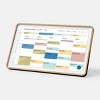
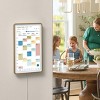
Skylight Calendar 2 15" Digital Touchscreen Antique Brass - Hearth & Hand™ with Magnolia - 2 of 4Skylight Calendar 2 15" Digital Touchscreen Antique Brass - Hearth & Hand™ with Magnolia - 3 of 4Skylight Calendar 2 15" Digital Touchscreen Antique Brass - Hearth & Hand™ with Magnolia - 4 of 4
Skylight Calendar 2 15" Digital Touchscreen Antique Brass - Hearth & Hand™ with Magnolia - 1 of 4

Skylight Calendar 2 15" Digital Touchscreen Antique Brass - Hearth & Hand™ with Magnolia

44 Questions
$339.99

In Stock


Add plans or services
Make your selection before adding to cart
2 Year Electronics Protection Plan ($300-$349.99) - Allstate
$45.00

Eligible for registries and wish lists
Save 5% every day
With Target Circle™ Card (restrictions apply)

About this item

Highlights

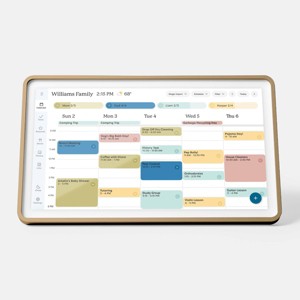
  • CALENDAR AUTO SYNCING: Skylight Calendar seamlessly auto-syncs with Google Calendar, iCloud Calendar, Outlook Calendar, Yahoo and more making it easy to see everyone’s schedule in one location.
  • TASK MANAGER: Track daily routines and chores. Encourage kids’ independence and healthy habits with a fun, interactive checklist for daily routines and chores.
  • CUSTOM LISTS: All your lists conveniently located in one spot. Grocery lists, packing lists, wish list you can create, edit and color code in the Calendar or on the go in the app.
  • NEW RECIPES: 20 recipes from Joanna Gaines' Magnolia Table cookbooks now available on the Skylight Hearth and Hand Calendar 2. Discover something new to make and share around your table.
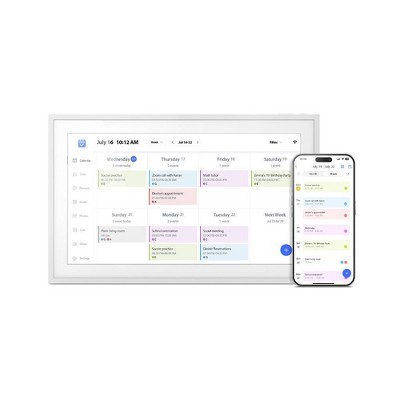
  • ANYTIME, ANYWHERE PLANNING: With the free Skylight app you can easily update your schedule, tasks and list on the go.
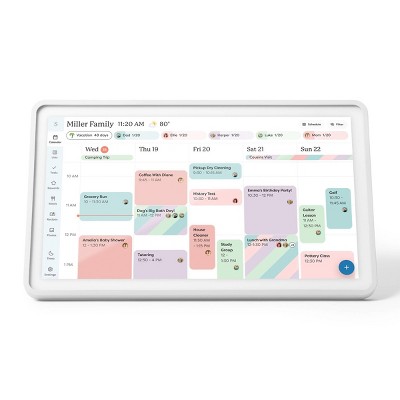
  • CALENDAR VIEWS: See events in day, week, month, or schedule view for the entire family to quickly see upcoming events.
  • COLOR-CODED PROFILES: Easily see who needs to be where, when.
  • TOUCH SCREEN DISPLAY: Simple schedule, list and task creation, viewing and updating.
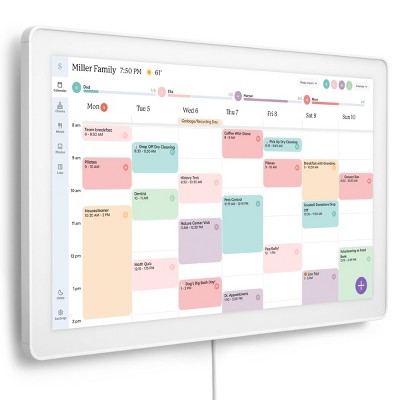
  • FLEXIBLE MOUNTING: The 15" Skylight Calendar mounts on the wall in portrait or landscape or use the 180° adjustable tabletop stand in landscape.
  • TIMELESS EXCLUSIVE DESIGN: Antique brass frame designed for by Skylight for Hearth & Hand™ with Magnolia .
  • ART SCREEN SAVERS: Includes 6 unique art screen savers that turns your calendar into a lovely work of art.
  • ONLY AT TARGET: Exclusive Hearth and Hand by Magnolia, Skylight designed Calendar

Description

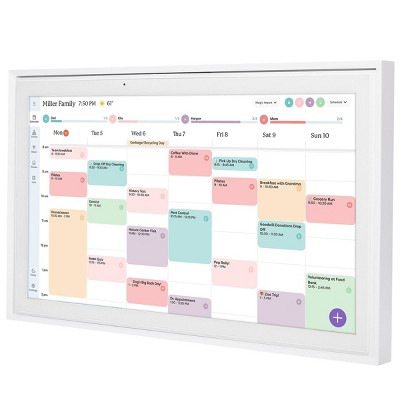
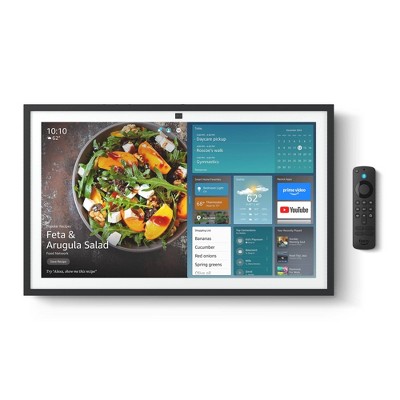
The all-in-one smart family Skylight Calendar in an aged brass frame — designed exclusively by Skylight for Hearth & Hand™ with Magnolia that serves as the hub of the home. Get the whole family organized with chore charts, meal planning, and customizable lists on a WiFi-connected system with a beautiful and intuitive digital display. The 15" touchscreen can be mounted on the wall or displayed on tabletops with the high-quality metal stand or wall mount.
Keep your family on track with different customized Calendar view options. Toggle your view between day, week, month or entire schedule with color coded profiles for the entire family making it easy to see who needs to be where and when.

Drop more stress with even more features. Discover Meal Planning and plan the week's meals in 5 minutes. Use the Magic Import feature for uploading events by simply emailing a picture of the schedule or emailing a PDF with dates to your Calendar, no need to type in each event. You can also turn your Calendar into a digital photo frame. All available with Skylight Plus subscription sold separately in the app.

Plus, 6 free art screen savers are included as a special Hearth & Hand™ bonus!
Overall Width: 16.85 Inches
Weight: 1.96 Pounds
Screen Size: 15 Inches
Battery: Required, Installed
Warranty: 1 Year Limited Warranty. To obtain a copy of the manufacturer's or supplier's warranty for this item prior to purchasing the item, please call Target Guest Services at 1-800-591-3869
Street Date: December 21, 2025
TCIN: 94705283
UPC: 850067427322
Item Number (DPCI): 056-10-0224
Origin: Imported
If the item details aren’t accurate or complete, we want to know about it.

Shipping details

Estimated ship dimensions: 16.94 inches length x 10.87 inches width x 3.31 inches height
Estimated ship weight: 6.54 pounds
We regret that this item cannot be shipped to PO Boxes.
This item cannot be shipped to the following locations: American Samoa (see also separate entry under AS), Guam (see also separate entry under GU), Northern Mariana Islands, Puerto Rico (see also separate entry under PR), United States Minor Outlying Islands, Virgin Islands, U.S., APO/FPO

Return details

This item must be returned to any Target store.
This item must be returned within 30 days of the date it was purchased in store, delivered to the guest, delivered by a Shipt shopper, or picked up by the guest.
See the return policy for complete information.

Q: Is this a snap frame like the other colors? If I get tired of the gold at some point, can I replace it with another color?

submitted by chcurtis - 5 months ago
  • A: Hi, thanks for reaching out about the Skylight Calendar 2 15" Digital Touchscreen (Antique Brass). No, this model is not a snap‑frame design. The frame is fixed (Antique Brass finish) It is not designed to be swapped or changed to other colors So if you choose this version, the color cannot be replaced later. If you have any additional questions, we welcome you to contact MyTGTtech at 833‑848‑8324 every day, between 7am–11pm CST.

    submitted byMike - 5 months ago
    Target staff support

Q: So this is literally more expensice than the regular 15 inch calendar because of the frame color and it comes with 4 screensavers? Is that the only difference or am I missing something?

submitted by FFranke - 10 months ago
  • A: Hi! I came here for the same question! What I discovered was that this release before #2 was on their website & the perk of Target is that you don't have to pay $19 shipping (so $18 difference in end)

    submitted byericatarget - 9 months ago

Q: Does this version have the Disney items recently announced?

submitted by Susana - 4 months ago
  • A: Hi, Susana! If you are a Calendar Plus subscriber then yes, you will be able to access Disney Mode on this Skylight Calendar. If you have additional questions, just email us at vip@myskylight.com and we'd be happy to help!

    submitted bySkylight - 4 months ago
    Brand expert
  • A: Hi, thanks for reaching out about Skylight Calendar 21.5" Digital Touchscreen Antique Brass - Hearth & Hand™ with Magnolia To better understand your individual needs, we welcome you to contact MyTGTtech at 833-848-8324 every day, between 7am-11pm CST.

    submitted byMike - 4 months ago
    Target staff support

Q: Why isn’t my skylight app syncing with my calendar device? It looks like the connection was setup but things I’m doing on my phone app aren’t appearing on the calendar (adding photos, creating profiles…) and yes I did subscribe to the annual service plan…

submitted by hethagirl - 5 months ago
  • A: Hi, hethagirl! We'd absolutely love to help with this! Our Calendar Concierge team are the real pros here. Shoot them an email at VIP@myskylight.com and they'll get everything sorted out for you.

    submitted bySkylight - 5 months ago
    Brand expert
  • A: Hi, thanks for reaching out about Skylight Calendar 2 15" Digital Touchscreen Antique Brass - Hearth & Hand™ with Magnolia. What you’re describing actually points to a very specific Skylight behavior—and it’s confusing because it feels like a sync problem, but often isn’t a “broken connection.” Here are the most likely reasons (based on how Skylight works) and what to check: 🔎 1. Not everything in the app syncs the same way This is the#1 cause given your symptoms (photos + profiles not appearing) Skylight Calendar primarily syncs calendar events from external calendars (Google, iCloud, Outlook) Other things like: Photos Profiles Lists / chores depend on device selection + Skylight account syncing, not just the calendar connection 👉 Also important: Settings and content are per-device, meaning you must have the correct device selected in the app ✅ Fix: Open the Skylight app Tap“My Skylight” → Settings Make sure you have the correct calendar device selected If you have more than one Skylight, this is very often the issue 🔄 2. You may be expecting “two‑way sync” where it isn’t enabled Skylight pulls events from linked calendars, but not all actions from the app automatically push back unless configured There’s a setting called“Default Sync” that controls where events go ✅ Fix: Go to Settings → Calendar → Default Sync Make sure your events are set to sync to a calendar Otherwise, items you create may stay local and not show elsewhere 📶 3. Connection looks fine… but isn’t stable Even if setup says “connected,” syncing can silently fail if: Wi‑Fi is weak or dropping Device lost connection briefly Router interference This is one of the most common causes of missing updates ✅ Fix: On the Skylight device: Go to Settings → Wi‑Fi → Reset / reconnect Make sure signal is strong where it’s mounted If you have any additional questions, we welcome you to contact MyTGTtech at 833-848-8324 every day, between 7am-11pm CST.

    submitted byJoe - 5 months ago
    Target staff support

Q: I really want to purchase this, but I don’t like that there is an ongoing subscription cost for the beautiful screensaver photos. Without the subscription, can you use your own photos as a screensaver?

submitted by MamaMag - 10 months ago
  • A: Hi, thank you for reaching out about Skylight 15" Digital Calendar Touchscreen Antique Brass - Hearth & Hand™ with Magnolia. Without the $79/year Plus subscription, you generally cannot use the photo screensaver feature on the 15" Skylight Digital Calendar. The photo slideshow, which turns the calendar into a photo frame when idle, is considered a premium feature locked behind the subscription. If you have any additional questions, we welcome you to contact MyTGTtech at 833-848-8324 every day, between 7am-11pm CST.

    submitted byMatt - 10 months ago
    Target staff support

Q: Is this the calendar 1 or 2?

submitted by Briana531 - 10 months ago
  • A: Hi, thanks for reaching out about Skylight 15" Digital Calendar Touchscreen Antique Brass - Hearth & Hand™ with Magnolia This specific model is the Skylight Calendar 2. If you have any additional questions, we welcome you to contact MyTGTtech at 833-848-8324 every day, between 7am-11pm CST.

    submitted byMike - 10 months ago
    Target staff support

Q: Is the power cord the only way to power or can you use batteries?

submitted by Richard - 3 days ago
  • A: Hi Richard! Thank you for your question. All Skylight devices need to be plugged into an outlet. Feel free to reach out to us if you have any additional questions at vip@myskylight.com.

    submitted bySkylight - 3 days ago
    Brand expert

Q: can i put pictures on this?

submitted by judy - 9 days ago
  • A: Hi Judy! You do have the option to add photos with the Calendar Plus subscription. The subscription is $79/year US, and unlocks Sidekick/Magic Import, Photo screensaver, Meals, Rewards, Disney Mode and more! If you have any questions about Calendar Plus, our Concierge team is happy to help at vip@myskylight.com.

    submitted bySkylight - 9 days ago
    Brand expert

Q: Does this version come with the 1 year subscription free?

submitted by Kelsey - 2 months ago
  • A: Hi, thanks for reaching out about Skylight Calendar 2 15" Digital Touchscreen Antique Brass - Hearth & Hand™ with Magnolia. No. Based on Target's Skylight listings, the"Skylight Calendar 2 15" Digital Touchscreen Antique Brass - Hearth & Hand™ with Magnolia" does not indicate that a free 1-year subscription is included. In contrast, Target specifically labels a different model as: "Skylight Calendar 2 with Disney Mode Exclusive (1 Year Included)" Since Target explicitly calls out the 1-year inclusion on the Disney Mode version but not on the Hearth & Hand version, the Hearth & Hand model should be assumed not to include the free 1-year subscription unless otherwise stated by the manufacturer or seller. If you have any additional questions, we welcome you to contact MyTGTtech at 833-848-8324 every day, between 7am-11pm CST.

    submitted byJoe - 2 months ago
    Target staff support

Q: Can the languages be changed??

submitted by Fernanda - 3 months ago
  • A: Hi, thank you for reaching out about Skylight Calendar 2 15" Digital Touchscreen Antique Brass - Hearth & Hand™ with Magnolia. Yes, the language settings on the Skylight Calendar 2 can be changed, but only to a limited set of officially supported interface languages. If you have any additional questions, we welcome you to contact MyTGTtech at 833-848-8324 every day, between 7am-11pm CST.

    submitted byMatt - 3 months ago
    Target staff support

Additional product information and recommendations
Discover more options

Skip to next section

Guests are saying

The Skylight digital calendar is a stylish and functional tool that helps families stay organized and connected. With features like customizable tasks, a rewards system for kids, and the ability to sync with existing calendars, it simplifies scheduling and chore management. The beautiful antique brass frame adds an elegant touch to any home decor. While some guests have experienced connectivity issues and subscription concerns, many appreciate its overall design and functionality.
    Summary created by AI from text of reviews reflecting recent feedback provided across different star ratings (includes incentivized reviews)
    3.8 out of 5 stars with 103 reviews
    quality: 4.23 out of 5
    value: 3.89 out of 5
    71% would recommend
    59 recommendations
    5 out of 5 stars
    Thumbs up graphic, would recommend
    9 November, 2026Verified purchase

    (no review title)

    love the skylight! it's very convenient to be able to have recipes sent and saved onto the skylight for use during cooking, the calendar is great and I love being able to send photos to display on the screen
    Debby
    quality: 5 out of 5
    value: 4 out of 5
    Did you find this review helpful?
    5 out of 5 stars
    Thumbs up graphic, would recommend
    5 November, 2026

    (no review title)

    Works great! I've had my Skylight Calendar for about two years now, and I've never regretted purchasing it. It's been a great addition to our home. The value you get from the subscription and all the features it offers is also excellent. Definitely worth it!
    Zonnie
    quality: 5 out of 5
    value: 5 out of 5
    Did you find this review helpful?
    1 out of 5 stars
    Thumbs down graphic, would not recommend
    1 November, 2026Verified purchase

    Waste of money

    Looks great but not working well at all. Stopped working well after a month. Tried returning it but was declined due to being outside the window despite telling them it’s not working well. Waste of money!
    Han
    From Skylight team
    Skylight here! We are so sorry this happened. This should not be happening with your device, and is not the experience we want for our customers! We would like to help anyway we can, could you email our Concierge team at vip@myskylight.com? Thank you!
    9 days ago
    quality: 1 out of 5
    value: 1 out of 5
    Did you find this review helpful?
    5 out of 5 stars
    Thumbs up graphic, would recommend
    26 October, 2026Verified purchase

    (no review title)

    It’s really nice worth the $
    Virginia
    quality: 5 out of 5
    value: 5 out of 5
    Did you find this review helpful?
    5 out of 5 stars
    Thumbs up graphic, would recommend
    23 October, 2026Verified purchase

    (no review title)

    Very well made worth every penny
    Brie
    quality: 5 out of 5
    value: 5 out of 5
    Did you find this review helpful?
    5 out of 5 stars
    Thumbs up graphic, would recommend
    1 October, 2026Verified purchase

    Family Organization Hub

    We love our skylight. It’s really helped with organizing our family schedule and giving my 8 year old daughter info about what’s coming up during the week. Adding tasks for the family has helped with chores and completing homework each night. I added reading for my kids, and they have rhe responsibility to do their reading home work and then check it off, and they earn a star. I’ve added some fun things for them to earn with their stars. My 8 year old is obsessed with earning more stars and even will claim the “up for grabs” tasks like setting the table or watering the garden regularly for extra stars. The system automatically populated with chores and rewards, but it was easy to customize them and add additional things.
    Modernista
    quality: 5 out of 5
    value: 4 out of 5
    3 guests found this review helpful. Did you?
    5 out of 5 stars
    18 September, 2026Verified purchase

    (no review title)

    My kids love the chore list and that they get stars and use them for rewards. It’s working great in our household.
    katie
    1 guest found this review helpful. Did you?
    1 out of 5 stars
    Thumbs down graphic, would not recommend
    11 September, 2026Verified purchase

    (no review title)

    The sleep mode is defective on our unit. I have tried working directly with Skylight to fix it and a factory reset will temporary fix it but then it will become an issue again. Target is not accepting my return because we are outside of the return window, despite the fact that this has been an ongoing issue. Every time I reach out to Target Customer Service to get this resolved, they connect me to a supervisor and then disconnect the call.
    Amanda
    From Skylight team
    Hi, Amanda! I'm so sorry that this is happening. Please reach back out to us so that we can assist further. Our email is vip@myskylight.com and we look forward to hearing from you soon!
    2 months ago
    quality: 1 out of 5
    6 guests found this review helpful. Did you?
    5 out of 5 stars
    8 September, 2026Verified purchase

    (no review title)

    Love it!
    Emma
    Did you find this review helpful?
    5 out of 5 stars
    5 September, 2026Verified purchase

    (no review title)

    Life changing
    Amanda
    Did you find this review helpful?
    5 out of 5 stars
    Thumbs up graphic, would recommend
    2 September, 2026Verified purchase

    Great use of family resources.

    We are really enjoying keeping track of everyone's schedule, chores, to do lists. It's a great product to keep the whole family in the loop. I wouldn't mind if it was about $100 cheaper though. It's an expensive product.
    Marigold
    quality: 5 out of 5
    value: 5 out of 5
    1 guest found this review helpful. Did you?
    1 out of 5 stars
    1 September, 2026Verified purchase

    (no review title)

    I was so excited I had finally taken the plunge to get a Skylight calendar, I am going to have to take it back because of how Target’s packaging. When I open the box, it looked like someone was eating eating a Tootsie pop when packing the box there was what look like part of a tootsie pop in the box along with red sticky contents all over the Skylight box. I am a Target lover, but this was no OK.
    Hilary
    From Skylight team
    Hi, Hilary! I'm so sorry that this happened. Target should be able to help you with a replacement. If you have any questions at all, please don't hesitate to reach out to our team at vip@myskylight.com.
    2 months ago
    3 guests found this review helpful. Did you?
    2 out of 5 stars
    Thumbs down graphic, would not recommend
    31 August, 2026

    (no review title)

    Love this idea, but the fact you need a subscription to use. Most of the features is insane for this price.
    Deborah
    From Skylight team
    Hi, Deborah! Thank you for sharing your feedback. We understand that subscriptions aren’t the right fit for everyone. The Skylight Calendar can still sync calendars and use core features without a subscription, while Plus unlocks additional tools and features. We appreciate you taking the time to share your thoughts with us.
    3 months ago
    quality: 5 out of 5
    value: 1 out of 5
    4 guests found this review helpful. Did you?
    5 out of 5 stars
    Thumbs up graphic, would recommend
    15 August, 2026Verified purchase

    Life's Better With Skylight

    I love our Skylight! It helps me organize our events and meal planning all in one place. I highly recommend for busy families.
    Jen
    quality: 5 out of 5
    value: 5 out of 5
    Did you find this review helpful?
    5 out of 5 stars
    Thumbs up graphic, would recommend
    9 August, 2026Verified purchase

    DO NOT LISTEN TO NEGATIVE REVIEWS.

    All I’m going to say is… if you have kids this calendar is a LIFESAVER. I’ve had one for a few years and decided to buy another one. It may seem pricey at first but once you see the value it brings your life you won’t complain about the price. YOU DO NOT HAVE TO HAVE A SUBSCRIPTION TO USE THIS DEVICE TO IT’S FULL POTENTIAL. You can however get a subscription for a few fun and very helpful added features. PLUS skylight is ALWAYS upgrading, tweaking, and improving their features. They LISTEN to what customers want and make updates often to reflect those wants and needs. I don’t know how I ever did life without one but I certainly won’t be going back. Great product and great company.
    quality: 5 out of 5
    value: 5 out of 5
    19 guests found this review helpful. Did you?
    1 out of 5 stars
    Thumbs down graphic, would not recommend
    7 August, 2026

    (no review title)

    It didn’t connect to the WiFi at all it just keeps saying trying to connect
    From Skylight team
    Hi, Courtney! I'm so sorry that this is happening and I'd love to have our team help out here. Please email us at vip@myskylight.com so that we can get you up and running!
    3 months ago
    quality: 3 out of 5
    value: 1 out of 5
    3 guests found this review helpful. Did you?
    5 out of 5 stars
    Thumbs up graphic, would recommend
    4 August, 2026Verified purchase

    (no review title)

    I love being organized and this helps so much.
    quality: 5 out of 5
    value: 5 out of 5
    2 guests found this review helpful. Did you?
    5 out of 5 stars
    Thumbs up graphic, would recommend
    29 July, 2026Verified purchase

    Perfect for Schedules and Tasks

    While we prefer to use electronics as little a possible, this has really helped our family to know what’s going on the with the schedule. It has saved me time from having to fill out a paper calendar all the time. We don’t pay for the subscription, so we can’t use all the functions but I can use the ones that matter like the calendar, tasks, and lists.
    Bail2010
    quality: 5 out of 5
    value: 5 out of 5
    3 guests found this review helpful. Did you?
    1 out of 5 stars
    Thumbs down graphic, would not recommend
    16 July, 2026Verified purchase

    Would not return

    To modern and the fact that target would not return it
    Krystle
    From Skylight team
    Hi, Krystle! I'm so sorry that the Calendar didn't work out. Target should be able to assist with the return. If you run into any further issues trying to return it, please email us at vip@myskylight.com.
    4 months ago
    quality: 1 out of 5
    value: 1 out of 5
    2 guests found this review helpful. Did you?
    5 out of 5 stars
    Thumbs up graphic, would recommend
    12 July, 2026Verified purchase

    LOVE this version and the buiilt-in art gallery!

    I love this calendar for keeping our family organized and the antique brass frame is gorgeous! It comes with a built-in art gallery, so this looks like artwork on the kitchen countertop
    Lauren K
    quality: 5 out of 5
    value: 4 out of 5
    Did you find this review helpful?

    Get top deals, latest trends, and more.