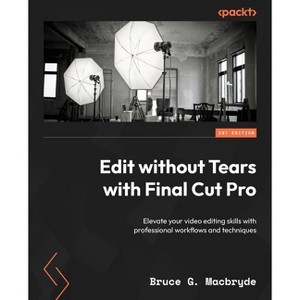
Create, edit, and produce professional-grade videos with practical tips, step-by-step guides, and illustrationsKey FeaturesEnhance project structure, manage media, and use the inspector effectively for consistent pacingTake your video projects to the next level by mastering features such as keyframe animation and advanced color correctionFoster collaboration and troubleshoot common issues for a smooth editing processPurchase of the print or Kindle book includes a free PDF eBookBook DescriptionEdit Without Tears with Final Cut Pro is your essential guide to overcoming challenges in video editing using Final Cut Pro, simplifying complex procedures and workflows and providing a structured approach for efficient and impressive video editing.
Author(s): Bruce G Macbryde
708 Pages
Computers + Internet, Digital Media
Description
About the Book
This Final Cut Pro book will change how you approach the editing process and adopt a structured way of working based on efficient workflows for professional-grade videos.
Book Synopsis
Create, edit, and produce professional-grade videos with practical tips, step-by-step guides, and illustrations
Key Features
Enhance project structure, manage media, and use the inspector effectively for consistent pacing
Take your video projects to the next level by mastering features such as keyframe animation and advanced color correction
Foster collaboration and troubleshoot common issues for a smooth editing process
Purchase of the print or Kindle book includes a free PDF eBook
Book Description
Edit Without Tears with Final Cut Pro is your essential guide to overcoming challenges in video editing using Final Cut Pro, simplifying complex procedures and workflows and providing a structured approach for efficient and impressive video editing. This book will change how you approach editing, guiding you to create professional-grade videos with ease and confidence.
Throughout the book, you'll enhance your efficiency and speed, while also learning unique workflows for common tasks. The comprehensive coverage spans planning video narratives, crafting preliminary edits and refining them, improving audio quality, setting up and editing multicam sequences, leveraging the inspector's controls, and working with both built-in and third-party plugins. You'll then advance to animating objects using keyframes, utilizing color scopes for advanced color correction, and troubleshooting common issues confidently.
By the end of this Final Cut Pro book, you'll have developed an efficient editing style, unlocking the full power of this video editing software for your creative endeavors.
What you will learn
Organize Final Cut Pro files efficiently in designated locations
Set yourself up for success by planning your edits
Fine-tune the editing pace to achieve the desired flow and timing
Utilize the inspector for color and audio adjustments
Initiate various projects, including the Countdown project
Enhance effects and animations through plugins
Collaborate effectively with multiple users and leverage multicam
Ensure all necessary requirements are met after completing the edit
Who this book is for
If you're an intermediate-level Final Cut Pro editor, creative professional, freelancer, YouTuber, part of a production team, or anyone creating high-quality content on macOS using Final Cut Pro, this book is for you. A basic understanding of video editing principles and familiarity with media formats and macOS file storage is needed to get started with this book.
Table of Contents
It's All About the Media
Organizing Media
Planning the Video Story
Pre-Editing a Rough Cut
Refining the Rough Cut
Fixing and Enhancing the Audio
Titles, Effects and, Generators
Setting Up and Editing Multicam
Project Workflows - Pace and Structure
The Inspector Controls
Using Built-In Plug-Ins
Using Third-Party Plugins
Using Keyframes to Animate Objects in Final Cut Pro
Understanding the Principles of Color
Using Color Scopes for Advanced Color Correction
Your Job Role - Collaboration
Supporting Software Applications for Final Cut Pro
Troubleshooting Final Cut Pro
Backing Up and Archiving Libraries
Dimensions (Overall): 9.25 Inches (H) x 7.5 Inches (W) x 1.42 Inches (D)
Weight: 2.64 Pounds
Suggested Age: 22 Years and Up
Number of Pages: 708
Genre: Computers + Internet
Sub-Genre: Digital Media
Publisher: Packt Publishing
Theme: Video & Animation
Format: Paperback
Author: Bruce G Macbryde
Language: English
Street Date: March 15, 2024
TCIN: 94425207
UPC: 9781804614921
Item Number (DPCI): 247-27-5867
Origin: Made in the USA or Imported
If the item details aren’t accurate or complete, we want to know about it.
Shipping details
Estimated ship dimensions: 1.42 inches length x 7.5 inches width x 9.25 inches height
Estimated ship weight: 2.64 pounds
We regret that this item cannot be shipped to PO Boxes.
This item cannot be shipped to the following locations: American Samoa (see also separate entry under AS), Guam (see also separate entry under GU), Northern Mariana Islands, Puerto Rico (see also separate entry under PR), United States Minor Outlying Islands, Virgin Islands, U.S., APO/FPO, Alaska, Hawaii
Return details
This item can be returned to any Target store or Target.com.
This item must be returned within 90 days of the date it was purchased in store, delivered to the guest, delivered by a Shipt shopper, or picked up by the guest.