Target New ArrivalsHalloweenChristmasGift IdeasClothing, Shoes & AccessoriesHome & DecorKitchen & DiningPatio, Lawn & GardenGroceryHousehold EssentialsBabyBeautyTarget Beauty StudioPersonal CareSports & OutdoorsPetsHealthWellnessSchool & Office SuppliesToys & GamesElectronics & TechVideo GamesBooks, Music & MoviesParty SuppliesGift CardsShop by CommunityTarget OpticalDealsClearanceNew ArrivalsHalloweenChristmasGift IdeasTop DealsTarget Circle DealsWeekly AdShop Order PickupShop Same Day DeliveryRegistryRedCardTarget CircleFind Stores
Learning Vmware Workstation for Windows - by  Peter Von Oven (Paperback) - 1 of 1

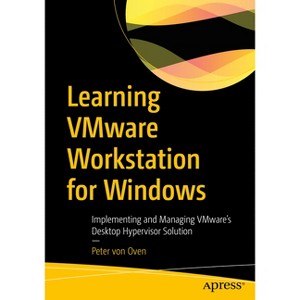
Learning Vmware Workstation for Windows - by Peter Von Oven (Paperback)

$40.99 MSRP $54.99
 

In Stock

Free & easy returns
Free & easy returns
Return this item by mail or in store within 90 days for a full refund.
Eligible for registries and wish lists
Save 5% every day
With Target Circle™ Card (restrictions apply)

About this item

Highlights

  • Master VMware Workstation to create and run virtual machines, containers, and Kubernetes clusters simultaneously on physical devices without having to reformat or dual boot the underlying device.
  • About the Author: Peter von Oven is an experienced technical consultant working closely with customers, partners, and vendors in designing technology solutions, to meet business needs and deliver outcomes.
  • 497 Pages
  • Computers, Programming

Description


Book Synopsis


Master VMware Workstation to create and run virtual machines, containers, and Kubernetes clusters simultaneously on physical devices without having to reformat or dual boot the underlying device. This book provides a practical, step-by-step guide to creating and managing virtual machines using VMware Workstation, a software solution that provides a type-2 hypervisor, or desktop hypervisor, that runs on x64 Windows and Linux-based operating systems. This book focuses on the Windows version.

You'll start with an overview of hypervisors and desktop hypervisors. You'll then look at resources, such as CPU, memory, and networking, and how they are configured in a virtual environment. In the final chapters, you'll learn how to configure Workstation Pro to run and manage virtual machines before going on to build example virtual machines, including how to build a nested vSphere environment. Once built you'll see how to manage these virtual machines, before finally upgrading your VMware Workstation Pro environment.

In the end, you'll learn how to build and manage different virtual machines running on different operating systems and build an ESXi lab environment with VMware Workstation.

What You'll Learn

  • Examine hypervisors and desktop hypervisors
  • Understand how to install and configure VMware Workstation
  • Gain practical knowledge on building and managing virtual machines on different OSs
  • Support and troubleshoot VMware Workstation environments.

Who This Book Is For

Developers, IT professionals that remote, home, and BYOD


From the Back Cover


Master VMware Workstation to create and run virtual machines, containers, and Kubernetes clusters simultaneously on physical devices without having to reformat or dual boot the underlying device. This book provides a practical, step-by-step guide to creating and managing virtual machines using VMware Workstation, a software solution that provides a type-2 hypervisor, or desktop hypervisor, that runs on x64 Windows and Linux-based operating systems. This book focuses on the Windows version.

You'll start with an overview of hypervisors and desktop hypervisors. You'll then look at resources, such as CPU, memory, and networking, and how they are configured in a virtual environment. In the final chapters, you'll learn how to configure Workstation Pro to run and manage virtual machines before going on to build example virtual machines, including how to build a nested vSphere environment. Once built you'll see how to manage these virtual machines, before finally upgrading your VMware Workstation Pro environment.

In the end, you'll learn how to build and manage different virtual machines running on different operating systems and build an ESXi lab environment with VMware Workstation.

You will:

  • Examine hypervisors and desktop hypervisors
  • Understand how to install and configure VMware Workstation
  • Gain practical knowledge on building and managing virtual machines on different OSs
  • Support and troubleshoot VMware Workstation environments.


About the Author


Peter von Oven is an experienced technical consultant working closely with customers, partners, and vendors in designing technology solutions, to meet business needs and deliver outcomes. During his career, Peter has presented at key IT events such as VMworld, IP EXPO, and various VMUGs and CCUG events across the UK. He has also worked in senior presales roles and presales management roles for Fujitsu, HP, Citrix, and VMware, and has been awarded VMware vExpert for the last nine years in a row and vExpert EUC for the last three consecutive years. In 2021, Peter added the vExpert Desktop Hypervisor award to his portfolio of awards. In 2016, Peter founded his own company specializing in application delivery. Today he works with partners and vendors helping drive and deliver innovative technology solutions. He is also an avid author, having now written 18 books and made videos about VMware end-user computing solutions. In his spare time, Peter volunteers as a STEM Ambassador, workingwith schools and colleges, helping the next generation develop the skills and confidence in building careers in technology. He is also a serving Royal Air Force Reservist working as an instructor with the Air Cadet organization.

Dimensions (Overall): 10.0 Inches (H) x 7.0 Inches (W) x 1.04 Inches (D)
Weight: 1.95 Pounds
Suggested Age: 22 Years and Up
Number of Pages: 497
Genre: Computers
Sub-Genre: Programming
Publisher: Apress
Theme: Open Source
Format: Paperback
Author: Peter Von Oven
Language: English
Street Date: December 15, 2023
TCIN: 1013401604
UPC: 9781484299685
Item Number (DPCI): 247-62-0957
Origin: Made in the USA or Imported
If the item details aren’t accurate or complete, we want to know about it.

Shipping details

Estimated ship dimensions: 1.04 inches length x 7 inches width x 10 inches height
Estimated ship weight: 1.95 pounds
We regret that this item cannot be shipped to PO Boxes.
This item cannot be shipped to the following locations: American Samoa (see also separate entry under AS), Guam (see also separate entry under GU), Northern Mariana Islands, Puerto Rico (see also separate entry under PR), United States Minor Outlying Islands, Virgin Islands, U.S., APO/FPO, Alaska, Hawaii

Return details

This item can be returned to any Target store or Target.com.
This item must be returned within 90 days of the date it was purchased in store, delivered to the guest, delivered by a Shipt shopper, or picked up by the guest.
See the return policy for complete information.

Additional product information and recommendations

Discover more options

Skip to next section

Best-selling Computers & Technology Books

Skip to next section

Get top deals, latest trends, and more.