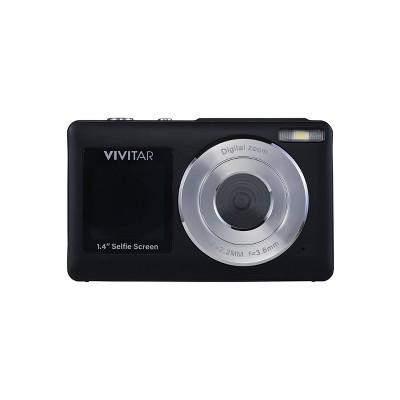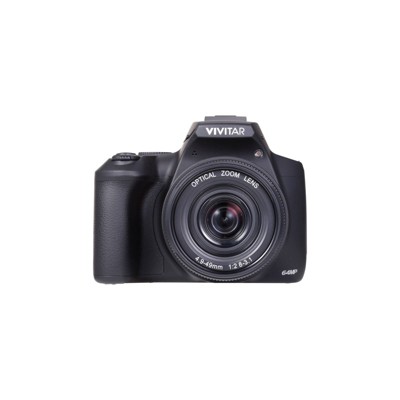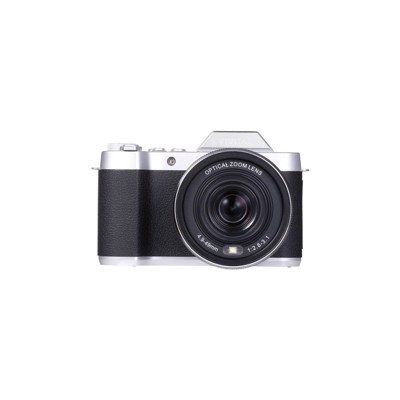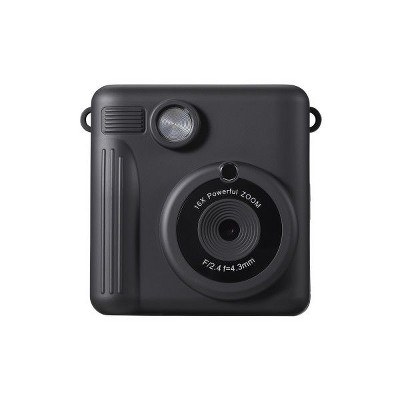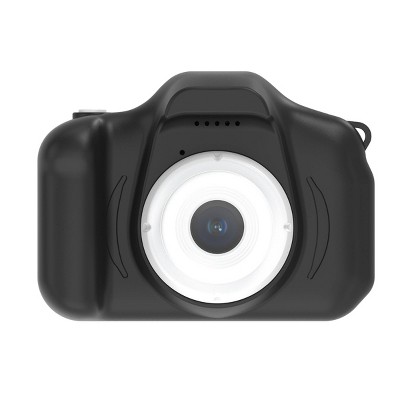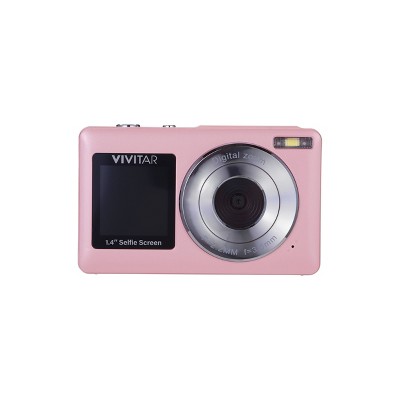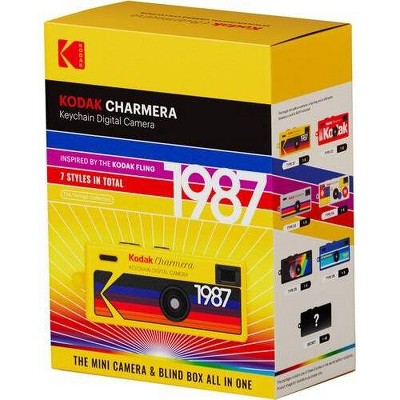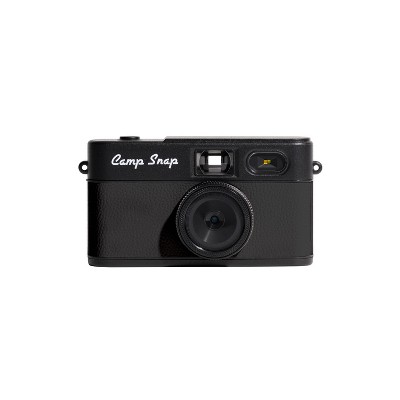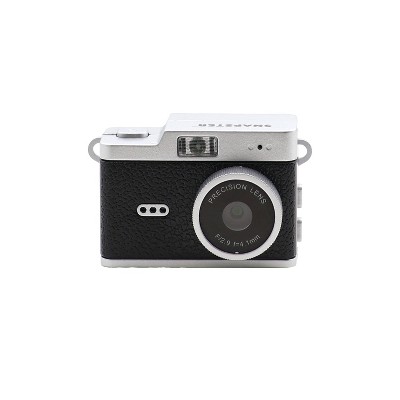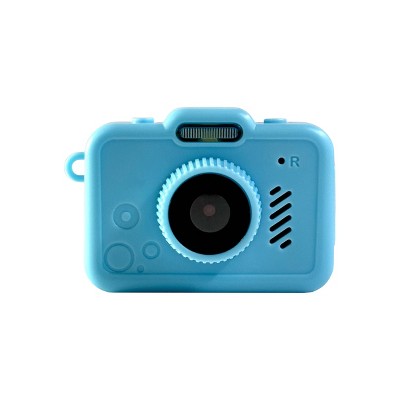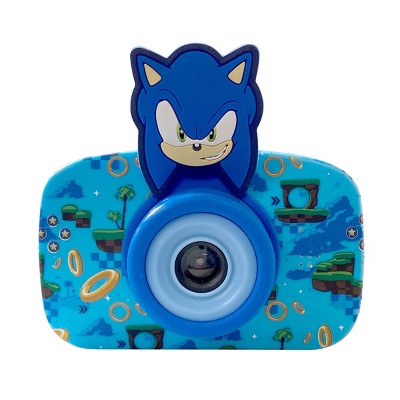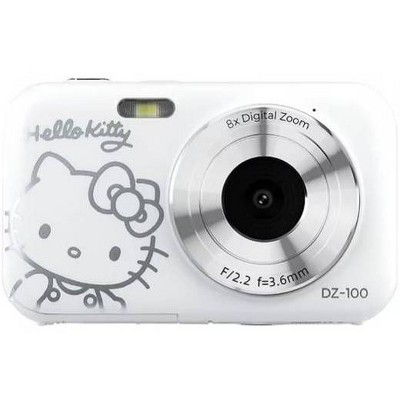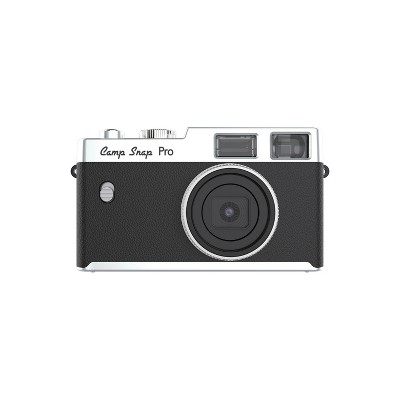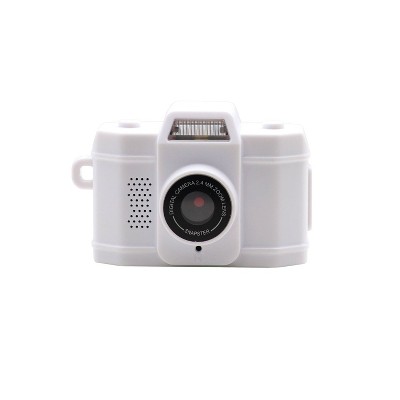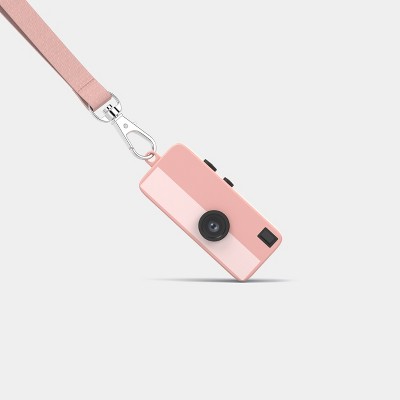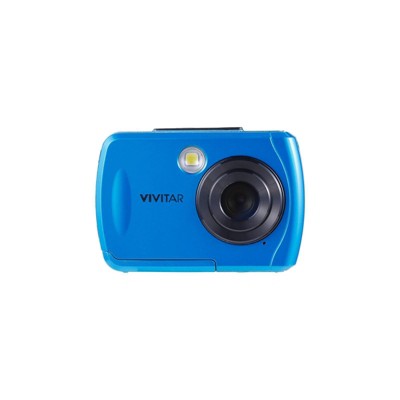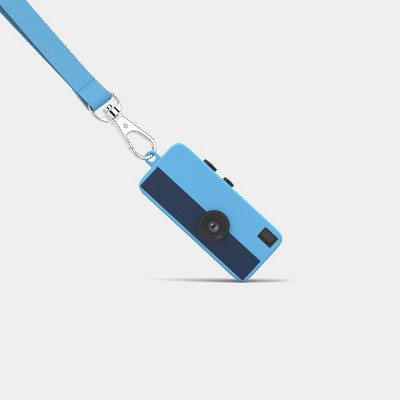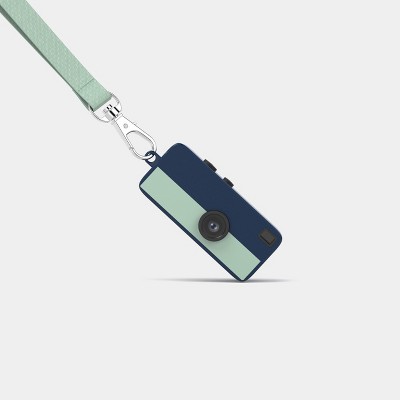
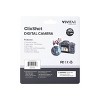
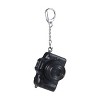
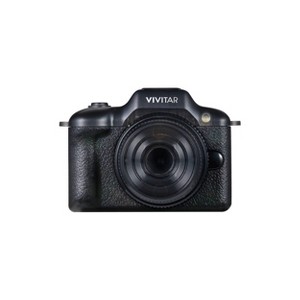
Capture moments on the go with the Vivitar ClixShot Digital Camera, a compact device designed for portability and convenience. Featuring a preview screen, this camera allows you to frame and review shots easily. With built-in memory that stores up to 100 photos and HD video recording capability, it’s perfect for quick snapshots and social sharing. The camera is micro SD card compatible for expanded storage and powered by a rechargeable lithium-ion battery for reliable use. Its keychain clip design makes it easy to attach to bags, jackets, or keys, ensuring it’s always within reach. Lightweight and versatile, the ClixShot is ideal for everyday adventures.
Dimensions (Overall): 1.5 Inches (H) x 1.3 Inches (W) x 2 Inches (D)
Warranty: 1 Year Limited Warranty. To obtain a copy of the manufacturer's or supplier's warranty for this item prior to purchasing the item, please call Target Guest Services at 1-800-591-3869
TCIN: 95053024
UPC: 681066199503
Item Number (DPCI): 056-10-0325
Origin: Imported
If the item details aren’t accurate or complete, we want to know about it.
Shipping details
Estimated ship dimensions: 6.53 inches length x 5.82 inches width x 1.57 inches height
Estimated ship weight: 0.13 pounds
We regret that this item cannot be shipped to PO Boxes.
This item cannot be shipped to the following locations: American Samoa (see also separate entry under AS), Guam (see also separate entry under GU), Northern Mariana Islands, Puerto Rico (see also separate entry under PR), United States Minor Outlying Islands, Virgin Islands, U.S., APO/FPO, Alaska, Hawaii
Return details
This item must be returned to any Target store.
This item must be returned within 30 days of the date it was purchased in store, delivered to the guest, delivered by a Shipt shopper, or picked up by the guest.
Q: I took photos with the camera without an SD card. I now want to download the photos from the camera, but it doesn't even pop up when I plug it into my computer. I really want to recover the photos.
submitted by Jackson - 2 months ago
A: You can’t. You need an SD card. Just got off the phone with their “customer service”. They’re creating e-waste and it’s unacceptable.
submitted byMichael - 1 month ago
A: You can’t. The company knows and they don’t care. They just say it’s how it’s manufactured and if you get a MicroSD card you can get any further ones off your camera but the ones you took beforehand are irretrievable because obviously that’s for test shots and not mentioned on any copy whatsoever. But great news! You can look at them whenever you want on the camera. On the 1”x.5” screen. And only if you remove the SD card first. Won’t that be so fun?
submitted bynotagamble - 2 months ago
A: Hi, thanks for reaching out about Vivitar Keychain Digital Camera
Here are the steps to transfer photos
Turn on the camera.
Connect it to your computer using the USB-C cable.
If prompted on the camera, select USB Mode, Mass Storage, or PC Connect (wording varies by model). [b-vong.com], [hub.sivo.it.com]
Your computer should recognize the camera as a removable drive.
Open:
Windows: File Explorer → This PC
Mac: Finder
Open the camera's storage and copy the photos (usually in a DCIM or image folder) to your computer.
If you have any additional questions, we welcome you to contact MyTGTtech at 833-848-8324 every day, between 7am-11pm CST.
submitted byJustin - 2 months ago
Target expert support
A: Hi, thanks for reaching out about Vivitar Keychain Digital Camera
Here are the steps to transfer photos
Turn on the camera.
Connect it to your computer using the USB-C cable.
If prompted on the camera, select USB Mode, Mass Storage, or PC Connect (wording varies by model).
Your computer should recognize the camera as a removable drive.
Open:
Windows: File Explorer → This PC
Mac: Finder
Open the camera's storage and copy the photos (usually in a DCIM or image folder) to your computer.
If you have any additional questions, we welcome you to contact MyTGTtech at 833-848-8324 every day, between 7am-11pm CST.
submitted byJustin - 2 months ago
Target expert support
Q: how do i transfer the internal storage photos? when i try to connect it to a computer it goes into webcam mode
submitted by hi - 2 months ago
A: You can’t. The company knows and they don’t care. They just say it’s how it’s manufactured and if you get a MicroSD card you can get any further ones off your camera but the ones you took beforehand are irretrievable because obviously that’s for test shots and not mentioned on any copy whatsoever. But great news! You can look at them whenever you want on the camera. On the 1”x.5” screen. And only if you remove the SD card first. Won’t that be so fun?
submitted bynotagamble - 2 months ago
A: Hi, thanks for reaching out about Vivitar Keychain Digital Camera. Many of the Vivitar Keychain Digital Camera models behave exactly as you described: when connected by USB, they default to PC Camera/Webcam mode instead of appearing as a storage drive. Try these steps: Power the camera off before connecting it. Connect it via USB to the computer. Press and hold the Mode button (or shutter button, depending on model) while plugging it in. Look for a menu option such as: Mass Storage Disk Drive PC Mode Storage Mode If Windows shows it only as a webcam, install the camera's original Vivitar software (older Vivitar keychain cameras often require their software to download photos from internal memory). Please reach out to us at 18005929541 or support@sakar.com, quoting ticket number 30368. We will try to help you fix the issue. Thank you."
submitted byVivitar Customer Service - 2 months ago
Brand expert
A: Hi, thanks for reaching out about Vivitar Keychain Digital Camera.
Many of the Vivitar Keychain Digital Camera models behave exactly as you described: when connected by USB, they default to PC Camera/Webcam mode instead of appearing as a storage drive.
Try these steps:
Power the camera off before connecting it.
Connect it via USB to the computer.
Press and hold the Mode button (or shutter button, depending on model) while plugging it in.
Look for a menu option such as:
Mass Storage
Disk Drive
PC Mode
Storage Mode
If Windows shows it only as a webcam, install the camera's original Vivitar software (older Vivitar keychain cameras often require their software to download photos from internal memory).
If you have any additional questions, we welcome you to contact MyTGTtech at 833-848-8324 every day, between 7am-11pm CST.
submitted byJoe - 2 months ago
Target staff support
Q: Can the photos and videos be transfered if I did not use an SD card?
submitted by Miles D - 2 months ago
A: """Hi, thanks for reaching out. The Vivitar Keychain Digital Camera Yes, you can absolutely transfer your photos and videos if you did not use an SD card. Please reach out to us at 18005929541 or support@sakar.com, quoting ticket number 30365. We will try to help you fix the issue. Thank you.""
"
submitted byVivitar Customer Service - 2 months ago
Brand expert
A: You can’t. The company knows and they don’t care. They just say it’s how it’s manufactured and if you get a MicroSD card you can get any further ones off your camera but the ones you took beforehand are irretrievable because obviously that’s for test shots and not mentioned on any copy whatsoever. But great news! You can look at them whenever you want on the camera. On the 1”x.5” screen. And only if you remove the SD card first. Won’t that be so fun?
submitted bynotagamble - 2 months ago
A: Hi, thanks for reaching out about the Vivitar Keychain Digital Camera
Yes, you can absolutely transfer your photos and videos if you did not use an SD card.
If you have any additional questions, we welcome you to contact MyTGTtech at 833-848-8324 every day between 7 am and 11 pm CST.
submitted byRena - 2 months ago
Target expert support
Q: How do I transfer photos and videos from the camera to my computer?
submitted by Photo transfer - 2 months ago
A: Hi, thanks for reaching out. To transfer files, connect the USB cable to the camera, then to the computer. On the camera, select the DCMA (Data Transfer) option, and then you will be able to see the camera data on the computer. Please reach out to us at 18005929541 or support@sakar.com, quoting ticket number 30350. We will try to help you fix the issue. Thank you.
submitted byVivitar Customer Service - 2 months ago
Brand expert
A: You can’t. The company knows and they don’t care. They just say it’s how it’s manufactured and if you get a MicroSD card you can get any further ones off your camera but the ones you took beforehand are irretrievable because obviously that’s for test shots and not mentioned on any copy whatsoever. But great news! You can look at them whenever you want on the camera. On the 1”x.5” screen. And only if you remove the SD card first. Won’t that be so fun?
submitted bynotagamble - 2 months ago
A: Hi, thanks for reaching out about the Vivitar Keychain Digital Camera.
You can transfer your photos and videos using a USB connection with these steps:
- Turn the camera off
- Plug the camera into your computer using a USB cable
- Your computer should recognize it as a removable drive
- Open the drive and copy/paste or drag your files to your computer
There is also an alternative method (if applicable) using a microSD card, you can remove the card and use a card reader to transfer files
This is the easiest way to move your photos and videos to your computer.
If you have any additional questions, we welcome you to contact MyTGTtech at 833‑848‑8324 every day, between 7am–11pm CST.
submitted byMike - 2 months ago
Target expert support
Q: Can I change the date and time by connecting it to my phone?
submitted by Jackson - 29 days ago
A: "Hi, thanks for reaching out. No, you cannot change the date and time by connecting the Vivitar Keychain Digital Camera directly to your phone. It does not have Bluetooth, Wi-Fi, or an app that allows a phone link to sync its clock. Please reach out to us at 18005929541 or support@sakar.com, quoting ticket number 30396. We will try to help you fix the issue. Thank you."
submitted byVivitar Customer Service - 19 days ago
Brand expert
A: Hi, thanks for reaching out about the Vivitar Keychain Digital Camera
Vivitar keychain-style digital cameras store the date and time inside the camera settings and require you to set them through the camera's menu/buttons, not by connecting to a phone.
If you have any additional questions, we welcome you to contact MyTGTtech at 833-848-8324 every day between 7 am and 11 pm CST.
submitted byRena - 27 days ago
Target expert support
Q: does this camera have a flash?
submitted by k - 1 month ago
A: Hi, thanks for reaching out about Vivitar Keychain Digital Camera
No, the Vivitar Keychain Digital Camera (ClixShot/Retro Keychain Camera) does not appear to have a built-in flash.
If you have any additional questions, we welcome you to contact MyTGTtech at 833-848-8324 every day, between 7am-11pm CST.
submitted byJustin - 1 month ago
Target expert support
A: Hi, thanks for reaching out about Vivitar Keychain Digital Camera No, the Vivitar Keychain Digital Camera (ClixShot/Retro Keychain Camera) does not appear to have a built-in flash. Please reach out to us at 18005929541 or support@sakar.com, quoting ticket number 30393. We will try to help you fix the issue. Thank you.
submitted byVivitar Customer Service - 1 month ago
Brand expert
Q: How do you delete a photo?
submitted by Christina - 1 month ago
A: Hi, thanks for reaching out about Vivitar Keychain Digital Camera To delete a photo, switch the camera to Playback/Review mode, view the photo you want to remove, then use the Delete/Trash option in the menu and confirm the deletion. The exact button sequence can vary slightly by model. If you're having trouble finding the delete option, transferring the photos to a computer and formatting the memory card is another way to clear all images. Please reach out to us at 18005929541 or support@sakar.com, quoting ticket number 30391. We will try to help you fix the issue. Thank you.
submitted byVivitar Customer Service - 1 month ago
Brand expert
A: Hi, thanks for reaching out about Vivitar Keychain Digital Camera
To delete a photo, switch the camera to Playback/Review mode, view the photo you want to remove, then use the Delete/Trash option in the menu and confirm the deletion. The exact button sequence can vary slightly by model. If you're having trouble finding the delete option, transferring the photos to a computer and formatting the memory card is another way to clear all images.
If you have any additional questions, we welcome you to contact MyTGTtech at 833-848-8324 every day, between 7am-11pm CST.
submitted byMike - 1 month ago
Target expert support
Q: Is the camera waterproof?
submitted by Ava - 1 month ago
A: Hi, thanks for reaching out. No, the Vivitar Keychain Digital Camera is not waterproof. Please reach out to us at 18005929541 or support@sakar.com, quoting ticket number 30376. We will try to help you fix the issue. Thank you.
submitted byVivitar Customer Service - 1 month ago
Brand expert
A: Hi, thanks for reaching out about Vivitar Keychain Digital Camera.
No. The Vivitar Keychain Digital Camera is not listed as waterproof or water-resistant in its product specifications or description. It is designed as a compact, portable keychain camera with a preview screen, built-in memory, HD video recording, and USB-C charging, but there is no mention of waterproof protection.
If you have any additional questions, we welcome you to contact MyTGTtech at 833-848-8324 every day, between 7am-11pm CST.
submitted byJoe - 1 month ago
Target staff support
Q: how can i change the camera’s date and timestamp?
submitted by hi - 2 months ago
A: Hi, thanks for reaching out about the Vivitar Keychain Digital Camera The date and timestamp are usually set through the camera software when connected to a computer. Please reach out to us at 18005929541 or support@sakar.com, quoting ticket number 303689. We will try to help you fix the issue. Thank you."
submitted byVivitar Customer Service - 2 months ago
Brand expert
A: Hi, thanks for reaching out about the Vivitar Keychain Digital Camera
The date and timestamp are usually set through the camera software when connected to a computer.
If you have any additional questions, we welcome you to contact MyTGTtech at 833-848-8324 every day between 7 am and 11 pm CST.
submitted byRena - 2 months ago
Target expert support
Q: How do I transfer photos from internal storage? I took some pictures before I got an SD card. The SD card photos will transfer but when I remove the SD card to transfer the internal storage photos it wont transfer those no matter how I try.
submitted by Internal storage - 2 months ago
A: "Hi, thanks for reaching out. The reason your computer will not read the camera without the SD card is due to a firmware limitation: many Vivitar keychain cameras lock out external USB communication when the physical card is removed. When no card is detected, the camera treats its internal memory strictly as temporary cache and completely refuses to mount as a drive to your computer. To get those pictures off, you must use the camera's internal menu to copy the files from the internal storage onto your SD card.. Please reach out to us at 18005929541 or support@sakar.com, quoting ticket number 30363. We will try to help you fix the issue. Thank you."
submitted byVivitar Customer Service - 2 months ago
Brand expert
A: I called the target tech support number from another Q&A response here. I was told you cannot retrieve the photos from the internal storage- you can only download photos if you purchase a separate SD card.
The mini keychain camera has captured the hearts of many guests, especially children, for its compact size and fun design. It is lightweight and easy to carry, making it perfect for spontaneous photography. While it excels in portability and novelty, guests noted the need for an SD card for photo transfer, which can be a drawback. Overall, it serves as a delightful accessory for capturing everyday moments and memories.
Summary created by AI from text of reviews reflecting recent feedback provided across different star ratings (includes incentivized reviews)
4.2
4.2 out of 5 stars
91 star ratings
4.2 out of 5 stars with 91 reviews
quality
2.3 out of 5
quality: 2.29 out of 5
value
2.4 out of 5
value: 2.36 out of 5
28% would recommend
14 recommendations
5 out of 5 stars
Thumbs up graphic, would recommendWould recommend
16 August, 2026Verified purchase
cute
My daughter loved this little gift for her birthday. She put it on her backpack. Only downfall is that you only can only take photos in bright areas.
melly
quality
4.0 out of 5
quality: 4 out of 5
value
5.0 out of 5
value: 5 out of 5
Did you find this review helpful?
5 out of 5 stars
Thumbs up graphic, would recommendWould recommend
14 August, 2026Verified purchase
Fun Keychain
This mini camera keychain is a fun thing to have and play around with photography skills as well. I have used it to take pictures of myself and doors. The quality of the pictures are what you would expect from a small megapixel camera. The filters are fun to use.
1 reply from Vivitar Customer Service team - 12 days ago
Hi, we're delighted to know that you're having a positive experience with our product! We sincerely hope that your enjoyment persists. Please reach out to us at 18005929541 or support@sakar.com, quoting ticket number 349103, if you have any more suggestions/feedback for us. Thank you
Roseamarx
quality
5.0 out of 5
quality: 5 out of 5
value
5.0 out of 5
value: 5 out of 5
1 guest found this review helpful. Did you?
1 out of 5 stars
Thumbs down graphic, would not recommendWould not recommend
12 August, 2026Verified purchase
Misleading Description - SD Card Required
I purchased this for my child thinking $15 was a great price for a starter camera. He was able to take photos quickly & easily, but when we tried to download the photos the camera didn't connect to the computer. After calling both Target tech support and the manufacturer's tech support I discovered that the FAQs on this page are correct - you can take "test" photos and view them on the camera display screen without an SD card, but if you want to download or share them you need an SD card. The $15 camera is really a $40 camera when you include the cost of an SD card. This is very disappointing when the description states "...stores up to 100 photos [...] perfect for quick snapshots and social sharing." Turns out social sharing here means handing the camera to your friend to look at the tiny little view screen, not sharing on social media.
1 reply from Vivitar Customer Service team - 19 days ago
Hi, Thanks for reaching out. We're sorry to know that unit is not working as expected. Please reach out to us at 1800-5929-541 or support@sakar.com, quoting ticket number 349094. We will try to help you fix the issue. Thank you
quality
4.0 out of 5
quality: 4 out of 5
value
2.0 out of 5
value: 2 out of 5
4 guests found this review helpful. Did you?
4 out of 5 stars
11 August, 2026Verified purchase
(no review title)
Doesn’t come with sd card
1 reply from Vivitar Customer Service team - 19 days ago
Hi, Thanks for reaching out. We're sorry to know that it doesn't come with an SD card. Please reach out to us at 1800-5929-541 or support@sakar.com, quoting ticket number 63190. We will try to help you fix the issue. Thank you.
Did you find this review helpful?
4 out of 5 stars
11 August, 2026
originally posted on Sakar International, Inc.
Fun Little Camera to Keep on a Keychain
I like how small and lightweight this camera is. It’s easy to carry on a keychain or toss into a pocket, and the simple controls make it easy to use for quick casual pictures. It’s more of a fun novelty camera than a replacement for a phone camera, but that’s part of the appeal. The compact size makes it handy to have around when you just want something simple and different.
Tim
Did you find this review helpful?
5 out of 5 stars
10 August, 2026
originally posted on Sakar International, Inc.
Exceeded expectations. For a small
Exceeded expectations. For a small camera, it takes great photos! I was pleasantly surprised. My daughter loves it. She attached it to her handbag, so it has more options than just a keychain!!
Angela M.
Did you find this review helpful?
5 out of 5 stars
9 August, 2026
originally posted on Sakar International, Inc.
Nostalgic
Nice to have close when you don't want to carry a lot. . . great for catching those unexpected moments
Meloney
Did you find this review helpful?
5 out of 5 stars
8 August, 2026
originally posted on Sakar International, Inc.
Adorable
So cute and compact made a great stocking stuffer for my young children
Emily
Did you find this review helpful?
5 out of 5 stars
7 August, 2026
originally posted on Sakar International, Inc.
Awesome little mini keychain camera!
Awesome little mini keychain camera! Very durable also!
Remington R.
Did you find this review helpful?
5 out of 5 stars
1 August, 2026
originally posted on Sakar International, Inc.
Vivitar clixshot keychain camera
This is the cutest keychain camera. Takes up to 100 photos. It is Micro SD card compatible. Built in memory and lithium- Ion battery. Also has preview screen
Debra K.
Did you find this review helpful?
5 out of 5 stars
30 July, 2026
originally posted on Sakar International, Inc.
Vivtar Keychain Camera
I absolutely love this little keychain camera! It's adorable, easy to carry everywhere, and adds a fun vintage feel to every picture. It's perfect for quick snapshots with friends or capturing little memories throughout the day. Such a cute and unique accessory that always gets compliments!
Aida F.
1 guest found this review helpful. Did you?
5 out of 5 stars
30 July, 2026
originally posted on Sakar International, Inc.
keychain camera
The Vivitar Keychain Camera is such a fun little gadget! It's tiny, lightweight, and perfect for capturing cute, nostalgic photos on the go. The image quality has a charming retro vibe, and it easily clips onto my keys so it's always with me. A great little camera for making everyday moments feel special!
Aida F.
Did you find this review helpful?
1 out of 5 stars
Thumbs down graphic, would not recommendWould not recommend
28 July, 2026Verified purchase
DO NOT BUY
Do not buy this. DO NOT BUY THIS. You can’t transfer the images unless you have an SD card in it. You can’t transfer the photos you have on it, they’re permanently there with no means of recovery.
quality
1.0 out of 5
quality: 1 out of 5
value
1.0 out of 5
value: 1 out of 5
1 guest found this review helpful. Did you?
3 out of 5 stars
27 July, 2026
originally posted on Sakar International, Inc.
It's auch a cute mini
It's auch a cute mini product. My son takes it around and takes pics of random things. The controls are not as easy as they are really tiny, but it's a good starter camera.
Clarissa
Did you find this review helpful?
5 out of 5 stars
24 July, 2026
originally posted on Sakar International, Inc.
Super cute. I like the
Super cute. I like the convenience of just reaching for you keys and also having access to a camera.
Cheyenne
Did you find this review helpful?
5 out of 5 stars
24 July, 2026
originally posted on Sakar International, Inc.
Mini camera
This keychain camera exceeded my expectations! It's incredibly small and lightweight, making it easy to carry anywhere. The video quality is surprisingly good for its size, and it's simple to use right out of the box. The battery life is decent, and it's perfect for capturing quick moments or using as a discreet portable camera. Great value for the price I would definitely recommend it to anyone looking for a compact, convenient camera.
Jacqueline
Did you find this review helpful?
5 out of 5 stars
24 July, 2026
originally posted on Sakar International, Inc.
So fun!
This cute little camera is the perfect addition to my teenage daughter’s keychain! Everyone asks if it actually works and she has such a fun time showing them!
Andie
Did you find this review helpful?
1 out of 5 stars
Thumbs down graphic, would not recommendWould not recommend
23 July, 2026Verified purchase
Cant transfer photos onto computer or phone
The camera itself works but it’s impossible to transfer the photos onto your device. I’ve tried using a micro SD reader to my phone and laptop and nothing would pop up even with a new sd card. I even tried plugging the camera itself to the device and nothing would appear if you just want it for the novelty then this is the product for you.
1 reply from Vivitar Customer Service team - 1 month ago
Hi, Thanks for reaching out. We're sorry to know that unit is not working as expected. Please reach out to us at 1800-5929-541 or support@sakar.com, quoting ticket number 349052. We will try to help you fix the issue. Thank you.
quality
1.0 out of 5
quality: 1 out of 5
value
1.0 out of 5
value: 1 out of 5
1 guest found this review helpful. Did you?
1 out of 5 stars
Thumbs down graphic, would not recommendWould not recommend
22 July, 2026
moot
missing “included charging cord” from package very novelty. will try to update how it actually works when i find compatible cord
1 reply from Vivitar Customer Service team - 1 month ago
Hi, Thanks for reaching out. We're sorry to know that you are missing a cord. Please reach out to us at 1800-5929-541 or support@sakar.com, quoting ticket number 349051. We will try to help you fix the issue. Thank you.
quality
1.0 out of 5
quality: 1 out of 5
value
1.0 out of 5
value: 1 out of 5
1 guest found this review helpful. Did you?
1 out of 5 stars
Thumbs down graphic, would not recommendWould not recommend
22 July, 2026Verified purchase
(no review title)
junk, just a novelty to show people
1 reply from Vivitar Customer Service team - 1 month ago
Hi, Thanks for reaching out. We're sorry to know that unit is not working as expected. Please reach out to us at 1800-5929-541 or support@sakar.com, quoting ticket number 349049. We will try to help you fix the issue. Thank you.