Target New ArrivalsBack to SchoolCollegeClothing, Shoes & AccessoriesHome & DecorKitchen & DiningOutdoor Living & GardenGroceryHousehold EssentialsBabyBeautyPersonal CareSports & OutdoorsHealthWellnessSchool & Office SuppliesToys & GamesElectronics & TechVideo GamesMovies, Music & BooksParty SuppliesGift IdeasGift CardsPetsUlta Beauty at TargetShop by CommunityTarget OpticalDealsClearanceNew ArrivalsBack to SchoolCollegeTop DealsTarget Circle DealsWeekly AdShop Order PickupShop Same Day DeliveryRegistryRedCardTarget CircleFind Stores
Vivitar Keychain Digital Camera - 2 of 4Vivitar Keychain Digital Camera - 3 of 4Vivitar Keychain Digital Camera - 4 of 4
Vivitar Keychain Digital Camera - 1 of 4

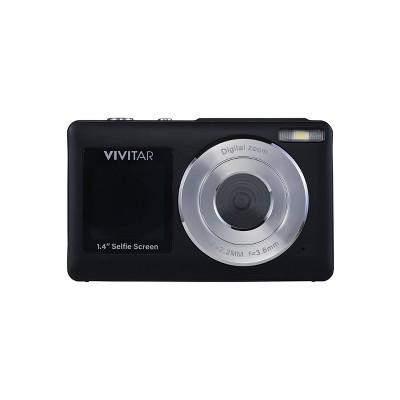
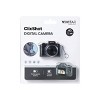
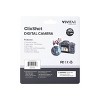
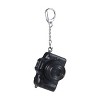
Vivitar SnapShot Digital Camera - Black

17 Questions
New at  target 
$15.00

In Stock

Eligible for registries and wish lists

About this item

Highlights

  • Compact digital camera with preview screen
  • Takes up to 100 photos with built-in memory
  • Records HD video for everyday use
  • Micro SD card compatible for expanded storage
  • Rechargeable lithium-ion battery included
  • Keychain clip design for portability

Description

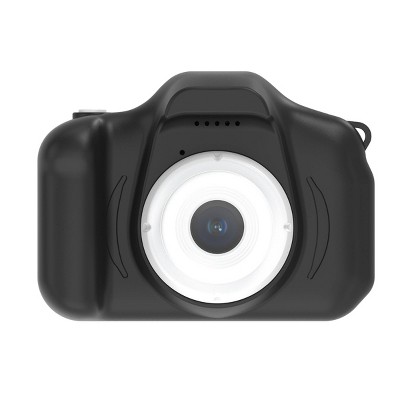
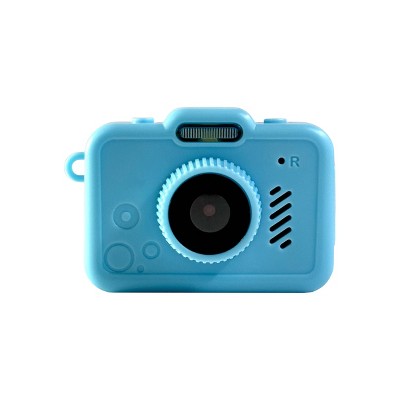
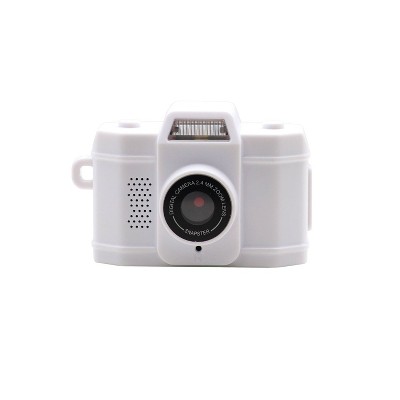
Capture moments on the go with the Vivitar ClixShot Digital Camera, a compact device designed for portability and convenience. Featuring a preview screen, this camera allows you to frame and review shots easily. With built-in memory that stores up to 100 photos and HD video recording capability, it’s perfect for quick snapshots and social sharing. The camera is micro SD card compatible for expanded storage and powered by a rechargeable lithium-ion battery for reliable use. Its keychain clip design makes it easy to attach to bags, jackets, or keys, ensuring it’s always within reach. Lightweight and versatile, the ClixShot is ideal for everyday adventures.
Dimensions (Overall): 1.5 Inches (H) x 1.3 Inches (W) x 2 Inches (D)
Weight: .06 Pounds
Camera Features: Electronic Viewfinder (EVF)
Connection Type: USB-C
Megapixels: .3 MP
Data Storage Capacity: 64GB
Maximum Resolution: 640 x 480
View Finder Type: Electronic Viewfinder (EVF)
ISO Equivalent: Auto
Screen Size: 1 Inches
Compatible With: Fixed Lens/No Compatibility
Battery: 1 Non-Universal Lithium, Required, Installed
Warranty: 1 Year Limited Warranty. To obtain a copy of the manufacturer's or supplier's warranty for this item prior to purchasing the item, please call Target Guest Services at 1-800-591-3869
TCIN: 95053024
UPC: 681066199503
Item Number (DPCI): 056-10-0325
Origin: Imported
If the item details aren’t accurate or complete, we want to know about it.

Shipping details

Estimated ship dimensions: 6.53 inches length x 5.82 inches width x 1.57 inches height
Estimated ship weight: 0.13 pounds
We regret that this item cannot be shipped to PO Boxes.
This item cannot be shipped to the following locations: American Samoa (see also separate entry under AS), Guam (see also separate entry under GU), Northern Mariana Islands, Puerto Rico (see also separate entry under PR), United States Minor Outlying Islands, Virgin Islands, U.S., APO/FPO, Alaska, Hawaii

Return details

This item must be returned to any Target store.
This item must be returned within 30 days of the date it was purchased in store, delivered to the guest, delivered by a Shipt shopper, or picked up by the guest.
See the return policy for complete information.
This document lists product hazards, safety info and any potential ill effects on human health. All info has been collected and verified by the manufacturer.

Q: I took photos with the camera without an SD card. I now want to download the photos from the camera, but it doesn't even pop up when I plug it into my computer. I really want to recover the photos.

submitted by Jackson - 25 days ago
  • A: You can’t. The company knows and they don’t care. They just say it’s how it’s manufactured and if you get a MicroSD card you can get any further ones off your camera but the ones you took beforehand are irretrievable because obviously that’s for test shots and not mentioned on any copy whatsoever. But great news! You can look at them whenever you want on the camera. On the 1”x.5” screen. And only if you remove the SD card first. Won’t that be so fun?

    submitted bynotagamble - 17 days ago
  • A: You can’t. You need an SD card. Just got off the phone with their “customer service”. They’re creating e-waste and it’s unacceptable.

    submitted byMichael - 3 days ago
  • A: Hi, thanks for reaching out about Vivitar Keychain Digital Camera Here are the steps to transfer photos Turn on the camera. Connect it to your computer using the USB-C cable. If prompted on the camera, select USB Mode, Mass Storage, or PC Connect (wording varies by model). [b-vong.com], [hub.sivo.it.com] Your computer should recognize the camera as a removable drive. Open: Windows: File Explorer → This PC Mac: Finder Open the camera's storage and copy the photos (usually in a DCIM or image folder) to your computer. If you have any additional questions, we welcome you to contact MyTGTtech at 833-848-8324 every day, between 7am-11pm CST.

    submitted byJustin - 24 days ago
    Target expert support
  • A: Hi, thanks for reaching out about Vivitar Keychain Digital Camera Here are the steps to transfer photos Turn on the camera. Connect it to your computer using the USB-C cable. If prompted on the camera, select USB Mode, Mass Storage, or PC Connect (wording varies by model). Your computer should recognize the camera as a removable drive. Open: Windows: File Explorer → This PC Mac: Finder Open the camera's storage and copy the photos (usually in a DCIM or image folder) to your computer. If you have any additional questions, we welcome you to contact MyTGTtech at 833-848-8324 every day, between 7am-11pm CST.

    submitted byJustin - 24 days ago
    Target expert support

Q: how do i transfer the internal storage photos? when i try to connect it to a computer it goes into webcam mode

submitted by hi - 26 days ago
  • A: You can’t. The company knows and they don’t care. They just say it’s how it’s manufactured and if you get a MicroSD card you can get any further ones off your camera but the ones you took beforehand are irretrievable because obviously that’s for test shots and not mentioned on any copy whatsoever. But great news! You can look at them whenever you want on the camera. On the 1”x.5” screen. And only if you remove the SD card first. Won’t that be so fun?

    submitted bynotagamble - 17 days ago
  • A: Hi, thanks for reaching out about Vivitar Keychain Digital Camera. Many of the Vivitar Keychain Digital Camera models behave exactly as you described: when connected by USB, they default to PC Camera/Webcam mode instead of appearing as a storage drive. Try these steps: Power the camera off before connecting it. Connect it via USB to the computer. Press and hold the Mode button (or shutter button, depending on model) while plugging it in. Look for a menu option such as: Mass Storage Disk Drive PC Mode Storage Mode If Windows shows it only as a webcam, install the camera's original Vivitar software (older Vivitar keychain cameras often require their software to download photos from internal memory). Please reach out to us at 18005929541 or support@sakar.com, quoting ticket number 30368. We will try to help you fix the issue. Thank you."

    submitted byVivitar Customer Service - 24 days ago
    Brand expert
  • A: Hi, thanks for reaching out about Vivitar Keychain Digital Camera. Many of the Vivitar Keychain Digital Camera models behave exactly as you described: when connected by USB, they default to PC Camera/Webcam mode instead of appearing as a storage drive. Try these steps: Power the camera off before connecting it. Connect it via USB to the computer. Press and hold the Mode button (or shutter button, depending on model) while plugging it in. Look for a menu option such as: Mass Storage Disk Drive PC Mode Storage Mode If Windows shows it only as a webcam, install the camera's original Vivitar software (older Vivitar keychain cameras often require their software to download photos from internal memory). If you have any additional questions, we welcome you to contact MyTGTtech at 833-848-8324 every day, between 7am-11pm CST.

    submitted byJoe - 25 days ago
    Target staff support

Q: Can the photos and videos be transfered if I did not use an SD card?

submitted by Miles D - 1 month ago
  • A: """Hi, thanks for reaching out. The Vivitar Keychain Digital Camera Yes, you can absolutely transfer your photos and videos if you did not use an SD card. Please reach out to us at 18005929541 or support@sakar.com, quoting ticket number 30365. We will try to help you fix the issue. Thank you."" "

    submitted byVivitar Customer Service - 26 days ago
    Brand expert
  • A: You can’t. The company knows and they don’t care. They just say it’s how it’s manufactured and if you get a MicroSD card you can get any further ones off your camera but the ones you took beforehand are irretrievable because obviously that’s for test shots and not mentioned on any copy whatsoever. But great news! You can look at them whenever you want on the camera. On the 1”x.5” screen. And only if you remove the SD card first. Won’t that be so fun?

    submitted bynotagamble - 17 days ago
  • A: Hi, thanks for reaching out about the Vivitar Keychain Digital Camera Yes, you can absolutely transfer your photos and videos if you did not use an SD card. If you have any additional questions, we welcome you to contact MyTGTtech at 833-848-8324 every day between 7 am and 11 pm CST.

    submitted byRena - 1 month ago
    Target expert support

Q: How do I transfer photos and videos from the camera to my computer?

submitted by Photo transfer - 1 month ago
  • A: Hi, thanks for reaching out. To transfer files, connect the USB cable to the camera, then to the computer. On the camera, select the DCMA (Data Transfer) option, and then you will be able to see the camera data on the computer. Please reach out to us at 18005929541 or support@sakar.com, quoting ticket number 30350. We will try to help you fix the issue. Thank you.

    submitted byVivitar Customer Service - 1 month ago
    Brand expert
  • A: You can’t. The company knows and they don’t care. They just say it’s how it’s manufactured and if you get a MicroSD card you can get any further ones off your camera but the ones you took beforehand are irretrievable because obviously that’s for test shots and not mentioned on any copy whatsoever. But great news! You can look at them whenever you want on the camera. On the 1”x.5” screen. And only if you remove the SD card first. Won’t that be so fun?

    submitted bynotagamble - 17 days ago
  • A: Hi, thanks for reaching out about the Vivitar Keychain Digital Camera. You can transfer your photos and videos using a USB connection with these steps: - Turn the camera off - Plug the camera into your computer using a USB cable - Your computer should recognize it as a removable drive - Open the drive and copy/paste or drag your files to your computer There is also an alternative method (if applicable) using a microSD card, you can remove the card and use a card reader to transfer files This is the easiest way to move your photos and videos to your computer. If you have any additional questions, we welcome you to contact MyTGTtech at 833‑848‑8324 every day, between 7am–11pm CST.

    submitted byMike - 1 month ago
    Target expert support

Q: Is the camera waterproof?

submitted by Ava - 13 days ago
  • A: Hi, thanks for reaching out. No, the Vivitar Keychain Digital Camera is not waterproof. Please reach out to us at 18005929541 or support@sakar.com, quoting ticket number 30376. We will try to help you fix the issue. Thank you.

    submitted byVivitar Customer Service - 12 days ago
    Brand expert
  • A: Hi, thanks for reaching out about Vivitar Keychain Digital Camera. No. The Vivitar Keychain Digital Camera is not listed as waterproof or water-resistant in its product specifications or description. It is designed as a compact, portable keychain camera with a preview screen, built-in memory, HD video recording, and USB-C charging, but there is no mention of waterproof protection. If you have any additional questions, we welcome you to contact MyTGTtech at 833-848-8324 every day, between 7am-11pm CST.

    submitted byJoe - 12 days ago
    Target staff support

Q: how can i change the camera’s date and timestamp?

submitted by hi - 26 days ago
  • A: Hi, thanks for reaching out about the Vivitar Keychain Digital Camera The date and timestamp are usually set through the camera software when connected to a computer. Please reach out to us at 18005929541 or support@sakar.com, quoting ticket number 303689. We will try to help you fix the issue. Thank you."

    submitted byVivitar Customer Service - 24 days ago
    Brand expert
  • A: Hi, thanks for reaching out about the Vivitar Keychain Digital Camera The date and timestamp are usually set through the camera software when connected to a computer. If you have any additional questions, we welcome you to contact MyTGTtech at 833-848-8324 every day between 7 am and 11 pm CST.

    submitted byRena - 24 days ago
    Target expert support

Q: How do I transfer photos from internal storage? I took some pictures before I got an SD card. The SD card photos will transfer but when I remove the SD card to transfer the internal storage photos it wont transfer those no matter how I try.

submitted by Internal storage - 1 month ago
  • A: "Hi, thanks for reaching out. The reason your computer will not read the camera without the SD card is due to a firmware limitation: many Vivitar keychain cameras lock out external USB communication when the physical card is removed. When no card is detected, the camera treats its internal memory strictly as temporary cache and completely refuses to mount as a drive to your computer. To get those pictures off, you must use the camera's internal menu to copy the files from the internal storage onto your SD card.. Please reach out to us at 18005929541 or support@sakar.com, quoting ticket number 30363. We will try to help you fix the issue. Thank you."

    submitted byVivitar Customer Service - 26 days ago
    Brand expert
  • A: I called the target tech support number from another Q&A response here. I was told you cannot retrieve the photos from the internal storage- you can only download photos if you purchase a separate SD card.

    submitted byOoo - 1 month ago

Q: How to I transfer photos from the built in memory? When I plug it into a computer it goes to webcam mode and never comes up on the computer as a removable drive?

submitted by lemons - 1 month ago
  • A: "Hi, thanks for reaching out. about Vivitar Keychain Digital Camera. This is a common issue with the Vivitar keychain cameras. Many Vivitar keychain models have two USB modes: Mass Storage / PC Camera mode (appears as a removable drive) Webcam mode (appears as a camera device) If yours always enters webcam mode, try the following: Method 1: Change modes before connecting Turn the camera off. Hold the Mode button while plugging in the USB cable. Continue holding for a few seconds. Check whether it appears as a removable drive instead of a webcam. Many older Vivitar keychain cameras used button combinations during USB connection to select the mode. Method 2: Look for a "PC" or "Mass Storage" setting Some models have a menu option that lets you switch between: PC Camera Disk Drive / Storage Device Check the camera's settings or manual for USB mode selection. Method 3: Install the original software Some older Vivitar keychain cameras do not expose their internal memory as a standard drive. Instead, photos must be downloaded using the Vivitar software/driver supplied with the camera. Method 4: Determine which model you have There are at least two very different "Vivitar Keychain Digital Camera" products: Older mini cameras (2000s era) that often require drivers/software. Newer Retro Keychain Cameras with USB‑C and built-in memory/microSD support. Please reach out to us at 18005929541 or support@sakar.com, quoting ticket number 30362. We will try to help you fix the issue. Thank you."

    submitted byVivitar Customer Service - 26 days ago
    Brand expert
  • A: Hi, thanks for reaching out about Vivitar Keychain Digital Camera. This is a common issue with the Vivitar keychain cameras. Many Vivitar keychain models have two USB modes: Mass Storage / PC Camera mode (appears as a removable drive) Webcam mode (appears as a camera device) If yours always enters webcam mode, try the following: Method 1: Change modes before connecting Turn the camera off. Hold the Mode button while plugging in the USB cable. Continue holding for a few seconds. Check whether it appears as a removable drive instead of a webcam. Many older Vivitar keychain cameras used button combinations during USB connection to select the mode. Method 2: Look for a "PC" or "Mass Storage" setting Some models have a menu option that lets you switch between: PC Camera Disk Drive / Storage Device Check the camera's settings or manual for USB mode selection. Method 3: Install the original software Some older Vivitar keychain cameras do not expose their internal memory as a standard drive. Instead, photos must be downloaded using the Vivitar software/driver supplied with the camera. Method 4: Determine which model you have There are at least two very different "Vivitar Keychain Digital Camera" products: Older mini cameras (2000s era) that often require drivers/software. Newer Retro Keychain Cameras with USB‑C and built-in memory/microSD support. If you have any additional questions, we welcome you to contact MyTGTtech at 833-848-8324 every day, between 7am-11pm CST.

    submitted byJoe - 1 month ago
    Target staff support

Q: How do you delete a photo?

submitted by Christina - 7 days ago
  • A: Hi, thanks for reaching out about Vivitar Keychain Digital Camera To delete a photo, switch the camera to Playback/Review mode, view the photo you want to remove, then use the Delete/Trash option in the menu and confirm the deletion. The exact button sequence can vary slightly by model. If you're having trouble finding the delete option, transferring the photos to a computer and formatting the memory card is another way to clear all images. If you have any additional questions, we welcome you to contact MyTGTtech at 833-848-8324 every day, between 7am-11pm CST.

    submitted byMike - 6 days ago
    Target expert support

Q: how can you put the photos from the camera into the phone gallery ?

submitted by luna - 9 days ago
  • A: Hi, thanks for reaching out about the Vivitar Keychain Digital Camera Yes. The easiest way depends on whether you're using the camera's built-in memory or a microSD card. If you have any additional questions, we welcome you to contact MyTGTtech at 833-848-8324 every day between 7 am and 11 pm CST.

    submitted byRena - 8 days ago
    Target expert support

Additional product information and recommendations

Discover more options

Skip to next section

Guests also viewed
Skip to next section
4.1 out of 5 stars with 60 reviews
quality: 1.73 out of 5
value: 1.91 out of 5
18% would recommend
11 recommendations
1 out of 5 stars
Thumbs down graphic, would not recommend
28 July, 2026Verified purchase

DO NOT BUY

Do not buy this. DO NOT BUY THIS. You can’t transfer the images unless you have an SD card in it. You can’t transfer the photos you have on it, they’re permanently there with no means of recovery.
quality: 1 out of 5
value: 1 out of 5
Did you find this review helpful?
1 out of 5 stars
Thumbs down graphic, would not recommend
23 July, 2026Verified purchase

Cant transfer photos onto computer or phone

The camera itself works but it’s impossible to transfer the photos onto your device. I’ve tried using a micro SD reader to my phone and laptop and nothing would pop up even with a new sd card. I even tried plugging the camera itself to the device and nothing would appear if you just want it for the novelty then this is the product for you.
1 reply from Vivitar Customer Service team - 7 days ago
Hi, Thanks for reaching out. We're sorry to know that unit is not working as expected. Please reach out to us at 1800-5929-541 or support@sakar.com, quoting ticket number 349052. We will try to help you fix the issue. Thank you.
quality: 1 out of 5
value: 1 out of 5
1 guest found this review helpful. Did you?
1 out of 5 stars
Thumbs down graphic, would not recommend
22 July, 2026

moot

missing “included charging cord” from package very novelty. will try to update how it actually works when i find compatible cord
1 reply from Vivitar Customer Service team - 7 days ago
Hi, Thanks for reaching out. We're sorry to know that you are missing a cord. Please reach out to us at 1800-5929-541 or support@sakar.com, quoting ticket number 349051. We will try to help you fix the issue. Thank you.
quality: 1 out of 5
value: 1 out of 5
1 guest found this review helpful. Did you?
1 out of 5 stars
Thumbs down graphic, would not recommend
22 July, 2026Verified purchase

(no review title)

junk, just a novelty to show people
1 reply from Vivitar Customer Service team - 7 days ago
Hi, Thanks for reaching out. We're sorry to know that unit is not working as expected. Please reach out to us at 1800-5929-541 or support@sakar.com, quoting ticket number 349049. We will try to help you fix the issue. Thank you.
quality: 1 out of 5
value: 1 out of 5
Did you find this review helpful?
1 out of 5 stars
Thumbs down graphic, would not recommend
16 July, 2026Verified purchase

Trash!

It does not work!!!!
1 reply from Vivitar Customer Service team - 11 days ago
Hi, Thanks for reaching out. We're sorry to know that unit is not working as expected. Please reach out to us at 1800-5929-541 or support@sakar.com, quoting ticket number 349041. We will try to help you fix the issue. Thank you.
Hrinhausa
quality: 1 out of 5
value: 1 out of 5
Did you find this review helpful?
1 out of 5 stars
Thumbs down graphic, would not recommend
16 July, 2026Verified purchase

Would not recommend false advertising

Purchased two of these for my kids. For the price and description on the package it seemed like a great find. Package reads as though you can take 100 photos to cameras internal storage before having to add a SD card. However, that is not the case only took seven photos and you cannot take video at all without an SD card. Overall disappointed.
1 reply from Vivitar Customer Service team - 11 days ago
Hi, Thanks for reaching out. We're sorry to know that unit is not working as expected. Please reach out to us at 1800-5929-541 or support@sakar.com, quoting ticket number 349040. We will try to help you fix the issue. Thank you.
Ann
quality: 1 out of 5
value: 1 out of 5
3 guests found this review helpful. Did you?
5 out of 5 stars
15 July, 2026
originally posted on Sakar International, Inc.
Image

Great little camera keychain. Picture

Great little camera keychain. Picture quality is surprisingly good!
Jessica
Did you find this review helpful?
5 out of 5 stars
15 July, 2026
originally posted on Sakar International, Inc.
Image

Review

It’s smaller than I thought but in a good way! It’s very cute and dainty. My daughter loves it!
Lindsey V.
Did you find this review helpful?
5 out of 5 stars
14 July, 2026
originally posted on Sakar International, Inc.
Image

So fun

My kids loved traveling with this little camera. It requires a micro SD but, stays charged long enough for a lot of adventures. My daughter took it on a weekend trip to St. Augustine just for fun.
Melissa A.
Did you find this review helpful?
1 out of 5 stars
13 July, 2026Verified purchase

dont rec

so annoyed i cant access the internal camera
1 reply from Vivitar Customer Service team - 12 days ago
Hi, Thanks for reaching out. We're sorry to know internal storage is unable to access. The internal storage can save photos but won't be able to be transferred. To access and transfer your data, please insert a compatible Micro SD card (up to 32GB). Please reach out to us at 1800-5929-541 or support@sakar.com, quoting ticket number 349029. We will try to help you fix the issue. Thank you.
1 guest found this review helpful. Did you?
3 out of 5 stars
Thumbs up graphic, would recommend
12 July, 2026Verified purchase

No access to internal camera storage

For a camera that brags about it's internal storage, you can't access the photos on there. The option to plug it into the computer only works with whatever you put on an SD card that's not included. If you plug it in without an SD card it defaults to Webcam mode with no way to access the photos directly on the camera. The instructions are not at all clear about this. It's a really cute camera but make sure you get an SD card.
1 reply from Vivitar Customer Service team - 12 days ago
Hi, Thanks for reaching out. We're sorry to know that unit is not working as expected. Please reach out to us at 1800-5929-541 or support@sakar.com, quoting ticket number 63120. We will try to help you fix the issue. Thank you.
Kat
quality: 3 out of 5
value: 5 out of 5
2 guests found this review helpful. Did you?
5 out of 5 stars
11 July, 2026
originally posted on Sakar International, Inc.
Image

This mini camera is a

This mini camera is a great blend of portability and personality. It clips easily onto a bag or keyring, so it's always within reach when you want to capture a special moment. The lightweight design makes it an enjoyable everyday accessory.
Svetlana D.
Did you find this review helpful?
1 out of 5 stars
Thumbs down graphic, would not recommend
11 July, 2026

Missing cable. Complete junk

Bought two of these for my kids. One was missing the cable, and neither one show up on my computer when we plug it in to retrieve photos from the internal memory. It says "SD card compatible" but it seems like it REQUIRES an SD card to function properly. If I knew that I would have bought them a real camera, not this toy junk. I thought I was getting a fun novelty for my kids but I just got a headache and hole in my wallet.
1 reply from Vivitar Customer Service team - 18 days ago
Hi, Thanks for reaching out. We're sorry to know that unit is not working as expected. Please reach out to us at 1800-5929-541 or support@sakar.com, quoting ticket number 349025 We will try to help you fix the issue. Thank you.
quality: 1 out of 5
value: 1 out of 5
2 guests found this review helpful. Did you?
5 out of 5 stars
11 July, 2026
originally posted on Sakar International, Inc.
Image

So cute!!

I love how tiny this camera is!! it’s perfect for taking on nights out, I can just slip it in my wallet!!
Callie C.
Did you find this review helpful?
5 out of 5 stars
11 July, 2026
originally posted on Sakar International, Inc.
Image

Cute little camera

This is a cute little camera and it works well.
Brittney
1 guest found this review helpful. Did you?
5 out of 5 stars
10 July, 2026
originally posted on Sakar International, Inc.
Image

So cute—-fantastic

I love this little camera. So easy to put in my pocketbook and ready for pictures anytime
Sandra C.
Did you find this review helpful?
4 out of 5 stars
10 July, 2026
originally posted on Sakar International, Inc.
Image

Keychain camera

This camera is very compact and brings back nostalgia with the images it captures. I like that it is so small that it can just fit in your pocket if you wanted to without being so clumpy. It holds up to 100 pictures but it also has an insert for a memory card. It is charged with a C cable, which it comes with one.
Diana
Did you find this review helpful?
4 out of 5 stars
10 July, 2026
originally posted on Sakar International, Inc.
Image

Camera keychain

Was hard to turn on at first but it worked pretty well
Lea
Did you find this review helpful?
5 out of 5 stars
10 July, 2026
originally posted on Sakar International, Inc.
Image

What a great little camera!

What a great little camera! Daughter loves it. Easy to use and takes decent pics and video.
Lisa B.
Did you find this review helpful?
5 out of 5 stars
10 July, 2026
originally posted on Sakar International, Inc.
Image

Pretty clear image for such

Pretty clear image for such a small device. Great accessory for backpack!
Nicole D.
Did you find this review helpful?

Get top deals, latest trends, and more.