Target New ArrivalsHalloweenChristmasGift IdeasClothing, Shoes & AccessoriesHome & DecorKitchen & DiningPatio, Lawn & GardenGroceryHousehold EssentialsBabyBeautyTarget Beauty StudioPersonal CareSports & OutdoorsPetsHealthWellnessSchool & Office SuppliesToys & GamesElectronics & TechVideo GamesBooks, Music & MoviesParty SuppliesGift CardsShop by CommunityTarget OpticalDealsClearanceNew ArrivalsHalloweenChristmasGift IdeasTop DealsTarget Circle DealsWeekly AdShop Order PickupShop Same Day DeliveryRegistryRedCardTarget CircleFind Stores

dock and bay

400 results for “dock and bay”

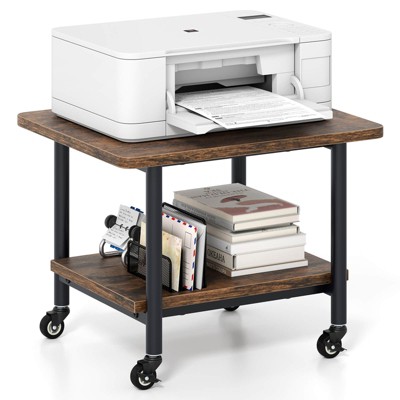
Costway 2-Tier Mobile Printer Table with Storage Shelf Lockable Wheels & Metal Frame

Sponsored

Pegboard Set White - Brightroom™

$25.00 - $35.00

Sponsored

Powered by AI

Guests also ask:

Results show three common form factors: compact USB‑C hub stand holders (often foldable/rotatable), portable USB‑C/Thunderbolt docking sticks, and larger desktop‑style multiport docks with many ports and mounting options.

Transfer speeds range from USB 3.0 (5 Gbps) up to Thunderbolt 4 (40 Gbps). Many docks combine a mix of interfaces—typical examples are 5 Gbps USB 3.x ports, 10 Gbps USB 3.2 Gen2 ports, and 40 Gbps Thunderbolt 4 ports.

Most docks provide a 3.5 mm audio/microphone combo jack or separate 3.5 mm stereo jacks for headphone and microphone input/output for playback and recording.

Most docks include Gigabit Ethernet (10/100/1000 Mbps); some models also offer faster 2.5 Gbps RJ45 ports.

Hub‑style stand docks combine a compact multiport hub with an integrated foldable/rotatable stand for tablets or small laptops, prioritizing portability and a small footprint. Full desktop docking stations are larger, provide more ports, higher power distribution for host charging, and broader multi‑display support.

Get top deals, latest trends, and more.