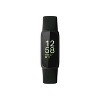
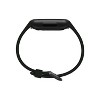
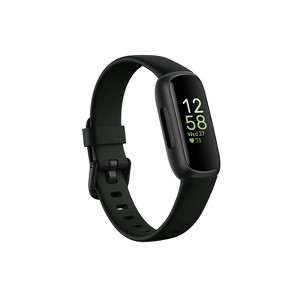
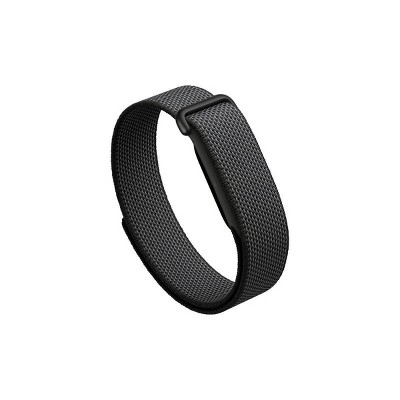
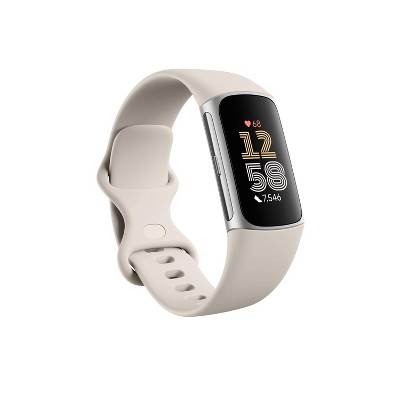
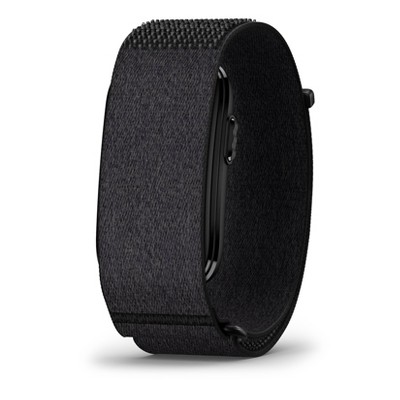
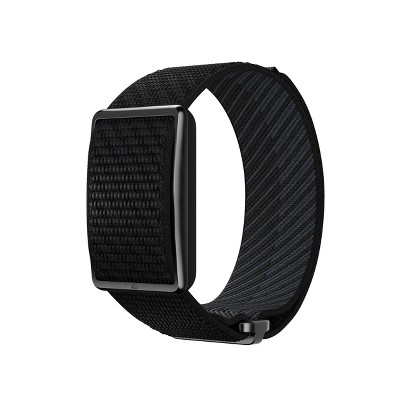
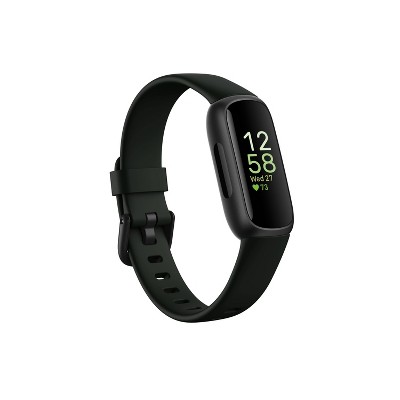
Fitbit Inspire 3 Activity Tracker - Black with Midnight Zen Band
$99.95
ColorBlack
In Stock
Eligible for registries and wish lists
At a glance
About this item
Additional product information and recommendations
Frequently Bought Together
Related Categories
Guests are saying
The Inspire 3 fitness tracker offers a range of features that appeal to fitness enthusiasts, including accurate tracking of miles, sleep, and heart rate. Guests appreciate its long battery life, lasting up to a week on a single charge, and its comfortable design. However, some users have reported issues with syncing, screen responsiveness, and durability. Despite these concerns, many guests find it a solid entry-level tracker for monitoring fitness goals.
Summary created by AI from text of reviews reflecting recent feedback provided across different star ratings (includes incentivized reviews)
3.8 out of 5 stars with 467 reviews
quality: 2.86 out of 5
value: 2.81 out of 5
37% would recommend
148 recommendations
1 out of 5 stars
Thumbs down graphic, would not recommend
3 October, 2026
Bad App: Google Health
The Fitbit app has converted into Google Health. Google Health is the worst health app I have ever used in my life. It is incapable of tracking health, activity, or much of anything accurately anymore. I truly believe Google bought out Fitbit with the intention of driving everyone towards the Google Pixel (which I will not buy due to its large unfeminine size). I am so disappointed with the new app.
From FitBit Team team
Hi there. We understand that there may be hesitancy moving from a Fitbit account to using a Google Account. When you move Fitbit to your Google Account, you keep all of your historical Fitbit data along with additional benefits, including: 1. A single Google login to manage your connected apps and paired devices. 2. Google’s industry-leading privacy and security, along with unified privacy controls. 3. A continued commitment to privacy, ensuring that your Fitbit health and wellness data won’t be used for Google Ads and remains separate from Google Ads. Check out this article for more information: https://support.google.com/googlehealth/answer/14237024?hl=en#zippy= If you have any additional questions, we’re here for you 24/7: https://support.google.com/googlehealth/gethelp?hl=en
21 days ago
1 out of 5 stars
Thumbs down graphic, would not recommend
23 September, 2026Verified purchase
don't buy
purchased Feb 2026. last night not only didn't charge but totally drained the battery
From FitBit Team team
Hi there. Sorry to hear your Inspire 3 isn’t charging and drained its battery overnight — we know how annoying that can be. We’d like to look into this with you and help find a solution. When you get a second, reach out to us here: https://support.google.com/googlehealth/gethelp
27 days ago
1 out of 5 stars
13 September, 2026Verified purchase
(no review title)
Screen went black two times since I purchased this last August : ( It randomly started working last time but now it won’t work anymore. I’ve had fitbits for several years and was so excited to have a new one but this was very disappointing
From FitBit Team team
Hi there, Jennayr. Sorry to see the Inspire 3 didn’t last as long as anticipated. We’d be happy to look into what may have caused this and find a solution for you. Reach out to us here: https://support.google.com/googlehealth/gethelp
1 month ago
1 out of 5 stars
12 September, 2026Verified purchase
Do not trust TARGET
I want to give ZERO Stars to TARGET. Never Recieved the watch. I ordered it and the only thing in the box was mismatched wrist bands. I go to the store for a return and explaination about why I do not have a watch, and they tell me to talk to shipping and send back empty box. Shipping says I must go into the store again. Still no watch and Target has my money.
2 out of 5 stars
Thumbs down graphic, would not recommend
29 August, 2026
Do Not Buy
When I got this at Christmas it never connected to my phone so unless you have a Google phone this is bad. Also, the charger broke so I had to get new ones. The screen is plastic and really small so it’s scratched. It does have many features for bing $100 dollars. You have been warned!!
From FitBit Team team
Hi there. We’re sorry to hear that the Inspire 3 may not have been the best fit for you. Your insights are valuable to us and we'd like to hear more about your experience — when you find a moment, here's our survey: https://google.qualtrics.com/jfe/form/SV_2aStd8wsbcLGvwG
2 months ago
1 out of 5 stars
Thumbs down graphic, would not recommend
9 August, 2026Verified purchase
Don't Buy
Wouldn't hold a charge after a few months. I must had not have checked the reviews before buying it.
From FitBit Team team
Hi there, Lasonya. We’re sorry to hear that your Inspire 3 stopped holding a charge after just a few months — we totally understand how frustrating that is. We’d like to take a closer look into this for you. When you have a moment, please reach out to our team here: https://support.google.com/googlehealth/gethelp
3 months ago
4 out of 5 stars
Thumbs up graphic, would recommend
5 August, 2026
Lilac Fitbit Inspire 3
This Watch is extremely good considering it’s cheap price, it accurately counts my miles, tracks my sleep hours AND naps! The battery life is insane, I only have to charge it once a week. The reason I give it four stars is because I wish that it used the whole screen, instead it only used the middle part. Although it does trash my sleep hours right, it doesn’t always track my sleep. 1/3 of the time it says it couldn’t track my sleep because I was wearing it to “loosely” however I had it the same way I had the night before, and it tracked perfectly… I still like this product though and recommend it to others!
1 out of 5 stars
Thumbs down graphic, would not recommend
1 August, 2026Verified purchase
Vibration for text notifications weak/non existant
About 80% of the time when texts come in it doesn’t vibrate to notify me at all. I’m continually needing to repair it with my phone’s blue tooth or resetting the device and it still doesn’t work reliably. The other 20% of the time it will vibrate but the vibration is so weak, even in the “strong” setting, that I can barely feel it. The inspire 2 was way more reliable with a stronger vibration. This new model is awful if you need to be dependent on it for notifications.
From FitBit Team team
Hi there. We’re sorry to hear that you're having trouble with the notifications and vibration strength on your Inspire 3. We’d love to help troubleshoot your Bluetooth connection and settings to get this working more reliably for you. When you have a moment, talk to us here: https://support.google.com/googlehealth/gethelp
3 months ago
5 out of 5 stars
16 July, 2026Verified purchase
(no review title)
ordered one day received the next day!!! Amazing
2 out of 5 stars
Thumbs down graphic, would not recommend
14 July, 2026Verified purchase
Was great for a short while...
The watch will not charge, as of yesterday…not sure what to do.
From FitBit Team team
Hi there, CCS. We’re sorry to hear that your Inspire 3 has stopped charging — we know how frustrating that is. We’d like to look into this with you and help find a solution. When you get a second, talk to us here: https://support.google.com/googlehealth/gethelp
3 months ago
2 out of 5 stars
11 July, 2026Verified purchase
Stopped working after 1 week.
I was enjoying it for a week until I woke up and the screen was fuzzy white.
From FitBit Team team
Hi there, Cjh. Sorry to see you’re having trouble with the Inspire 3 lately — a quick reset will normally bring things back to normal. Press and hold the button for 10 seconds until the Fitbit logo appears on the screen, and then release the button. If this doesn’t fix it, reach out to us here: https://support.google.com/googlehealth/gethelp
4 months ago
3 out of 5 stars
11 July, 2026Verified purchase
(no review title)
One big plus of the Inspire 3 over my prior Fitbit is that it connects directly with a click to the recharger. The old one was tough to attach to the charger as the device aged. Hope this one stays as is. On the down side, the print on the face display is so small as to be unreadable. On the battery charge left display, the % remaining is smaller than a pin head. If it has to be that small, the lighting needs to be brightened so you can see if immediately. Also found that the auto display with wrist movement does not stay activated. I have to reset it frequently since I use the Fitbit to see the time ... Old fashion I know, but I grew up wearing a watch and old habits are hard to break. Realize the face has a small area, and while that is in large part what attracked me, the print needs to be larger and/or brigther.
From FitBit Team team
Hi there. We’re glad to hear charging the Inspire 3 is a better experience for you. However, we’re sorry you’re having trouble with the display size, brightness, and the auto-wake feature. We’d like to look into your device settings to see if we can help with that wrist-movement issue. When you have a moment, reach out to us here: https://support.google.com/googlehealth/gethelp
4 months ago
2 out of 5 stars
Thumbs down graphic, would not recommend
9 June, 2026Verified purchase
Charger malfunctioned!
Only used charger 3 times and it no longer works. Attached charger and it immediately drained power.
From FitBit Team team
Hi there, AnneB. Sorry to hear you’re having trouble with your Inspire 3 charger — we understand how frustrating it is to have it stop working so soon. We’d like to look into this and help you get back on track. When you get a second, talk to us here: https://support.google.com/fitbit/gethelp
5 months ago
3 out of 5 stars
Thumbs down graphic, would not recommend
7 June, 2026
Nondisclosed age limit
Good for adults, but not able to be set up on a "child" account of indeterminate age. This is not clear on the item description or packaging. Bad buisness model.
From FitBit Team team
Hi there. We appreciate you sharing your experience with the Inspire 3. We hear your concerns regarding child account compatibility and we’d like to learn more about your feedback. When you get a second, share your thoughts with us here: https://google.qualtrics.com/jfe/form/SV_2aStd8wsbcLGvwG
5 months ago
4 out of 5 stars
Thumbs up graphic, would recommend
30 May, 2026Verified purchase
Water lock setting not to great
A solid entry-level tracker for fitness, sleep, HR, and calories. It charges quickly and comes with a larger spare strap. On the downside, the screen is too small to view texts and incoming calls. The water lock setting is my biggest frustration -- it's not so easy to turn it on/off. I don't recommend for water sports.
1 out of 5 stars
Thumbs down graphic, would not recommend
22 May, 2026Verified purchase
Fitbit came used
I just received this Fitbit and as you can see it came opened and used. I wouldn’t expect this from Target and I’m VERY disappointed. No one wants used items, especially something the touches a strangers skin (how gross). I want a new Fitbit or I want a refund. I would’ve given this purchase zero stars.
From FitBit Team team
Hi there. We're sorry to see this has been your initial experience with the Inspire 3. Our recommendation is to reach out to the retailer directly so they can get you the correct item.
5 months ago
1 out of 5 stars
Thumbs down graphic, would not recommend
22 May, 2026Verified purchase
Disappointed
I bought an Inspire 3 after loving my Inspire 2. Unfortunately, this model did not work correctly after the first day. It was stuck on the clock screen, and no amount of tapping, swiping, squeezing, or resetting could get it to function. It was also very finicky about charging, with it being hard to initiate and then charging stopping unexpectedly. Finally, the charge was only lasting for 1 day; guessing it was working hard to pair or some other energy sucking feature. Returned to Target without issue. Still deciding what to purchase next.
From FitBit Team team
Hey there, StLmom4. We're sorry to hear your experience with the Inspire 3 wasn't the best. Even though you returned it, your insight is valuable to us and we want to learn more. When you get a moment, here's our survey: https://google.qualtrics.com/jfe/form/SV_2aStd8wsbcLGvwG
5 months ago
1 out of 5 stars
Thumbs down graphic, would not recommend
10 May, 2026Verified purchase
Worst Fitbit Ever
Just awful! I bought this 6 days ago and the ONLY good thing is battery life. HR, Zone minutes and steps are all wildly inaccurate. HR showed 165 during a yoga class, actual HR was around 70. While resting another day I got a low HR warning of 36 (!) when the device itself displayed 70. Actual HR was 60. Zone minutes don't make sense at all. I have all the data from my old FBs and do the same workouts. Inspire shows zone minutes that are almost 2X what they have been for years. Of course, because the HR is so incorrect, it shows I'm working harder than I actually am. That means calories are way off as well. Step count is at least 50-75% too high. I didn't walk anywhere close to16,000 steps yesterday. AND it counts steps while I'm asleep and sleep mode is turned on. I did a hardware upgrade and restarted the device but nothing changes. I have used many Fitbit models over at least10 years and downgraded from a 2 year old Charge 6 because the battery would only hold a charge for less than 24 hours. I didn't use all the modes on the Charge so I opted for the simpler Inspire. Total waste of money. So, basically it is useless for everything I want it to do. Better to just keep charging my Charge 6 every day.
From FitBit Team team
Hi there. We hear your concerns regarding the heart rate, zone minute, and step count inaccuracies on the Inspire 3. To ensure you're getting the best data, try these tips: 1. For heart rate: Ensure the device is worn 2-3 finger widths above your wrist bone during workouts, as movement can affect readings. A snug, but not too tight, fit is key. 2. For step tracking: Confirm your height settings are accurate in the Fitbit app, as this helps the device calculate your stride length. Also, ensure your "Wrist" setting (dominant vs. non-dominant) is correctly selected. 3. Restarting: Since you've already tried a restart, please ensure the device firmware is fully updated in the Fitbit app. If these steps don't work, we'd like to look into this further with you. Talk to us here: https://support.google.com/fitbit/gethelp?hl=en
6 months ago
5 out of 5 stars
8 May, 2026Verified purchase
(no review title)
Love the inspire 3 Fitbit
1 out of 5 stars
Thumbs down graphic, would not recommend
5 May, 2026Verified purchase
Useless after 5 months of use
I really wanted to love this. The price seemed decent. 5 months in? The screen is buggy. I need to tap, swipe etc multiple times before it will come up and sometimes it won’t even if it’s fully charged. The stats aren’t always accurate. I’m disappointed that I wasted $99 on this. See photo. Photo was taken on 5/5/26. I wore it today. See the date it’s displaying? Splurge and get an Apple Watch instead
From FitBit Team team
Hi there, Cf3smom. Sorry to see you’re having trouble with the Inspire 3 lately — a quick reset will normally bring things back to normal. Press and hold the button for 10 seconds until the Fitbit logo appears on the screen, and then release the button. If this doesn’t fix it, reach out to us here: https://support.google.com/fitbit/gethelp
6 months ago