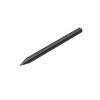

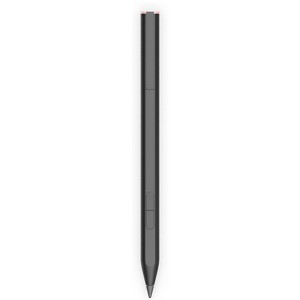
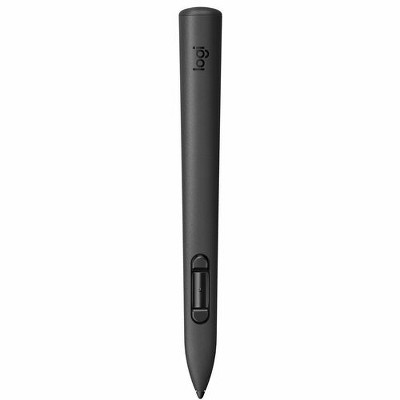
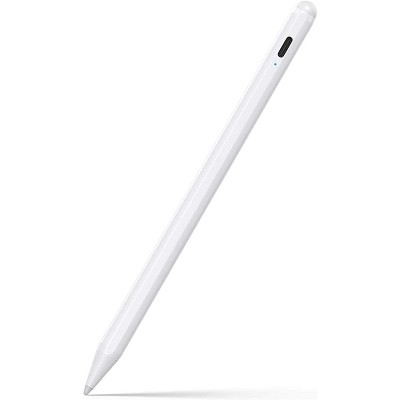
HP Rechargeable MPP 2.0 Tilt Pen
$82.99
In Stock

Free & easy returns
Return this item in store within 30 days for a full refund.
Sold & shipped by HP Official Store
Eligible for registries and wish lists
About this item
Additional product information and recommendations
Frequently bought together
- Bestseller$199.99reg $249.99 SaleGet the AirPods Pro 3 starting at $24/mo.3.9 out of 5 stars with 2273 ratings
- $224.99reg $249.99 Sale


Related Categories
Guests are saying
The HP rechargeable MPP 2.0 tilt pen is a versatile tool that enhances the functionality of HP laptops, particularly for note-taking and drawing. Guests appreciate its comfortable grip, long battery life, and seamless compatibility with various HP devices. While it excels in performance, some guests have noted issues with Bluetooth connectivity and documentation. Overall, it serves as a valuable accessory for both students and professionals looking to improve their digital experience.
Summary created by AI from text of reviews reflecting recent feedback provided across different star ratings (includes incentivized reviews)
3.9 out of 5 stars with 248 reviews
quality: 5 out of 5
value: 5 out of 5
100% would recommend
1 recommendations
1 out of 5 stars
3 October, 2026
originally posted on hp.com

Misleading Description
Reading the description and specs prior to purchasing made it sound like it was compatible with my new laptop. Not so. I paid good money for a useless stylus.
2 out of 5 stars
30 September, 2026
originally posted on hp.com
Huge drop in quality...
Had to buy this to replace the pen that came with my touchscreen laptop. I'm a college student who handwrites notes, so the pen is super important. The magnet on the side barely sticks anywhere on my laptop (I've already almost lost it twice), and the connection is horrible. For seemingly no reason my pen will stop registering for a moment, then come back with abysmal sensitivity that writes when the pen isn't even touching the screen.
1 out of 5 stars
15 April, 2026
originally posted on hp.com

Did not work on my Laptop
The pen did not work on my HP laptop, it's a touch screen and I see it has all the features that are needed for a pen to write on it.
5 out of 5 stars
18 March, 2026
originally posted on store.hp.com

A great addition
A great add-on to my new Ultra-flip laptop. It works seamlessly and efficiently.
5 out of 5 stars
10 March, 2026
originally posted on store.hp.com
Stilt pen
It’s smart and sexy in looks and very precise in accessibility
5 out of 5 stars
4 March, 2026
originally posted on hp.com
Works really well, BUT palm rejection is not best
I use it for HP Omnibook FlipX 16inch Ultra 9 I use it very often, there is almost no delay while using, BUT the palm rejection for Onenote is not that great. Thats not a product issue, more of a software issue which Microslop needs to fix.
1 out of 5 stars
3 March, 2026
originally posted on store.hp.com
Tilt Pen
Have not been able to pair the pen and I have found it difficult with HP regard to the pen
5 out of 5 stars
1 March, 2026
originally posted on HP - New Zealand

Great value and comfortable to use
I thought the HP Pen was great value and so it proved when I received and started using it. The charge seems to last a very long time. It feels good in my hand, with the size overall perfect for comfortable use
1 out of 5 stars
25 February, 2026
originally posted on hp.com
This pen was a suggested purchase when purchasing a laptop. Unfortunately the pen isnt compatible...
Do not buy
5 out of 5 stars
19 January, 2026
originally posted on store.hp.com
HP RECHARGEABLE MPP TILT PEN FOR HP OMNIBOOK ULTRA
GOOD PRODUCT COMPATIBLE WITH HP OMNIBOOK ULTRA 14'
4 out of 5 stars
15 January, 2026
originally posted on store.hp.com
MPP2.0 Tilt Pen, not completely satisfied with this device.
Not completely sure this Tilt Pen is compatible with my HP360 Envy Laptop. Magnetically connects to the side of my device & charges to full capacity ok. The Tilt Pen interacts with my display, need to test the Pen more. Bluetooth connectivity would be more desirable.
3 out of 5 stars
8 January, 2026
originally posted on hp.com
At Least It Works
It took forever chatting with an hp assistant just to find a pen that would be compatible with my hp laptop. It was delivered fairly quickly. It doesn't function like I'd hoped (1000+ levels of pressure, etc.), but it does the basic job of replacing a mouse and allowing me to draw on the screen.
5 out of 5 stars
Thumbs up graphic, would recommend
7 January, 2026Verified purchase
(no review title)
Easy to use and arrived early
5 out of 5 stars
5 January, 2026
originally posted on hp.com
Drawing on a PC!
Great product! Works well....
5 out of 5 stars
2 January, 2026
originally posted on hp.com
Easy to use and well made!
Works great!!
5 out of 5 stars
28 December, 2025
originally posted on hp.com
Good pen
It works as it says it does. If I would have read the info for the computer I bought with this pen I would have seen that the computer came with this very pen. So, now I have two of them in case one stops working I suppose.
5 out of 5 stars
18 December, 2025
originally posted on HP - New Zealand
Great
Does all it should
5 out of 5 stars
18 December, 2025
originally posted on HP - New Zealand
HP Pen
This pen is fantastic, it works like a real pen and combined with the HP Envy X360 laptop it makes for a great study combination
1 out of 5 stars
5 August, 2025
originally posted on store.hp.com
Frustrating. I am sure these are good but....I have HP envy 360
I bought this a month ago roughly. There is no support manual or guide or anything. No idea how to use it. Doesn't work with lighroom (adobe) which is the only reason I bought it. For editing masks for my photos. Frustrating. Also the palm gets in the way when its meant to have a protective feature in relation to that.
From HP Support Team team
Sorry to hear about the experience. The pen works best with apps supporting Microsoft Pen Protocol, and functionality may vary with third‑party software. We’ll share your feedback on guidance and usability with the team.
6 months ago
5 out of 5 stars
18 June, 2025
originally posted on hp.com
Really great with the work I do, easy to use, and mark items on evidence photos
Outstanding