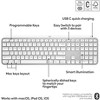


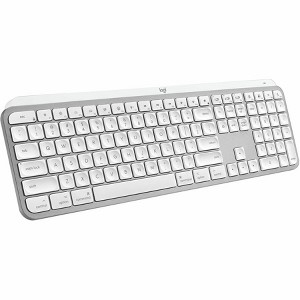
Logitech MX Keys S for Mac Wireless Keyboard Pale Grey
$129.99
In Stock

Free & easy returns
Return this item in store within 30 days for a full refund.
Sold & shipped by Spacebound
Eligible for registries and wish lists
At a glance
About this item
Additional product information and recommendations

Related Categories
4.7 out of 5 stars with 18 reviews
4 out of 5 stars
13 October, 2026
originally posted on Logitech

Great could be Better
I love the feel of the keys. Didn't need such a big keyboard. My only complaint is the backlight keys. Sometimes the letters and numerals are hard to read.
2 out of 5 stars
9 June, 2026
originally posted on Logitech
Pauses/sleeps before engaging - annoying
The keyboard looks great, and when it is engaged it works great. However, it “sleeps” fairly quickly and then takes an annoying time to “wake up” and engage. Not a problem if you are typing continuously but something to deal with if you pause to read or study and then want to type. I may have to get a new keyboard as a result.
3 out of 5 stars
16 March, 2026
originally posted on logitech-ca

MX Keys for Mac keyboard
The finish is very smooth. I prefer a keyboard that has some texture so it makes me feel that I have a grip.
From Logitech Team team
Thanks for sharing your feedback! We’re glad you liked the smooth finish, though we understand that some users prefer a more textured feel for added grip. We’ll pass this along to our team for future design considerations.
5 months ago
5 out of 5 stars
16 March, 2026
originally posted on logitech-ca
A solid keyboard, but wanting more customizablity
The MX keys S has great feeling keys and a solid weight to the keyboard. I only wish Logitech would make more keys (especially the FN key) customizable.
From Logitech Team team
We appreciate your feedback! It’s great to hear you’re enjoying the typing experience and build quality. Your suggestion around expanding key customization, especially for the FN key is valuable, and we’ll share it with our team.
5 months ago
5 out of 5 stars
27 December, 2025
originally posted on Logitech
The best Keyboard,
I already have the black version, this is a amazing keyboard.
From Customer Care team
We're thrilled to know you're happy with your MX Keys S for Mac - Pale Grey. We are dedicated to providing high quality and dependability, and your feedback confirms we're moving in the right direction. Thank you for your ongoing support; we're grateful to have you as a customer.
8 months ago
5 out of 5 stars
1 September, 2025
originally posted on Logitech
Pure Excellence
This is my 2nd MX Keys. I used to have the original, but opted for the S in pale grey to match my setup. A beautifully designed keyboard with an smooth feel
5 out of 5 stars
22 May, 2025
originally posted on logitech-ca
Great keyboard
Nice looking keyboard that performs great. I had the MX for windows and when switching to Mac, it matched nicely.
5 out of 5 stars
23 April, 2025
originally posted on Logitech
Logi MX Master 3S & MX Keys S for Mac
First I bought the Logi MX Master 3S mouse for Mac. I was impressed by its versatility: 1 The ergonomics are designed so that your fingers and hand do not get tired, the grip is very well thought out. 2 I connected to three of my Apple devices using Logi Options + - this is MACMINI MACBOOK PRO and iPad pro, the response time during the transition is 0 seconds. 3. All the wheels are programmable and adjustable - these are incredible functions that I am still learning and trying on each button and wheel that can be applied to all Apple applications, as well as third-party applications. As for third-party applications - primarily Microsoft, Davinci Resolve for me many functions are impressive and have not yet been revealed. You can add through the Logi Options + application to control various functions, add separately applications that are on your computer, which will be controlled by the mouse individually. As for the keyboard MX Keys S for Mac has all the functions that the mouse has - these are transitions to three Apple devices by assigned buttons and in general through Easy Switch. Through these incredible functions of connected computers between themselves via Bluetooth through Easy Switch you can transfer sentences and edit in your programs in these three devices at the same time. I still want to study a lot. These devices work for me only at home.