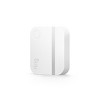
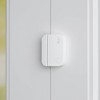
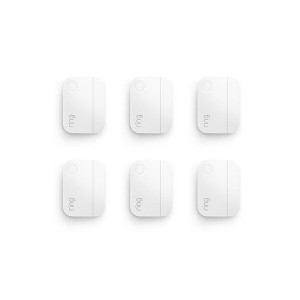
Ring Alarm Door and Window Sensor - 6pk: Connects with Android & iOS Devices
$67.99
In Stock
Eligible for registries and wish lists
At a glance
About this item
Additional product information and recommendations
Frequently bought together
- $3.29 - $4.99Lower price on select items4.7 out of 5 stars with 880 ratings
- $17.03 - $18.63reg $21.29 - $23.29 Sale5 out of 5 stars with 1 ratings
- $17.03 - $18.63reg $21.29 - $23.29 Sale5 out of 5 stars with 1 ratings

Guests also viewed
4.7 out of 5 stars with 29 reviews
quality: 3 out of 5
value: 2.5 out of 5
66% would recommend
3 recommendations
5 out of 5 stars
20 August, 2026
originally posted on influenster.com

Great product
This ring contact sensor is truly remarkable, offering exceptional sensitivity that precisely detects even the slightest interactions. Its performance in accurately sensing these touches is a testament to its advanced technology. However, it has been observed that the sensor can detach quite readily if it happens to be brushed or nudged. Despite this minor issue, its core functionality and responsiveness are highly commendable. We appreciate the innovative design that allows for such precise detection.
5 out of 5 stars
7 June, 2026
originally posted on influenster.com
Very effective
I have been very pleased with all the ring products. The price was very reasonable and battery life lasted for a long time. It is very sensitive to motion. The ring is by far the best product I have found and if you pay for monitoring you can link all your devices for a low price.
5 out of 5 stars
18 May, 2026
originally posted on influenster.com
It’s very amazing and safe product for your business family and friends.
I absolutely love this alarm windows sensor I have 5 years old daughter so it gives me more great peace of mind knowing I’m instantly alerted whenever a door or window opens. It helpes me keep track of whether she’s trying to go outside, and the noise make you feel safe because of it alerts me when the door or windows are open. I cannot tell you how value it is for me. Compare to others products it is the best. I highly recommend it for everyone that have pets, kids or needs a home safety.
5 out of 5 stars
10 May, 2026
originally posted on influenster.com
Easy installation and perfect security.
The batery is long lasting. I've had it for several months and I've only hadto charge it e few times. The installation is very quick and easy, it only takes e few minutos. It is perfect for detective movements and sending alerts.
5 out of 5 stars
3 May, 2026
originally posted on influenster.com
Notifies you and says what door/window
Let’s us know if a window or door is left open or when pushed open by a storm or wind if it was not locked! Sends the notification right to our phones and will specify what door/ window.
5 out of 5 stars
30 April, 2026
originally posted on influenster.com
Easy setup
I use the contact sensors on all the doors in my home. I configured them to alert me whenever my doors are open or closed. The batteries last for years.
5 out of 5 stars
18 April, 2026
originally posted on influenster.com
Its super practical
Its súper practical, it ‘ s of high quality, I recommend it 100% , it installs quickly and without problems , i love it this product, Good bateryyy
5 out of 5 stars
15 April, 2026
originally posted on influenster.com
Easy to instal and easy to connect.
Ring alarm window and door contact sensors are easy to install and to connect to the hub. Batteries last a long time and the base will let you know which battery is low.
5 out of 5 stars
14 April, 2026
originally posted on influenster.com
Neat design and reliable
Very neatly designed and you don't even notice they are there as they blend in with the white colour. I had previous ones from a rival company that were over sensitive but these ones are perfect. You can name them within the app for each door or window they are on and if they trigger you get a notification. Really great security system to add to your home without having a company charge you high fees monthly.
5 out of 5 stars
6 April, 2026
originally posted on influenster.com
Great peace of mind
AMAZING peace of mind especially with kids!!! Such great functionality for knowing when doors/windows are opened and easy to use/get the notifications.
5 out of 5 stars
24 March, 2026
originally posted on influenster.com
Ring Alarm Window and Door Sensor, yes please!
Ring Alarm Window and Door Contact Sensor is highly functional with compatibility performance, perfect size, easy set up. Perfect for home and office. Highly recommended!
5 out of 5 stars
21 March, 2026
originally posted on influenster.com
These are wonderful to add to your home.
This ring door way and window sensor is great especially if you have children that try to open the door. It connects easy, the alerts are loud and clear but not obnoxious, the material is perfect.
2 out of 5 stars
18 March, 2026
originally posted on influenster.com
Not my favorite, had better luck with other brands
I really don’t care for the contact sensors. With the cold and heat, they tend to unglue and fall off causing false alarms. I wish they made a better system for this
5 out of 5 stars
10 March, 2026
originally posted on influenster.com
Great brand
Best security brand ive used for my home. Installation was simple. Size fit perfect and gave the right angle. Design looks innovative and the app for notifications works smoothly.
5 out of 5 stars
9 March, 2026
originally posted on influenster.com
Great sensors for entry points
These work great with the main ring alarm base station. They’re very responsive and I like the sounds as it’s not overstimulating but still helpful. I have had these for around a year and have yet to have any issues (fingers crossed). I also love how easy they are to install and get up and running on the app. It’s also great to be able to buy more as needed at any time.
5 out of 5 stars
9 March, 2026
originally posted on influenster.com
Easy
As always easy setup and it just works. Have had no issues. Ring security systems have all the features you want and need. They are designed small and compact so they don't get in the way.
5 out of 5 stars
18 December, 2025
originally posted on influenster.com
Detects door and window openings, sends alerts to
Ring 2-Pack Window & Door Sensors detect when doors or windows open, send alerts to Ring app, and work with Ring Alarm system for home security Detects door and window openings, sends alerts to the Ring app, and integrates with the Ring Alarm system.
1 out of 5 stars
Thumbs down graphic, would not recommend
4 December, 2024Verified purchase
Bad Quality - Units
Bad Quality - Units, Returning it back. They break all the time.
1 reply from Ring team - 2 years ago
Hi Bad Quality Units. Thank you for taking the time to share your experience with us. We understand the importance of a seamless setup process so that you can begin using your Ring Contact Sensor right away. The features and technology provided by the Ring Alarm Contact Sensor (2nd Gen.) are incredibly valuable and help provide you with peace of mind about your home security. We want to ensure your device is working as intended by providing you with solutions to resolve the concern you mentioned in your review. It sounds like the device is not functioning as intended. Monitor movement inside your home when a door or window is opened or closed with Ring Alarm Contact Sensors. If your Ring Alarm Contact Sensor (2nd Generation) won't connect or is added as a binary sensor, please follow these steps: Remove the contact sensor from its base. Ensure that the batteries are installed. Open the Ring app. Tap the menu (☰). Tap "Devices." Tap "Alarm Base Station" or "Alarm Pro Base Station." Tap "Base Station." Tap the "Device Settings" tile. Tap "Advanced Options." Tap "Z-Wave," then tap "Remove Z-Wave Device." Tap "Remove." The Ring app will say, “Remove device, listening for device to remove.” Do not tap “Reset Z-Wave Network.” This will remove your entire Ring Alarm network, and you’ll need to reset every device. Press and release the pinhole reset button. The device should be removed successfully and can be re-added using the Ring app. If the contact sensor is still waiting or attempting to connect to the Ring app, the Ring app is prompting you to perform a factory reset. To perform a factory reset, please follow these steps: Slide the Ring Alarm Contact Sensor (2nd Gen.) off of its base. Ensure that the batteries are installed. Press and hold the pinhole reset button. Continue holding down the pinhole reset button until the LED light turns red, then release. Re-add the sensor to your Ring Alarm using the Ring app. While repeating the setup process, you will be prompted to pull the battery tab. You may have to use a small tool, such as a micro-screwdriver, to carefully remove the coin-cell batteries from the casing of your contact sensor, then reinsert them. We invite you to reach out to our community if any additional information is needed regarding your question. The Ring Community is our first peer-to-peer community forum, giving our customers the ability to help one another by sharing their feedback and experiences with each other. Sincerely, Matthew from Ring.
3 out of 5 stars
20 December, 2022
originally posted on ring.com

One of sensor quit working in 2 years.
Tried to reset the malfunction sensor but not successful. It only works for less than a day after reset. Rest sensors worked fine and lasted more than 4 years.
1 reply from Ring team - 4 years ago
Hello David Tsai, Thank you for taking the time to share your Ring Alarm Window and Door Sensor experience with us and other consumers. We believe that stronger communities are the key to safer neighborhoods. That is why we are driven to create products that help you protect what matters most at home and empower you to connect with your neighbors from wherever you are. Together, we’ll make neighborhoods safer! Here is a helpful support article to resolve this issue should you experience it again in the future: https://support.ring.com/hc/en-us/articles/4415636964116-How-to-Resolve-Tampered-Contact-Sensors. Also, Ring Community is our first peer-to-peer community forum, giving our customers the ability to help one another and share their feedback/experiences with Ring. We invite you to reach out at https://community.ring.com/ if any additional information is needed regarding your Ring Alarm device. Thank you,
5 out of 5 stars
19 December, 2022
originally posted on ring.com
Very simple and very effective
I bought this as a kit came with everything I needed to put security system in my house it also sinks up to any Ring cameras you have or any other ring products really nice system