Target New ArrivalsBack to SchoolCollegeHalloweenClothing, Shoes & AccessoriesHome & DecorKitchen & DiningOutdoor Living & GardenGroceryHousehold EssentialsBabyBeautyPersonal CareSports & OutdoorsPetsHealthWellnessSchool & Office SuppliesToys & GamesElectronics & TechVideo GamesMovies, Music & BooksParty SuppliesGift IdeasGift CardsShop by CommunityTarget OpticalDealsClearanceNew ArrivalsBack to SchoolCollegeTop DealsTarget Circle DealsWeekly AdShop Order PickupShop Same Day DeliveryRegistryRedCardTarget CircleFind Stores

dock and bay

513 results for “dock and bay”

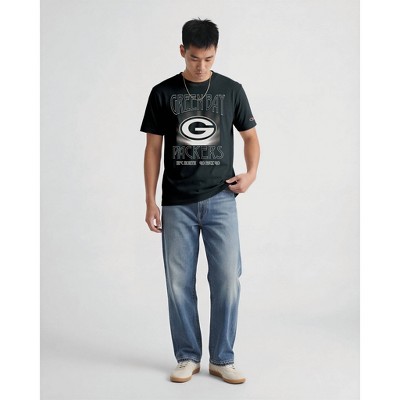
NFL Green Bay Packers Men's Impact T-Shirt

Sponsored

NFL Green Bay Packers Simple Modern Stainless Steel Voyager - 20oz

$24.99
was $29.99
New lower price

Sponsored

Powered by AI

Guests also ask:

Results show three common form factors: compact USB‑C hub stand holders (often foldable/rotatable), portable USB‑C/Thunderbolt docking sticks, and larger desktop‑style multiport docks with many ports and mounting options.

Transfer speeds range from USB 3.0 (5 Gbps) up to Thunderbolt 4 (40 Gbps). Many docks combine a mix of interfaces—typical examples are 5 Gbps USB 3.x ports, 10 Gbps USB 3.2 Gen2 ports, and 40 Gbps Thunderbolt 4 ports.

Most docks provide a 3.5 mm audio/microphone combo jack or separate 3.5 mm stereo jacks for headphone and microphone input/output for playback and recording.

Most docks include Gigabit Ethernet (10/100/1000 Mbps); some models also offer faster 2.5 Gbps RJ45 ports.

Hub‑style stand docks combine a compact multiport hub with an integrated foldable/rotatable stand for tablets or small laptops, prioritizing portability and a small footprint. Full desktop docking stations are larger, provide more ports, higher power distribution for host charging, and broader multi‑display support.

Get top deals, latest trends, and more.