Target New ArrivalsChristmasTarget Black FridayGift IdeasHoliday Kids CatalogHome & DecorKitchen & DiningToys & GamesElectronics & TechVideo GamesGift CardsClothing, Shoes & AccessoriesGroceryBabyBeautyTarget Beauty StudioPersonal CareHousehold EssentialsHealthWellnessBooks, Music & MoviesSports & OutdoorsPetsSchool & Office SuppliesParty SuppliesAutomotiveTarget OpticalClearanceNew ArrivalsChristmasGift IdeasTop DealsTarget Circle DealsWeekly AdShop Order PickupShop Same Day DeliveryRegistryRedCardTarget CircleFind Stores
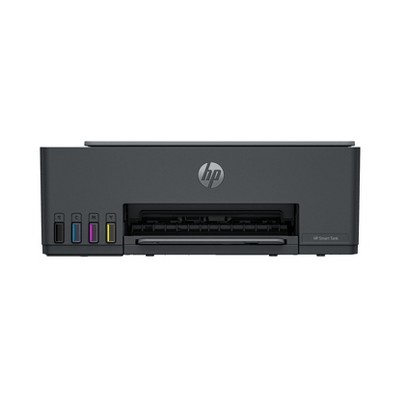
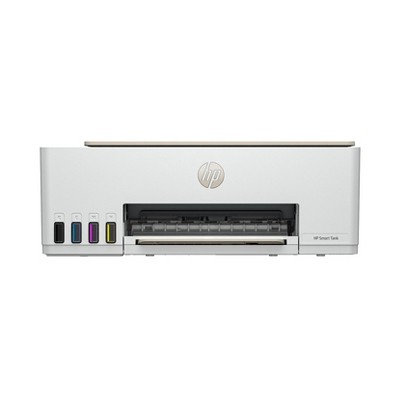
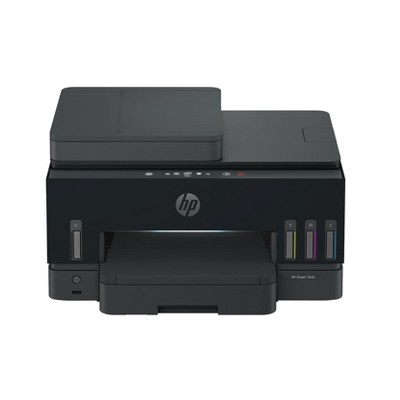
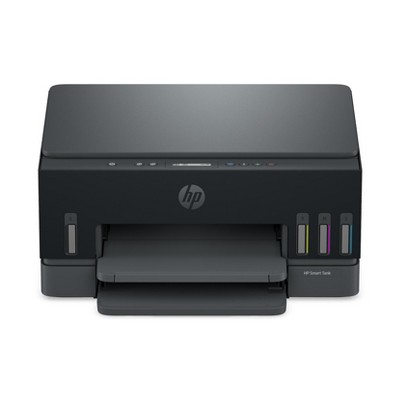
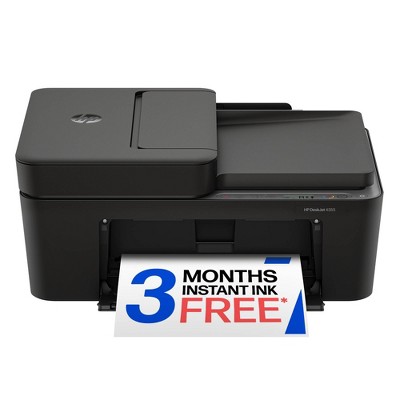
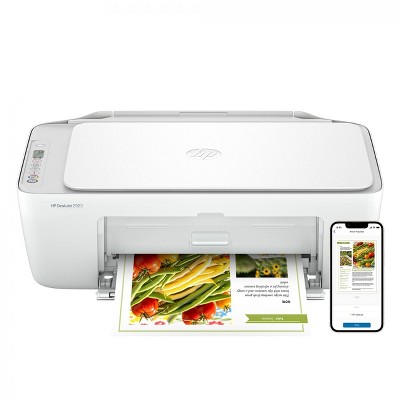
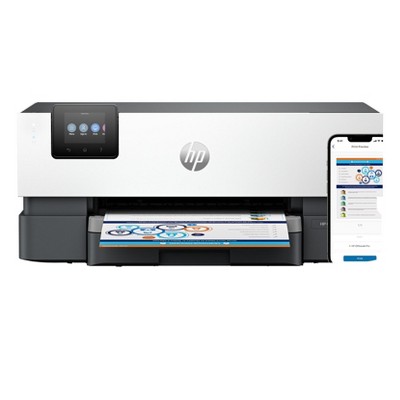
HP Smart Tank 5103 All-in-One Inkjet Printer, Color Mobile Print, Copy, Scan Up - 2 of 4HP Smart Tank 5103 All-in-One Inkjet Printer, Color Mobile Print, Copy, Scan Up - 3 of 4HP Smart Tank 5103 All-in-One Inkjet Printer, Color Mobile Print, Copy, Scan Up - 4 of 4
HP Smart Tank 5103 All-in-One Inkjet Printer, Color Mobile Print, Copy, Scan Up - 1 of 4

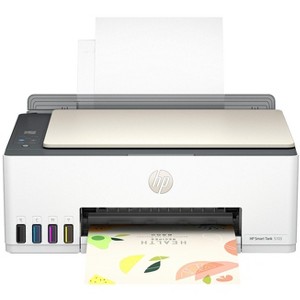
HP Smart Tank 5103 All-in-One Inkjet Printer, Color Mobile Print, Copy, Scan Up

5 Questions
$199.99 reg $269.99
$70 off

In Stock


Add plans or services
Make your selection before adding to cart
2 Year Electronics Protection Plan ($175-$199.99) - Allstate
$30.00

Free & easy returns
Free & easy returns
Return this item by mail or in store within 30 days for a full refund.
Sold & shipped by HP Official Store
Eligible for registries and wish lists
Save 5% every day
With Target Circle™ Card (restrictions apply)

About this item

Highlights

  • Print, scan, copy, wireless
  • Up to 3 years of ink in the box keeps you printing at a fraction of the cost
  • Get perfectly formatted prints with HP AI
  • Includes 100 sheets HP Everyday Photo Paper 4 x 6
  • HP Smart Advance

Description

Overview - There are moments too precious to be tucked away in your phone. So, print the best ones out for all to enjoy. HP Smart Tank printers give you three years of easy, vibrant printing from America’s most trusted printer brand. - Best for families or work from home professionals who print a lot everyday: Print color documents like business records and school projects. Features Print on and on for you and your family - Three years of easy, vibrant printing to fill your home with one incredible moment after another. Vibrant quality plus 100 sheets of photo paper - Print your favorite memories in vibrant quality and true-to-life colors. The easiest-to-use tank printers - Quickly print pics and docs from home with the best print app. Compatible Supplies - HP 32XL 135-ml Black Original Ink Bottle 1VV24AN; HP 31 Cyan Original Ink Bottle 1VU26AN; HP 31 Magenta Original Ink Bottle 1VU27AN; HP 31 Yellow Original Ink Bottle 1VU28AN Minimum system requirements - Windows 11, Windows 10, 1 GHz processor, 2 GB SSD, Internet What's in the box? - HP Smart Tank 5103 All-in-One Printer; HP 32XL 135-ml Black Original Ink Bottle (1VV24AN); HP 31 Tri-color Original Ink Bottle; HP Smart Tank Printhead; Setup Guide, Reference Guide, Ink Caution flyer; Regulatory flyer; Warranty flyer; Power Cord; 100 sheets HP Everyday Photo Paper 4 x 6; For more information about fill and yield, . Disclaimers - Based upon 200 pages per month of HP Smart Tank customers’ usage. Actual yield varies considerably based on content of printed pages and other factors. Average yield based on ISO/IEC 24711 or HP testing methodology and continuous printing. Some ink from included bottles is used to start up the printer. For details, see: www.hp.com/go/learnaboutsupplies . - Based on 2022 Q4 shipments in the IDC Worldwide Quarterly Hardcopy Peripherals Tracker®, 2022 Q4 Release. Includes shipments of all printing devices (inkjet printers, laser printers, copiers and multifunction devices, including production units). - Compared to the majority of in-class, 3:1 and 4:1 duplex, wireless A4 ink tank printers under $552 USD. Printers selected by market share as reported by IDC Quarterly Hardcopy Peripherals Tracker – Final Historical CYQ2 2023. Claim based on publicly available information as of December 2023 and Keypoint Intelligence hands-on testing and study in December 2023 commissioned by HP. - Requires HP app download available at www.hp.com/go/mobileprinting. Certain features are available in English language only, and may vary by printer model/country, and between desktop/mobile applications. HP reserves the right to introduce charges for use of functionality facilitated by the HP app. Internet access required and may not be available in all countries. HP account required for full functionality. Fax capabilities are for sending a fax only. List of supported operating systems available in app stores. See details at www.hpsmart.com . - Internet access required and must be purchased separately. Wireless operations are compatible with 2.4 GHz and 5.0 GHz operations only. Supports both 5.0 GHz and 2.4 GHz using up to 112 non-overlapping channels vs. only 3 non-overlapping channels for 2.4 GHz only. Supports 5.0 GHz band (up to 150 mbps) v. 2.4 GHz band (up to 72.2 mbps). Learn more at www.hp.com/go/mobileprinting .
Dimensions (Overall): 6.19 inches (H) x 14.23 inches (W) x 17.11 inches (D)
Weight: 11.09 pounds
B&W Print Speed: 12 pages per minute
Color Print Speed: 5 pages per minute
Electronics Condition: New
Compatible With: Up to 8.5" x 11" Documents
Maximum Resolution: 1200 x 1200 (Black and White)
Wireless Technology: Wi-Fi
Printer Ink Color: Multiple Colors
Ink Series: HP 32 series
Battery: No Battery Used
Warranty: Multiple Warranties and/or Time Frames Apply. To obtain a copy of the manufacturer's or supplier's warranty for this item prior to purchasing the item, please call Target Guest Services at 1-800-591-3869
TCIN: 1000163070
UPC: 197961516258
Origin: imported
The above item details were provided by the Target Plus™ Partner. Target does not represent or warrant that this information is accurate or complete. On occasion, manufacturers may modify their items and update their labels.
We recommend that you do not rely solely on the information presented. If you have a specific question about this item, you may consult the item's label, contact the manufacturer directly or call Target Guest Services at 1-800-591-3869.
If the item details aren’t accurate or complete, we want to know about it.

Shipping details

Estimated ship dimensions: 7.8 inches length x 15.23 inches width x 7.19 inches height
Estimated ship weight: 16.75 pounds
item ships from third party seller: HP Official Store

Return details

This item can be returned to any Target store or Target.com.
This item must be returned within 30 days of the date it was purchased in store, delivered to the guest, delivered by a Shipt shopper, or picked up by the guest.
See the return policy for complete information.

Q: does this work with a mac?

submitted by vee tee - 7 months ago
  • A: Hi, thank you for reaching out about HP Smart Tank 5103 All-in-One Inkjet Printer, Mobile Print, Copy, Scan Up to. Yes, the HP Smart Tank 5103 is fully compatible with Mac computers. It supports macOS 10.15 Catalina through the latest versions, including macOS 15 Sequoia, and offers wireless printing via Apple AirPrint and the HP Smart app. Setup is available via Wi-Fi or USB connection If you have any additional questions, we welcome you to contact MyTGTtech at 833-848-8324 every day, between 7am-11pm CST.

    submitted byMatt - 7 months ago
    Target staff support

Q: Will this work with 5g or only 2g networks?

submitted by sleepless scribbler - 11 months ago
  • A: Hi, thanks for reaching out about HP Smart Tank 5103 All-in-One Inkjet Printer, Mobile Print, Copy, Scan Up to. The HP Smart Tank 5103 All-in-One Inkjet Printer is only compatible with the 2.4 GHz Wi-Fi band, and does not support the 5 GHz band. If you have any additional questions, we welcome you to contact MyTGTtech at 833-848-8324 every day, between 7am-11pm CST.

    submitted byJoe - 11 months ago
    Target staff support

Q: Does this print on both sides of paper?

submitted by CB - 1 year ago
  • A: Hi, thanks for reaching out about HP Inc. Smart Tank 5103 All-in-One Inkjet Printer, Mobile Print, Copy, Scan According to the manufacturer this printer offers manual duplex printing, which means you'll need to manually flip the paper over to print on the other side. If you have any additional questions, we welcome you to contact MyTGTtech at 833-848-8324 every day, between 7am-11pm CST.

    submitted byJustin - 1 year ago
    Target staff support

Q: What is the blank page capacity for this printer?

submitted by D A S - 1 year ago
  • A: Hi, thanks for reaching out about the HP Inc. Smart Tank 5103 All-in-One Inkjet Printer, Mobile Print, Copy, Scan Up to The HP Smart Tank 5103 All-in-One Inkjet Printer features a standard paper handling input of 100 sheets in a single input tray. This is its capacity for blank pages (plain paper) up to the supported paper size of 8.5 x 14 inches (legal). If you have any additional questions, we welcome you to contact MyTGTtech at 833-848-8324 every day between 7 am and 11 pm CST.

    submitted byRena - 1 year ago
    Target staff support

Q: Can I print on different types of heat press paper with this printer?

submitted by Melanie - 2 years ago
  • A: Hi Melanie, thanks for reaching out about the HP Inc. Smart Tank 5103 All-in-One Inkjet Printer, Mobile Print, Copy, Scan The HP Smart Tank 5103 is not designed for printing on heat press paper, as it is not designed for this application and may yield unsatisfactory results or even damage the printer. If you have any additional questions, we welcome you to contact MyTGTtech at 833-848-8324 every day between 7 am and 11 pm CST.

    submitted byRena - 2 years ago
    Target staff support

Additional product information and recommendations

Discover more options

Skip to next section

Guests also viewed

Skip to next section

Guests are saying

The HP Smart Tank 5105 All-in-One Printer is designed for home use, offering an economical ink tank system that eliminates the need for frequent cartridge replacements. Guests appreciate its ease of setup and compatibility with various devices, making it a versatile choice for printing needs. While some users experienced connectivity issues and setup challenges, the overall performance and print quality have garnered positive feedback, making it a reliable option for everyday printing tasks.
    Summary created by AI from text of reviews reflecting recent feedback provided across different star ratings (includes incentivized reviews)
    4.1 out of 5 stars with 1648 reviews
    quality: 2 out of 5
    value: 3 out of 5
    0% would recommend
    1 recommendations
    5 out of 5 stars
    15 November, 2026
    originally posted on hp.com
    Image

    Very good printer

    I am very happy with my new smart tank. With 3 years worth of ink I can now come off of the monthly bill for my old printer
    Scutter57
    Did you find this review helpful?
    4 out of 5 stars
    6 November, 2026
    originally posted on hp.com
    Image

    Good little printer

    Fairly easy to set up following instructions & app. Good little printer for small home office jobs though had a couple paper jams. Used it only intermittently so can’t comment how it would cope with bigger or frequent use. That said, it’s been great for what we need.
    Val
    Did you find this review helpful?
    5 out of 5 stars
    5 November, 2026
    originally posted on hp.com
    Image

    hp 5100

    100x100good
    Did you find this review helpful?
    2 out of 5 stars
    3 November, 2026
    originally posted on hp.com
    Image

    Difficult to setup and does not respond

    This took a long time to setup because you have to change your router to 2.4 ghz. Once I did finally get it setup though, it does not want to print. When I send something to the printer, it just sits in the queue. I have to clear the queue through the print dialogue, and try sending it again multiple times. It does seem to work occasionally, but this is an expensive printer that does not print reliably. The print quality is very good when it does decide to print, but it's not worth the headache of setup and troubleshooting.
    Home Printer User
    Did you find this review helpful?
    5 out of 5 stars
    31 October, 2026
    originally posted on hp.com
    Image

    Lovely reliable printer

    It’s a good size, paper fits in easily, print quality very good Setup fairly easy - it uses refillable ink containers with ink bottles and you dispense the ink into the labelled sections. The step by step instructions were ok but an actual short video of a person doing this would be so much better (there’s one fiddly step that I can’t remember now but would have been obvious on a demo, not the cartoon demo that is offered
    SJ
    Did you find this review helpful?
    2 out of 5 stars
    30 October, 2026
    originally posted on hp.com
    Image

    Printing facilities not clearly advertised

    Bought the Smart Tank to replace my much cheaper Envy printer. Smart tank works ok but disappointed it does not do auto double sided printing. Both items described as all-in-one printers If I had known about this issue I would have looked for another model which did it Tried to chat about it when I discovered this weakness but found it difficult to talk to somebody
    Bob17
    Did you find this review helpful?
    1 out of 5 stars
    30 October, 2026
    originally posted on hp.com
    Image

    (no review title)

    The only thing I like is the ink it will not print and won’t stay connected to internet
    I don’t like it
    Did you find this review helpful?
    1 out of 5 stars
    29 October, 2026
    originally posted on hp.com
    Image

    Dose not scan

    Does not scan more than one page
    Hpsux
    Did you find this review helpful?
    3 out of 5 stars
    29 October, 2026
    originally posted on hp.com
    Image

    Good little machine with connection problems

    Would not load the printer start up program. Was missing a driver. Took three days to set up. But the actual printer and scanner work great.
    wmrslvr
    Did you find this review helpful?
    5 out of 5 stars
    28 October, 2026
    originally posted on hp.com
    Image

    At last

    A printer that doesn’t need an account. A printer that doesn’t keep running out of ink and cost the earth to use.
    Sylvie
    Did you find this review helpful?
    3 out of 5 stars
    28 October, 2026
    originally posted on store.hp.com
    Image

    an ok printer / scanner

    The only disappointing things were the difficulty setting up with WiFi, the delay between clicking on the Scan icon and the app being ready to use plus the delay with the fiorsat print
    vern2743
    Did you find this review helpful?
    1 out of 5 stars
    27 October, 2026
    originally posted on hp.com
    Image

    Not good

    This printer is not good very slow printing I recommend plz don’t buy
    Eid
    Did you find this review helpful?
    5 out of 5 stars
    26 October, 2026
    originally posted on hp.com
    Image

    Excellent printing qualitys.i

    I don't think that features could be any better for me. Printer does what it says on the box.
    Norman
    Did you find this review helpful?
    4 out of 5 stars
    25 October, 2026
    originally posted on store.hp.com
    Image

    Good printer

    Works well, easy to use. Suits my needs
    AM
    Did you find this review helpful?
    5 out of 5 stars
    25 October, 2026
    originally posted on hp.com
    Image

    Nice easy to use.

    Home office
    George
    Did you find this review helpful?
    5 out of 5 stars
    24 October, 2026
    originally posted on hp.com
    Image

    Easy to set up and to use

    Great easy to ues
    Angie
    Did you find this review helpful?
    5 out of 5 stars
    24 October, 2026
    originally posted on hp.com
    Image

    HP Smart Tank 5104 All-in-One Printer

    the best easiest set up ever!! also having so much ink to start with is a game winner! fantastic printing. we love it all around! I hate to say it, I've seen it before, but wished we gotten in way sooner!
    Tonya G
    Did you find this review helpful?
    3 out of 5 stars
    24 October, 2026
    originally posted on hp.com
    Image

    Too many blank sheets

    Print is awesome! But, it occasionally pulls two many sheets in the printing process, so that I have several blank sheets in my printed stack.
    Joe
    Did you find this review helpful?
    5 out of 5 stars
    23 October, 2026
    originally posted on hp.com
    Image

    Excellent product, exactly what I needed!

    This is my second HP printer, the previous one lasted more than 12 years. I like the large capacity ink holders, large paper capacity and it doesn’t take up much space.
    Glenn
    Did you find this review helpful?
    4 out of 5 stars
    21 October, 2026
    originally posted on hp.com
    Image

    works very well

    would like to be able to print on both sides of the paper. my previous HP printer did that and I expected this new one to do so too.
    Ken
    Did you find this review helpful?

    Get top deals, latest trends, and more.