Print speed ISO: Up to 10 ppm black, up to 7 color
Long battery life
Highest ink cartridge page yield in class
Description
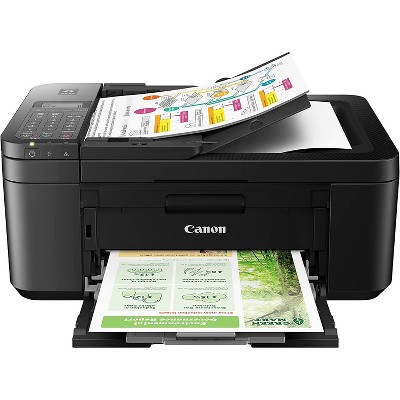
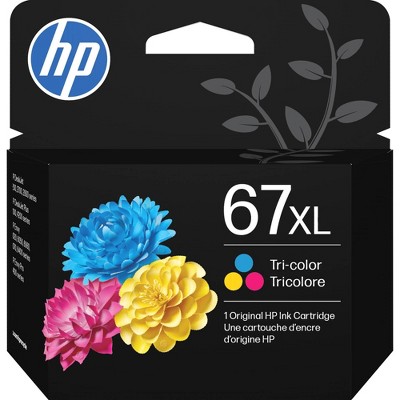
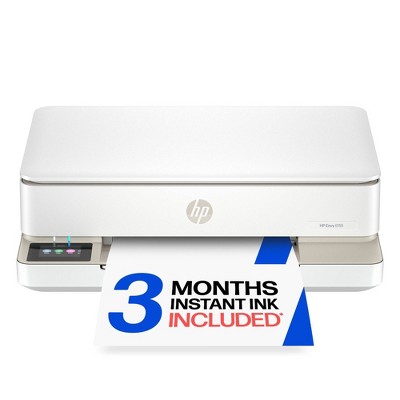
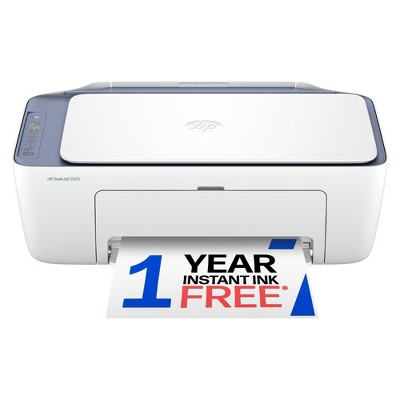
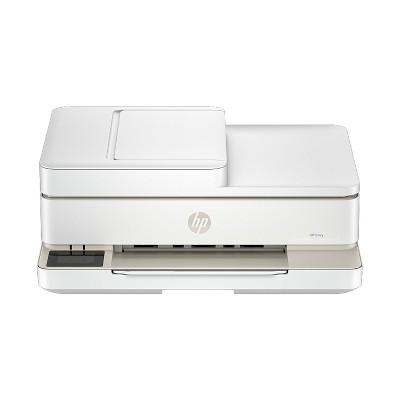
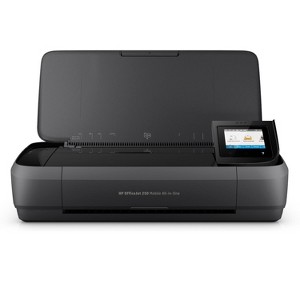
Overview - Print, scan, and copy from nearly anywhere with this portable all-in-one. Easily connect to your printer with Bluetooth® Smart technology and Wi-Fi Direct®. This quiet workhorse has a long battery life and delivers the most pages. - Ideal for mobile professionals and telecommuters who need a high-quality, reliable, portable all-in-one they can take virtually anywhere. Features Portability meets productivity - Quickly print, copy, and scan multipage documents hands-free with the 10-page automatic document feeder. Lead the way with fast, easy mobile printing - Reduce charging interruptions with a long-lasting battery. High-powered quality and reliability - Power through the workday. Charge from home, in your car or office, and more. Compatible Supplies - HP 62 Black Original Ink Cartridge; HP 62 Tri-color Original Ink Cartridge; HP 62XL High Yield Black Original Ink Cartridge; HP 62XL High Yield Tri-color Original Ink Cartridge Minimum system requirements - Windows 10, 8.1, 8, 7: 32-bit or 64-bit, 2 GB available hard disk space, CD-ROM/DVD drive or Internet connection, USB port, Internet Explorer. Windows Vista: (32-bit only), 2 GB available hard disk space, CD-ROM/DVD drive or Internet connection, USB port, Internet Explorer 8. Windows XP SP3 or higher (32-bit only): any Intel Pentium II, Celeron or 233 MHz compatible processor, 850 MB available hard disk space, CD-ROM/DVD drive or Internet connection, USB port, Internet Explorer 8. Apple OS X v10.11 El Capitan, OS X v10.10 Yosemite, OS X v10.9 Mavericks; 1 GB HD; Internet required; USB. What's in the box? - HP OfficeJet 250 Mobile All-in-One Printer; HP 62 Setup Black Ink Cartridge (~200 pages); HP 62 Setup Tricolor Ink Cartridge (~120 pages); Software CD; Setup Poster; Power Cord Disclaimers - Mobile device needs to support Bluetooth v4.0+ and be enabled. A mobile app such as HP AiO Remote must be installed and opened for printing. Mobile device must be within 5 feet of the printer. For details, see http://www.hp.com/go/bleprinting . Bluetooth is a trademark owned by its proprietor and used by HP under license. - Mobile device needs to be connected directly to the Wi-Fi Direct® signal of a Wi-Fi Direct supported AiO or printer prior to printing. Depending on mobile device, an app or driver may also be required. Wi-Fi Direct is a registered trademark of Wi-Fi Alliance®. - Best-in-class performance claim compares all inkjet color mobile printers as of October 2015 based on market share as reported by Q2 2015 IDC, based on manufacturer’s published specifications. - Not all computers or network configurations are compatible with HP Auto Wireless Connect. - Printing speeds may vary depending on the power source. Excludes first set of ISO test pages. - Supports USB charging in OFF mode when connected to a 1A-minimum-charge-capable USB charging port. - HP Fast Charge Technology recharges your standard battery up to 90% within 90 minutes when charging from an AC power source with the system off. When the printer is powered on, charge time may increase and will vary based on usage.
Dimensions (Overall): 3.6 inches (H) x 14.97 inches (W) x 14.96 inches (D)
Weight: 6.51 pounds
B&W Print Speed: 9 pages per minute
Color Print Speed: 6 pages per minute
Electronics Condition: New
Compatible With: Up to 8.5" x 11" Documents
Maximum Resolution: 1200 x 1200 (Black and White)
Wireless Technology: Wi-Fi
Printer Ink Color: Multiple Colors
Ink Series: HP 62 series
Battery: 1 Non-Universal Lithium Ion, No Battery Used
Warranty: Multiple Warranties and/or Time Frames Apply. To obtain a copy of the manufacturer's or supplier's warranty for this item prior to purchasing the item, please call Target Guest Services at 1-800-591-3869
TCIN: 87718327
UPC: 889894442543
Origin: imported
The above item details were provided by the Target Plus™ Partner. Target does not represent or warrant that this information is accurate or complete. On occasion, manufacturers may modify their items and update their labels.
We recommend that you do not rely solely on the information presented. If you have a specific question about this item, you may consult the item's label, contact the manufacturer directly or call Target Guest Services at 1-800-591-3869.
If the item details aren’t accurate or complete, we want to know about it.
Shipping details
Estimated ship dimensions: 5.2 inches length x 8.8 inches width x 4.6 inches height
Estimated ship weight: 10.58 pounds
We regret that this item cannot be shipped to PO Boxes.
This item cannot be shipped to the following locations: American Samoa (see also separate entry under AS), Guam (see also separate entry under GU), Northern Mariana Islands, Puerto Rico (see also separate entry under PR), United States Minor Outlying Islands, Virgin Islands, U.S., APO/FPO, Alaska, Hawaii
item ships from third party seller: HP Official Store
Return details
This item must be returned to any Target store.
This item must be returned within 30 days of the date it was purchased in store, delivered to the guest, delivered by a Shipt shopper, or picked up by the guest.
A: Hi Barbara, thanks for reaching out about the HP Inc. OfficeJet 250 Mobile All-in-One Printer.
Yes, the HP Inc. OfficeJet 250 Mobile All-in-One Printer will work with a Samsung s20 phone.
If you have any additional questions, we welcome you to contact MyTGTtech at 833-848-8324 every day, between 7 am-11 pm CST.
submitted byRena - 2 years ago
Target expert support
Q: Will this printer work with Dell computer and a Samsung 23+ phone
submitted by Nancy - 8 months ago
A: Hi, thank you for reaching out about HP OfficeJet 250 Mobile All-in-One Printer.
Yes, the HP OfficeJet 250 Mobile All-in-One printer will work with both a Dell computer (running a compatible Windows or macOS version) and a Samsung S23+ phone (running Android). It offers multiple connectivity options to support both devices.
If you have any additional questions, we welcome you to contact MyTGTtech at 833-848-8324 every day, between 7am-11pm CST.
This portable all-in-one printer is highly praised for its compact design, making it ideal for both home and on-the-go use. Guests appreciate its fast printing speed, excellent color quality, and the convenience of scanning and copying features. While some mention the lack of a paper tray and occasional connectivity issues, the overall performance and versatility make it a favorite among users who need reliable printing solutions in various settings.
Summary created by AI from text of reviews reflecting recent feedback provided across different star ratings (includes incentivized reviews)
4.4
4.4 out of 5 stars
157 star ratings
4.4 out of 5 stars with 157 reviews
5 out of 5 stars
15 August, 2026
originally posted on hp.com
HP 250 Amazing
Love it super convenient love the wirless part of it and super simple to setup. I work construction so it sits in my work truck and makes life easier with out having to find pri t shops.
Michael 84
Did you find this review helpful?
5 out of 5 stars
20 April, 2026
originally posted on store.hp.com
Portable printer great for on the go.
I can honestly say a very popular printer in my company- for on the go our drivers all have for those last minute papers required in this non paperless system.
MissB
Did you find this review helpful?
5 out of 5 stars
16 March, 2026
originally posted on hp.com
Small, Portable, Fast
[This review was collected as part of a promotion.] I take it with me everywhere.
Toto
Did you find this review helpful?
5 out of 5 stars
22 December, 2025
originally posted on hp.com
Does what it says on the box.
Could do with a guidance manual, however a great printer at a very competative price.
Pass the ball Billy.
Did you find this review helpful?
5 out of 5 stars
7 August, 2025
originally posted on hp.com
(no review title)
Am so happy with this I love how fast and small it is but one down side to it is u can’t use ink printing subscription
Mr_mrs_anton
1 guest found this review helpful. Did you?
5 out of 5 stars
19 November, 2024
originally posted on hp.com
A rare excellent multifunctional printer for mobile professionals
I bought this as a replacement from my portable HP H470 that had served me well for over 10 years. It was great that this unit is able to copy and scan - features that the H470 didn't have. Choose the paper carefully though, as images with broad colour or black coverage can make the paper soaking wet. Otherwise, for the occasional mobile printing, scanning and copying this unit excels. A rare kind of portable printer. I'm happy with it so far.
Chris D, London
1 guest found this review helpful. Did you?
4 out of 5 stars
5 September, 2024
originally posted on store.hp.com
Very good all-in-one mobile printer
Best all-in-one printer currently on the market. It's mobile and compact and has reasonable features. Print speed is quick and print quality is what you would expect of a plug in printer. Downsides are lack of a printing tray and scan by feed only. Also, quite expensive.
Kelvin M
1 guest found this review helpful. Did you?
5 out of 5 stars
7 July, 2024
originally posted on hp.com
HP OfficeJet 250 Mobile
Rephrase this Highly impressed with the quality of color printing! Hopefully, it will be like this for a long time.
Saman
1 guest found this review helpful. Did you?
5 out of 5 stars
22 May, 2024
originally posted on hp.com
Great mobile option
Works great, prints super fast
Anonymous786
1 guest found this review helpful. Did you?
4 out of 5 stars
14 May, 2024
originally posted on store.hp.com
Good little worker.
A good little workhorse of a printer. Paper shoots out quickly from it though, so make sure you have a flat surface for it to glide to without getting caught! Only downfall was there was no papertray I could pull out, even a small guide like the paper feeder has, to stop paper from falling and/or catching.
Ariel T.
Did you find this review helpful?
5 out of 5 stars
2 March, 2024
originally posted on store.hp.com
Portable printer for my business top gear.
Found the service and quality of the hp printer to be of high quality.
GEOFF’S DINGO HIRE.
Did you find this review helpful?
3 out of 5 stars
26 December, 2023
originally posted on hp.com
New Mobile Printer & Scanner
Prints and scans fine but it is very slow. I haven’t had much time to print or scan since new purchase. I have noticed the paper alignment for scanning is really small (not a lot of papers fit) and hard to align paper straight into feeder.
Rod D
2 guests found this review helpful. Did you?
4 out of 5 stars
7 December, 2023
originally posted on hp.com
Nice compact printer
Happy with the printer do far but very disappointed that I could not sign up for monthly ink replacement with the printer I bought.
Sharon Harvey
2 guests found this review helpful. Did you?
5 out of 5 stars
11 November, 2023
originally posted on hp.com
I love it!
Works great and fits everywhere
Officemen
1 guest found this review helpful. Did you?
5 out of 5 stars
18 October, 2023
originally posted on hp.com
Great printer. Easy to set up and use
K Lauritzen
1 guest found this review helpful. Did you?
5 out of 5 stars
16 August, 2023
originally posted on hp.com
Great Printer!!
Item is extraordinary great.
Did you find this review helpful?
5 out of 5 stars
26 July, 2023
originally posted on hp.com
This is the most convenient, hi tech, easy to use, printer money can buy!
If you don’t buy anything else, please buy this printer 10 out of 10!!
4 guests found this review helpful. Did you?
5 out of 5 stars
1 June, 2023
originally posted on hp.com
Traveler’s Dream
I love this little all-in-one which as the capacity to print even on photographic paper! I travel a great deal and having this little machine which has its own protective case is a real joy. It is small enough to fit in a 29” suitcase and lightweight enough to fall within airline weight guidelines when packed with your clothes!
hicact
3 guests found this review helpful. Did you?
5 out of 5 stars
1 May, 2023
originally posted on store.hp.com
Perfect Printer when you are running a mobile office.
So easy to setup and connect to multiple laptops in multiple locations whilst I am moving around project locations.
Lodgix Project Services
1 guest found this review helpful. Did you?
3 out of 5 stars
16 March, 2023
originally posted on hp.com
Disappointing installation experience
The final steps to connect with the printer were incomplete. It would have been beneficial to know how to find the password for the printer when prompted to connect.