
Target New ArrivalsChristmasTarget Black FridayGift IdeasHoliday Kids CatalogHome & DecorKitchen & DiningToys & GamesElectronics & TechVideo GamesGift CardsClothing, Shoes & AccessoriesGroceryBabyBeautyTarget Beauty StudioPersonal CareHousehold EssentialsHealthWellnessBooks, Music & MoviesSports & OutdoorsPetsSchool & Office SuppliesParty SuppliesAutomotiveTarget OpticalClearanceNew ArrivalsChristmasGift IdeasTop DealsTarget Circle DealsWeekly AdShop Order PickupShop Same Day DeliveryRegistryRedCardTarget CircleFind Stores
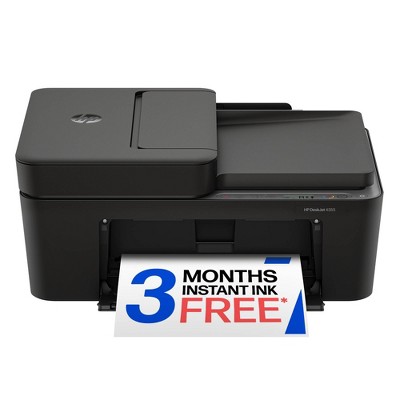
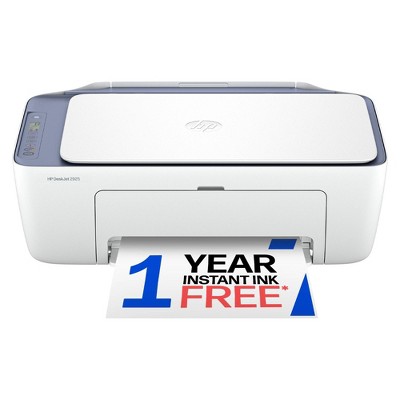
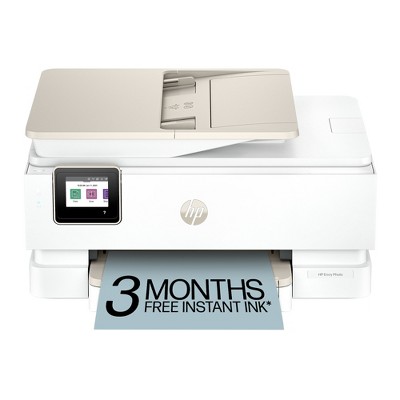
HP DeskJet 4255e Wireless All-in-One Color Printer Scanner Copier with 3 Months Free Instant Ink (588S6A) - 2 of 4HP DeskJet 4255e Wireless All-in-One Color Printer Scanner Copier with 3 Months Free Instant Ink (588S6A) - 3 of 4HP DeskJet 4255e Wireless All-in-One Color Printer Scanner Copier with 3 Months Free Instant Ink (588S6A) - 4 of 4
HP DeskJet 4255e Wireless All-in-One Color Printer Scanner Copier with 3 Months Free Instant Ink (588S6A) - 1 of 4

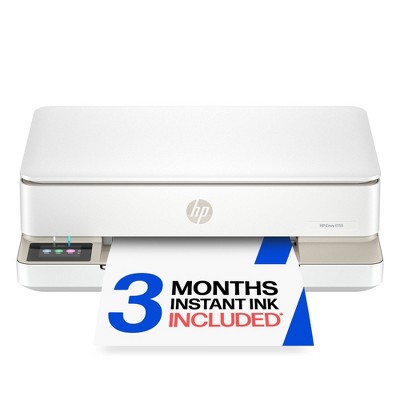
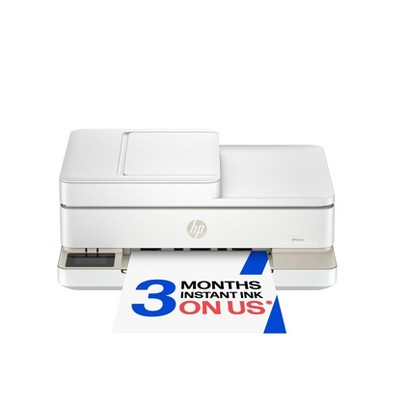
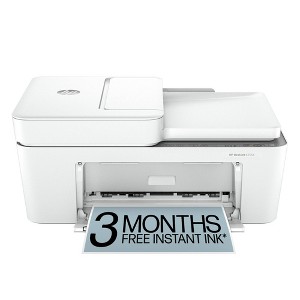
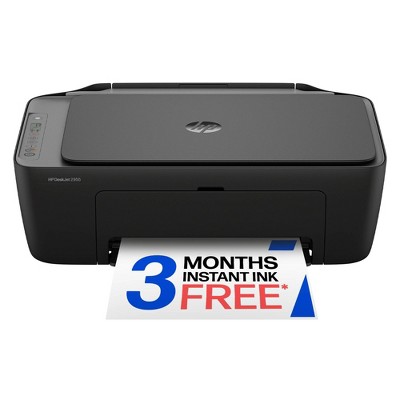
HP DeskJet 4255e Wireless All-in-One Color Printer Scanner Copier with 3 Months Free Instant Ink (588S6A)

231 Questions
$109.99

In Stock


Add plans or services
Make your selection before adding to cart
2 Year Electronics Protection Plan ($100-$124.99) - Allstate
$17.00
Find alternative

Skip to next section
Eligible for registries and wish lists
Save 5% every day
With Target Circle™ Card (restrictions apply)

About this item

Highlights

  • Best for home printing
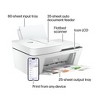
  • Print, scan, copy and fax on the go with HP Smart app
  • 3 months of free Instant Ink included
  • Built-in wireless with single band wifi
  • Easy mobile setup
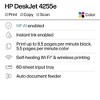
  • Print up to 8.5 pages per minute (black), 5.5 pages per minute (color)
  • 35-sheet auto document feeder
  • USB 2.0

Description

The HP DeskJet 4255e delivers color printing, 60-sheet paper capacity, and an auto document feeder for easy scanning and copying. It also includes 3 months of free Instant Ink with HP+ activation at printer setup.

FROM AMERICA'S MOST TRUSTED PRINTER BRAND: The DeskJet 4255e is perfect for homes printing to-do lists, letters, financial documents and recipes. Print speeds up to 5.5 ppm color, 8.5 ppm black.

KEY FEATURES: Color printing, copy, scan, auto document feeder, and a 60-sheet input tray

WIRELESS PRINTING: Stay connected with our most reliable Wi-Fi®, which automatically detects and resolves connection issues

HP APP: Print, scan, copy, or fax right from your smartphone with the easiest-to-use print app

3 MONTHS OF FREE INK when you activate HP+: Subscribe to Instant Ink delivery service to get ink delivered directly to your door before you run out. After 3 months, monthly fee applies unless cancelled, and you save up to 50%.

COMPACT DESIGN: Made to fit any home

ICON LCD: Print your basic documents with ease from the intuitive control panel

SUSTAINABLE DESIGN: Made with at least 60% recycled plastic

ENERGY STAR® AND EPEAT® CERTIFIED: Save energy with a printer that meets industry efficiency standards

DYNAMIC SECURITY: This printer is intended to work only with cartridges with original HP chips or circuitry and will block cartridges using non-HP chips or circuitry. Periodic firmware updates will maintain the effectiveness of these measures. More at www.hp.com/learn/ds.
Dimensions (Overall): 15.94 Inches (H) x 18.7 Inches (W) x 9.53 Inches (D)
Weight: 13.65 Pounds
B&W Print Speed: 8.5 Pages per Minute
Color Print Speed: 5.5 Pages per Minute
Electronics Condition: New
Electronics Features: Printer
Connection Type: USB
Maximum capacity: 60 Sheets
Operating System Compatibility: Microsoft Windows
Maximum Resolution: 1200 x 1200 (Black and White)
Wireless Technology: Wi-Fi
Printer Ink Color: Multiple Colors
Compatible With: Up to 8.5" x 14" Documents
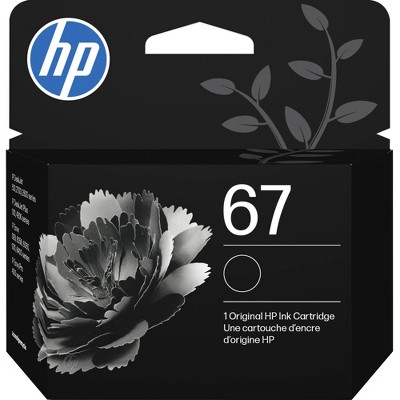
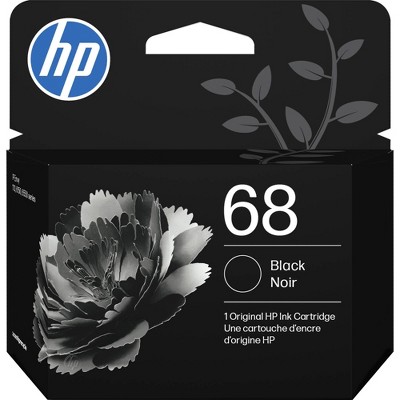
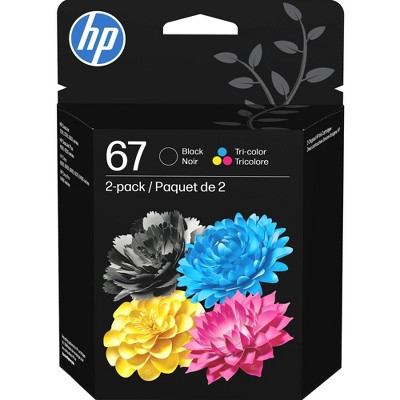
Ink Series: HP 67 series
Battery: No Battery Used
Warranty: 1 Year Limited Warranty. To obtain a copy of the manufacturer's or supplier's warranty for this item prior to purchasing the item, please call Target Guest Services at 1-800-591-3869
TCIN: 90895939
UPC: 196337380103
Item Number (DPCI): 056-03-0042
Origin: Imported
If the item details aren’t accurate or complete, we want to know about it.

Shipping details

Estimated ship dimensions: 18.6 inches length x 15.7 inches width x 9.5 inches height
Estimated ship weight: 14.25 pounds

Return details

This item can be returned to any Target store or Target.com.
This item must be returned within 30 days of the date it was purchased in store, delivered to the guest, delivered by a Shipt shopper, or picked up by the guest.
See the return policy for complete information.

Q: Is this printer an ink jet or laser printer? Can you print on vellum with this printer?

submitted by AH - 2 years ago
  • A: Does this print labels and photos

    submitted byPatrick - 8 months ago
  • A: Hi AH, thanks for reaching out about HP DeskJet 4255e Wireless All-in-One Color Printer Scanner Copier with Instant Ink and HP+. The HP DeskJet 4255e is an inkjet printer. Printing on Vellum: While inkjet printers can generally print on a variety of paper types, including vellum, there are a few things to consider: Vellum Thickness: If the vellum is too thick, it may cause paper jams. Ink Absorption: Vellum may not absorb ink as well as regular paper, which could result in smudging or bleeding. Printer Compatibility: Some inkjet printers may not be designed to handle the thickness or texture of vellum. If you have any additional questions, we welcome you to contact MyTGTtech at 833-848-8324 every day, between 7am-11pm CST.

    submitted byJoe - 2 years ago
    Target staff support
  • A: Hello and thank you for asking. The HP DeskJet 4255e printer can print on ink jet rated vellum. There’s no guarantee that the printer will print on the vellum you choose or yield satisfactory results since HP can’t test every paper on every printer. You may need to use a carrier sheet to feed the vellum. We have successfully printed on 30 lb. (44 gm2) vellum paper with an HP OfficeJet Pro printer.

    submitted byHP Team - 2 years ago
    Brand expert

Q: Can I use stencil paper on this printer? Like a thermal printer

submitted by Daved - 1 year ago
  • A: Hello and thank you for asking. The HP DeskJet 4255e printer is an ink jet printer. If you wish to print on stencil paper rated for use with an ink jet printer, and the paper is within the weight range of the printer, then you can use it to print on stencil paper. Please note the DeskJet 4255e printer is not compatible with thermal paper, as it does not use heat to print on such paper. It is also not capable of making an impression on the print, such as for use with carbon paper to make multiple copies, or on most transfer paper.

    submitted byHP Team - 1 year ago
    Brand expert
  • A: Hi Daved, thanks for reaching out about HP DeskJet 4255e Wireless All-in-One Color Printer Scanner Copier with Instant Ink and HP+ (588S6A) Stencil paper is not supported on this printer. If you have any additional questions, we welcome you to contact MyTGTtech at 833-848-8324 every day, between 7am-11pm CST.

    submitted byMike - 1 year ago
    Target staff support

Q: Is this like a dtf printer ? so that i can print and use a heat press for my t- shirts

submitted by Review - 2 years ago
  • A: Hello and thank you for asking. The HP DeskJet 4255e printer can print on iron-on transfer paper, which can then be applied to a t-shirt.

    submitted byHP Team - 2 years ago
    Brand expert
  • A: Hi Review, thanks for reaching out about HP DeskJet 4255e Wireless All-in-One Color Printer Scanner Copier with Instant Ink and HP+ (588S6A) You can use this printer to print designs for heat transfer onto shirts. Here's a summary of what you need for heat transfers with the HP DeskJet 4255e: HP DeskJet 4255e printer Inkjet heat transfer paper Heat press T-shirt or other fabric If you have any additional questions, we welcome you to contact MyTGTtech at 833-848-8324 every day, between 7am-11pm CST.

    submitted byMike - 2 years ago
    Target staff support

Q: Would I be able to print out designs and use a heat press to add it on a shirt?

submitted by Review - 2 years ago
  • A: Hi Review, thanks for reaching out about HP DeskJet 4255e Wireless All-in-One Color Printer Scanner Copier with Instant Ink and HP+ (588S6A) Yes, you can use this printer to print designs for heat transfer onto shirts.Here's a summary of what you need for heat transfers with the HP DeskJet 4255e: HP DeskJet 4255e printer Inkjet heat transfer paper Heat press T-shirt or other fabric If you have any additional questions, we welcome you to contact MyTGTtech at 833-848-8324 every day, between 7am-11pm CST.

    submitted byMike - 2 years ago
    Target staff support
  • A: Hello and thank you for asking. The HP DeskJet 4255e printer can print on iron-on transfer paper, which can then be applied to a t-shirt.

    submitted byHP Team - 2 years ago
    Brand expert

Q: can it copy more than one at a time?

submitted by misskjf - 2 years ago
  • A: Hello and thank you for asking. The HP DeskJet 4255e printer has an automatic document feeder on top of the printer that lets you copy or scan multiple page documents easily.

    submitted byHP Team - 2 years ago
    Brand expert
  • A: Hi there. Thank you for your question! The HP Deskjet 4255e does feature an auto document feeder on top which can be used to copy or scan multiple pages consecutively, automatically. The auto document feeder can hold up to 35 sheets. If your question was referring to the ability to make multiple copies of a single document, you do also have the ability to do that.

    submitted byHP Team - 2 years ago
    Brand expert

Q: Does it come with ink when you order the printer?

submitted by Mamaof4 - 2 years ago
  • A: Yes, it comes with ink.

    submitted byMomshopper - 2 years ago
  • A: Thank you for your question. Yes, the HP Deskjet 4255e printer comes with the 67 setup ink cartridges.

    submitted byHP Team - 2 years ago
    Brand expert

Q: Does it work with Apple computers? Specifically Sonoma 14.5?

submitted by Lil Lady - 2 years ago
  • A: Hi Lil Lady, thanks for reaching out about HP DeskJet 4255e Wireless All-in-One Color Printer, Scanner, Copier - White Yes, this printer does work on Mac Operating Systems. The HP Smart printing app Requires macOS 10.14 or later. If you have any additional questions, we welcome you to contact MyTGTtech at 833-848-8324 every day, between 7am-11pm CST.

    submitted byMike - 2 years ago
    Target staff support
  • A: Hi, thanks for your question! The HP DeskJet 4255e can work with any Apple computer running MacOS Sonoma 14.5.

    submitted byHP Team - 2 years ago
    Brand expert

Q: What USB printer cable is needed?

submitted by MJ - 2 years ago
  • A: Thanks for your question. You can connect the HP DeskJet 4255e All-in-One printer to your computer with the USB A to B 2.0 cable. If you don't have one, you need to purchase one.

    submitted byHP Team - 2 years ago
    Brand expert

Q: Print double sided automatically?

submitted by Qt - 2 years ago
  • A: Hi. Thanks for your question. The Deskjet 4255e doesn't print duplex automatically. You'll need to flip each page over manually to get it to print on the back side of the paper.

    submitted byHP Team - 2 years ago
    Brand expert

Q: can it scan more than 1 page at a time

submitted by minj - 9 months ago
  • A: Hi, thank you for reaching out about HP DeskJet 4255e Wireless All-in-One Color Printer Scanner Copier with 3 Months Free Instant Ink (588S6A). Yes, the HP DeskJet 4255e can scan more than one page at a time. It features a 35-sheet Automatic Document Feeder (ADF) on top, allowing for the scanning or copying of multi-page documents automatically. If you have any additional questions, we welcome you to contact MyTGTtech at 833-848-8324 every day, between 7am-11pm CST.

    submitted byMatt - 9 months ago
    Target staff support
  • A: Yes, the HP DeskJet 4255e can scan more than one page at a time. It features a 35-sheet Automatic Document Feeder (ADF) on top, allowing for the scanning or copying of multi-page documents automatically.

    submitted byMatt - 9 months ago
    Target staff support

Additional product information and recommendations
Guests also viewed
Skip to next section

Guests are saying

This printer has received mixed feedback from guests, with some praising its ease of setup and reliable performance, while others express frustration over connectivity issues and complicated app requirements. Many guests appreciate its speed and print quality for home use, making it suitable for occasional printing tasks. However, concerns about ink management and the need for constant app connectivity have been highlighted, suggesting potential drawbacks for less tech-savvy users.
    Summary created by AI from text of reviews reflecting recent feedback provided across different star ratings (includes incentivized reviews)
    3.5 out of 5 stars with 1771 reviews
    quality: 2.08 out of 5
    value: 2.13 out of 5
    29% would recommend
    199 recommendations
    1 out of 5 stars
    Thumbs down graphic, would not recommend
    23 November, 2026Verified purchase

    Not worth the fuss.

    Wireless printing from phone or tablet nearly impossible without subscription.
    Target Team Member
    quality: 3 out of 5
    value: 3 out of 5
    Did you find this review helpful?
    1 out of 5 stars
    Thumbs down graphic, would not recommend
    21 November, 2026Verified purchase

    (no review title)

    Buyer Beware, this printer sucks. I've only used it once and it does not print or connect. Please do not buy!
    Carmela
    quality: 1 out of 5
    value: 1 out of 5
    Did you find this review helpful?
    1 out of 5 stars
    20 November, 2026Verified purchase

    (no review title)

    Horrible. Worked for a few then nothing. I’ve had 3 of these horrible
    Marshelle
    Did you find this review helpful?
    1 out of 5 stars
    Thumbs down graphic, would not recommend
    16 November, 2026Verified purchase

    Don't purchase, find another brand

    This specific unit has too many issues; connectivity, constant need to reset, always purchasing new ink.
    Maureen
    quality: 1 out of 5
    value: 1 out of 5
    Did you find this review helpful?
    4 out of 5 stars
    15 November, 2026
    originally posted on hp.com
    Image

    I preferred my HP Officejet 3830

    I purchased the HP Officejet 4258e because after 7 years my former Officejet 3830 could no longer be updated and would no longer print from my laptop (would only print copies and do scans). I could tell as soon as I opened it that it felt more flimsy and not as well made as the old printer. The plastic does not seem as durable. However, after using it for one month it gets the job done most of the time. Another thing I do not like is that oftentimes it will not let me directly print something from the internet or an open email. It requires me to save it to my laptop as a PDF first. I then have to open the file after it's been saved and then print it. A waste of time. As I said, I've only been using it for a month and it gets the job done, but it's not as user friendly as my officejet 3830.
    H Sanders
    Did you find this review helpful?
    1 out of 5 stars
    6 November, 2026
    originally posted on hp.com
    Image

    Difficulty with HP subscription

    I have a wonderful Printer however, the fact that they do not allow third-party ink cartridges. They say they do but they put a plus on the account once you register it with HP and it is impossible to talk to someone or find someone to talk to to remove this. Thus no HP print cartridges work in the future and HP charges too much I’m literally going to have to throw this printer away and get another printer and go with another company that wants to do business that is simple and easy to buy cartridges without overcharging
    David
    Did you find this review helpful?
    5 out of 5 stars
    31 October, 2026
    originally posted on hp.com
    Image

    (no review title)

    Has worked very good since I got it
    DT
    Did you find this review helpful?
    1 out of 5 stars
    24 October, 2026
    originally posted on hp.com
    Image

    I need help with my printer

    Hi my hp printer is not working as a printer paper is jammed and I can't Use it when I tried to get it unstuck a spring came lose and l can't get it back in can you please Help
    Did you find this review helpful?
    5 out of 5 stars
    23 October, 2026
    originally posted on hp.com
    Image

    Exactly what I need

    I love the fact that I can get my work done and not have to worry about it being los
    Samson
    Did you find this review helpful?
    5 out of 5 stars
    21 October, 2026
    originally posted on hp.com
    Image

    Ease of use

    Very user friendly printer. Touch wood it’s worked seamlessly for me and that’s a first for any printer I’ve used before
    Ray
    Did you find this review helpful?
    5 out of 5 stars
    20 October, 2026
    originally posted on hp.com
    Image

    Easy to use

    Best printer I have ever owned Easy to set up Easy to use
    Teresa
    Did you find this review helpful?
    3 out of 5 stars
    19 October, 2026
    originally posted on hp.com
    Image

    Set up to work properly difficult.

    Constantly disconnected from my USB hookup. Especially when printing from web pages. Your AI assist is useless and I spent 2.5 hours with tech person and it still doesn't work properly. Still can't get the driver installed.
    Jeff
    Did you find this review helpful?
    5 out of 5 stars
    19 October, 2026
    originally posted on hp.com
    Image

    Reliable

    Reliable printer
    Personal Printer
    Did you find this review helpful?
    5 out of 5 stars
    19 October, 2026
    originally posted on hp.com
    Image

    Easy to use, once set up

    I like the ease of use but the set up was a bit finicky.
    Clare O
    Did you find this review helpful?
    5 out of 5 stars
    19 October, 2026
    originally posted on hp.com
    Image

    Does the job

    Love my printer
    Miss T
    Did you find this review helpful?
    1 out of 5 stars
    17 October, 2026
    originally posted on hp.com
    Image

    The printer was a a disaster - it never could be connected to my internet

    I have now bought a Smart Tank 5106 will you please cancel my Ink contract for the 4220e ?
    Rob
    Did you find this review helpful?
    5 out of 5 stars
    16 October, 2026
    originally posted on hp.com
    Image

    Easy as could be.

    I love how they can tell when I’m getting low of ink and send it automatically, and I don’t have to do anything
    Mike
    Did you find this review helpful?
    4 out of 5 stars
    16 October, 2026
    originally posted on hp.com
    Image

    Good Product

    It does the job. Great quality for its price. Love the dual function...scan and printer
    Asusheyi
    Did you find this review helpful?
    3 out of 5 stars
    15 October, 2026
    originally posted on hp.com
    Image

    Jammer

    A paper jam will put this printer back to where it came from, but it prints well.
    Mike
    Did you find this review helpful?
    3 out of 5 stars
    15 October, 2026
    originally posted on store.hp.com
    Image

    Average

    Wi-Fi disconnects offently
    Ajit
    Did you find this review helpful?

    Get top deals, latest trends, and more.