Target New ArrivalsHalloweenChristmasGift IdeasClothing, Shoes & AccessoriesHome & DecorKitchen & DiningPatio, Lawn & GardenGroceryHousehold EssentialsBabyBeautyTarget Beauty StudioPersonal CareSports & OutdoorsPetsHealthWellnessSchool & Office SuppliesToys & GamesElectronics & TechVideo GamesBooks, Music & MoviesParty SuppliesGift CardsShop by CommunityTarget OpticalDealsClearanceNew ArrivalsBack to SchoolCollegeTop DealsTarget Circle DealsWeekly AdShop Order PickupShop Same Day DeliveryRegistryRedCardTarget CircleFind Stores
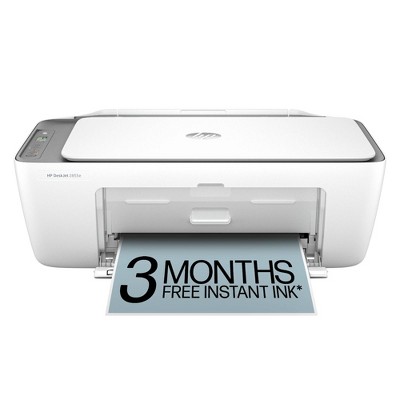
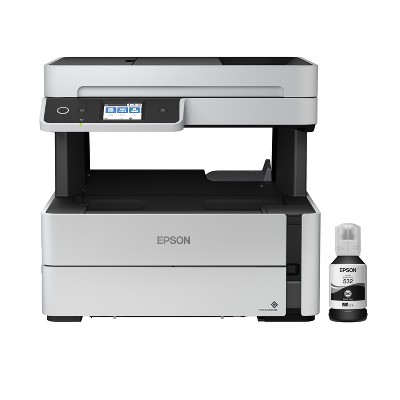
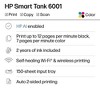
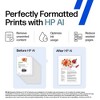
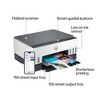
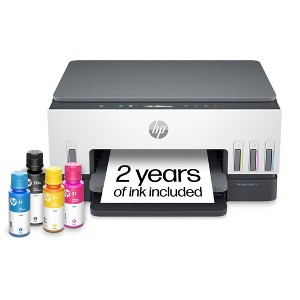
HP Smart Tank 6001 Wireless All-In-One Color Refillable Supertank Printer, Scanner, Copier - White (2H0B9A): Inkjet, Wi-Fi, USB - 2 of 4HP Smart Tank 6001 Wireless All-In-One Color Refillable Supertank Printer, Scanner, Copier - White (2H0B9A): Inkjet, Wi-Fi, USB - 3 of 4HP Smart Tank 6001 Wireless All-In-One Color Refillable Supertank Printer, Scanner, Copier - White (2H0B9A): Inkjet, Wi-Fi, USB - 4 of 4
HP Smart Tank 6001 Wireless All-In-One Color Refillable Supertank Printer, Scanner, Copier - White (2H0B9A): Inkjet, Wi-Fi, USB - 1 of 4

HP Smart Tank 6001 Wireless All-In-One Color Refillable Supertank Printer, Scanner, Copier - White (2H0B9A): Inkjet, Wi-Fi, USB

47 Questions
$369.99

In Stock

Free & easy returns
Free & easy returns
Return this item by mail or in store within 30 days for a full refund.
Eligible for registries and wish lists
Save 5% every day
With Target Circle™ Card (restrictions apply)

About this item

Highlights

  • Best for home printing
  • Print, scan, copy and fax on the go with HP Smart app
  • Up to 3 years of ink included
  • Built-in wireless
  • Easy mobile setup
  • Print up to 12 pages per minute (black), 7 pages per minute (color)
  • USB 2.0
  • AI-capable

Description

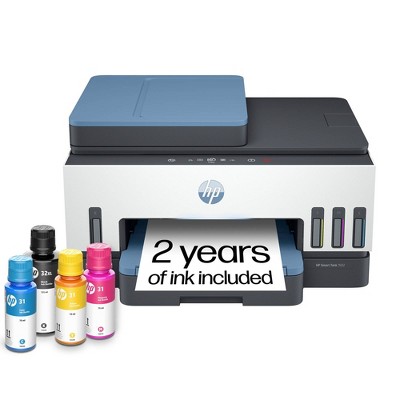
The HP Smart Tank 6001 Printer is a smart, connected and refillable tank printer that makes printing seamless for your home with its high capacity and wireless connectivity. Create everyday color documents at a low cost with up to 3 years of Original HP Ink included in the box. This cartridge-free Smart Tank printer is an inkjet perfect for high-volume printing. It's also AI-capable to intuitively adapt to your workflow, with wireless and security features that keep your multifunction printer up to date and secure.

THE ONLY TANK PRINTER BUILT TO LAST: Set it up once and print with confidence. No complicated maintenance. Just easy, reliable printing you can count on.

INK FOR YEARS. NOT MONTHS: up to 3 years of ink included. Get thousands of pages of cartridge-free printing. More pages, less hassle.

KEEPS PRINTING WELL AFTER COMPETITORS HAVE QUIT: No complex maintenance. Sharper text, richer colors. Only with HP Smart Tank

INNOVATION YOU CAN TRUST: Cartridge-free printing that keeps you printing longer with fewer interruptions, powered by the trusted HP innovation you rely on today.

THE LAST PRINTER YOU'LL EVER NEED: Enjoy years of refillable, cartridge-free printing.

MESS-FREE REFILL: Replenish ink with HP's easy-access, mess-free refill system. Simply plug the ink bottles into this cartridge-free ink tank and let them drain—no squeezing, no spilling.

OPTIMIZE PRINT FORMATTING WITH HP AI: Print web pages and emails with precision—no wasted pages or awkward layouts; HP AI easily removes unwanted content, so your prints are just the way you want.

KEY FEATURES: Print, copy and scan, plus borderless prints, mobile and wireless printing.

FULLY LOADED WITH SAVINGS – Best for low-cost, high-volume printing—up to 3 years of HP Ink included; get up to 8,000 color or 6,000 black pages right out of the box.
Dimensions (Overall): 7.82 Inches (H) x 16.83 Inches (W) x 14.33 Inches (D)
Weight: 14.07 Pounds
B&W Print Speed: 12 Pages per Minute
Color Print Speed: 7 Pages per Minute
Electronics Condition: New
Electronics Features: Printer
Connection Type: USB
Maximum capacity: 12 Sheets
Operating System Compatibility: Microsoft Windows
Maximum Resolution: 4800 x 1200 (Color)
Wireless Technology: Wi-Fi
Printer Ink Color: Magenta, Black, Cyan
Compatible With: Up to 8" x 10" Documents
Ink Series: HP Smart Tank 7000 series
Battery: No Battery Used
Warranty: 1 Year Limited Warranty. To obtain a copy of the manufacturer's or supplier's warranty for this item prior to purchasing the item, please call Target Guest Services at 1-800-591-3869
TCIN: 86250572
UPC: 196188310359
Item Number (DPCI): 056-03-0030
Origin: Imported
If the item details aren’t accurate or complete, we want to know about it.

Shipping details

Estimated ship dimensions: 18.9 inches length x 15.9 inches width x 9.4 inches height
Estimated ship weight: 18.15 pounds

Return details

This item can be returned to any Target store or Target.com.
This item must be returned within 30 days of the date it was purchased in store, delivered to the guest, delivered by a Shipt shopper, or picked up by the guest.
See the return policy for complete information.

Q: Can this print on photo fabric and canvas?

submitted by JoAnne - 2 years ago
  • A: Hello and thank you for asking. The HP Smart Tank 6001 printer can print on 8.5x11 card stock (in metric weight) up to 200 g/m²; and photo paper up to 250 g/m². There are ink jet printable fabric sheets, such as Avery 3384, that should work. However, the ink jet printable canvas sheets are rated at 350 g/m² weight, which is too heavy for this printer. If you choose to try it, be certain to set the printer for heavy paper/media and fill the paper tray to no more than 3/4 full. You may need to print one sheet at a time. HP has not tested all types of paper that may be used in their printers and therefore cannot guarantee results.

    submitted byHP Team - 2 years ago
    Brand expert
  • A: Hi JoAnne, thanks for reaching out about HP Smart Tank 6001 Wireless All-In-One Color Refillable Supertank Printer, Scanner, Copier - White (2H0B9A) HP's specifications for this printer list supported types as Plain Paper, HP Photo Papers, HP Matte Brochure or Professional Paper, HP Matte Presentation Paper, HP Glossy Brochure or Professional Paper, Other Photo Inkjet Papers, Other Matte Inkjet Papers, Other Glossy Inkjet Papers. 1 Light/Recycled." Fabric and canvas are not included. If you have any additional questions, we welcome you to contact MyTGTtech at 833-848-8324 every day, between 7am-11pm CST.

    submitted byMike - 2 years ago
    Target staff support

Q: Can you scan to your email with this printer?

submitted by CL - 2 years ago
  • A: Hi CL, thanks for reaching out about HP Smart Tank 6001 Wireless All-In-One Color Refillable Supertank Printer, Scanner, Copier - White (2H0B9A) Yes. To setup this functionality you'll want to use the HP printer assistant or the EWS to configure the email destination Enter the sender's email address and name Enter the SMTP server name and port number Input the appropriate SSL/TLS settings Select the maximum email size Choose to include the sender in all emails Click Finish If you have any additional questions, we welcome you to contact MyTGTtech at 833-848-8324 every day, between 7am-11pm CST.

    submitted byJustin - 2 years ago
    Target staff support
  • A: Hi CL, thanks for reaching out about HP Smart Tank 6001 Wireless All-In-One Color Refillable Supertank Printer, Scanner, Copier - White (2H0B9A). Yes, the HP Smart Tank 6001 printer allows you to scan documents directly to your email. Here's how it generally works: HP Smart App: You'll likely use the HP Smart app (available for iOS and Android) to set up and manage this feature. Email Account Setup: Within the app, you'll need to configure your email account information, including your email address, password, and SMTP server settings. Scanning: Once set up, you can initiate a scan from the printer's control panel or through the HP Smart app. Email Delivery: The scanned document will be automatically sent as an email attachment to the specified address. Note: The specific steps and settings might vary slightly depending on your email provider and network configuration. I recommend referring to the HP Smart Tank 6001 user manual or the HP support website for detailed instructions and troubleshooting tips for scanning to email with your specific printer model. If you have any additional questions, we welcome you to contact MyTGTtech at 833-848-8324 every day, between 7am-11pm CST.

    submitted byJoe - 2 years ago
    Target staff support
  • A: Thank you for your question, the HP Smart Tank 6001 does support scan to email.

    submitted byHP Team - 2 years ago
    Brand expert

Q: Does this printer come with a power cord?

submitted by Kristine - 2 years ago
  • A: Kristine, thank you for your question on the HP Smart Tank 6001! It comes with the power cord packed in the box.

    submitted byHP Team - 2 years ago
    Brand expert
  • A: Hello Kristine and thank you for the question. The HP Smart Tank 6001 Wireless Printer includes a power cord in the packaging.

    submitted byHP Team - 2 years ago
    Brand expert

Q: Can this be used without wifi?

submitted by Rita - 2 years ago
  • A: Hi Rita, thanks for reaching out about HP Smart Tank 6001 Wireless All-In-One Color Refillable Supertank Printer, Scanner, Copier - White (2H0B9A) . Yes, you can connect this HP Smart Tank 6001 printer to your computer with the USB A to B 2.0 cable. If you don't have a USB cable, you would need to purchase one. If you have any additional questions, we welcome you to contact MyTGTtech at 833-848-8324 every day, between 7am-11pm CST.

    submitted byJoe - 2 years ago
    Target staff support
  • A: Rita, thank you for your question on this HP Smart Tank printer! Yes, you can use it without the wifi through a regular USB printer cable.

    submitted byHP Team - 2 years ago
    Brand expert

Q: If you don’t use the printer for ( let’s say a month or two ) will the ink dry up? We don’t use our printer very often yet we’re constantly buying more ink for it cause it constantly dries up if not used regularly.

submitted by Nevaeh - 2 years ago
  • A: Can sublimation paper be used in this printer?

    submitted byCMORG - 1 year ago
  • A: Hello and thank you for asking. Any ink jet printer, including the HP Smart Tank 6001 printer, can suffer from dry out because ink is a liquid, and it will evaporate, leaving dried ink that clogs the printhead, preventing it from printing. To prevent this, just print something, even if it is just 1 page, every week or two. If you need to go longer than that, shut the printer down using the power switch on the printer FIRST before using a power strip or pulling the plug. That tells the printer to engage a printhead capping mechanism that keeps the ink from drying out for up to 3 months.

    submitted byHP Team - 2 years ago
    Brand expert

Q: Can I use my flash drives or media cards to print off of?

submitted by Cat - 2 years ago
  • A: Hi Cat, thanks for reaching out about the HP Smart Tank 6001 Wireless All-In-One Color Refillable Supertank Printer, Scanner, Copier. The HP Smart Tank 5101 Wireless All-in-One Printer does not have a built-in slot for flash drives or media cards. If you have any additional questions, we welcome you to contact MyTGTtech at 833-848-8324 every day, between 7 am-11 pm CST.

    submitted byRena - 2 years ago
    Target staff support
  • A: Thank you for your question. No, the Smart Tank 6001 printer does not have a media card or flash drive slot.

    submitted byHP Team - 2 years ago
    Brand expert

Q: Is the scanner OCR? Does the printer have a self feed component?

submitted by Cat - 2 years ago
  • A: Thank you for the question. The HP Smart Tank 6001 printer includes HP Smart Advance features through the HP Smart app, offering advanced scanning capabilities like Optical Character Recognition (OCR). However, this model does not have an Auto Document Feeder (ADF). If you need an ADF, we recommend considering the HP Smart Tank 7301 or 7602 All-in-One printers, which do include this feature.

    submitted byHP Team - 2 years ago
    Brand expert

Q: Is this compatible with a Chromebook?

submitted by Shabeena - 2 years ago
  • A: Thanks for your question. The HP Smart Tank 6001 printer is compatible with a Chromebook.

    submitted byHP Team - 2 years ago
    Brand expert

Q: Does this printer have the hardwire capability if there are connection issues?

submitted by age - 2 years ago
  • A: Hello, thanks for your question! The HP Smart Tank 6001 printer does not have ethernet connectivity for wiring to a network. You can connect the printer to a computer with the USB A to B 2.0 cable. You can also use WiFi Direct. WiFi Direct lets you print directly from your device to an HP printer without needing a router. The printer creates its own Wi-Fi network that your device connects to, allowing you to send print jobs directly.

    submitted byHP Team - 2 years ago
    Brand expert

Q: is this printer comparable with Windows 7?

submitted by Rose - 3 years ago
  • A: Hi Rose, thanks for reaching out about HP Smart Tank 6001 Wireless All-In-One Color Refillable Supertank Printer, Scanner, Copier - White (2H0B9A). Using a printer with Windows 7 is not recommended because Windows 7 is no longer supported by Microsoft. If you have any additional questions, we welcome you to contact MyTGTtech at 833-848-8324 every day, between 7am-11pm CST.

    submitted byJoe - 3 years ago
    Target staff support
  • A: The Smart Tank 6001 does have drivers for Windows 7 32 - bit and 64 - bit to work with it, but Microsoft no longer offers support or security updates for Windows 7. They will also be discontinuing Windows 10 support on October 14th, 2025.

    submitted byHP Team - 3 years ago
    Brand expert

Additional product information and recommendations

Frequently bought together
Skip to next section

Guests are saying

The HP Smart Tank 6003 printer offers a blend of convenience and quality, making it suitable for both home and small business use. Guests appreciate its easy setup, refillable ink tanks, and excellent print quality. While some users faced connectivity issues and setup challenges, many found it reliable for everyday printing tasks. The dual-sided printing feature and wireless capabilities enhance its functionality, making it a versatile choice for various printing needs.
    Summary created by AI from text of reviews reflecting recent feedback provided across different star ratings (includes incentivized reviews)
    4.2 out of 5 stars with 830 reviews
    quality: 2.81 out of 5
    value: 2.45 out of 5
    65% would recommend
    41 recommendations
    3 out of 5 stars
    3 October, 2026
    originally posted on hp.com
    Image

    Convenient but not seamless

    Setup requires updates of HP app prior to start. Easy to proceed from there. Printing is slower than older models with replaceable tanks, but worth the cost and convenience differential. Problem encountered with iPad print integration which chat bot cannot resolve. Works well with HP laptop.
    Did you find this review helpful?
    5 out of 5 stars
    3 October, 2026
    originally posted on hp.com
    Image

    Easy to set up and use

    Very simple to set up and use. Good clear print - tons of ink provided.
    Fig
    Did you find this review helpful?
    4 out of 5 stars
    1 October, 2026
    originally posted on hp.com
    Image

    Good, but...

    The printer is fine and seems to be holding the internet connection, where my previous HP printer often lost the connection. (Although, at this moment, the HP app is blank while trying to open it). Trying to connect it to my wi-fi is a problem. It tells me my password is incorrect, but it is the correct password. So it's set up "direct". You can set it up a couple ways, but it doesn't say which is the best way or what won't be available or not available with each setup. That's why I gave it 4 stars.
    Cookie P
    Did you find this review helpful?
    4 out of 5 stars
    1 October, 2026
    originally posted on hp.com
    Image

    WiFi assistance

    It wasn’t easy to setup WiFi. Needed to contact HP.
    Carolyn L.
    Did you find this review helpful?
    5 out of 5 stars
    30 September, 2026
    originally posted on hp.com
    Image

    Best printer I have had

    Printer in daily use for small amounts of printing, I love the tank method for ink in the printer as it saves regular changing of cartridges. I cannot fault this printer in any way.
    Deslka
    Did you find this review helpful?
    5 out of 5 stars
    30 September, 2026
    originally posted on hp.com
    Image

    New printer

    Great product and does we expect for the minor amount of printing we require.however we found the setting up instructions extremely difficult to follow ( age related ) had to call in a much younger relative to assist and after many attempts it miraculously worked so all good
    Geoffrey
    Did you find this review helpful?
    5 out of 5 stars
    29 September, 2026
    originally posted on hp.com
    Image

    Easy set up

    Seems to use the black ink faster then the others
    Chief
    Did you find this review helpful?
    5 out of 5 stars
    27 September, 2026
    originally posted on hp.com
    Image

    Wonderful Printer with great Print Quality

    Great print quality
    R Piland
    Did you find this review helpful?
    3 out of 5 stars
    24 September, 2026
    originally posted on hp.com
    Image

    It’s OK

    Print quality good.Setup not so good especially networking. Printed documentation scarce. It took me two days of researching to finally get it setup the way I needed it in my configuration. Compared to the HP 9015 it is replacing it is not close in print speed.
    TonyMD
    Did you find this review helpful?
    4 out of 5 stars
    24 September, 2026
    originally posted on hp.com
    Image

    HP Smart Tank 6000

    This unit works well and the ink supply is astronomical. The only issue I have been having is with connection. I could print a number of items and all is well. A few minutes later the connect gets lost and I have to reboot my computer to reestablish connection. I didn't have this problem with my previous HP printer, so I'm quite surprised.
    Bruce K.
    Did you find this review helpful?
    5 out of 5 stars
    23 September, 2026
    originally posted on hp.com
    Image

    #1 HP

    Easy and quick in set up. HP is quality equipment by far. Own 2 printers and 2 computers. Won’t purchase any other product. Ink will last for 2 years.
    D Henry K
    Did you find this review helpful?
    2 out of 5 stars
    17 September, 2026
    originally posted on hp.com
    Image

    (no review title)

    Too hard to use
    Elaine
    Did you find this review helpful?
    1 out of 5 stars
    15 September, 2026
    originally posted on hp.com
    Image

    Not the best of HP

    This printer has a very light build, and is confusing. I had a lot of faith in HP products util I can accross this one. So far it’s been more of a problem than a help.
    LaerkiJoy
    Did you find this review helpful?
    4 out of 5 stars
    15 September, 2026
    originally posted on hp.com
    Image

    setup and sleep

    First setup went through without a hitch but the computer could not see the printer. The second setup seemed to be iffy but completed and the computer now knows the printer is present. When I attempt to print anything, it takes forever for the printer to wake up.
    Did you find this review helpful?
    4 out of 5 stars
    14 September, 2026
    originally posted on hp.com
    Image

    My 2nd Smart Tank

    I gifted my 1st one to friend. I appreciate the 6002 because of the ink supply and it prints double sided.
    Jeannetta
    Did you find this review helpful?
    5 out of 5 stars
    14 September, 2026
    originally posted on hp.com
    Image

    So far, so good !

    Works great so far ! It was a little confusing on how to install the print heads at first- illustration in manual wasn’t as clear as one would have hoped.
    BB
    Did you find this review helpful?
    3 out of 5 stars
    13 September, 2026
    originally posted on hp.com
    Image

    Fell Short of My Expectations

    Quick Start Manual was not correct in the packaging. The ink often needs “priming” when the printer is idle for a few days. When opening to access the print head the carriage does not move to an accessible position.
    Ptljj
    1 guest found this review helpful. Did you?
    5 out of 5 stars
    13 September, 2026
    originally posted on hp.com
    Image

    Approved!

    My last HP printer went off-line all the time, it was never really an air printer. This one is working pretty well so far and the helpdesk that got it up and running for me was spectacular.
    MarciaBC
    Did you find this review helpful?
    5 out of 5 stars
    13 September, 2026
    originally posted on hp.com
    Image

    HP Smart Tank 6001

    I have been impressed with the HP Smart Tank 6001. Print quality is very good. Really like the bottles of ink instead of having to buy the expensive cartridges. Have been using the printer for a little while and have seen little impact on the amount of ink that has been used thus far.
    Did you find this review helpful?
    5 out of 5 stars
    11 September, 2026
    originally posted on hp.com
    Image

    I can print from anywhere in my house. And it prints fast.

    I love how fast it is as well as that it is wireless. I am still looking for a way to print multiple photos on one sheet. Both in 8x10 and 4x6 sizes.
    Lynn
    Did you find this review helpful?

    Get top deals, latest trends, and more.