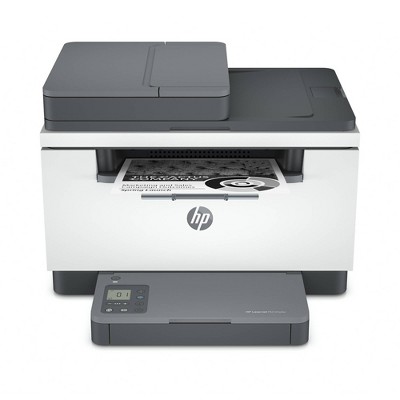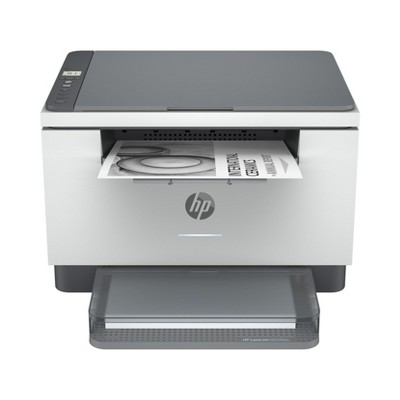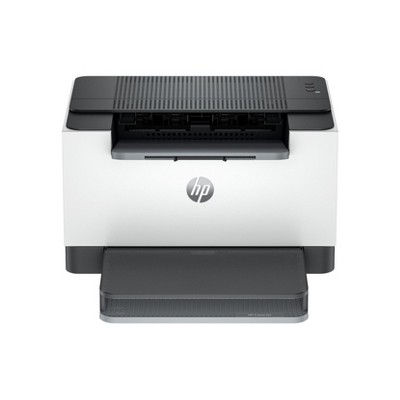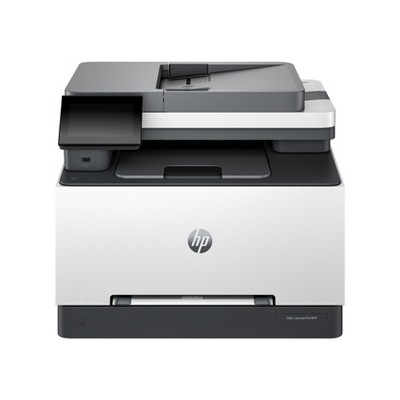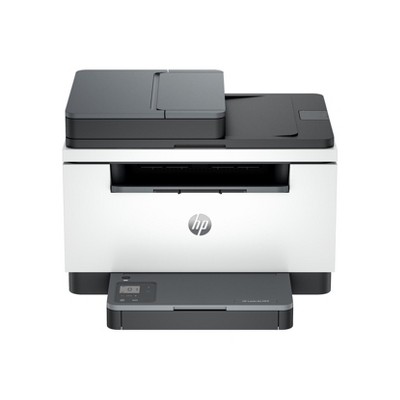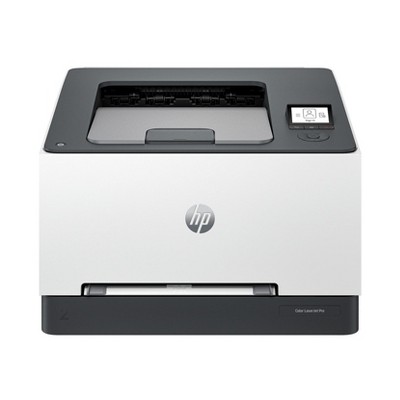
High-quality black & white printing, scanning, copying
Instant Ink eligible
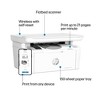
Print, scan and copy on the go with HP Smart app
Built-in wireless
Easy mobile setup
Print up to 21 pages per minute
High-speed USB 2.0
Description
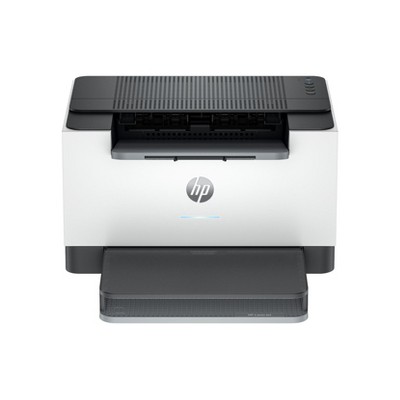
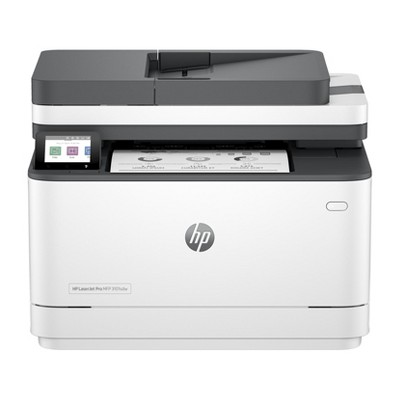
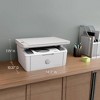
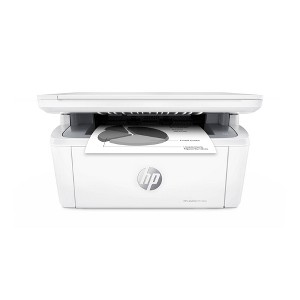
The world's smallest multifunction laser printer in its class, the HP LaserJet MFP M140w is perfect for printing black & white forms and documents, plus scan/copy. It offers high-speed printing, seamless setup and reliable connectivity.
BEST FOR TIGHT WORK SPACES: Print, scan, and copy high-quality black & white documents and forms
WORLD'S SMALLEST LASER IN ITS CLASS: Efficient black & white precision laser printing, scanning, and copying that fits anywhere
FAST PRINT SPEEDS: Print up to 21 pages per minute
STAY CONNECTED: Wireless with self-reset to help you stay connected
EASILY COPY ID CARDS AND MORE: Copy both sides of ID cards or other small-size documents onto the same side of one sheet of paper
HP SMART APP: Print, scan and copy from your phone
Dimensions (Overall): 7.8 Inches (H) x 14.2 Inches (W) x 10.4 Inches (D)
Weight: 11.9 Pounds
B&W Print Speed: 21 Pages per Minute
Color Print Speed: 0 Pages per Minute
Electronics Condition: New
Electronics Features: Printer
Maximum capacity: 100 Sheets
Operating System Compatibility: Microsoft Windows
Maximum Resolution: 600 x 600 (Black and White)
Wireless Technology: Wi-Fi
Printer Ink Color: Black
Compatible With: Up to 8.5" x 11.7" Documents
Ink Series: HP 141 series
Battery: No Battery Used
Warranty: 1 Year Limited Warranty. To obtain a copy of the manufacturer's or supplier's warranty for this item prior to purchasing the item, please call Target Guest Services at 1-800-591-3869
TCIN: 90838968
UPC: 194850677281
Item Number (DPCI): 056-03-0039
Origin: Imported
If the item details aren’t accurate or complete, we want to know about it.
Shipping details
Estimated ship dimensions: 15.35 inches length x 11.7 inches width x 9.6 inches height
Estimated ship weight: 14.04 pounds
Return details
This item can be returned to any Target store or Target.com.
This item must be returned within 30 days of the date it was purchased in store, delivered to the guest, delivered by a Shipt shopper, or picked up by the guest.
Q: Is there anything special I need to do to hook up a MacBook Pro?
submitted by Andy - 2 years ago
A: Hello and thank you for asking. The HP LaserJet MFP M140w printer is AirPrint compatible, so as soon as it is on the same network as your computer, you are ready to go. We recommend using the free HP Smart app in the Apple app store to do the wireless setup on the printer. Note that macOS 11 or higher is required.
submitted byHP Team - 2 years ago
Brand expert
A: Hi Andy, thanks for reaching out about the HP LaserJet M140w Wireless All-In-One Black and White Laser Printer (7MD72F).
HP LaserJet M140w Wireless All-In-One Black and White Laser Printer is compatible with MacBook Pro.
If you have any additional questions, we welcome you to contact MyTGTtech at 833-848-8324 every day, between 7am-11pm CST.
submitted byRena - 2 years ago
Target expert support
Q: Can you set it to automatically print both sides of paper?
submitted by Interested party - 1 year ago
A: Hi Interested party, thanks for reaching out about HP LaserJet M140w Wireless All-In-One Black and White Laser Printer (7MD72F)
No, the HP LaserJet MFP M140w does not have automatic duplex printing (printing on both sides of the page). You would need to manually flip the paper to print on the second side.
If you have any additional questions, we welcome you to contact MyTGTtech at 833-848-8324 every day, between 7am-11pm CST.
submitted byJustin - 1 year ago
Target expert support
A: Thanks for your question! The HP LaserJet M140w does not automatically print on both sides of the page, and the paper would need to be manually flipped over.
submitted byHP Team - 1 year ago
Brand expert
Q: Can I connect HP 140 Laser Jet without USB port if it is wireless. I have no CD in my laptop
submitted by Terry - 2 years ago
A: Hi Terry, thanks for reaching out about HP LaserJet M140w Wireless All-In-One Black and White Laser Printer (7MD72F).
Yes, there are methods to install this printer without a USB cable. The drivers can be downloaded directly from HP.
If you have any additional questions, we welcome you to contact MyTGTtech at 833-848-8324 every day, between 7am-11pm CST.
submitted byMatt - 2 years ago
Target expert support
A: Hi Terry, thanks for your question! You can set up this HP LaserJet M140w printer wirelessly, either through the manual in the box, or you can even use the HP Smart App that can be downloaded to any compatible computer, smart phone, or tablet, for easy-to-follow step-by-step guides.
submitted byHP Team - 2 years ago
Brand expert
Q: Can printing, scanning and copy only done through the app? No controls to do on printer?
submitted by Andy - 2 years ago
A: Hi Andy, thanks for reaching out about the HP LaserJet M140w Wireless All-In-One Black and White Laser Printer (7MD72F).
The HP LaserJet M140w Printer's control panel is for copy functions. To Print or scan you will need to use the HP Smart app.
If you have any additional questions, we welcome you to contact MyTGTtech at 833-848-8324 every day, between 7am-11pm CST.
submitted byRena - 2 years ago
Target expert support
A: Hello and thank you for asking. The HP LaserJet MFP M140w accepts commands from a computer to print something from it or scan something to it. You may also use the free HP Smart app to also print and scan. There are controls on the top at the left for copying. The User Guide is available from HP Support online with additional instructions.
submitted byHP Team - 2 years ago
Brand expert
Q: Can it print stickers?
submitted by Jesus - 2 years ago
A: Hello Jesus and thank you for the question. The HP LaserJet M140w Wireless Black and White Printer can print on sticker paper designed for use in laser printers.
submitted byHP Team - 2 years ago
Brand expert
Q: Can you scan a colored document directly to a computer in a PDF in color?
submitted by DeDom - 2 years ago
A: Thank you for the question! Yes, the HP LaserJet M140w does have both scan-to-PDF and color scanning capability, despite only printing in black & white.
submitted byHP Team - 2 years ago
Brand expert
A: Hi DeDom, thanks for reaching out about HP LaserJet M140w Wireless Black & White Printer.
Yes. While this printer can only print in black and white, it can perform color scanning
If you have any additional questions, we welcome you to contact MyTGTtech at 833-848-8324 every day, between 7am-11pm CST.
submitted byJustin - 2 years ago
Target expert support
Q: Does the printer have a drum?
submitted by MT Annie - 3 years ago
A: Hi Rebsw, thanks for reaching out about HP LaserJet M140w Wireless Black & White Printer
This uses toner cartridges instead of a drum.
If you have any additional questions, we welcome you to contact MyTGTtech at 833-848-8324 every day, between 7am-11pm CST.
submitted byMike - 3 years ago
Target expert support
A: This model does not have a separate drum to replace. The toner will be the only thing you need to replace.
submitted byHP Team - 3 years ago
Brand expert
Q: DOES PURCHASING A NEW hpmfpm140w COME WITH INK CARTRIDGE?if not what is part #for ordering
submitted by Gene - 2 months ago
A: Hi, thank you for reaching out about HP LaserJet M140w Wireless All-In-One Black and White Laser Printer (7MD72F): USB, Wi-Fi, Microsoft Windows Compatible.
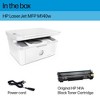
Yes, purchasing a new HP LaserJet MFP M140w printer comes with an included, pre-installed starter black toner cartridge (which yields approximately 300 pages).
For future purchases, the replacement toner cartridges can be ordered using the following part numbers:
-Standard Yield Cartridge: HP 141A (Part number: W1410A) – yields roughly 950 pages.
-High Yield Cartridge: HP 141X (Part number: W1410X) – yields roughly 2,400 pages.
If you have any additional questions, we welcome you to contact MyTGTtech at 833-848-8324 every day, between 7am-11pm CST.
submitted byMatt - 2 months ago
Target expert support
Q: Does this printer work with Air Print?
submitted by JoZulKaff - 3 months ago
A: Hi, thanks for reaching out about the HP LaserJet M140w Wireless All-In-One Black and White Laser Printer (7MD72F): USB, Wi-Fi, Microsoft Windows Compatible
Yes, the HP LaserJet M140w (model 7MD72F) does support Apple AirPrint
If you have any additional questions, we welcome you to contact MyTGTtech at 833-848-8324 every day between 7 am and 11 pm CST.
submitted byRena - 3 months ago
Target expert support
Q: Will this work with Samsung 23+ and Dell computer
submitted by Nancy - 8 months ago
A: Hi, thanks for reaching out about HP LaserJet M140w Wireless All-In-One Black and White Laser Printer (7MD72F): USB, Wi-Fi, Microsoft Windows Compatible
Yes, This printer is compatible with Android and Windows so this will work for you.
If you have any additional questions, we welcome you to contact MyTGTtech at 833-848-8324 every day, between 7am-11pm CST.
The HP LaserJet M139W is a compact and efficient multifunction printer that excels in delivering fast, high-quality black and white prints. Guests appreciate its easy setup via the HP Smart app, wireless connectivity, and the ability to print from multiple devices. While it offers great value for home or small office use, some guests have noted issues with toner longevity and occasional connectivity problems. Overall, it is a reliable choice for those needing a straightforward printing solution.
Summary created by AI from text of reviews reflecting recent feedback provided across different star ratings (includes incentivized reviews)
4.3
4.3 out of 5 stars
95 star ratings
4.3 out of 5 stars with 95 reviews
quality
1.7 out of 5
quality: 1.67 out of 5
value
2.2 out of 5
value: 2.17 out of 5
0% would recommend
6 recommendations
1 out of 5 stars
Thumbs down graphic, would not recommendWould not recommend
19 August, 2026Verified purchase
(no review title)
It worked for 45 days now I can’t get it to print
1 reply from HP Team team - 15 days ago
Hello Cynthia, we are sorry to hear that you are experiencing difficulties with your LaserJet M140w. Please refer to our printer support page at https://support.hp.com/us-en/printer for help getting your device back to printing. Thank you for sharing your feedback on the LaserJet M140w.
Cynthia
quality
2.0 out of 5
quality: 2 out of 5
value
5.0 out of 5
value: 5 out of 5
Did you find this review helpful?
4 out of 5 stars
8 July, 2026
originally posted on hp.com
HP LaserJet M139w Multifunction Black & White Laser Printer
Great compact machine and works well. Fast, efficient, and clean printing. Good Value for the price paid! Wish it had a feeder to add if there are more pages than 1 at a time. Also, to make a copy, there should be an easy button on the machine just to print, instead of scanning it first and then printing. it would save time.
Howard Popliger
Did you find this review helpful?
5 out of 5 stars
28 June, 2026
originally posted on hp.com
Works fine
Works fine.
Rick N
Did you find this review helpful?
1 out of 5 stars
26 April, 2026
originally posted on hp.com
Printer suck
I have to restart the printer every time I want to print anything
Spenceroli
1 guest found this review helpful. Did you?
1 out of 5 stars
21 April, 2026
originally posted on hp.com
TONER VERY INEFFICIENT
I did not realize that the toner was only able to print so few copies,I might have printed less than 100 copies from the time I received it and Apr 18 when I had to order a new toner. Also I was on holidays for 3 weeks during this period. Not impressed
M.Salvaneschi
1 guest found this review helpful. Did you?
3 out of 5 stars
17 April, 2026
originally posted on hp.com
Compact and fast
It has one infuriating trait! The printed paper comes out quite hot, curls over, and sometimes the completed work gets sucked in again, so that my printed page is then ruined. Surely there must be some way in which the pages can be projected forward.
Ann Grahame
Did you find this review helpful?
1 out of 5 stars
Thumbs down graphic, would not recommendWould not recommend
7 February, 2026
Unreliable network connection
WiFi keeps disconnecting to the router
Ben231
quality
1.0 out of 5
quality: 1 out of 5
value
1.0 out of 5
value: 1 out of 5
Did you find this review helpful?
1 out of 5 stars
Thumbs down graphic, would not recommendWould not recommend
25 December, 2025
Terrible
Literally hate this printer. The WiFi stopped working and will randomly work again for one print and then it says it won’t connect and can’t find the network. Tried everything and nothing makes it work. Most useless printer. Only stresses me and gives me headaches
Andressa
quality
1.0 out of 5
quality: 1 out of 5
value
1.0 out of 5
value: 1 out of 5
1 guest found this review helpful. Did you?
4 out of 5 stars
Thumbs down graphic, would not recommendWould not recommend
21 August, 2025
Good
good not great for money
Big mike
quality
3.0 out of 5
quality: 3 out of 5
value
3.0 out of 5
value: 3 out of 5
1 guest found this review helpful. Did you?
1 out of 5 stars
14 April, 2025
originally posted on hp.com
difficult to scan
It is difficult to scan. I really regret buying this printer. I wish I could return it.
echomountain
1 guest found this review helpful. Did you?
2 out of 5 stars
Thumbs down graphic, would not recommendWould not recommend
10 April, 2025Verified purchase
Wifi stopped working
Wifi stopped working after 6 months, I might have used it 20 times
Deb
quality
2.0 out of 5
quality: 2 out of 5
value
2.0 out of 5
value: 2 out of 5
1 guest found this review helpful. Did you?
5 out of 5 stars
27 March, 2025
originally posted on hp.com
Hard to install
Works well. Installation was harder than expected because printer was not listed in dropdown menu. Could not enter manually. Online help was required. Kind of a pain.
Mustang Mike
1 guest found this review helpful. Did you?
1 out of 5 stars
Thumbs down graphic, would not recommendWould not recommend
19 February, 2025Verified purchase
Delivery was not good
as you may see that it's how my package looks when I got in the garage door. Apart of it ONTRAC alway delivery on my garage door and NEVER ON MY FRONT DOOR, something I really hate it. I would suggest Targe level up the delivery company. Not really happy with delivery. If I could not give any start to post this will be find or "minus" starts.
JoseP
quality
1.0 out of 5
quality: 1 out of 5
value
1.0 out of 5
value: 1 out of 5
1 guest found this review helpful. Did you?
5 out of 5 stars
6 February, 2025
originally posted on hp.com
Awesome printer and scanner and copier
Great job as expected with HP brand
Amritpal
Did you find this review helpful?
4 out of 5 stars
20 January, 2025
originally posted on hp.com
Good to Go
Easy set-up and crisp prints.
Georg
Did you find this review helpful?
5 out of 5 stars
3 October, 2024
originally posted on hp.com
Easy doing
Easy doing
Archa
Did you find this review helpful?
5 out of 5 stars
28 September, 2024
originally posted on hp.com
Great compact printer.
It’s a great sized compact printer for my small apt and it works super fast too. Love it.
Norhayah
Did you find this review helpful?
5 out of 5 stars
16 August, 2024
originally posted on hp.com
Good one
Good low cost laserjet printer for home
Canadian
Did you find this review helpful?
5 out of 5 stars
7 August, 2024
originally posted on hp.com
Great Printer
Quality Printer, Nice Size - as if fits into my media unit.
LynnSharon
Did you find this review helpful?
5 out of 5 stars
8 July, 2024
originally posted on The Insiders
usability
[This review was collected as part of a promotion.] I recently received my printer! It’s really amazing and easy to use! Love it so much! This HPLaserJet MFM M139 is a compact and efficient multifunction printer for home or for small office.With its sleek design and versatile functionality,this printer is a solid choice for those in need of reliable printing solution. Overall, It’s impressive,delivering sharp text and clear graphics.It’s offer fast printing speeds,making it suitable for handling a variety of printing tasks efficiently. The wireless connectivity feature allows for easy printing from multiple devices,adding to its convenience and versatility.