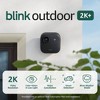
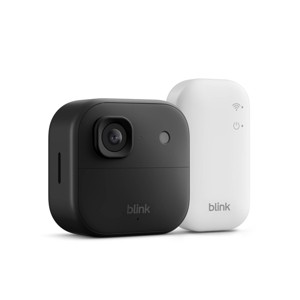
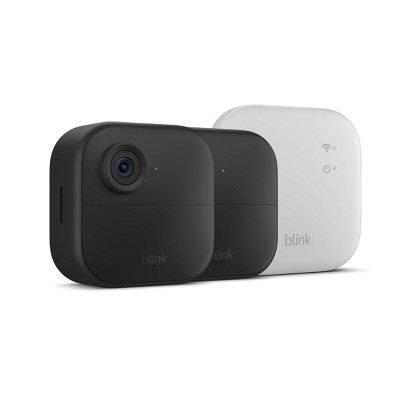
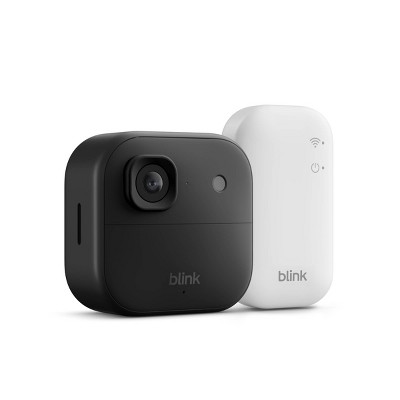
Blink Outdoor 2K+ Wireless Smart Security Camera, 2K Video Resolution, Enhanced Audio. Sync Module Core Included. 1 Camera System - Black
$34.99 reg $99.99
$65 off
In Stock
Add plans or services
Make your selection before adding to cart
2 Year Electronics Protection Plan ($30-$39.99) - Allstate
$4.50
Eligible for registries and wish lists
At a glance
About this item
Additional product information and recommendations
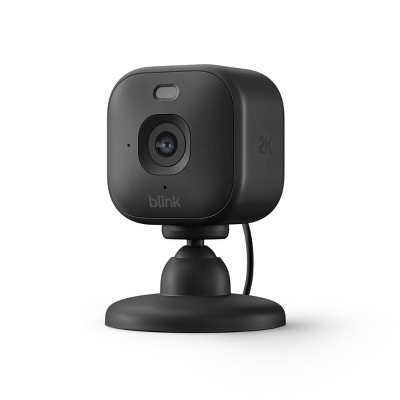
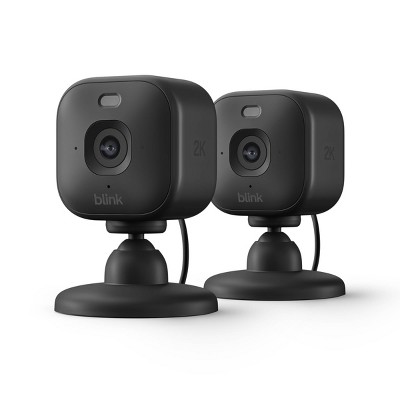
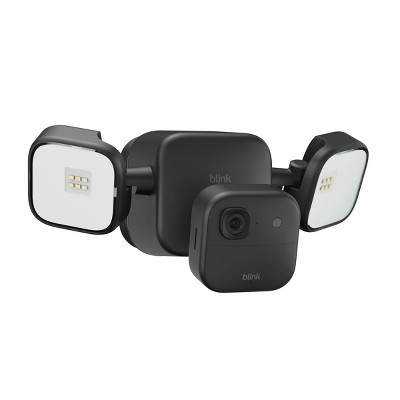
Frequently bought together
- $30.99 - $119.99reg $89.99 - $349.99 Sale3.9 out of 5 stars with 59 ratings
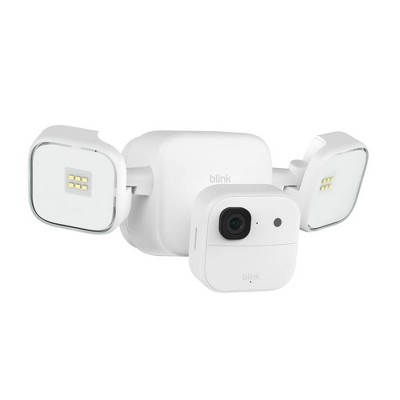
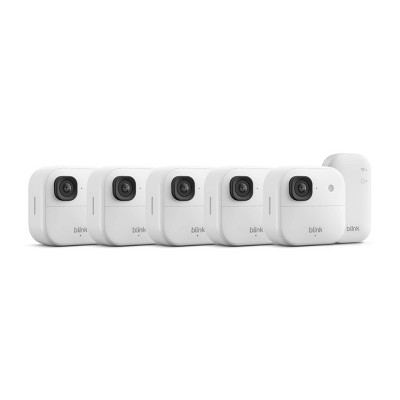
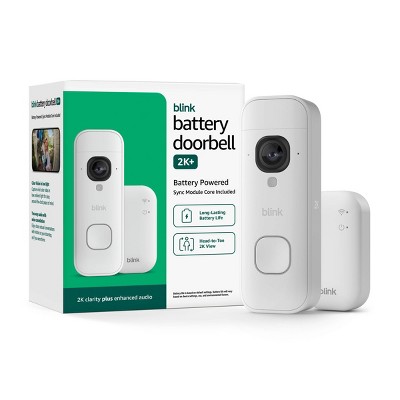
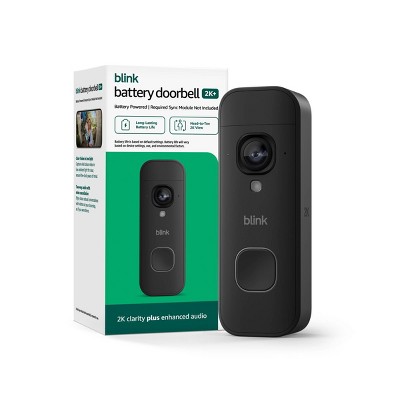
Guests also viewed
- $30.99 - $119.99reg $89.99 - $349.99 Sale3.9 out of 5 stars with 59 ratings
- $19.99reg $24.99 Sale4.6 out of 5 stars with 25 ratings
Related Categories
Guests are saying
The Blink Outdoor 2K camera offers an impressive combination of ease of use, high-quality video, and reliable performance, making it an excellent choice for home security. Guests appreciate its straightforward installation process, long battery life, and effective motion detection features. With 2K resolution and night vision capabilities, this camera provides peace of mind while monitoring your property. Its compact design and user-friendly app enhance the overall experience, making it a standout option for both indoor and outdoor use.
Summary created by AI from text of reviews reflecting recent feedback provided across different star ratings (includes incentivized reviews)
3.9 out of 5 stars with 59 reviews
30% would recommend
10 recommendations
2 out of 5 stars
21 November, 2026Verified purchase
Little mobile cam
I don’t know.. I bought this. Set it up and half the time it’s just loading the live screen.. hoping I have more luck
1 out of 5 stars
Thumbs down graphic, would not recommend
16 November, 2026
Terrible customer service
Website shows the product is available but, I then received an email that it isn't. It is not availble in another store nor is it available for shipping. I am extremly dispppointed with Target.
1 out of 5 stars
Thumbs down graphic, would not recommend
13 November, 2026Verified purchase
Disappointed
Image was fair, but it does not work properly without subscription.
From Amazon Devices Customer Support team
Hello Susan, I'm sorry to hear the Blink Outdoor 2K+ didn't meet your expectations without a subscription, and thank you for your feedback. Without a subscription, your camera still gives you live view on demand, real-time motion alerts to your phone, and two-way audio through the Blink app. Those features let you check on your home and talk to visitors anytime. A Blink Subscription Plan adds cloud storage for motion-triggered clips, a clip history you can scroll back through and share, and advanced features such as person detection. If you'd like to save clips without a subscription, Blink also offers several local storage options. The Sync Module 2 stores clips on a USB flash drive, and the Sync Module XR and Sync Module XR+ store clips on a microSD card. The USB flash drive and microSD card are sold separately. To get the most from your camera, open the Blink app and make sure your system is armed. Then check that notifications are turned on in both the Blink app and your phone's settings. For the best picture, keep the camera and Sync Module Core within range of a strong Wi-Fi signal. Wiping the camera lens clean and placing the camera away from direct sunlight or reflective surfaces can also sharpen the image. If you're still having issues with your Blink Outdoor 2K+, Amazon Customer Support is available 24/7 at 1-888-280-4331. I hope this information is useful, and thank you again for your feedback.
5 days ago
1 out of 5 stars
Thumbs down graphic, would not recommend
10 November, 2026Verified purchase
(no review title)
didn't work
From Amazon Devices Customer Support team
Hello Jamiee Thank you for your feedback on the Blink Outdoor 2K. I'm sorry your camera didn't work. From the information given it's hard to say exactly what went wrong, but most problems with this camera come from power, connection, or setup, and the steps below usually fix them. Start with power. The Blink Outdoor 2K runs on two 1.5V AA lithium batteries. Regular alkaline or rechargeable batteries can stop the camera from turning on or staying connected. Put in a fresh set of lithium batteries, check that they face the right way, and make sure the back cover is closed securely. Next, make sure your Blink Home Monitor app is on the latest version. During setup, keep your phone close to the camera with Bluetooth and location services turned on. In the app, tap the plus sign, scan the QR code on the camera, and connect it to a 2.4 GHz Wi-Fi network. If your router broadcasts a combined 2.4 GHz and 5 GHz network, connecting your phone to the 2.4 GHz band during setup can help. Double-check that the Wi-Fi password is correct. If the camera works with a Sync Module, check that the Sync Module is plugged in, set up in the app, and showing a solid blue and solid green light. Then add the camera to the same system. After the camera is installed, open its Device Settings and look at the signal strength for Camera to Wi-Fi and Camera to Sync Module. If either shows fewer than three bars, move the Sync Module or router closer, or add a Wi-Fi extender. Brick, stone, and metal walls can weaken the signal a lot. Restart your system next: Unplug the Sync Module and router for 30 seconds, then plug them back in. Remove the camera's batteries for 30 seconds, then reinsert them. If the camera still won't connect or respond, delete it from the app and add it again by scanning the QR code. This clears most setup and connection issues. I hope this information helps get your camera up and running. Thank you for your feedback, and have a great day!
8 days ago
5 out of 5 stars
Thumbs up graphic, would recommend
2 November, 2026Verified purchase
(no review title)
That great cameras with a great view and very easy to use the app on the cameras definitely worth the money I spent on them
1 out of 5 stars
Thumbs down graphic, would not recommend
31 October, 2026Verified purchase
(no review title)
Piece of garbage
From Amazon Devices Customer Support team
Hello, and thank you for your feedback on the Blink Outdoor 2K+. We are sorry to hear about your experience and understand how frustrating it can be when a product does not meet your expectations. The Blink Outdoor 2K+ is designed to deliver high-resolution video, AI-powered smart detection, and up to 2 years of battery life. If you are experiencing performance issues, a few steps may help improve your experience. Ensuring a strong Wi-Fi connection is key, as the camera relies on a stable internet signal for live view and motion alerts. Checking camera placement at about 8–10 feet high and angled slightly downward can also optimize motion detection and image quality. Additionally, opening the Blink app to check for firmware updates and restarting the Sync Module by unplugging it for 10 seconds can resolve many common connectivity issues. If you continue to experience issues, Amazon Customer Service is available 24/7 and can be reached at 1-888-280-4331. We appreciate your feedback and hope these tips help.
16 days ago
5 out of 5 stars
29 October, 2026
originally posted on influenster.com

Amazingly good security camera
Love this outdoor camera. It holds a charge that I don't worry about having to take it down to recharge. The app is easy to use for even the most novice of person. The setup only took 5 to 10 mins. The camera quality is amazingly clear and catches all movements
1 out of 5 stars
27 October, 2026Verified purchase
(no review title)
DO NOT SCAN the cameras . The QR code hacks your phone . It just happened to me
From Amazon Devices Customer Support team
Hello Jp. Thank you for your feedback on the Blink Outdoor 2K+ Wireless Smart Security Camera system. I'm sorry to hear about the concern you experienced during setup. The QR code printed on the Blink Outdoor 2K+ camera is a standard device identification code that is part of the normal, secure setup process. It is used exclusively by the Blink Home Monitor app to identify and register your specific camera with your account — it does not contain any malicious content and cannot hack your phone. This QR code simply holds the device serial number (DSN) so the app can pair the camera to your Sync Module Core and complete setup securely. If you experienced unexpected behavior on your phone while scanning, here are a few things to consider: Use only the official Blink Home Monitor app — Make sure you are scanning the QR code from within the Blink app (available on iOS 16.4+ and Android 10+), not your phone's native camera app. Scanning with the native camera could attempt to open a URL in your browser, which may have caused the unexpected behavior you noticed. Verify the app is up to date — Ensure you have the latest version of the Blink Home Monitor app downloaded from the Apple App Store or Google Play Store to guarantee the most secure experience. Check for other software on your phone — If you have third-party QR scanning apps installed, they may interpret the code differently. The Blink app's built-in scanner is the recommended and secure method. Manual serial number entry — If you prefer not to scan the QR code, the Blink app also offers an "Enter Serial Manually" option during setup, allowing you to type in the device serial number found on the camera. Your security and privacy are a top priority. Blink devices receive guaranteed software security updates for at least four years after the device is last available for purchase, ensuring ongoing protection. If you continue to have concerns or need further assistance with setup, Amazon Customer Service is available 24/7 at 1-888-280-4331. Thank you for your feedback, and I hope this information helps put your mind at ease.
26 days ago
1 out of 5 stars
Thumbs down graphic, would not recommend
18 October, 2026
Useless Customer Service!
The store was closed when I ordered, you showed 1 in stock... Now you say it's out of stock.... You suck!
1 out of 5 stars
Thumbs down graphic, would not recommend
15 October, 2026Verified purchase
Disappointed
During the trial period it mostly worked fine. Then it would miss events. After the trial period I subscribed to the basic plan. Now it doesn't play the recorded clip. I was on the phone for an hour troubleshooting. The customer service agent said they would email further instructions. ☹️
From Amazon Devices Customer Support team
Hi there, We're genuinely sorry for the frustration — missing events and not being able to play back your recorded clips isn't the experience we want you to have, especially after spending an hour on the phone with support. That's a lot of your time, and we appreciate your patience. Please keep an eye out for the follow-up email from our support team with the next troubleshooting steps. If those don't resolve the clip playback issue, reply directly to that email or reach back out at amazon.com/contact-us and reference your prior case so you don't have to start over. We want to get your camera recording and playing back reliably. Thank you for sticking with us — we're committed to making this right.
1 month ago
1 out of 5 stars
Thumbs down graphic, would not recommend
26 September, 2026
No never again. Cheaper options much better than this
The worse. Constantly disconnecting. need a subscription just to keep watching the video LIVE! RIP OFF SYSTEM
From Amazon Devices Customer Support team
Dear Valued Customer, Thank you for your candid feedback on the Blink Outdoor 2K+ Wireless Smart Security Camera purchased from Target. We're sorry to hear about the frustrating experience you've had, and we want to address your concerns directly. We understand how disruptive constant disconnections can be, especially with a device you're relying on for home security. There are a few things that may help improve your camera's connectivity: Check Wi-Fi signal strength — Position your Sync Module Core centrally between your router and camera. The camera should be within 100 feet of the Sync Module, and the Sync Module should have a strong connection to your router Use the 2.4 GHz band — Blink cameras perform best on a dedicated 2.4 GHz Wi-Fi network, as the 5 GHz band has a shorter range and can cause intermittent drops Update firmware — Open the Blink app and ensure both your camera and Sync Module are running the latest firmware version Reduce interference — Thick walls, metal objects, and other electronics near the camera or Sync Module can weaken the signal Regarding the subscription, we want to clarify that live view does not require a subscription. You can access real-time live video through the Blink app at no cost. The subscription plan adds cloud storage for recorded clips and video history, but watching your camera live is always free. If you're experiencing an issue accessing live view without a subscription prompt, our support team can help troubleshoot that right away. Please don't hesitate to contact us at 1-888-280-4331 — we'd love the chance to resolve these issues and restore your confidence in the product.
2 months ago
5 out of 5 stars
18 September, 2026Verified purchase
(no review title)
love it
2 out of 5 stars
18 August, 2026Verified purchase
(no review title)
It's already not updating the clips and doesn't load
From Amazon Devices Customer Support team
Hello Carly, Thank you for sharing your feedback on the Blink Outdoor 2K+. We're sorry to hear that you're experiencing issues with clips not updating and loading properly — we understand how frustrating this can be, especially with a security camera where reliable recording is essential. There are several troubleshooting steps that can help resolve clip recording and loading issues with your Blink Outdoor 2K+. First, check the connection between your camera and the Sync Module by opening the Blink app, navigating to your camera settings, and reviewing the signal strength indicator — a weak signal between the camera and Sync Module is the most common cause of clips failing to save or load. Position your Sync Module in an open area away from walls or corners for optimal performance, and ensure your camera is within a clear line of communication with it. Next, verify your internet upload speed, as the Blink Outdoor 2K+ requires minimum upload speeds depending on your video quality setting: Saver mode needs at least 2 Mbps, Standard requires 3 Mbps, and Best quality requires 6 Mbps per camera. If you have multiple cameras on one Sync Module, these bandwidth requirements multiply. You can check your upload speed using a speed test app on a device near your Sync Module. Additionally, try these steps to restore clip functionality: Power cycle the Sync Module by unplugging it for 30 seconds and plugging it back in. Make sure your Blink app is updated to the latest version. Confirm that your camera's firmware is current by checking under Device Settings in the app. If you are using local storage via a Sync Module XR, ensure the microSD card is properly seated and has available space — note that local storage does not automatically overwrite old clips when full and will need to be reformatted. Also, confirm your WiFi router is broadcasting on the 2.4 GHz band, as Blink cameras connect exclusively on 2.4 GHz. If you have a dual-band router, ensure the 2.4 GHz network is active and not being overshadowed by WiFi extenders, which can interfere with the Sync Module's communication with cameras. I hope this information helps and thank you for your feedback.
3 months ago
1 out of 5 stars
9 August, 2026
NO battery life
NO BATTERY LIFE!! we’ve had this product for about 8 months and every 3 months with normal use you need to replace the battery with AA batteries they cannot be recharged. We’ve reached out to blink and not helpful. We finally switched over to Galayou solar paneled cameras and we are wayyyy happier
From Amazon Devices Customer Support team
Hi Lindsey, Thank you for your feedback, and we're sorry to hear the battery life on your Blink Outdoor 2K+ hasn't met your expectations. Having to replace batteries every 3 months is understandably frustrating when you're expecting longer performance. Battery life on the Blink Outdoor 2K+ can vary based on usage factors such as the number of daily motion triggers, clip length settings, live view frequency, and Wi-Fi signal strength. A few adjustments that can help extend battery life include: Lowering motion sensitivity to reduce unnecessary activations Shortening clip length from 30 seconds to 10–15 seconds Reducing retrigger time between motion events Ensuring a strong Wi-Fi connection to the Sync Module (weak signals drain batteries faster) We're also sorry to hear that your experience with our support team wasn't helpful — that's not the standard we aim for. If you'd be open to giving us another chance, we'd encourage you to reach out again at 1-888-280-4331 and ask about your specific usage patterns so they can pinpoint what may be causing the accelerated drain. We appreciate you sharing your experience and wish you the best with your new setup.
3 months ago
4 out of 5 stars
6 August, 2026
originally posted on influenster.com
Great picture!
Great and simple product. Provides excellent build quality and picture. Just uses two AA batteries that are provided and has easy access for swapping batteries
5 out of 5 stars
Thumbs up graphic, would recommend
31 July, 2026Verified purchase
Camer
Easy to setup!
5 out of 5 stars
14 May, 2026
originally posted on influenster.com
Easy to use
The blink outdoor camera is very easy to install and begin using right away. It took me less than 10 minutes to set it up and I was able to see video of my driveway and feel safer in my home.
4 out of 5 stars
28 April, 2026
originally posted on ring.com

Great little camera
[This review was collected as part of a promotion.] This little camera is great! The Blink Outdoor 2k bats above average and is easy to use and install. Video clarity is great and overall functionality is wonderful. I recommend this as an entry level camera above others in its class. Recommended!
5 out of 5 stars
25 April, 2026
originally posted on influenster.com
Easy install
I love my blank outdoor cameras. Not only is it a great sense of security but you also get to see the wildlife that comes through every night. Battery life is excellent. And so is the Wi-Fi.
4 out of 5 stars
24 March, 2026
originally posted on influenster.com
Great Amazon Outdoor Camera System
Great camera to watch the area around your home. NOT a security system. Battery life lasts what seems forever, great detail in the video and pictures. Night vision, auto detect, infrared light, awesome field of view that's zoomable, easy to connect to your WiFi system.