Sponsored

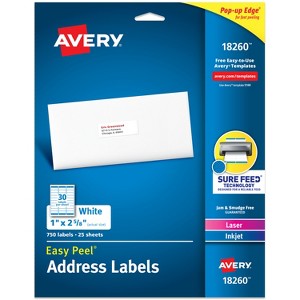
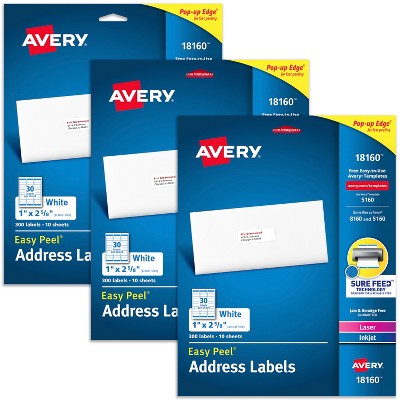
Avery Address Labels, 1" x 2-5/8", White, 750 Labels (18260)
$13.18
In Stock
Eligible for registries and wish lists
Sponsored
About this item
Highlights
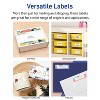
- These versatile rectangle labels are great for mailing and shipping, product labels, organization, identification, and much more
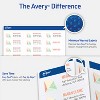
- Get a more reliable feed through your printer with printable label sheets featuring patented Sure Feed technology designed to reduce misalignments and printer jams
- Save time and effort with our Easy Peel with Pop-up Edge feature that pops up the edges of the label stickers for quick, hassle-free peeling
- Create personalized address labels using Avery Design & Print Online, which offers templates, designs, and easy-to-use tools for creating professional-quality labels
- Handwrite on labels for quick and easy personalization, or print clear text and crisp graphics with label paper optimized for laser and inkjet printers to help prevent smearing or smudging
Description
From mailing and shipping to organization and identification, simplify your tasks with this pack of 750 Avery 18260 Easy Peel Printable Address Labels. These 1" x 2-5/8" bright white labels blend better than basic labels on white envelopes and provide superior adhesion with Ultrahold permanent adhesive guaranteed to stick and stay on most smooth surfaces. Optimized for laser and inkjet printers, these label sheets feature Sure Feed technology that ensures a reliable feed through your printer, reducing misalignments and printer jams for crisp, hassle-free printing. With a convenient Easy Peel design, application is quick and effortless, making them ideal for mailing, organization, product labels, inventory management, and more. You can also personalize your sticker labels by hand or use Avery Design & Print Online to print customized labels on demand. Whether you're shipping, filing, or organizing items, Avery address labels are the perfect solution for any environment and application.
Label Dimensions: 1 inches (H) x 2.62 inches (W)
Package Quantity: 750
Material: Paper
TCIN: 1004913180
UPC: 072782182601
Origin: imported
The above item details were provided by the Target Plus™ Partner. Target does not represent or warrant that this information is accurate or complete. On occasion, manufacturers may modify their items and update their labels.
We recommend that you do not rely solely on the information presented. If you have a specific question about this item, you may consult the item's label, contact the manufacturer directly or call Target Guest Services at 1-800-591-3869.
If the item details aren’t accurate or complete, we want to know about it.
Shipping details
Estimated ship dimensions: 12.094 inches length x 9.438 inches width x 0.209 inches height
Estimated ship weight: 0.697 pounds
This item cannot be shipped to the following locations: American Samoa (see also separate entry under AS), Guam (see also separate entry under GU), Northern Mariana Islands, Puerto Rico (see also separate entry under PR), United States Minor Outlying Islands, Virgin Islands, U.S., APO/FPO, Alaska, Hawaii
item ships from third party seller: Avery Products Corporation
Return details
This item can be returned to any Target store or Target.com.
This item must be returned within 30 days of the date it was purchased in store, shipped, delivered by a Shipt shopper, or made ready for pickup.
See the return policy for complete information.
Frequently bought together
Guests also viewed
Discover more options
Related Categories
3.9 out of 5 stars with 45 reviews
5 out of 5 stars
13 August, 2025
originally posted on avery.com

Great!
[This review was collected as part of a promotion.] This product is fantastic! I use it almost daily. It’s easy to peel off the sheet, and the website makes designing your stickers exactly how you want them a breeze. I can’t recommend it enough!
1 out of 5 stars
4 June, 2025
originally posted on avery.com
Use if you want to pay
Did not help me learn how to make labels, template, or paste same label . Only tried to make me pay.
1 reply from Customer Care team - 4 months ago
Hello, I’m so sorry for the issues you experienced on our site, let’s see if this helps: To find your free template, please visit avery.com/templates, and enter your template number 18160. Then, you can Start Designing on our site and use Edit All or Edit One, or you can Download a free template from Word. If these steps do not work, please contact our Care Team and we are happy to help! Our number: 800-462-8379. Our hours: 6am-5pm PST, Mon-Fri. Thank you.
5 out of 5 stars
16 February, 2025
originally posted on avery.com
Keeps me in legal compliance
[This review was collected as part of a promotion.] Another perfect item for my micro business. These stickers hold the law required public disclaimer onto my products without fear of them falling off.
5 out of 5 stars
3 January, 2025
originally posted on avery.com
Quality
Excellent quality. Never have a problem when using Avery brand
4 out of 5 stars
20 December, 2023
originally posted on avery.com
Good Enough
The paper doesn't align with the printer feeder very well.
5 out of 5 stars
18 December, 2023
originally posted on avery.com
They work every time.
[This review was collected as part of a promotion.] They worked just as I expected. That’s why I keep buying them.
5 out of 5 stars
20 September, 2023
originally posted on avery.com
Exactly what I needed
[This review was collected as part of a promotion.] Exactly what I needed to send postcards. My business is very industry specific, and it helped a great deal to reach out to the specific individuals that I want to reach.
1 out of 5 stars
31 March, 2023
originally posted on avery.com
does not align
juts purchased, the bottom of labels are too high and part of the name is cut off. tried to adjust alignment, but still did not print properly. awful
1 reply from Customer Care team - 3 years ago
Hello Jean, I am so sorry to hear that these labels are not printing in alignment for you. In this case, some tips I have found useful is to check the PDF printer settings. We recommend using the page size Letter and the scale Custom 100%. Another tip I have found helpful is to change the Paper or Media type setting to Labels, as this may help your printer grab the paper correctly. If you still need assistance with this issue, please contact our Care Team and we are happy to help. You can chat with us on avery.com/help or you can call our center. Our number: 800-462-8379. Thank you.
5 out of 5 stars
4 February, 2023
originally posted on avery.com
Several Avery labels and stickers review
Another great product from Avery. I've been using these mailing labels and also the Clean Edge Matte Business Cards (#8871) for a couple years and they work perfectly well. I've also used many other products such as #94221; #5418; #89107; #18608; #94221; #94230; #8371; #6871; #5147; #5371 and #2207, to name a few. I've never experienced an alignment problem or any other issue. My printer is a HP Office Pro Jet (inkjet). Based on my own experience, I would highly recommend Avery's products.
1 out of 5 stars
8 August, 2022
originally posted on avery.com
Such a waste of time
first time I thought I would save time in my business and print address vs. hand write, and Now have wasted more time trying to line things up. I could have been done
1 reply from Avery Consumer Care team - 3 years ago
We are sorry to hear that you are having trouble printing your labels. We have a few recommended settings to check that can be helpful. We suggest checking that the paper size is set to Letter and that the Scale is selected to 100% or Actual Size. We also recommend selecting a thicker paper type, such as Labels or Heavyweight. These settings are generally found in the printer properties or preferences. If you continue to have trouble, please reach out to our Care Team at avery.com/contact or call us at 800-462-8379 and we would be happy to help!
5 out of 5 stars
25 September, 2021
originally posted on avery.com
Very nice!
Very pleased with my label purchase..I used them up quickly.
2 out of 5 stars
6 July, 2021
originally posted on avery.com
Be sure to select label size 18160 and not 8160.
I went to print labels in WORD and selected label size 8160. That was a mistake. The 18160 labels peeled off and are somewhere inside my printer (I can't find them). This occurred a few times and the labels all peeled off. I went back to the Options button to see if there was a specific size for label 18160......and there was. I then changed the label size from 8160 to 18160 and the labels printed with no problem. Although it was my mistake, I am not pleased that the 18160 labels peeled off and are stuck somewhere inside my HP Envy 7855 printer. In my opinion, there should be a warning to select label size 18160 specifically (and not the same size 8160 label). The packaging only states "Same size as Avery 8160 and 5160" with no warning that size 18160 should be selected when printing and not size 8160.
1 reply from Avery Consumer Care team - 4 years ago
We are sorry to hear this. 18160 and 8160 do share the same template for printing and should both print accurately with your labels. We would recommend selecting a thicker paper type such as Label or Heavyweight and a best quality setting to help slow the feed of the printer. If you continue to have trouble printing, please reach out to our Care Team at avery.com/contact or call us at 800-462-8379 and we would be happy to assist you.
1 out of 5 stars
15 June, 2021
originally posted on avery.com
Alignment!
Terrible product! Like all other reviews it does not line up! It did the first time I used it and when going to print again for thank you’s all of a sudden doesn’t line up correctly? I don’t understand how it could be so defective the second time and don’t have time to try and figure out what the issue is as I had bought more than enough before and now have to physically write every address out by hand because of this issue!!!
1 reply from Avery Consumer Care team - 4 years ago
Sorry that the print is not lining up properly. We do have a few recommendations for printing. We suggest checking that the page size is set correctly (8.5 x 11) and that the Scale is set to 100 or Actual Size is selected when you go to print. Also in either your printer preferences or properties we suggest checking if you can select a heavier paper type such as Label or Heavyweight. If this issue continues, please reach out to our Care Team at avery.com/contact and we would be happy to assist you.
5 out of 5 stars
10 May, 2021
originally posted on avery.com
Avery® Easy Peel® Address Labels
Great labels. I use them to print out labels for my business
1 out of 5 stars
16 September, 2020
originally posted on avery.com
print will not line up as expected
I have always used the avery address labels and they printed as I wanted, but now that the sure feed technology has been added they refuse to line up. I had adjusted the settings to align them and when I tried the next page it still wasn't right. I will not purchase these again and will probably us a store brand from now on.
1 reply from Avery Consumer Care team - 5 years ago
We are sorry to hear you had trouble printing your labels. Can you please reach out to our Care Team at avery.com/contact so we can take a closer look at this issue and make this right for you.
5 out of 5 stars
27 March, 2020
originally posted on avery.com
Perfect for my needs
I always transfer prescription meds out of the adult proof bottles that are used by whichever pharmacy I happen to be using at the time. This package allows me to make one off labels for each bottle I get. It's a simple matter to increment to the next available new label on each sheet to customize the new label.
5 out of 5 stars
21 July, 2019
originally posted on avery.com
Proper Scaling on the Printer Setting
Worked Great for me , we use these to make baby bottle labels. Just had to change the settings on the printer from borderless to border; And no scaling, then test print and check alignment.
1 out of 5 stars
6 May, 2019
originally posted on avery.com
Not lining up
I've tried template 5160, 8160, 18260 an none of them work. My old ones worked great but this new pack is no good.
1 reply from Avery Customer Care team - 7 years ago
We are very sorry to hear that you are having trouble printing on your labels. Could you please reach out to our Care Team at avery.com/contact? A representative here would be happy to assist you with printing your project.
5 out of 5 stars
11 February, 2019
originally posted on avery.com
So easy to use!
Sad to see such horrible reviews maybe they've worked out the bugs but I was able to print out labels for my business and personal using the templates on here. I loved that I could add an image and some of the preloaded ones were great! Awesome product I picked up at my base exchange and they came out great on my first try! I'm never writing out a label again!
1 out of 5 stars
5 June, 2017
originally posted on avery.com
Will not align
I have used this product for years, the last pack I bought does NOT align. goes to far to the top and the labels peen halfway through the typing. I wasted most of the package trying to get it to line up..contacted Avery, followed their directions, tried 2 different browsers...I printed on a plain sheet of paper, it was perfect, then tried the labels right after that, did NOT align!!
1 reply from team - 7 years ago
We are very sorry to hear that! Unfortunately print misalignments can be a tricky problem to fix and we would like to get in touch with you again to help solve this. Our team should be able to check if the labels themselves are defective as well. If you would prefer another contact method other than chat, you can also call us at (800) GO AVERY or through e-mail at help@avery.com. Hopefully we can get this resolved for you soon!