
Sponsored
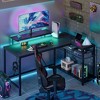
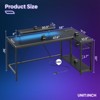
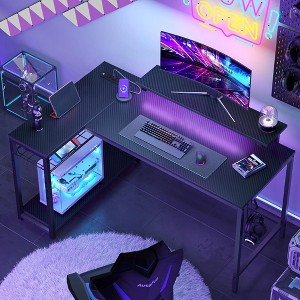
Bestier 58" L Shaped Gaming Desk with LED Lights, PC Gamer Desk with Power Outlet & Monitor Stand, Corner Computer Table with Storage Shelves, Rustic


Out of Stock
Sponsored
About this item
Highlights
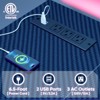
- Power Outlets: This gaming desk comes equipped with 3 AC outlets and 2 USB charging ports, allowing you to power up to 5 devices at the sam time. Easily charging for your monitors, phones or gaming gear.
- RGB LED Lights: This gaming desk with LED lights offers an immersive experience for gaming enthusiasts! It features 7 main colors and 22 dynamic modes, creating a beautiful ambiance that enhances your gaming experience.
- Monitor Stand: The 6"H removable monitor stand allows for more space and helps to reduce your neck strain with a better sitting posture by providing an ergonomic sight level.
- Reversible Desk: This computer desk features a reversible design, allowing you to install the storage shelves and monitor stand on the left or right according to your needs. Perfectly fit any corner area.
- Adjustable Shelves: Equipped with adjustable shelves, this corner desk offers 4 different height options for ample storage space to store books, plants and more. The open structure design also ensures generous legroom for a comfortable workspace.
- Sturdy & Durable: Made from high-quality P2 board and a rugged metal frame, this gaming desk is designed for durability and a long service life. The X-shape metal frame and adjustable non-slip feet ensure maximum durability and stability.
Description
Shipping details
Return details
Q: How can I changed the led color? Mine still won’t change colors
A: Thank you for your question! The LED color can be changed using the included remote control. Please ensure the light strip is properly connected, the remote batteries are installed correctly, and the receiver is not blocked. If it still does not change colors, kindly reach out to Bestier Customer Support at Service.US@bestier.net or 888-666-1086 for further assistance.
submitted byBestier - 4 months agoBrand expert
Q: how can i change the LED light? mine is stuck on green and would love to change it
A: Thank you for your question! The LED color can be changed using the included remote control. Please ensure the light strip is properly connected, the remote batteries are installed correctly, and the receiver is not blocked. If it still does not change colors, kindly reach out to Bestier Customer Support at Service.US@bestier.net or 888-666-1086 for further assistance.
submitted byBestier - 4 months agoBrand expert
Frequently bought together
Guests also viewed
Related Categories

Amazing!!!
Cool looking, sturdy desk.
Durable desk with sleek look.
Amazingly easy and quality
High quality gaming desk
Great desk
Great versatility
Everything You Can Think Of In A Gaming Desk
Nice sleek desk with LED lighting
Cool desk!

Easy to move
i like it.
Amazing space
My son loves the desk
Sturdy
Great Value In My Opinion
Excellent setup
Great deal for the money!
L shape desk