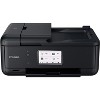
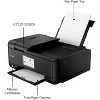
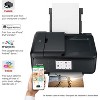
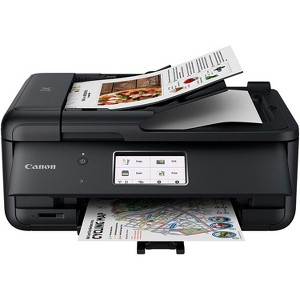
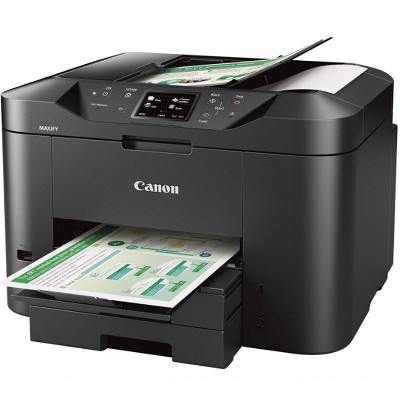
Canon TR8620a Wireless All-in-One Printer, Scanner, Copier, Fax Machine
$222.47
Out of Stock

Free & easy returns
Return this item by mail or in store within 30 days for a full refund.
Sold & shipped by Beach Camera
Find alternative
Eligible for registries and wish lists
About this item
Additional product information and recommendations
Guests also viewed
Guests are saying
The Canon TR8620A printer offers a range of features that cater to various printing needs, including wireless connectivity, double-sided printing, and a user-friendly interface. Many guests appreciate its compact design and the ability to print quickly and efficiently. However, some guests have experienced challenges with setup and connectivity, particularly with Wi-Fi. Overall, it serves well for home office tasks and casual printing, making it a solid choice for those seeking versatility in a printer.
Summary created by AI from text of reviews reflecting recent feedback provided across different star ratings (includes incentivized reviews)
4.0 out of 5 stars with 151 reviews
1 out of 5 stars
28 August, 2026
originally posted on usa.canon.com

Piece of Garbaage
Quite literally the worst piece of technology I have ever had the displeasure of purchasing.
1 out of 5 stars
27 July, 2026
originally posted on usa.canon.com
New printer
difficult setup. Was difficult to get it to show up on my computer. Must be physically turned back on if prints are not within a certain time frame, prints slower than any other canon I have previously owned
1 out of 5 stars
21 July, 2026
originally posted on usa.canon.com
Terrible
I will never buy a canon again. The printer is excruciatingly slow, has repeated errors, and lies about being low on ink. And it has taken me over an hour to print less than 100 black and white low quality pages. For example, it prints half a page, then tells me the printer may be out of ink, which triggers an error and it keeps getting stuck on “Please wait momentarily.” Such a piece of garbage.
3 out of 5 stars
5 July, 2026
originally posted on http://www.dell.com/en-us

doesn't work with XPS ARM processor
The printer is fine. In fact, it's a great printer ... once Dell Support was able to figure out the problem. Specifically, we learned that the the Canon Pixma does not have a driver for the XPS ARM architecture. We went so many go arounds with Tech Support on this before Santosh figured out a work-around. Pls don't sell this model to any other XPS owners whose laptops have the ARM processor.
5 out of 5 stars
15 June, 2026
originally posted on usa.canon.com
Canon Pixma TR8620a
The printer is outstanding. It does everything I need.
5 out of 5 stars
11 April, 2026
originally posted on usa.canon.com
Excellent Feao
Great Printer & Great Price. After making some network adjustments and restarting router, everything works fine.
5 out of 5 stars
21 March, 2026
originally posted on usa.canon.com
Replacement
Excellent replacement printer. I like the automated double-sided printing and the individual ink cartridges. I like the three different ways to add paper especially the tray where I can keep the paper. The on and off button is a little confusing; push it and it comes right on but to turn it off, I have to hold the button down for a few seconds.
5 out of 5 stars
17 March, 2026
originally posted on usa.canon.com
Replacing my PIXMA MX922
My 8 year old MX922 finally gave out and I wanted to replace it with a Canon printer with all the same features - wireless, 4 functions, double-sided printing and double-sided scanning, so Canon recommended the TR9620a. The customer service rep said that Canon has an upgrade program, so I got a discount on the new printer. I love it, although I haven't been able to figure out how to do double-sided scanning. It prints quickly, and I really like the LED touch screen. I would buy any other brand - Canon is the best!
5 out of 5 stars
27 February, 2026
originally posted on usa.canon.com
Printers
So Far this printer has done what I needed a little quicker than the one that broke down & I happy with it so far
5 out of 5 stars
16 February, 2026
originally posted on usa.canon.com
Great value, fast printing
I bought this printer 6 months or so ago. It replaced my old unmentioned printer and before that I had another Canon. It has worked pretty well, though some of the features are a little iffy. Maybe i'm just slow, but I didn't even know that it HAD a back tray even though it kept bugging me about it, and it wouldn't print anything from the bottom cassette tray. Prints documents fast but photos (expected) slower. Is a HUGE upgrade from my old unmentioned... printer, that printer stopped working and would not connect to anything at all unless I had an odd app or something. This new printer has many cloud features like DropBox, Google drive, and even (for some reason) Google Classroom. This made me very happy as I could access and print my files without even having to download any odd app to make the printer even work. I also LOVE how the printer features an SD card slot, and not just fully replacing it with options on the Cloud. Many other printers lack on this and do not have SD card slots. The automatic scan feed or whatever it's called is marvelous. I don't have to sit there scanning each thing one by one. And as a bonus, it automatically detects when it's supposed to feed paper from that tray. It also has the ability to Fax, which I haven't used since I have no need to, but it's there. The printer is easy to get to know and operate, it connects to Wi-Fi well. I love it for printing out articles with four pages of a pdf in my google drive on one printer paper, while also being double sided. This means that I can print out 8 pages of an article about gardening on just one paper, while using the ink regularly used in 2 pieces of paper. I can read the text perfectly fine. The printing on documents is crisp and clean, easy to read, doesn't smudge. This printer is my everything printer, but some downsides can include the ink cost, but you can just get off brand ink, and it prints photos quite slowly. It is also kinda annoying when it beeps telling you to open the panel for it to print, but these hardly outweigh all the positive qualities of this printer. Thank you Canon for this amazing printer.
5 out of 5 stars
5 February, 2026
originally posted on usa.canon.com
Good printer
The new printer works fine. No problems. I have had great success with Canon. The technicians are very helpful
3 out of 5 stars
30 January, 2026
originally posted on usa.canon.com
Good for the price
Doesn't hold enough paper, and some times take a long time to print but for the money it is AWESOME, best of Canon is the best company to deal with
1 out of 5 stars
21 December, 2025
originally posted on usa.canon.com
Called three times for help but sitll not working. May have a lemon.
Wifi does not connect.; Called three times to try to fix but has not helped.
5 out of 5 stars
12 December, 2025
originally posted on usa.canon.com
Love it!
So far I'm very satisfied with the printer. Easy setup, easy to use. good quality prints.
5 out of 5 stars
5 December, 2025
originally posted on usa.canon.com
Fabulous Printer and Tech Support
My previous 4 in one printer died - Canon sent me a brand new one for less then I paid for the previous one. You can always get tech support on the phone, and they can help you on the phone. When my printer died, the tech questioned me about the amount of ink on hand and said it was best to get same printer because ink for a different Canon printer would end up being too costly because it would need a different ink. Ther printer was here in 3 days. Tech support is in the USA - you are not transferred to a tech overseas.
3 out of 5 stars
10 November, 2025
originally posted on usa.canon.com
Functions as MX870...more steps to access menu and print/scan etc
Replaced a failed MX870 Canon printer...(purchased 2014)...The TR8620a has pretty much the same capabilities as the MX 870...I am disappointed in the printer being downgraded and cheapened. The MX870 was more user friendly and operated better that the TR8620a...next purchase I will go to retail outlet and do a hands on review of printer and functions before purchasing!
4 out of 5 stars
9 October, 2025
originally posted on usa.canon.com
TR9620a
Like the printer but the previous one didn't quite last two years. Print head was flaky. Canon support gave me a deal on another one, so we see how this one last.
5 out of 5 stars
12 September, 2025
originally posted on usa.canon.com
2nd Canon purchased
Has a lit of good features that make it easy to use
5 out of 5 stars
22 August, 2025
originally posted on usa.canon.com
Great printer
Awesome printer for the price, setup was a breeze, zero issues with it. Liking it way better than my old HP Officejet (which always had paper feeding issues, and printed MUCH slower)
4 out of 5 stars
23 July, 2025
originally posted on usa.canon.com
Installation For Dummies
Easy to self install, setup and connect to various devices