Sponsored
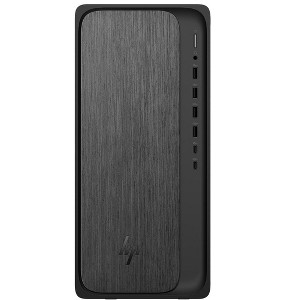
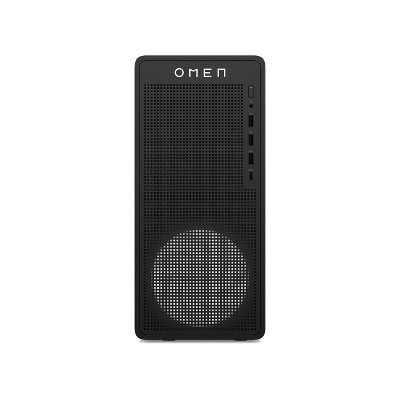
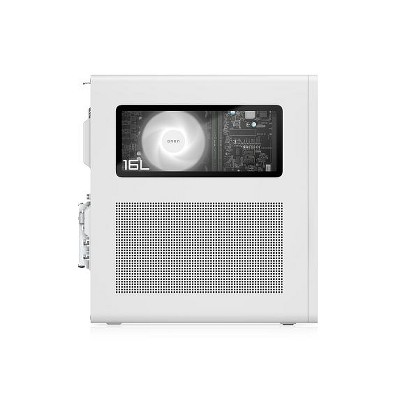
HP OmniDesk Desktop AMD Ryzen 5, 16 GB;512 GB SSD Windows 11 Home
In Stock
At a glance
Sponsored
About this item
Highlights
- Get a fresh perspective
- AMD Ryzen 8000 Series processors with AMD Radeon graphics
- AMD Radeon™ graphics
- Try PC Game Pass for free with your new HP device
- EPEAT® Gold with Climate+
Description
Shipping details
Return details
Q: AMD Ryzen 5 is in the 8000 series...what is the exact 8???
A: Hi, thanks for reaching out about the HP OmniDesk Desktop AMD Ryzen 5, 16 GB;512 GB SSD Windows 11 Home The AMD Ryzen 5 processor in the HP OmniDesk with those specifications (16 GB RAM, 512 GB SSD) is most consistently the AMD Ryzen 5 8500G. If you have any additional questions, we welcome you to contact MyTGTtech at 833-848-8324 every day between 7 am and 11 pm CST.
submitted byRena - 3 days agoTarget expert support
Q: Hey, does this model happen to come with any HDMI ports installed???
A: Hi, thanks for reaching out about the HP OmniDesk Desktop AMD Ryzen 5, 16 GB;512 GB SSD Windows 11 Home Yes, the HP OmniDesk Desktop with the AMD Ryzen 5 processor and integrated graphics does include an HDMI port. I port. If you have any additional questions, we welcome you to contact MyTGTtech at 833-848-8324 every day between 7 am and 11 pm CST.
submitted byRena - 2 months agoTarget expert support
Q: Do it come with any cords or connectors?
A: Hi, thanks for reaching out about HP OmniDesk Desktop AMD Ryzen 5, 16 GB;512 GB SSD Windows 11 Home. Yes, the HP OmniDesk Desktop typically comes with the following accessories: Power Supply: A power supply and power cord are included to connect the desktop to a power outlet. Keyboard and Mouse: It usually comes with a keyboard and mouse combo. Depending on the specific model, these may be wired (USB) or wireless. Setup Instructions: A quick-start guide or user manual is also included to help with the initial setup. You will need to provide your own monitor and the appropriate video cable (such as an HDMI or DisplayPort cable) to connect the desktop to the monitor. If you have any additional questions, we welcome you to contact MyTGTtech at 833-848-8324 every day, between 7am-11pm CST.
submitted byJoe - 2 months agoTarget staff support
Guests also viewed
Discover more options
Related Categories

Was this a mistake?
Worth every penny!

An excellent purchase.

HP...Happy with Product
Processing power
Good basic desktop PC, no frills, but very adequate
Great desktop computer!
Really nice computer.
Love this New Desktop

a lot faster than my intel 5 I had
Satisfaction
Great home desktop but lacks an optical drive
Scottish
Only for those that dont open the box
Easy to set up.
Great New PC
I love this pc
(no review title)
Very good computer overall