New ArrivalsGift IdeasHoliday Hosting & EntertainingChristmasAI Gift FinderClothing, Shoes & AccessoriesToysElectronicsBeautyGift CardsHomeFurnitureCharacter ShopBabyKitchen & DiningGroceryHousehold EssentialsSchool & Office SuppliesVideo GamesMovies, Music & BooksSports & OutdoorsBackpacks & LuggagePersonal CareHealthPetsUlta Beauty at TargetTarget OpticalParty SuppliesClearanceTarget New Arrivals Target Finds #TargetStyleHanukkahStore EventsAsian-Owned Brands at TargetBlack-Owned or Founded Brands at TargetLatino-Owned Brands at TargetWomen-Owned Brands at TargetLGBTQIA+ ShopTop DealsTarget Circle DealsWeekly AdShop Order PickupShop Same Day DeliveryRegistryRedCardTarget CircleFind Stores
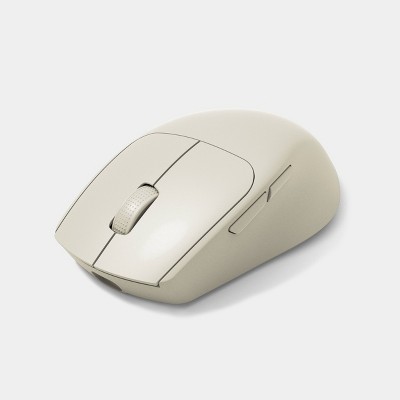
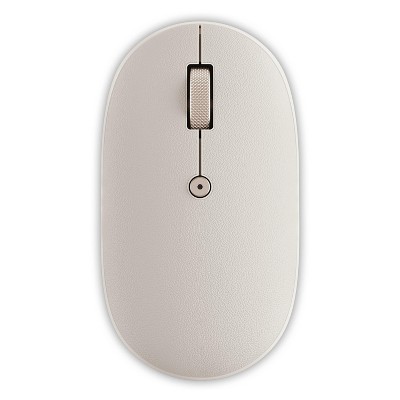
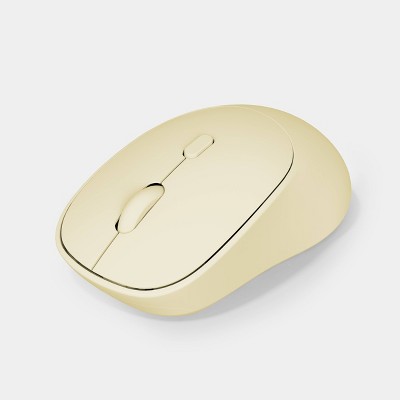
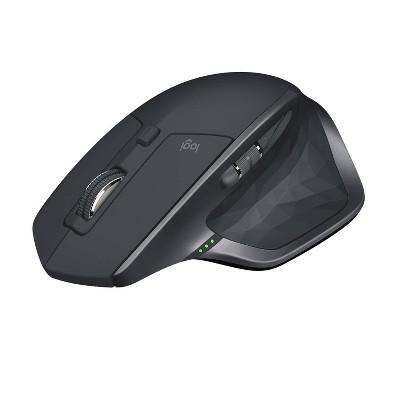
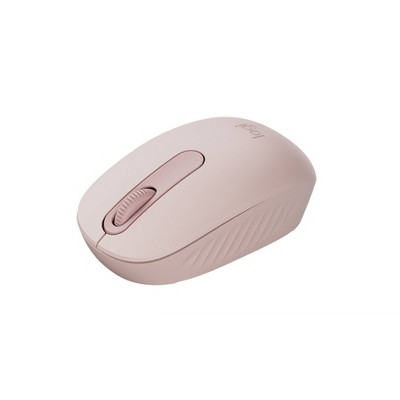
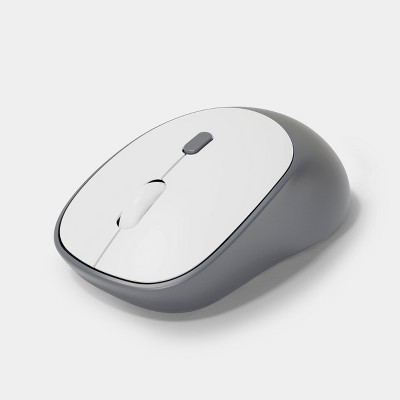
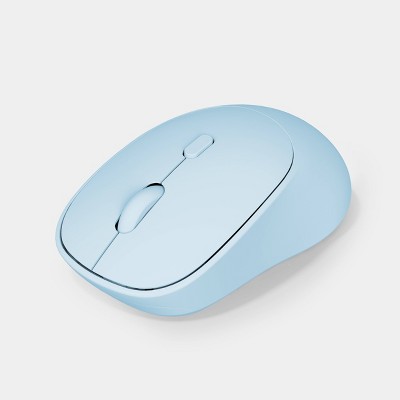
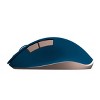
North Wireless Ergonomic 6 Button Mouse - 2 of 3North Wireless Ergonomic 6 Button Mouse - 3 of 3
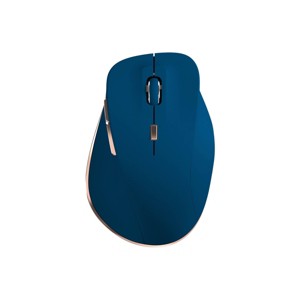
North Wireless Ergonomic 6 Button Mouse - 1 of 3

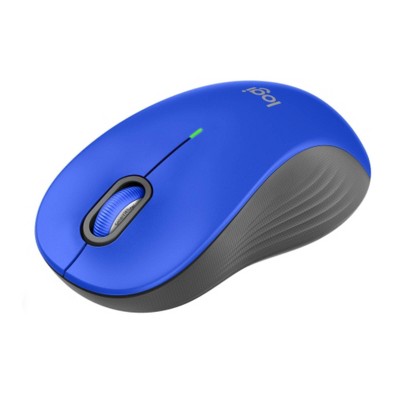
North Wireless Ergonomic 6 Button Mouse

$14.99

ColorNavy
  • Beige
  • Cherry Red
  • Light Mint Green
  • Navy
  • Pink
  • Plum Purple
  • Sky Blue

In Stock

Eligible for registries and wish lists

At a glance

Sponsored

About this item

Highlights

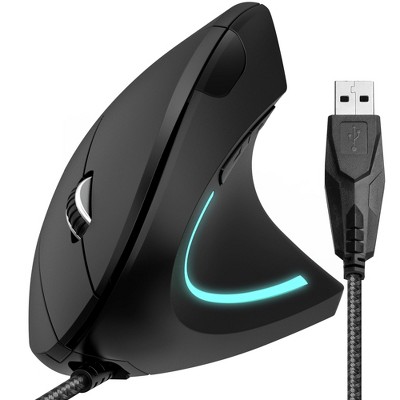
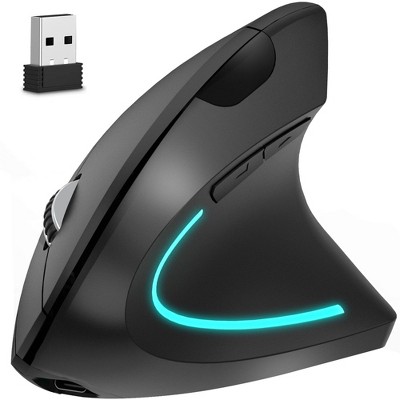
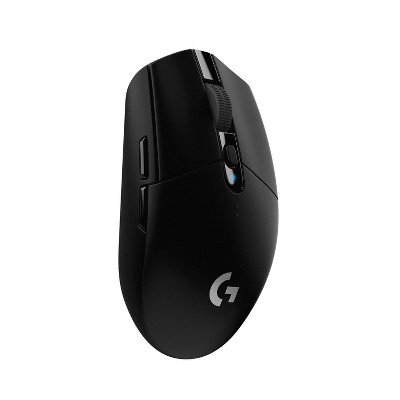
  • Ergonomic 6 button design for all day comfort
  • Dual connection modes: 2.4GHz & wireless pairing
  • 1600 DPI max with 3 adjustable settings
  • 300 hour battery life
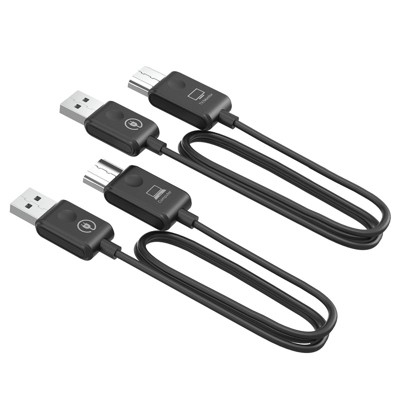
  • USB-C charging cable included

Description

Work comfortably and efficiently with this North Rechargeable Ergonomic Mouse, designed with a 6-button layout for all-day ease of use. It supports both 2.4GHz connection and wireless pairing for your convenience. With up to 1600 DPI and three adjustable settings, you can fine-tune your cursor speed to match your workflow. The long-lasting battery delivers up to 300 hours of use on a single charge, and a USB-C charging cable is included for quick and easy recharging. Perfect for both home and office setups, it’s a smart upgrade for any workspace.
Dimensions (Overall): 2.76 Inches (H) x 4.17 Inches (W) x 1.56 Inches (D)
Weight: 88 Grams
Electronics Features: Wireless, Built-In Rechargeable Battery, Ergonomic Design
Connection Type: No Wired Connection Ports
Wireless Technology: Radio Frequency
Primary use: Business
Battery: 1 Non-Universal Lithium Ion, Required, Included
TCIN: 94419233
UPC: 810125119873
Item Number (DPCI): 056-00-2709
Origin: Imported
If the item details aren’t accurate or complete, we want to know about it.

Shipping details

Estimated ship dimensions: 6.3 inches length x 4.2 inches width x 2.1 inches height
Estimated ship weight: 0.3 pounds
We regret that this item cannot be shipped to PO Boxes.
This item cannot be shipped to the following locations: American Samoa (see also separate entry under AS), Guam (see also separate entry under GU), Northern Mariana Islands, Puerto Rico (see also separate entry under PR), United States Minor Outlying Islands, Virgin Islands, U.S., APO/FPO

Return details

This item must be returned to any Target store.
This item must be returned within 30 days of the date it was purchased in store, shipped, delivered by a Shipt shopper, or made ready for pickup.
See the return policy for complete information.

Q: I threw away the instructions accidentally, does anyone know how to connect the mouse to the pc ? I connect the usb and set it to 2.4 and nothing.

submitted by Marmirr155 - 6 months ago
  • A: So if yours is like mine was, it appears that the sticker was misprinted, and when I went to switch it to USB mode (Under the neutral position) from off (Neutral) it actually turned on the bluetooth.

    submitted byJake - 6 months ago
  • A: Hi Marmirr155, thanks for reaching out about the North Wireless Ergonomic 6 Button Mouse The North Wireless Ergonomic 6 Button Mouse offers dual connection modes: 2.4GHz wireless (using a USB receiver) and Bluetooth wireless pairing.Some mice have a "Connect" or "Pairing" button on the bottom. If the cursor doesn't move, press this button once after plugging in the receiver and turning on the mouse. If you have any additional questions, we welcome you to contact MyTGTtech at 833-848-8324 every day between 7 am and 11 pm CST.

    submitted byRena - 6 months ago
    Target expert support
  • A: Hi Marmirr155, thanks for reaching out about the North Wireless Ergonomic 6 Button Mouse The North Wireless Ergonomic 6 Button Mouse offers dual connection modes: 2.4GHz wireless (using a USB receiver) and Bluetooth wireless pairing. Some mice have a "Connect" or "Pairing" button on the bottom. If the cursor doesn't move, press this button once after plugging in the receiver and turning on the mouse. If you have any additional questions, we welcome you to contact MyTGTtech at 833-848-8324 every day between 7 am and 11 pm CST.

    submitted byRena - 6 months ago
    Target expert support
  • A: Hi Marmirr155, thanks for reaching out about the North Wireless Ergonomic 6 Button Mouse. The North Wireless Ergonomic 6 Button Mouse offers dual connection modes: 2.4GHz wireless (using a USB receiver) and Bluetooth wireless pairing. Some mice have a "Connect" or "Pairing" button on the bottom. If the cursor doesn't move, press this button once after plugging in the receiver and turning on the mouse. If you have any additional questions, we welcome you to contact MyTGTtech at 833-848-8324 every day between 7 am and 11 pm CST.

    submitted byRena - 6 months ago
    Target expert support

Q: Is this a USB C wireless mouse?

submitted by MC1313 - 7 days ago
  • A: Hi, thanks for reaching out about North Wireless Ergonomic 6 Button Mouse This wireless mouse includes a USB-C cable for charging, and the wireless receiver dongle that is included is a 2-in-1 combo receiver that is designed to plug directly into both USB-A (the standard rectangular port) and USB-C ports. This dual-connector design makes it very versatile for use with a variety of devices. If you have any additional questions, we welcome you to contact MyTGTtech at 833-848-8324 every day, between 7am-11pm CST.

    submitted byMike - 6 days ago
    Target expert support

Q: Can this mouse connect to multi devices?

submitted by Hannah - 18 days ago
  • A: Hi, thank you for reaching out about North Wireless Ergonomic 6 Button Mouse. Yes, the North Wireless Ergonomic 6 Button Mouse can connect to multiple devices because it features dual connection modes: 2.4GHz wireless (via a USB receiver) and Bluetooth wireless pairing. If you have any additional questions, we welcome you to contact MyTGTtech at 833-848-8324 every day, between 7am-11pm CST.

    submitted byMatt - 17 days ago
    Target expert support

Q: How do you clean it. I tried alcohol wipes but they don't do anything.

submitted by Lexyr - 1 month ago
  • A: Hi, thanks for reaching out about the North Wireless Ergonomic 6 Button Mouse Alcohol wipes often don't work because the issue isn't just dirt—it's usually a combination of oils/sweat and the rubber coating itself starting to degrade or become sticky. If you have any additional questions, we welcome you to contact MyTGTtech at 833-848-8324 every day between 7 am and 11 pm CST.

    submitted byRena - 1 month ago
    Target expert support

Q: whatI couldn't find anything in the instructions. What is the link for the software to download/reprogram the buttons?

submitted by Rebecca - 3 months ago
  • A: Hi, thanks for reaching out about the North Wireless Ergonomic 6 Button Mouse The most reliable place to find the software will be on the North Gaming Gear website's 'Softwares' section. If you have any additional questions, we welcome you to contact MyTGTtech at 833-848-8324 every day between 7 am and 11 pm CST.

    submitted byRena - 3 months ago
    Target expert support

Q: I rea. I I read somewhere that you need to install some software from the manufacturer to change the button settings. I looked online and in the manual with no luck. Can anyone provide a link?

submitted by Rebecca - 3 months ago
  • A: Hi, thanks for reaching out about North Wireless Ergonomic 6 Button Mouse. I understand your frustration. It can be difficult to find the right software for a less common or generic brand mouse. The "North" brand appears to be a private label or house brand for retailers like Target, which often means finding support and software can be a challenge. Based on the available information, it seems that some mice under the "North" brand, particularly gaming-oriented models, are produced by a company called Ragnok. They have a software download page for their products. Since your mouse is the North Wireless Ergonomic 6 Button Mouse, there is a good chance that its customization software can be found on the Ragnok website. You should check their download page to see if your specific mouse model is listed. Here is the link to the Ragnok software download page: Ragnok Software Download: https://ragnok.com/pages/download If you have any additional questions, we welcome you to contact MyTGTtech at 833-848-8324 every day, between 7am-11pm CST.

    submitted byJoe - 3 months ago
    Target staff support

Q: How do you change the mouse buttons to be able to do what you want. There's 6 buttons but only the clicking ones work for me, I want to map the ones on the side too but I don't know how.

submitted by - 3 months ago
  • A: Hi, thank you for reaching out about North Wireless Ergonomic 6 Button Mouse. To change the buttons on your North Wireless Ergonomic 6 Button Mouse, you must install the manufacturer's software for button customization. Once installed, you can open the software, find the button configuration settings, and then select the button you want to change from a drop-down menu to assign it a new function. -Locate and Install Software: Check the manufacturer's website (or the packaging) for the "North Wireless Ergonomic 6 Button Mouse" to find and download its dedicated software. If you have any additional questions, we welcome you to contact MyTGTtech at 833-848-8324 every day, between 7am-11pm CST.

    submitted byMatt - 3 months ago
    Target expert support

Q: Is this a left hand or right hand mouse?

submitted by Rubi - 3 months ago
  • A: Hi, thanks for reaching out about North Wireless Ergonomic 6 Button Mouse. Based on available product descriptions, the North Wireless Ergonomic 6 Button Mouse is designed for right-handed users. This is a common design choice for ergonomic mice, which are sculpted to fit the natural contours of a specific hand to reduce strain. If you have any additional questions, we welcome you to contact MyTGTtech at 833-848-8324 every day, between 7am-11pm CST.

    submitted byJoe - 3 months ago
    Target staff support

Q: Can it be paired without the USB? My laptop only has a USB C port.

submitted by Molly - 3 months ago
  • A: Hi, thanks for reaching out about North Wireless Ergonomic 6 Button Mouse - Beige: Radio Frequency, Rechargeable No. The USB receiver is required for the device to function. If you have any additional questions, we welcome you to contact MyTGTtech at 833-848-8324 every day, between 7am-11pm CST.

    submitted byJustin - 3 months ago
    Target expert support

Q: Does it come with a dongle?

submitted by Idk - 3 months ago
  • A: Hi, thanks for reaching out about North Wireless Ergonomic 6 Button Mouse. Yes, the North Wireless Ergonomic 6 Button Mouse comes with a USB dongle (also referred to as a "USB receiver"). If you have any additional questions, we welcome you to contact MyTGTtech at 833-848-8324 every day, between 7am-11pm CST.

    submitted byJoe - 3 months ago
    Target staff support

Related Categories

Guests are saying

This wireless ergonomic mouse offers a blend of comfort, style, and functionality, making it an excellent choice for both work and leisure. With its lightweight design, rechargeable battery, and six-button layout, it caters to various user needs. The mouse connects easily via Bluetooth or USB, ensuring a seamless experience. Its attractive colors and ergonomic shape enhance the overall user experience, making it a great addition to any workspace.
    Summary created by AI from text of reviews reflecting recent feedback provided across different star ratings (includes incentivized reviews)
    3.6 out of 5 stars with 172 reviews
    quality: 1.84 out of 5
    value: 2.13 out of 5
    63% would recommend
    123 recommendations
    2 out of 5 stars
    Thumbs down graphic, would not recommend
    19 December, 2025Verified purchase

    Faulty but pretty

    Beautiful but faulty. Tracking is slow and it shuts down mid use. have to wake it up by doing a right click then I can use it again. I like that it's rechargeable, but overall waste of money.
    melisa
    quality: 2 out of 5
    value: 2 out of 5
    Did you find this review helpful?
    1 out of 5 stars
    Thumbs down graphic, would not recommend
    16 December, 2025Verified purchase

    Nope

    Always disconnects or turns off or stops working mid work. SOO ANNOYING
    Julia
    quality: 1 out of 5
    value: 1 out of 5
    Did you find this review helpful?
    1 out of 5 stars
    Thumbs down graphic, would not recommend
    14 December, 2025Verified purchase

    Garbage

    Same experience as others in that the mouse constantly disconnects and stops working. First week or two it worked great now it’s total trash.
    Ally
    quality: 1 out of 5
    value: 1 out of 5
    1 guest found this review helpful. Did you?
    1 out of 5 stars
    Thumbs down graphic, would not recommend
    8 December, 2025Verified purchase

    Poor quality - would not recommend

    This mouse worked for about 2 days and then started acting weird. Double clicking without me double clicking, highlighting in the wrong spot, not working half the time. I charged it completely twice when it said battery life lasts 300 hours, just the most annoying thing to deal with it’s messed yp some of my work. The only reasons it’s getting even one star is because it’s comfortable in my hand
    Anna
    quality: 1 out of 5
    value: 2 out of 5
    2 guests found this review helpful. Did you?
    1 out of 5 stars
    Thumbs down graphic, would not recommend
    8 December, 2025Verified purchase

    Waste of money

    Works for about 2 minutes, then stops working. Doesn’t scroll smoothly. It feels like it’s made from cheap plastic.
    sarahakh1013
    quality: 1 out of 5
    value: 1 out of 5
    2 guests found this review helpful. Did you?
    2 out of 5 stars
    Thumbs down graphic, would not recommend
    3 December, 2025Verified purchase

    (no review title)

    The mouse constantly turns off. I will be in the middle of using it and it just stops working. I bought specifically for the wireless ability so it's beyong frustrating. It is very comfortable, but the irritation with continously clicking it to wake it up makes it borderline useless to me.
    hannah
    quality: 1 out of 5
    value: 2 out of 5
    1 guest found this review helpful. Did you?
    1 out of 5 stars
    3 December, 2025Verified purchase

    (no review title)

    Awful barely worked complete garbage
    Jasmine
    2 guests found this review helpful. Did you?
    1 out of 5 stars
    Thumbs down graphic, would not recommend
    1 December, 2025Verified purchase

    Doesn't Work

    What a waste of money. It worked for 1 day just barely and now rarely ever connects and, if it somehow does, it constantly disconnects. Worst mouse I've ever used and total waste of money & time.
    qoekepzmxmxb
    quality: 1 out of 5
    value: 1 out of 5
    2 guests found this review helpful. Did you?
    1 out of 5 stars
    Thumbs down graphic, would not recommend
    28 November, 2025Verified purchase

    (no review title)

    Stopped working properly. Was not able to return as it stopped working right after the return window closed.
    Angela
    quality: 1 out of 5
    value: 3 out of 5
    1 guest found this review helpful. Did you?
    1 out of 5 stars
    Thumbs down graphic, would not recommend
    26 November, 2025Verified purchase

    Really Wanted to Love It

    Loved the color and at first it worked amazing. Quick bluetooth pairing and a good dongle if you wanted to plug that in to your laptop. After about 2 weeks the mouse started to malfunction (even at a full charge) so I returned it. Really wanted to love it, but unfortunately it is not the quality of a mouse that will last.
    Catherine
    quality: 1 out of 5
    value: 1 out of 5
    1 guest found this review helpful. Did you?
    5 out of 5 stars
    Thumbs up graphic, would recommend
    25 November, 2025Verified purchase

    Perfect for my Macbook Air

    I purchased to use with my MacBook Air. It’s wireless so I don’t need to plug a chip in and then connect Bluetooth. It just connects. Perfect.
    ItsMei
    quality: 5 out of 5
    value: 5 out of 5
    Did you find this review helpful?
    2 out of 5 stars
    Thumbs down graphic, would not recommend
    21 November, 2025Verified purchase

    Eh

    Feels fine, just loses charge quickly, and disconnects constantly.
    cait
    quality: 2 out of 5
    value: 3 out of 5
    Did you find this review helpful?
    2 out of 5 stars
    Thumbs down graphic, would not recommend
    21 November, 2025Verified purchase

    Best fit, horrible connection

    This is the most comfortable mouse I have found and I am so disappointed. Like other reviews, it doesn’t stay connected. It’ll drop in and out while using it, tried it plugged in and it does the same thing. If they could fix the connectivity issue, it would be the best mouse ever. My hand is so comfortable on it, it’s large but not too large, soft and not plastic-y, doesn’t make my hand sweaty…
    Jluna
    quality: 1 out of 5
    value: 2 out of 5
    1 guest found this review helpful. Did you?
    1 out of 5 stars
    Thumbs down graphic, would not recommend
    13 November, 2025Verified purchase

    (no review title)

    You get what you pay for was what I thought when I bought this mouse, and almost impressively it’s worse than that low bar
    Selin
    quality: 1 out of 5
    value: 2 out of 5
    1 guest found this review helpful. Did you?
    1 out of 5 stars
    Thumbs down graphic, would not recommend
    13 November, 2025Verified purchase

    Worst mouse ever

    This is the most annoying mouse. Feels cheap and breakable. Bump it lightly once and it starts struggling to connect. It’ll randomly drop out WHILE I’m using it. Very frustrating. Waste of money! Do NOT buy!
    N
    quality: 1 out of 5
    value: 1 out of 5
    Did you find this review helpful?
    1 out of 5 stars
    Thumbs down graphic, would not recommend
    10 November, 2025

    Do Not Buy. Immediately Didn't Work.

    It didn't even work coming right out the box. It took 15 minutes for it to connect and then when it does connect the cursor just skips all over the screen.
    John
    Did you find this review helpful?
    1 out of 5 stars
    Thumbs down graphic, would not recommend
    4 November, 2025Verified purchase

    do not buy

    it does seem ergonomic if you can use it. the battery dies so quickly. very light, feels cheap. very hard to click on screen.
    Maddy
    quality: 1 out of 5
    value: 1 out of 5
    1 guest found this review helpful. Did you?
    2 out of 5 stars
    Thumbs down graphic, would not recommend
    3 November, 2025Verified purchase

    Poor quality.

    It is mostly fine. After around 3 months of use, this mouse has become increasingly frustrating to use. It jumps around, refuses to hold highlighted text, and clicks poorly. Wish I had saved my money - didn't even last me through the semester.
    Annelise
    quality: 2 out of 5
    value: 1 out of 5
    4 guests found this review helpful. Did you?
    2 out of 5 stars
    Thumbs down graphic, would not recommend
    31 October, 2025Verified purchase

    Became problematic

    It worked just fine at first, but after a couple of weeks it started to give me issues with the clicking. I clic once it does the action of a double click and sometimes does click on the spot where the pointer is on the screen and when I attempt to highlight something it moves it around instead of highlighting (on word or excel). Overall it is causing me more work to just try to and get it to click/do on the correct thing.
    Janet
    quality: 2 out of 5
    value: 2 out of 5
    4 guests found this review helpful. Did you?
    2 out of 5 stars
    Thumbs down graphic, would not recommend
    31 October, 2025Verified purchase

    Pretty... when it works

    The mouse is very comfortable to hold, and I appreciate the aesthetic colors. However, after about a month, the Bluetooth connection to my MacBook craps out after about 5 minutes of use and refuses to track my movements despite working buttons. I would not recommend.
    Dan
    quality: 2 out of 5
    value: 4 out of 5
    2 guests found this review helpful. Did you?

    Get top deals, latest trends, and more.

    Privacy policy

    Footer

    About Us

    About TargetCareersNews & BlogTarget BrandsBullseye ShopSustainability & GovernancePress CenterAdvertise with UsInvestorsAffiliates & PartnersSuppliersTargetPlus

    Help

    Target HelpReturnsTrack OrdersRecallsContact UsFeedbackAccessibilitySecurity & FraudTeam Member ServicesLegal & Privacy

    Stores

    Find a StoreClinicPharmacyTarget OpticalMore In-Store Services

    Services

    Target Circle™Target Circle™ CardTarget Circle 360™Target AppRegistrySame Day DeliveryOrder PickupDrive UpFree 2-Day ShippingShipping & DeliveryMore Services
    PinterestFacebookInstagramXYoutubeTiktokTermsCA Supply ChainPrivacy PolicyCA Privacy RightsYour Privacy ChoicesInterest Based AdsHealth Privacy Policy