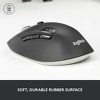
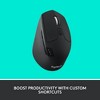

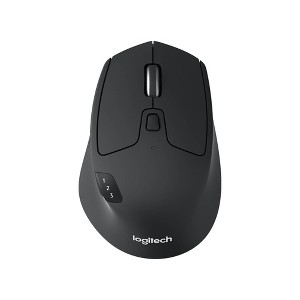
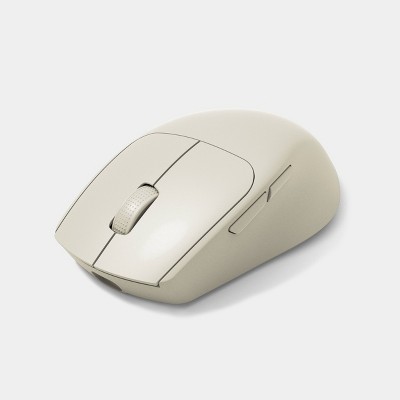
Logitech USB-A Precision Mouse Pro: Wireless Bluetooth Connection for Home Use
$34.99
In Stock
Eligible for registries and wish lists
At a glance
About this item
Additional product information and recommendations
Discover more options
- $21.99reg $29.99 Sale
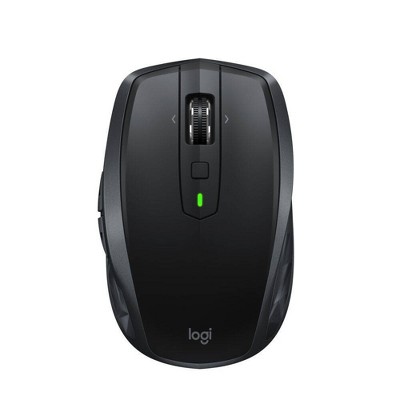
Frequently bought together



Guests also viewed
Related Categories
3.9 out of 5 stars with 14 reviews
quality: 4.14 out of 5
value: 4 out of 5
57% would recommend
7 recommendations
2 out of 5 stars
6 September, 2026Verified purchase
Expect better from Logitech
I’ve always been a Logitech guy but this one has me disappointed. It works on multiple surfaces but been struggling with the usability. Oftentimes I’ve myself not being able to click and select things that I’m trying to click on. I hoped for a better experience from a Logitech product.
5 out of 5 stars
Thumbs up graphic, would recommend
4 September, 2026Verified purchase
Great mouse for multiple devices
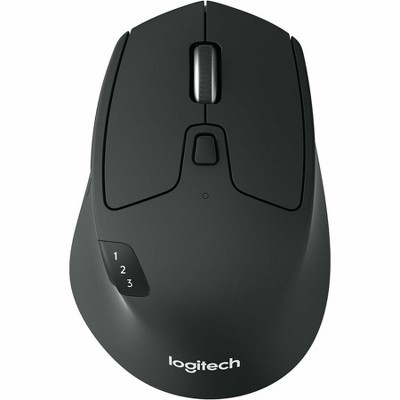
Very useful and works as expected. I love that I can connect to one computer via Bluetooth and another with the USB. Switching between devices is super easy and quick. I even set it up to work with my Lenovo tablet. Other useful features are the dual mode scrolling, so I can switch between fast or precise for the scroll wheel, and programmable buttons. Highly recommend if like me you use multiple devices at your desk.
2 out of 5 stars
Thumbs down graphic, would not recommend
29 August, 2026
Not a quiet mouse!
This is the M720 Logitech mouse, why can't they just call it that. If you are looking for a quiet mouse this is not one. Terribly loud. Really unfortunate as Logitech does make quiet mice. Would not recomend.
1 out of 5 stars
Thumbs down graphic, would not recommend
28 July, 2026
Bait and switch delivery
This is a bait and switch. Delivery promised on a Tuesday and then updated to Friday within 24 hours if ordering. How does this go from one day to 5 days??
5 out of 5 stars
30 May, 2026Verified purchase
(no review title)
Best mouse in market with 3channel Bluetooth switch
5 out of 5 stars
Thumbs up graphic, would recommend
27 May, 2026
(no review title)
Hands down one of the best mouses. I use this for my engineering job constantly switching between tabs and different devices is SOOOO helpful. 10/10 recommend, though initial pairing requires persistence
4 out of 5 stars
Thumbs up graphic, would recommend
26 February, 2026Verified purchase
Excellent Ergonomics, Limited by Software Needs
I first tried this mouse at a friend’s house and immediately liked how it sat in my hand. It just feels right. So naturally I went home and ordered one. What really sold me was the idea of programming custom shortcuts directly onto the mouse. It sounded like a productivity dream. And it is… with one small catch. To program the buttons, you have to download Logitech’s software. Totally reasonable. Completely logical. Sadly, I was not in my most logical era when I hit “buy.” If you’re using this on a personal computer, it’s great. I tested the software on my Mac and customizing the buttons was quick and easy. No complaints there. The issue comes in if you’re hoping to use it on a work computer. Many workplaces either block downloads or strongly discourage them. And the custom settings don’t transfer over from one computer to another, so you can’t program it at home and expect those shortcuts to follow you to the office. That said, the mouse itself is solid. It can connect to three different devices via Bluetooth with a simple button click, plus it includes a USB dongle option. That’s actually fantastic for households where multiple people want their own setups. It just doesn’t solve my particular work-computer dilemma. Am I keeping it? Yes. Because at the end of the day, it fits my hand perfectly, and comfort counts for a lot when you’re clicking your life away. I also really appreciate that I don’t have to rely on the dongle. Being able to use Bluetooth means one less tiny piece to keep track of or accidentally lose
3 out of 5 stars
Thumbs down graphic, would not recommend
16 December, 2025
Stopped working after a year
Nice mouse while it lasted. Left click stopped working after a little over a year. Not sure if it's just the mouse I bought. I have some other Logitechs still going after multiple years years.
5 out of 5 stars
Thumbs up graphic, would recommend
13 July, 2025Verified purchase
Comfortable and affordable mouse
This is the M720 mouse. I had one that lasted for about 5 years before I had an issue with clicking and dragging. I tried to repair it using DIY videos online with Wd40, but the fix only lasted about a day. So...I just bought the same M720 mouse. Nothing has changed design-wise in 5 years. It seems to be the exact same great mouse. I don't understand the review saying it's heavy...you're sliding it around, not lifting it. And the battery is a single AA that lasts a year or two before needing to replace it.
3 out of 5 stars
8 July, 2025Verified purchase
Good shape, heavy mouse
It’s a heavy mouse. Wish it was rechargeable and not AA battery powered.