

Target New ArrivalsHalloweenClothing, Shoes & AccessoriesHome & DecorKitchen & DiningPatio, Lawn & GardenGroceryHousehold EssentialsBabyBeautyTarget Beauty StudioPersonal CareSports & OutdoorsPetsHealthWellnessSchool & Office SuppliesToys & GamesElectronics & TechVideo GamesBooks, Music & MoviesParty SuppliesGift IdeasGift CardsShop by CommunityTarget OpticalDealsClearanceNew ArrivalsBack to SchoolCollegeTop DealsTarget Circle DealsWeekly AdShop Order PickupShop Same Day DeliveryRegistryRedCardTarget CircleFind Stores
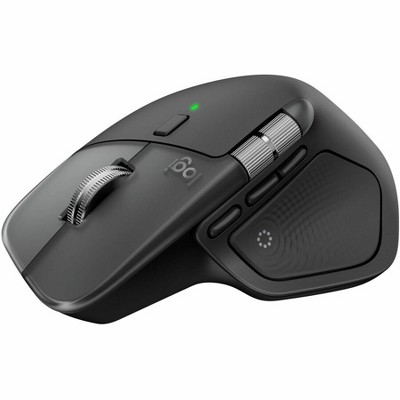
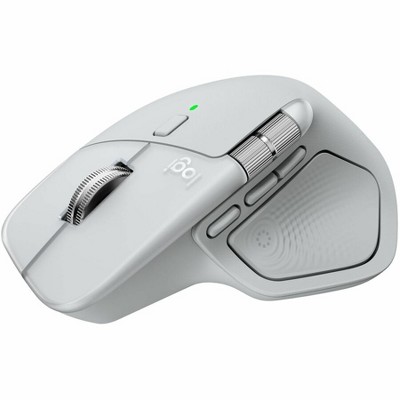
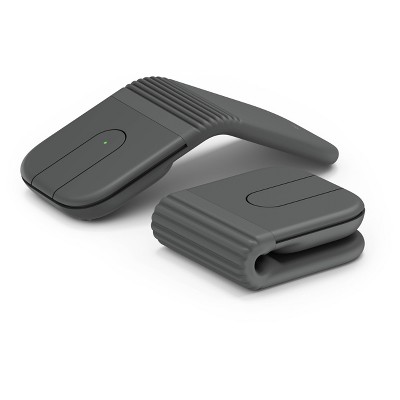
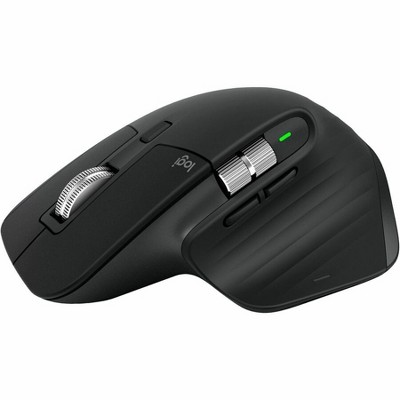
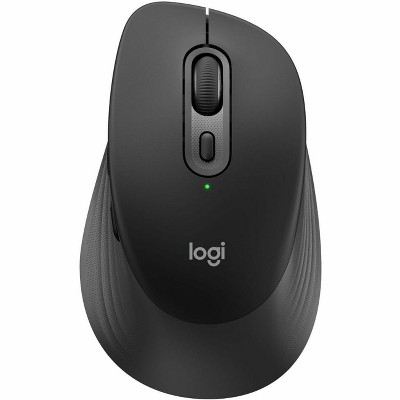
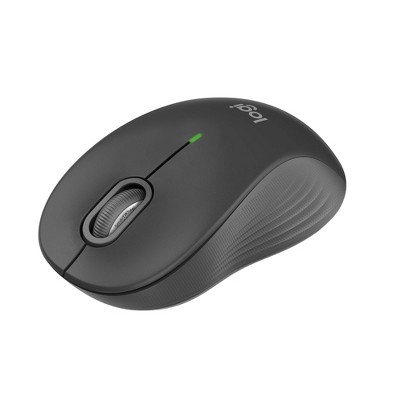
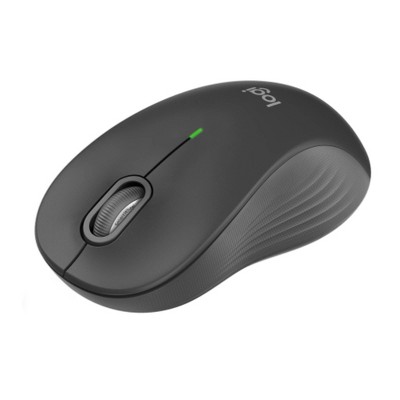
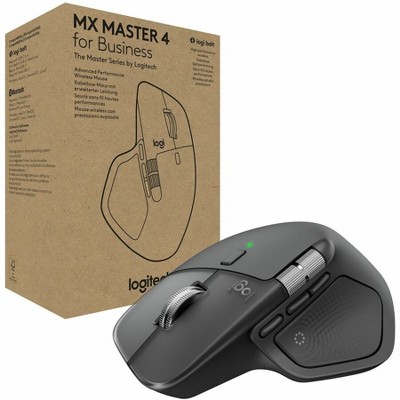
Logitech - MX ERGO S PLUS Wireless Ergonomic Trackball Mouse with 6 Programmable Buttons - Wireless - Graphite - 2 of 4Logitech - MX ERGO S PLUS Wireless Ergonomic Trackball Mouse with 6 Programmable Buttons - Wireless - Graphite - 3 of 4Logitech - MX ERGO S PLUS Wireless Ergonomic Trackball Mouse with 6 Programmable Buttons - Wireless - Graphite - 4 of 4
Logitech - MX ERGO S PLUS Wireless Ergonomic Trackball Mouse with 6 Programmable Buttons - Wireless - Graphite - 1 of 4

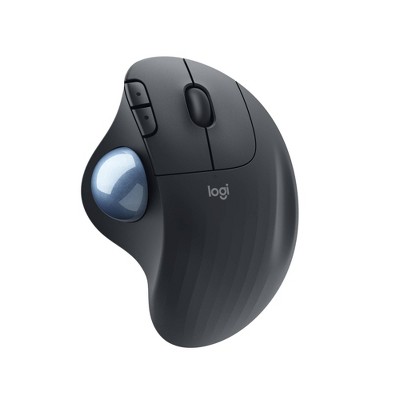
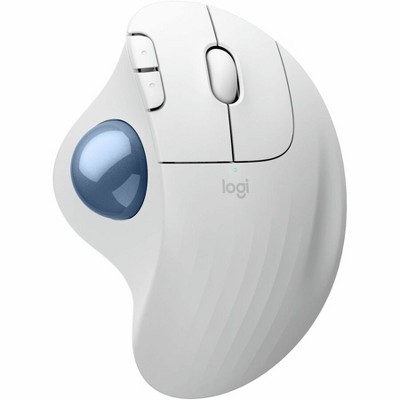
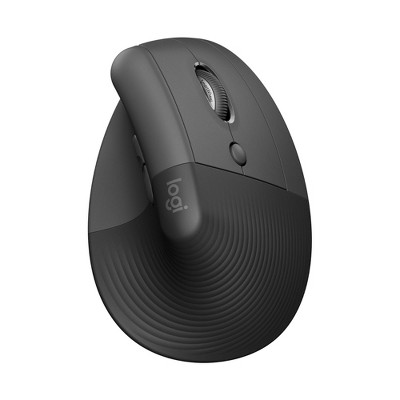
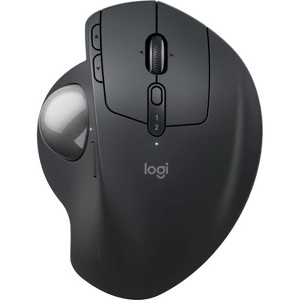
Logitech - MX ERGO S PLUS Wireless Ergonomic Trackball Mouse with 6 Programmable Buttons - Wireless - Graphite

$119.99

In Stock

Free & easy returns
Free & easy returns
Return this item in store within 30 days for a full refund.
Sold & shipped by Mega Retail Store
Eligible for registries and wish lists
Save 5% every day
With Target Circle™ Card (restrictions apply)

At a glance

About this item

Highlights

  • Advanced thumb control: The MX Ergo S Advanced wireless trackball mouse gives more control with less movement; switch between speed and high-precision tracking at the tap of a button
  • 20-degree tilt angle or 30-degree with a detachable wedge: An advanced wireless ergonomic mouse with a tilt angle for better forearm posture, reducing muscle strain by 27%; now with 80% quieter clicks
  • Contoured for your hand: The MX Ergo S Plus is certified by United States Ergonomics for improved comfort, with a sculpted ergonomic design, 20-degree tilt angle, and 10-degree detachable wedge
  • Boost your productivity using the Logi Options+ App: Experience enhanced control in your daily tasks with 6 customizable buttons, time-saving shortcuts, and Smart Actions
  • Quick USB-C charging: Enjoy up to 24h of use from a 1 min charge or up to 120 days with a full charge; charges with a USB Type C to Type C or USB Type A to Type C cable (not included)
  • Dual wireless connectivity: Connect your rechargeable wireless mouse via Bluetooth or Logi Bolt USB receiver (included); switch between computers with a tap of the Easy-Switch button
  • Made with recycled plastic: The plastic parts in the MX Ergo S Plus wireless rechargeable mouse are made of 26% certified post-consumer recycled plastic
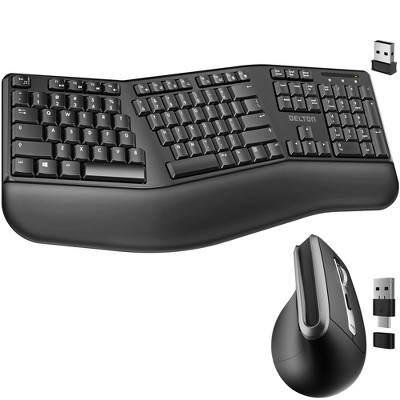
  • Complete your advanced setup: Pair the MX Ergo S Plus with the ERGO K860 ergonomic split-curved keyboard, featuring an integrated cushioned palm rest for all-day comfort

Description

Experience MX Ergo S Plus advanced wireless trackball, user-tested and certified by United States Ergonomics, with a 20-degree tilt angle for 27% less muscle strain in your forearm and a detachable 10-degree wedge for even more comfort throughout your day. With no need to move the hand around to move the cursor, thumb control lets you work at peak performance and comfort while saving space on your desk. Equipped with quiet clicks, 6 customizable buttons with the Logi Options+ App, dual connectivity with the included Logi Bolt receiver, and fast USB-C charging to get 24h of use with a 1-min charge (cable not included).
Dimensions (Overall): 2.02 inches (H) x 3.93 inches (W) x 5.22 inches (D)
Weight: .36 pounds
Electronics Condition: New
Connection Type: USB
Primary use: Business
Wireless Technology: Bluetooth
Number of buttons or keys: 8
Battery: Lithium, Required, Installed
Warranty: 1 Year Limited Warranty. To obtain a copy of the manufacturer's or supplier's warranty for this item prior to purchasing the item, please call Target Guest Services at 1-800-591-3869
TCIN: 1005296491
UPC: 097855196668
Origin: made in the USA or imported
The above item details were provided by the Target Plus™ Partner. Target does not represent or warrant that this information is accurate or complete. On occasion, manufacturers may modify their items and update their labels.
We recommend that you do not rely solely on the information presented. If you have a specific question about this item, you may consult the item's label, contact the manufacturer directly or call Target Guest Services at 1-800-591-3869.
If the item details aren’t accurate or complete, we want to know about it.

Shipping details

Estimated ship dimensions: 5.7 inches length x 4.4 inches width x 3.1 inches height
Estimated ship weight: 0.9 pounds
We regret that this item cannot be shipped to PO Boxes.
This item cannot be shipped to the following locations: American Samoa (see also separate entry under AS), Guam (see also separate entry under GU), Northern Mariana Islands, Puerto Rico (see also separate entry under PR), United States Minor Outlying Islands, Virgin Islands, U.S., APO/FPO, Alaska, Hawaii
item ships from third party seller: Mega Retail Store

Return details

This item must be returned to any Target store.
This item must be returned within 30 days of the date it was purchased in store, delivered to the guest, delivered by a Shipt shopper, or picked up by the guest.
See the return policy for complete information.

Additional product information and recommendations

Discover more options

Skip to next section

Frequently bought together

Skip to next section

Guests also viewed

Skip to next section

Guests are saying

The Logitech MX Ergo S Plus Advanced Wireless Trackball Mouse is designed for comfort and precision, making it an excellent choice for guests seeking relief from wrist strain. Its ergonomic design, customizable buttons, and long battery life enhance productivity, while the dual connectivity options ensure versatility. Although some guests find it bulky, its smooth tracking and adjustable tilt features make it a standout option for both work and gaming.
    Summary created by AI from text of reviews reflecting recent feedback provided across different star ratings (includes incentivized reviews)
    4.6 out of 5 stars with 79 reviews
    5 out of 5 stars
    1 September, 2026
    originally posted on Logitech

    Image

    MX Ergo S - Graphite

    I like the new features on this mouse. Very robust and hardly moves, and I like the feature of an additional wrist plate, which is at the right angle for my hand to make mouse movements. Most of all, I don't have to make many wrist movements to move the mouse back and forth, which made my hand more uncomfortable after long use of the mouse.
    1 reply from Logitech team - 4 days ago
    That’s exactly the kind of ergonomic support we wanted the MX Ergo S to deliver. Sturdy build, adjustable wrist plate, and reduced strain from fewer wrist movements. It’s great to hear the angled plate is making mouse control more natural and comfortable for you. Thanks for sharing how it’s improving your long‑use sessions.
    Paul Estante
    Did you find this review helpful?
    5 out of 5 stars
    25 August, 2026
    originally posted on Logitech
    Image

    Just grab it!

    Best ball mouse ever! Built like a tank, reliable, dual device, excellent ergonomic design and nothing not to like. Great for travel and just wish mine came with travel case for price. Needs a location for dongle bult in... Not sure why there is none.
    1 reply from Logitech team - 10 days ago
    Just grab it’ says it all. The MX Ergo S really is built like a tank while still delivering smooth, ergonomic comfort. We’re glad the dual‑device support and travel‑friendly design are working well for you. Thanks for pointing out the dongle storage and case. Feedback like this helps us refine the details that matter most to everyday use.
    Randman
    Did you find this review helpful?
    5 out of 5 stars
    16 July, 2026
    originally posted on Logitech
    Image

    LOVING IT!!

    I just upgraded to this from the old original one. Cannot say enough about how efficient, smooth, and just downright sexy this thing is! -K. Dale Haynie (session musician/producer - Nashville)
    1 reply from Logitech team - 2 months ago
    Upgrading from the original to the MX Ergo S sounds like a game‑changer for you! Smooth performance, efficient design, and that sleek look. We’re glad it’s delivering on all fronts. Love hearing that it’s not just working well but winning style points too. Thanks for sharing the passion. Enjoy every scroll and click with your new favorite!
    Did you find this review helpful?
    5 out of 5 stars
    21 May, 2026
    originally posted on Logitech
    Image

    Wow, what a difference a mouse makes!

    My brother suggested this mouse so I could get better results using a stationary mouse! It took me a little getting used to it (I'm old) but once I got the hang of it, I love it!
    Mike E.
    Did you find this review helpful?
    5 out of 5 stars
    19 April, 2026
    originally posted on Logitech
    Image

    The tradition continues

    A nice update, continuing the tradition of the Logitech trackballs. For those that prefer a trackball or really don’t have room for a mouse, this is your best choice!
    Annapolitan
    Did you find this review helpful?
    5 out of 5 stars
    14 April, 2026
    originally posted on Logitech
    Image

    Ergo Trackball

    Works great. I have the onset of Parkinsons. When I shake too much, I am more accurate with this.
    Did you find this review helpful?
    3 out of 5 stars
    14 April, 2026
    originally posted on Logitech
    Image

    Great trackball with an issue

    The right and left click buttons are far too soft. They lack any tactile feedback and the press is short and bottoms out quickly. The rest of the buttons have a snappy feel which is why I do not understand why they went this direction.
    John
    Did you find this review helpful?
    5 out of 5 stars
    14 April, 2026
    originally posted on Logitech
    Image

    Solid Product

    I go back and forth between this and my Logitech mouse and it's helped manage arm fatigue. The device is easy to set up and has a quality build.
    Branson
    Did you find this review helpful?
    5 out of 5 stars
    4 April, 2026
    originally posted on Logitech
    Image

    Love this Mouse - Carpel Tunnel

    Highly recommend for people who struggle w carpel tunnel syndrome.
    Kanyin
    Did you find this review helpful?
    5 out of 5 stars
    18 March, 2026
    originally posted on http://www.dell.com/en-us
    Image

    Nice mouse

    I had a older Bluetooth Logitech battery powered. Wanted to upgrade to a rechargeable model. Great ball movement, smooth action.
    Jerry
    Did you find this review helpful?
    5 out of 5 stars
    21 February, 2026
    originally posted on Logitech
    Image

    Operation intuative

    On / off switch aquarium to use, without picking up the mouse. I added a short straight shaft, and optical dots to verify switch position.
    Wayne
    Did you find this review helpful?
    4 out of 5 stars
    12 February, 2026
    originally posted on Logitech
    Image

    Almost perfect

    Mouse works great on Mac and Linux. I do wish there were additional angle adjustments. The biggest drawback is a weird scratching sound when flicking the ball mouse. This also affects the feel of the mouse. Canned air did not do the trick so I am assuming there’s something physical that’s causing the issue.
    J.S.
    Did you find this review helpful?
    5 out of 5 stars
    26 January, 2026
    originally posted on Logitech
    Image

    The friendliest mouse in the world!

    The ability and precision to move the cursor (pointer) and click or highlight where desired without shuttling your mouse or fingers is a pleasure and a relief from wrist strain. It is also convenient in limited space, such as on an airline seat tray. There are also flexible features for switching to left index finger for clicking and scrolling and for increasing or slowing the speed for precision. I have been using for years with reliable Bluetooth connection on PC, but ordered newsest model for its USB-C connector and charging. Don't leave home without it!
    William
    Did you find this review helpful?
    5 out of 5 stars
    30 December, 2025
    originally posted on Logitech
    Image

    The best

    My favorite mouse. It just works for me and I appreciate the quality of the product and the design. As always logitech is the best and it is always the first place I go for my computer needs.
    1 reply from Customer Care team - 7 months ago
    That's awesome to hear! Comfort, design, and reliability coming together is exactly what we aim for. Thanks for continuing to trust Logitech.
    Springstock
    Did you find this review helpful?
    5 out of 5 stars
    5 December, 2025
    originally posted on Logitech
    Image

    Smooth, comfy, once you switch you’ll wonder why it took so long.

    I got my first MX Ergo in 2020, and recently bought a second one (first one still works) to keep at the office while my original stays at my home office so I no longer bring the one back and forth each day. I also wanted to upgrade to USB-C. I’m happy to say that the MX Ergo S works just as flawlessly as the OG. It’s the most comfortably daily driver I’ve ever used, and I was once the biggest antagonist of roller-ball mice. I have comically large hands (just over 4inch wide palms, 8.5inches tip of middle finger to bottom of palm before wrist) so fitting a mouse is hard work. This one isn’t too big, for normal hands, and for me it’s actually comfortable in that it doesn’t force me to curve my hand around unnaturally; the included wedge is perfect for compensating for the extra width of my palm. The roller-ball is also incredibly smooth; you may need to pop it out and clean it once a month or so depending on your personal environment but this is quick. I just pop it out and grab a cotton swab, about 2 minutes total time. The battery also lasts so long I actually haven’t paid attention to it so I can’t give a good estimate. I use it everyday for 6-10 hours, and I charge it maybe 2-3x a quarter at most? The last thing I’ll mention is that despite its size, this is the perfect travel mouse! Sure it’s slightly large, but the benefit is you can just rest it on your tray table or lap while using it since the roller-ball does all of the work!
    1 reply from Logitech Team team - 9 months ago
    It is fantastic to read your feedback regarding ergonomics. We design our trackballs to accommodate a wide range of hand sizes, so hearing that the adjustable hinge and wedge provide a comfortable fit for your larger hands is validating for our design team. Your note about using it for travel on tray tables is also a pro-tip we love to share—trackballs really are the ultimate space-savers. Thanks for the maintenance tip regarding the cotton swab as well; keeping that sensor clean definitely keeps the tracking smooth. Here’s to many more comfortable hours of work!"
    Shane S.
    Did you find this review helpful?
    5 out of 5 stars
    27 November, 2025
    originally posted on Logitech
    Image

    Good mouse, trackball is a little sticky, bulky,

    Good mouse, a bit bulky and the bottom part becomes disadhered a little too easily. I have big hands and find this bulky, it must seem huge to people with normal hands. Also I wish I could use the mouse without the bottom adapter.
    Xoxo
    Did you find this review helpful?
    5 out of 5 stars
    19 November, 2025
    originally posted on Logitech
    Image

    Great Product

    Great Product. Quality construction, reliable, and accurate.
    Luke Wonderly
    Did you find this review helpful?
    3 out of 5 stars
    15 October, 2025
    originally posted on Logitech
    Image

    i dont love it as much as before

    this version require double click to switch between devices. not a fast thing like previous version
    Eli Haj
    Did you find this review helpful?
    4 out of 5 stars
    7 October, 2025
    originally posted on Logitech
    Image

    Great overall - for larger hands

    Love almost everything about it - just realy big (tall) for my hand but it the one that had all the features I needed. Otherwise - great mouse!
    MMPav
    Did you find this review helpful?
    5 out of 5 stars
    27 September, 2025
    originally posted on Logitech
    Image

    I keep coming back as they update this

    I've been using Logitech for years. I recently tried to go to Kensington, but issues with their trackball made it so I came back to my tried and true. I just wish they would make it work with 3 devices.
    Draconis963
    Did you find this review helpful?

    Get top deals, latest trends, and more.