
New ArrivalsChristmasHoliday Hosting & EntertainingGift IdeasAI Gift FinderClothing, Shoes & AccessoriesToysElectronicsBeautyGift CardsHomeFurnitureCharacter ShopBabyKitchen & DiningGroceryHousehold EssentialsSchool & Office SuppliesVideo GamesMovies, Music & BooksSports & OutdoorsBackpacks & LuggagePersonal CareHealthPetsUlta Beauty at TargetTarget OpticalParty SuppliesClearanceTarget New Arrivals Target Finds #TargetStyleHanukkahStore EventsAsian-Owned Brands at TargetBlack-Owned or Founded Brands at TargetLatino-Owned Brands at TargetWomen-Owned Brands at TargetLGBTQIA+ ShopTop DealsTarget Circle DealsWeekly AdShop Order PickupShop Same Day DeliveryRegistryRedCardTarget CircleFind Stores
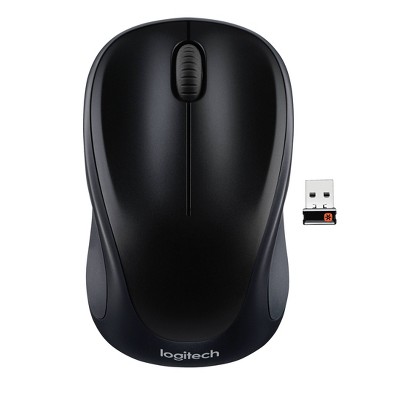
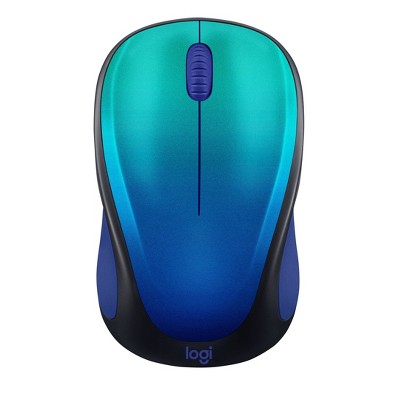
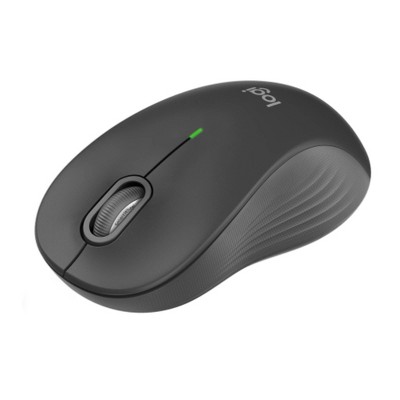
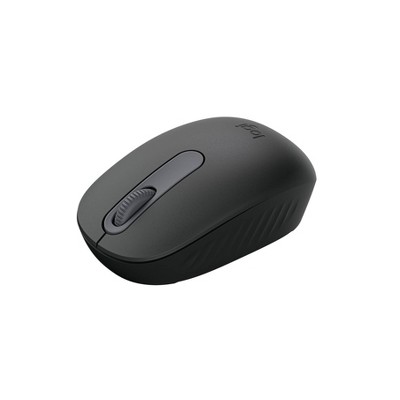
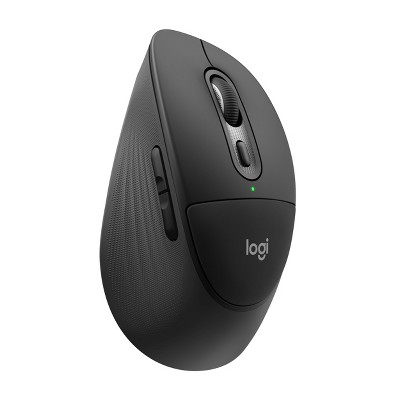
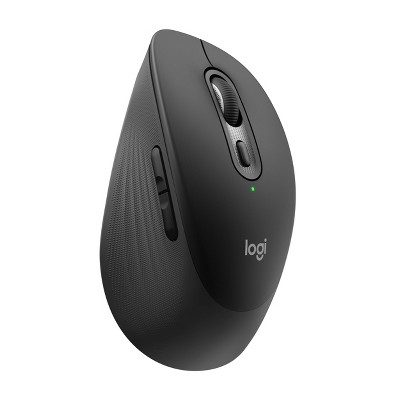
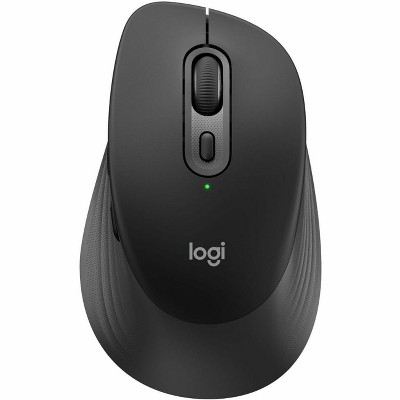
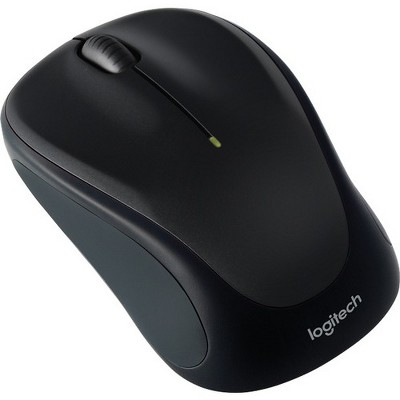
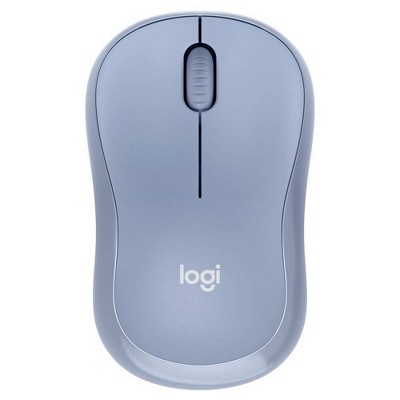
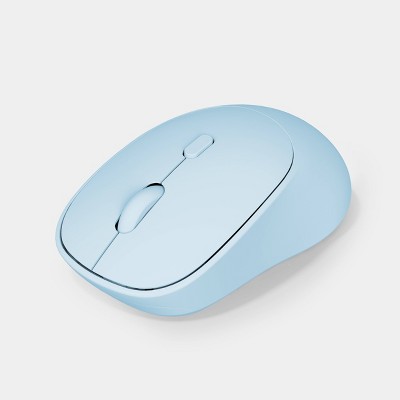
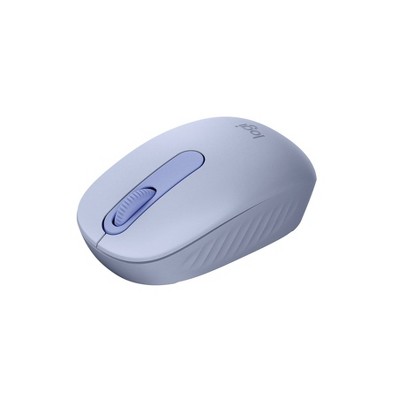
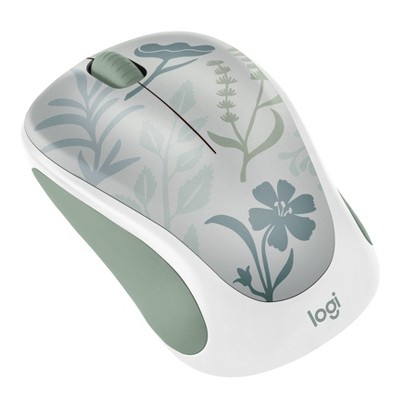
Logitech M240 Wireless Mouse - 2 of 4Logitech M240 Wireless Mouse - 3 of 4Logitech M240 Wireless Mouse - 4 of 4
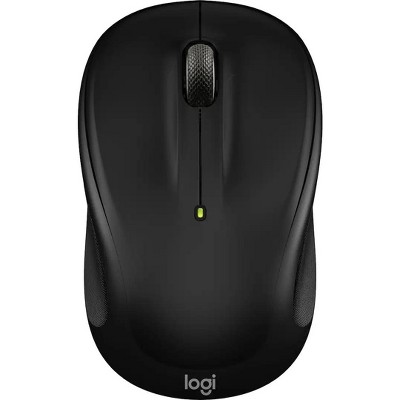
Logitech M240 Wireless Mouse - 1 of 4

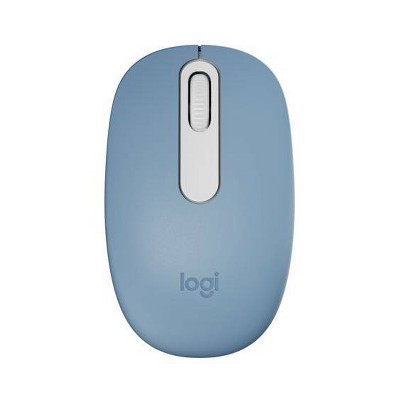
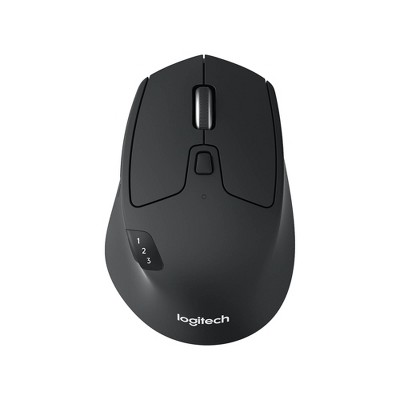
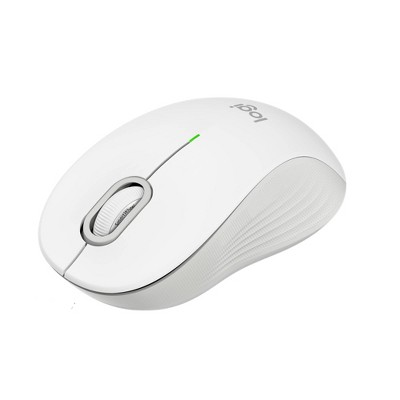
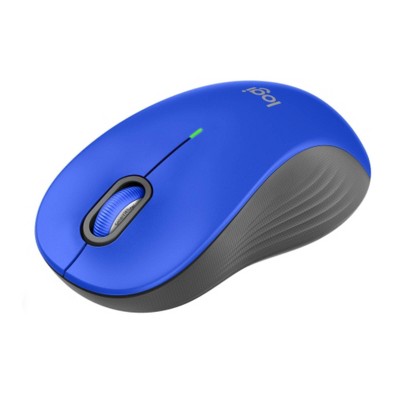
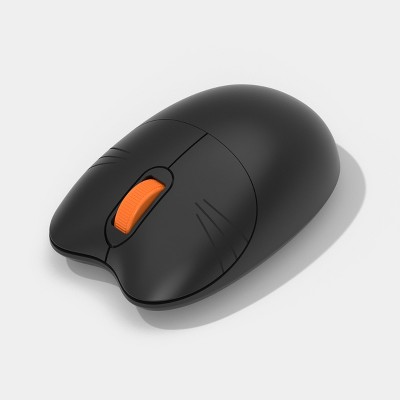
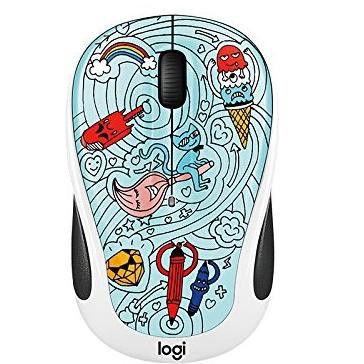
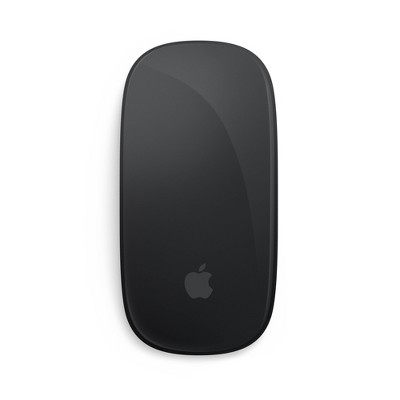
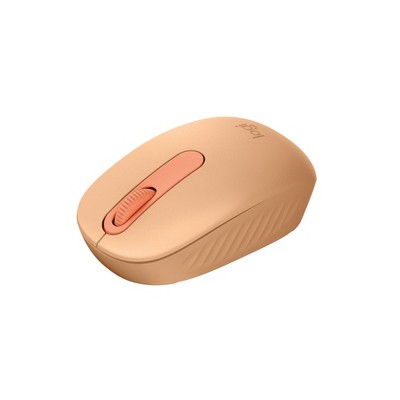
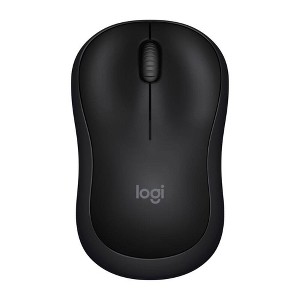
Logitech M240 Wireless Mouse

$14.99 reg $19.99
Sale save $5.00 (25% off)

ColorBlack
  • Black
  • Blue
  • Lavender

In Stock

Eligible for registries and wish lists

At a glance

Sponsored

About this item

Highlights

  • Pair and Play: With fast, easy Bluetooth wireless technology, you’re connected in seconds to this quiet cordless mouse —no dongle or port required
  • Less Noise, More Focus: Silent mouse with 90% reduced click sound and the same click feel, eliminating noise and distractions for you and others around you
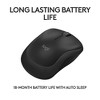
  • Long-Lasting Battery Life: Up to 18-month battery life with an energy-efficient auto sleep feature, so you can go longer between battery changes
  • Comfortable, Travel-Friendly Design: Small enough to toss in a bag; this slim and ambidextrous portable compact mouse guides either your right or left hand into a natural position
  • Long-Range: Reliable, long-range Bluetooth wireless mouse works up to 10m/33 feet away from your computer
  • Works on multiple platforms: Experience seamless compatibility with Windows, macOS, Linux, ChromeOS, iPadOS, and Android operating systems; it is also a Works with Chromebook certified product
  • Plastic parts in M240 Silent computer mouse include certified post-consumer recycled plastic (75% for Black, 20% for Lavender, and 37% for Blue)

Description

Meet M240 Silent, the reliable Bluetooth® mouse that frees up your workspace. Pair in seconds with a fast, easy Bluetooth® connection—no dongle or port required. The ultra-quiet mouse features a 90% reduced click sound with that same click feel, eliminating noise and distractions for you and others around you. (1) A comfortable, contoured shape follows the natural curve of your hand so you can stay productive longer, and focus on what you do best. Built with the same quality standards that has made Logitech a leader in mice and keyboards.

(1) Left click dBA level measured by independent lab at 1m. Compared with Logitech M185.
Dimensions (Overall): 1.52 Inches (H) x 2.36 Inches (W) x 3.92 Inches (D)
Weight: .25 Pounds
Electronics Features: Lightweight Design, Wireless
Connection Type: No Wired Connection Ports
Wireless Technology: Bluetooth
Compatible With: Apple iOS, Microsoft Windows, macOS, Google Chrome OS
Primary use: Business
Battery: 1 AA Alkaline, Required, Included
Warranty: 1 Year Limited Warranty. To obtain a copy of the manufacturer's or supplier's warranty for this item prior to purchasing the item, please call Target Guest Services at 1-800-591-3869
TCIN: 88374091
UPC: 097855187703
Item Number (DPCI): 056-00-0001
Origin: Imported
If the item details aren’t accurate or complete, we want to know about it.

Shipping details

Estimated ship dimensions: 6.34 inches length x 4.49 inches width x 2.68 inches height
Estimated ship weight: 0.243 pounds

Return details

This item can be returned to any Target store or Target.com.
This item must be returned within 30 days of the date it was purchased in store, shipped, delivered by a Shipt shopper, or made ready for pickup.
See the return policy for complete information.

Q: is this for a USB-A or USB-C?

submitted by RD - 1 year ago
  • A: Hi RD, thanks for reaching out about Logitech M240 Wireless Mouse - Black This battery powered mouse connects via Bluetooth and has no wired connection ports. If you have any additional questions, we welcome you to contact MyTGTtech at 833-848-8324 every day, between 7am-11pm CST.

    submitted byJustin - 1 year ago
    Target expert support
  • A: This connects by Bluetooth. It doesn’t use any USB.

    submitted byLibraryanna - 1 year ago

Q: Does this work with MacBook Air 13

submitted by Greenhumanclay - 1 year ago
  • A: Hi Greenhumanclay, thanks for reaching out about Logitech M240 Wireless Mouse Yes. This will work with a MacBook Air. If you have any additional questions, we welcome you to contact MyTGTtech at 833-848-8324 every day, between 7am-11pm CST.

    submitted byJustin - 1 year ago
    Target expert support
  • A: Yes, it works with Bluetooth to connect.

    submitted byLibraryanna - 1 year ago

Q: Does this work on iPad 2021 version

submitted by Monica - 2 years ago
  • A: Hi Monica, thanks for reaching out about Logitech M240 Wireless Mouse - Black. Yes. Using bluetooth connectivity this mouse works on multiple platforms including Windows, macOS, Linux, ChromeOS, Android, and your iPadOS operating system. If you have any additional questions, we welcome you to contact MyTGTtech at 833-848-8324 every day, between 7am-11pm CST.

    submitted byJustin - 2 years ago
    Target expert support
  • A: Hi Monica, thanks for reaching out about Logitech M240 Wireless Mouse. Yes, this mouse is compatible with an Apple Pads using the bluetooth feature.

    submitted byTakeya - 2 years ago

Q: Does it work with a laptop?

submitted by Kitty - 2 years ago
  • A: I have an older laptop. I'm not sure I have blue tooth.

    submitted byKitty - 2 years ago
  • A: Hi bellx024, thanks for reaching out about Logitech M240 Wireless Mouse You can connect this mouse to any computer with Bluetooth and it will work, laptop, desktop, or other. If you have any additional questions, we welcome you to contact MyTGTtech at 833-848-8324 every day, between 7am-11pm CST.

    submitted byMike - 2 years ago
    Target expert support

Q: Hi, I connected the mouse to my computer through bluetooth and the mouse is unresponsive, I also tried different batteries and still was unresponsive. What should I do?

submitted by unresponsive mouse - 2 years ago
  • A: Hi unresponsive mouse, thanks for reaching out about Logitech M240 Wireless Mouse. To better understand your individual needs, we welcome you to contact MyTGTtech at 833-848-8324 every day, between 7am-11pm CST.

    submitted byJoe - 2 years ago
    Target staff support
  • A: They didn't include a usb receiver for the mouse, even though on the manufacturer's website, it says it's included.

    submitted bySusan - 2 years ago

Q: Can i connect to my pad

submitted by Wanda - 15 days ago
  • A: Hi, thanks for reaching out about Logitech M240 Wireless Mouse Yes, the iPad fully supports Bluetooth mice and trackpads and this mouse can connect to it via Bluetooth. If you have any additional questions, we welcome you to contact MyTGTtech at 833-848-8324 every day, between 7am-11pm CST.

    submitted byMike - 14 days ago
    Target expert support

Q: I know I keep reading it's Bluetooth but Bluetooth lags. Does it have the capability to pair with a USB logi dongle?

submitted by WuBangerz - 3 months ago
  • A: Hi, thanks for reaching out about Logitech M240 Wireless Mouse. This Logitech M240 mouse connects with bluetooth. If you have any additional questions, we welcome you to contact MyTGTtech at 833-848-8324 every day, between 7am-11pm CST.

    submitted byJoe - 3 months ago
    Target staff support

Q: How do I connect this to my computer? It does not have any king on piece or anything correct to plus in computer to connect it to the computer?

submitted by MGM - 5 months ago
  • A: Hi MGM, thanks for reaching out about Logitech M240 Wireless Mouse. You're right, the Logitech M240 Wireless Mouse is designed to connect via Bluetooth, which means it doesn't come with a separate USB receiver (often called a dongle or "piece to plug in"). Here's how you connect it to your computer: What you'll need: Your Logitech M240 mouse with a battery inserted. A computer with Bluetooth capability. Most modern laptops and many desktop computers have built-in Bluetooth. If your desktop computer doesn't, you might need a small USB Bluetooth adapter (dongle). Steps to Connect: Turn on the Mouse: Flip the mouse over. There should be an On/Off toggle switch. Slide it to the "On" position. If you just put in the battery, you might see a pull tab; remove it. Put the Mouse in Pairing Mode: On the underside of the mouse, you'll find a Connect button (sometimes called a pairing button or Easy-Switch button). Press and hold this button for a few seconds until the Connection Status LED light on the mouse starts blinking rapidly. This indicates it's ready to be discovered by your computer. Connect via your Computer's Bluetooth Settings: On Windows (Windows 10/11): Go to Start Menu > Settings (the gear icon). Click on Bluetooth & devices (or "Devices" then "Bluetooth & other devices"). Make sure Bluetooth is turned "On". Click "Add device" or the "+" sign next to "Add Bluetooth or other device". Select "Bluetooth" from the options. Your computer will start searching for devices. Look for "LOGI M240" or a similar name for your mouse in the list. Click on it and then "Connect" or "Pair". Follow any on-screen prompts. On macOS: Click the Apple menu in the top-left corner > System Settings (or System Preferences for older macOS). Click on Bluetooth in the sidebar. Make sure Bluetooth is turned "On". In the list of devices, you should see the "LOGI M240" (or similar name) appear. Click the "Connect" button next to it. Once connected, the LED light on the mouse will stop blinking and usually glow solid for a few seconds before turning off to save power. You should then be able to use your mouse! If you have any additional questions, we welcome you to contact MyTGTtech at 833-848-8324 every day, between 7am-11pm CST.

    submitted byJoe - 5 months ago
    Target staff support

Q: Does this mouse side scroll?

submitted by Kg - 5 months ago
  • A: Hi Kg, thanks for reaching out about the Logitech M240 Wireless Mouse No, the Logitech M240 Wireless Mouse does not have a side-scrolling (tilt-wheel) function. If you have any additional questions, we welcome you to contact MyTGTtech at 833-848-8324 every day between 7 am and 11 pm CST.

    submitted byRena - 5 months ago
    Target expert support

Q: Does it have the ability to right or left click?

submitted by Mpeterson - 5 months ago
  • A: Hi Mpeterson, thanks for reaching out about Logitech M240 Wireless Mouse Yes, this device has a left and right mouse button along with a scroll wheel that can be pressed as a middle button. If you have any additional questions, we welcome you to contact MyTGTtech at 833-848-8324 every day, between 7am-11pm CST.

    submitted byJustin - 5 months ago
    Target expert support

Related Categories

4.2 out of 5 stars with 308 reviews
quality: 3.82 out of 5
value: 3.84 out of 5
69% would recommend
86 recommendations
5 out of 5 stars
Thumbs up graphic, would recommend
10 December, 2025Verified purchase

(no review title)

Love it! I didn’t realize it was Bluetooth when I bought it but it’s great
Shana Gripper
quality: 5 out of 5
value: 5 out of 5
Did you find this review helpful?
1 out of 5 stars
Thumbs down graphic, would not recommend
5 December, 2025Verified purchase

do not purchase

do not purchase. this mouse was easy to pair on day one. then stopped connecting and is useless.
Burbank resident
quality: 1 out of 5
value: 1 out of 5
Did you find this review helpful?
4 out of 5 stars
Thumbs up graphic, would recommend
22 November, 2025

Paired fast!

I like it so far, I’ll update my review if anything changes. Please understand that this product does NOT require the usb attachment. You pair it via Bluetooth only. I use it with my iPad Pro and it works. Two things, the scroll wheel is a bit slower than I’d like, adjusted this in setting but I might just be used to my iPad speed(personal issue, not much universal problem) and my mouse doesn’t have auto scroll when I push down on my scroll wheel. I mainly want to be able to copy and paste my notes from one place to another so I can do without.
J
quality: 4 out of 5
value: 4 out of 5
1 guest found this review helpful. Did you?
1 out of 5 stars
Thumbs down graphic, would not recommend
12 November, 2025Verified purchase

(no review title)

No usb given - doesn't work and could not return
Jordan
quality: 1 out of 5
value: 1 out of 5
2 guests found this review helpful. Did you?
5 out of 5 stars
Thumbs up graphic, would recommend
5 November, 2025Verified purchase

Great little mouse

Great product so far. For all those who say it doesn't come with the USB click, if you look carefully, it is actually supposed to connect withoutthat so there is no USB needed Works well.
Hello
3 guests found this review helpful. Did you?
5 out of 5 stars
Thumbs up graphic, would recommend
2 November, 2025

Bluetooth mouse

Honestly this is better than what i use to have. I always loose the small piece and then i have to buy a new one because I can't make the old one work without it. I didn't realize i bought the bluetooth version cause when i opened it, i thought it was missing a piece until i read it that it's bluetooth. Works even better for me because I dont have to look for the small piece. It's so easy to use, basically connect the bluetooth to your computer setting. I like this bluetooth! It looked like your missing a piece because of the slot, trust me, there was never a piece there.
Mommy101
quality: 5 out of 5
value: 5 out of 5
1 guest found this review helpful. Did you?
1 out of 5 stars
1 November, 2025

(no review title)

This item did not have the piece that goes into the side of the laptop. Want to return but it is not eligible.
Road Warrior
1 guest found this review helpful. Did you?
2 out of 5 stars
Thumbs down graphic, would not recommend
28 October, 2025Verified purchase

Stopped working

I purchased less than a year ago and it no longer works.
Shanna
1 guest found this review helpful. Did you?
1 out of 5 stars
Thumbs down graphic, would not recommend
22 October, 2025

Buyer Beware!

I bought the purple one and it was missing the usb dongle, I thought it was a fluke so I returned it. I got the second replacement one home and it was also missing the usb dongle.
Ashmonster
quality: 1 out of 5
value: 1 out of 5
1 guest found this review helpful. Did you?
5 out of 5 stars
Thumbs up graphic, would recommend
12 October, 2025Verified purchase

Great Mouse

Works great! The Bluetooth connection & light weight allows the mouse to feel smooth and fluid like when navigating the screen. Comes with a charged battery and set up a simple click to connect so was able to use it right out if the box. Would recommend 👌.
Hope
quality: 5 out of 5
value: 5 out of 5
Did you find this review helpful?
5 out of 5 stars
Thumbs up graphic, would recommend
30 September, 2025Verified purchase

Great mouse!

Excellent replacement for my wired mouse.
My Chi
Did you find this review helpful?
5 out of 5 stars
Thumbs up graphic, would recommend
24 September, 2025Verified purchase

Mac Mouse

It works perfect and is pretty cheap!!
Mac Mouse
quality: 5 out of 5
value: 5 out of 5
Did you find this review helpful?
5 out of 5 stars
Thumbs up graphic, would recommend
16 September, 2025Verified purchase

laptop mouse

it good product it work great
sports76
quality: 4 out of 5
value: 4 out of 5
Did you find this review helpful?
1 out of 5 stars
Thumbs down graphic, would not recommend
12 July, 2025Verified purchase

Garbage

Mouse came without the USB needed to use on my computer. Sent it back next day following return instructions but denied a refund because it was opened!! Had plans to use it since my usual mouse stopped working, so of course I'm going to open it!!! But with missing part needed to use it, (their fault). I was unable to do so. No refund AND they kept the item!! I will never purchase any electronic type equipment from Target in the future. Buyers, pay attention to the item descriptions and their return policy. Poor customer service!
Ter
quality: 1 out of 5
value: 1 out of 5
6 guests found this review helpful. Did you?
5 out of 5 stars
Thumbs up graphic, would recommend
20 June, 2025Verified purchase

I love it

This mouse works great. The Bluetooth works without fail and it is easily cleaned.
Sayde
quality: 5 out of 5
value: 5 out of 5
Did you find this review helpful?
5 out of 5 stars
Thumbs up graphic, would recommend
17 June, 2025Verified purchase

wow

so far i love it, i had another logi mouse that was super noisy it made a lot of clicking sounds as a mouse would, but this one is completly silent and super smooth i love it so far, im waiting for my new gaming laptop to get here so i can really put it to the test but as of now its amazing
amazing
quality: 5 out of 5
value: 5 out of 5
1 guest found this review helpful. Did you?
1 out of 5 stars
Thumbs down graphic, would not recommend
13 June, 2025Verified purchase

Missing pieces

Missing USB receiver (dongle for computer)
greykat
2 guests found this review helpful. Did you?
1 out of 5 stars
Thumbs down graphic, would not recommend
11 June, 2025Verified purchase

Better getting a USB mouse

Literally stopped working my second day using it. Won’t connect, or stay connected. 70% of the time it’ll say “connected” and not actually work. Upset it was $20 for a dud
CP
quality: 1 out of 5
value: 1 out of 5
3 guests found this review helpful. Did you?
2 out of 5 stars
Thumbs down graphic, would not recommend
1 June, 2025Verified purchase

Wildly uncomfortable for unstable wrist & fingers

As a woman with hypermobile wrist and fingers that are often popping and making noise, once I put my hand on this mouse I knew it wasn't an option to continue using. The quiet click was difficult to press down. My hands aren't large, either. The material feels fine and the Bluetooth connected quickly to my Windows laptop. Unfortunately I will be returning this.
Marisa G
quality: 4 out of 5
value: 3 out of 5
Did you find this review helpful?
1 out of 5 stars
Thumbs down graphic, would not recommend
16 May, 2025Verified purchase

Terrible design

This is the 2nd one I have purchased and it is damaged again! Very disappointing! I have to find another mouse AGAIN because this one keeps breaking. DO NOT BUY
HomeDecor1
quality: 1 out of 5
value: 1 out of 5
1 guest found this review helpful. Did you?

Get top deals, latest trends, and more.

Privacy policy

Footer

About Us

About TargetCareersNews & BlogTarget BrandsBullseye ShopSustainability & GovernancePress CenterAdvertise with UsInvestorsAffiliates & PartnersSuppliersTargetPlus

Help

Target HelpReturnsTrack OrdersRecallsContact UsFeedbackAccessibilitySecurity & FraudTeam Member ServicesLegal & Privacy

Stores

Find a StoreClinicPharmacyTarget OpticalMore In-Store Services

Services

Target Circle™Target Circle™ CardTarget Circle 360™Target AppRegistrySame Day DeliveryOrder PickupDrive UpFree 2-Day ShippingShipping & DeliveryMore Services
PinterestFacebookInstagramXYoutubeTiktokTermsCA Supply ChainPrivacy PolicyCA Privacy RightsYour Privacy ChoicesInterest Based AdsHealth Privacy Policy