Target New ArrivalsBack to SchoolCollegeHalloweenClothing, Shoes & AccessoriesHome & DecorKitchen & DiningOutdoor Living & GardenGroceryHousehold EssentialsBabyBeautyPersonal CareSports & OutdoorsPetsHealthWellnessSchool & Office SuppliesToys & GamesElectronics & TechVideo GamesMovies, Music & BooksParty SuppliesGift IdeasGift CardsShop by CommunityTarget OpticalDealsClearanceNew ArrivalsBack to SchoolCollegeTop DealsTarget Circle DealsWeekly AdShop Order PickupShop Same Day DeliveryRegistryRedCardTarget CircleFind Stores

bluetooth projector for android phone

265 results for “bluetooth projector for android phone”
Polaroid Go Gen 3 Bundle Graphite - 8ct

$99.99
PolaroidNew at target
4.7(18)
Loved for: compact design

Total by Verizon Prepaid Google Pixel 6a 5G (128GB) - Black

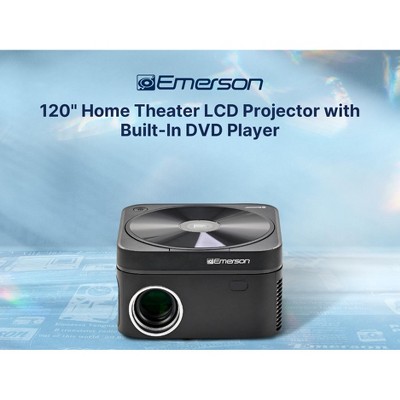
Emerson EVP-3003 150-Inch Home Theater LCD Projector

Sponsored

Polaroid Go Gen 3 Bundle White - 8ct

$99.99
PolaroidNew at target
4.7(17)
Loved for: compact design

Polaroid Go Gen 3 Camera - Teal

$89.99
PolaroidNew at target
4.7(17)
Loved for: compact design

Sponsored

Powered by AI

Guests also ask:

Bluetooth projectors typically support both wired and wireless phone connections. Wired options use an HDMI connection (via an HDMI adapter, MHL, or a USB‑C/Type‑C to HDMI cable) depending on your phone’s port. Wireless mirroring depends on the projector and phone: common methods include Miracast, Chromecast casting, or AirPlay (model-dependent). Check the projector listing and your phone’s supported casting protocol and any adapter requirements before buying.

Many projectors support Bluetooth audio pairing so you can send sound to external Bluetooth speakers or headphones for better or private listening. Listings may also show wired audio outputs (3.5mm jack or line out) for connecting speakers directly. Check the product details to confirm Bluetooth audio support and available wired audio ports for your setup.

Common wired ports include HDMI, USB (A), USB‑C, and a 3.5mm audio jack. For direct phone hookup you may need an HDMI adapter (e.g., USB‑C/Type‑C to HDMI or an MHL adapter) depending on your phone’s output. Always confirm the projector’s port list and the adapter required for your phone model.

Many models are compact and travel‑friendly, but most product listings explicitly state “Battery: No Battery Used” and require external power. A smaller number of models include a built‑in/internal battery for portable use. If battery power and runtime are important, check the product details for battery presence, capacity, and listed runtime before buying.

Some subscription services and content protections (for example HDCP or service‑specific restrictions) can prevent direct wireless mirroring of protected apps from a phone. If a projector can’t mirror a subscription app reliably, options include using the projector’s built‑in apps (if available) or connecting a dedicated casting/streaming device (TV stick or similar) that supports the service.

Get top deals, latest trends, and more.