Target New ArrivalsBack to SchoolCollegeHalloweenClothing, Shoes & AccessoriesHome & DecorKitchen & DiningPatio, Lawn & GardenGroceryHousehold EssentialsBabyBeautyPersonal CareSports & OutdoorsPetsHealthWellnessSchool & Office SuppliesToys & GamesElectronics & TechVideo GamesMovies, Music & BooksParty SuppliesGift IdeasGift CardsShop by CommunityTarget OpticalDealsClearanceNew ArrivalsBack to SchoolCollegeTop DealsTarget Circle DealsWeekly AdShop Order PickupShop Same Day DeliveryRegistryRedCardTarget CircleFind Stores

mac mini under desk mount

292 results for “mac mini under desk mount”
Sponsored

Sponsored

Powered by AI

Guests also ask:

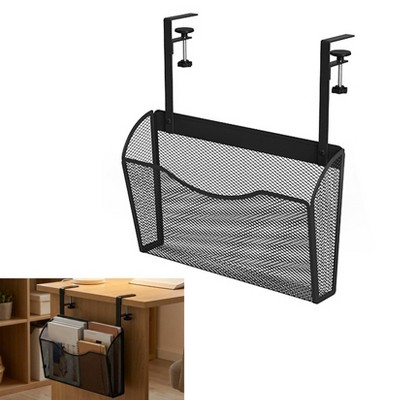
Typical mounting locations and orientations include directly under the desk surface, behind a monitor, attached to a pole, mounted to a wall, installed under a shelf, or positioned vertically on a wall. Specific mounts may support one or several of these placements depending on their design.

Mini‑PC brackets typically accept device depths from about 0.67" to 2.8"; compact laptop‑style mounts accommodate devices up to about 1.5" high; and larger under‑desk CPU holders list inside widths around 5.25" to 9.25" and heights roughly 15.5" to 19.5".

Weight capacity varies by design: small mini‑PC brackets typically support up to about 11 pounds, while larger under‑desk CPU holders are commonly rated around 30 pounds. Check the product specifications for exact limits.

Most mounts are made from metal or steel with powder‑coated finishes for durability. Many include foam or rubber padding (or thicker protective strips) at contact points to prevent scratches and absorb minor shocks.

Some mini‑PC brackets include VESA compatibility. Common listed sizes include 50×50 mm, 75×75 mm and 100×100 mm (some mounts specify only 100×100). Always verify the mount’s stated VESA support in the product details.

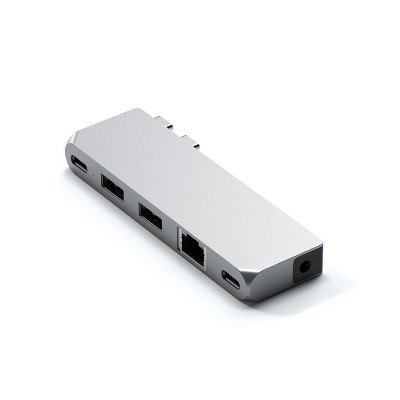
These mounts can accommodate a wide range of small devices, including mini computers, desktop CPUs, docking stations, thin clients, laptops and tablets, modems, cable boxes, and small game consoles—depending on the mount’s size and adjustability.

Protective features commonly include foam or rubber pads, thick cushioning strips at contact points, and rounded or coated metal edges. These elements protect against scratches and help absorb minor shocks while the device is mounted.

Adjustability varies by model: many offer tool‑free height and width adjustments or thumb‑screw fittings, universal brackets that adjust to specific depth ranges, and simple assemblies that install in seconds. Larger CPU holders may require more hands‑on assembly.

Get top deals, latest trends, and more.