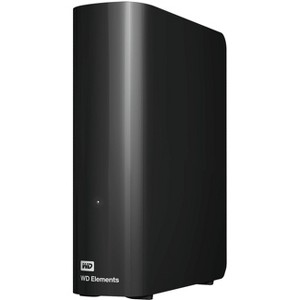
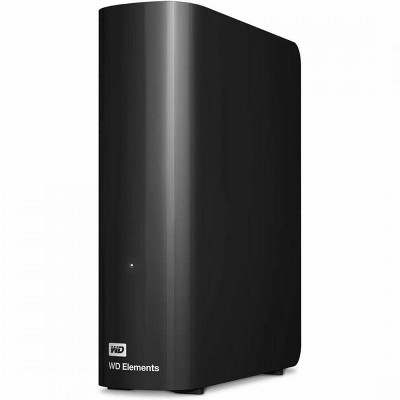
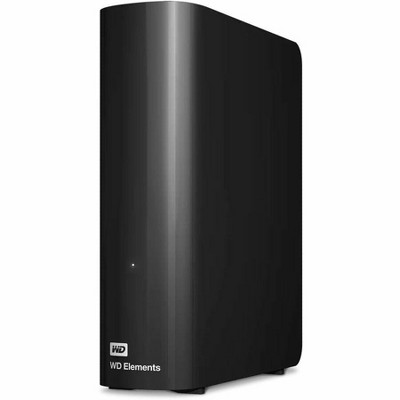
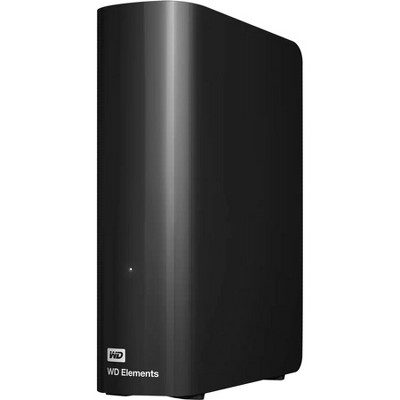
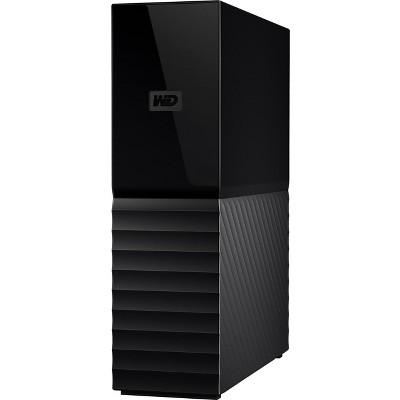
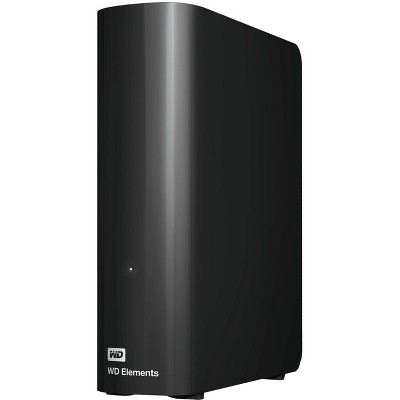
WD Elements WDBWLG0180HBK-NESN 18 TB Desktop Hard Drive - External - USB 3.0 - 2 Year Warranty
$686.99
In Stock

Free & easy returns
Return this item by mail or in store within 30 days for a full refund.
Sold & shipped by antonline
Eligible for registries and wish lists
About this item
Additional product information and recommendations
Discover more options
Guests also viewed
Related Categories
3.8 out of 5 stars with 16 reviews
5 out of 5 stars
30 August, 2024
originally posted on Western Digital
Excellent drive and Fasttttttt….
Excellent drive. Fast and easy to set up as Time Machine backup for my iMac 27” system
5 out of 5 stars
20 January, 2024
originally posted on Western Digital
2nd Hard Drive purchased this month.
Easy to connect, Always reliable. My computer runs 24/7/365. Haven’t had a single failure. Been using Western Digital products for least 15 years.
3 out of 5 stars
24 December, 2023
originally posted on Western Digital
Lackluster
It runs so much slower than the WD Book. Transferring photos is truly painful.
1 reply from SM OLS team - 2 years ago
Hello MrKash, We regret to learn that your WD Elements Desktop Hard drive is not performing as expected. Slow performance can be caused due to several factors like computer configuration, multiple applications running on the computer while trying to access or backup the data, fragmented disk which may also result in slow computer disk read capability, the total amount of data on a disk and the relative size of each file, encrypted backup or scanning of each file by anti-virus installed in the computer or USB port of the computer with which the drive is connected etc. Stopping applications and software that use CPU and memory, keeping all the files in a single directory instead spreading them in multiple directories, connecting the drive directly to the USB 3.0 port of the computer and avoiding the USB hub while using the drive, etc. are the recommended steps to enhance the performance of the drive. As a troubleshooting step, please ensure that the Hard Drive is connected directly on the USB 3.0 port of the computer and the files which you are attempting to copy are not in use by any other program of the computer. Furthermore, you can also refer to the link suggested below and check for the Theoretical USB Interface Speeds to find out the theoretical speed given by different USB port types. "Theoretical USB Interface Speeds": https://support-en.wd.com/app/answers/detail/a_id/5043 If you need any assistance then you could raise a concern ticket on the given link, the customer support team get back to you in a earliest possible time .Please refer to the link mentioned: https://support en.wd.com/app/ask/session/ All our products must pass our stringent quality standards before leaving our factory to be free from defects in materials and craftsmanship. We stand behind our products throughout the device's factory warranty period. Please contact us via the phone with reference to the review to ensure an overall good experience with Western Digital. Need Help? Please see our "'Contact Us" page for information.
3 out of 5 stars
22 December, 2023
originally posted on Western Digital
Noisy little bugger
When the disks are rotating sometimes they make a strange noise.
1 reply from SM OLS team - 2 years ago
Hello, We're sorry to hear about your user experience with WD Elements Desktop Hard Drives and appreciate your time for providing the review. Hard drives produce some noise when they work. The amount and kind of noise depend on what the hard drive is doing like reading or writing data. It's good to know which sounds are normal and which might mean there's a problem with the hard drive. For more information on the causes of hard drive noise please see the mentioned links: https://support-en.wd.com/app/answers/detailweb/a_id/32906 You could also raise a concern ticket on the given link, the customer support team get back to you in a earliest possible time . Please refer to the link mentioned: https://support-en.wd.com/app/ask/session/ All our products must pass our stringent quality standards before leaving our factory to be free from defects in materials and craftsmanship. We stand behind our products throughout the device's factory warranty period. We would appreciate the opportunity to assist you further. You can contact us by phone below and provide your details. Need Help? Please see our "'Contact Us" page for information.
1 out of 5 stars
20 November, 2023
originally posted on Western Digital
18T not advised to use
I have a 4T that i been using for 8 years from WD that been very good and easy to use, so decided to upgrade and buy the 18T for archiving purpose. Now i’m in my second device of hat are failing with no reason! I could put a Zero star if i could! Unreliable product that i strongly advise to avoid! As may cause loss of data and loss of money
1 reply from SM OLS team - 2 years ago
Hello, We are sorry to hear about your user experience with WD Elements Desktop and appreciate your time providing this review and bringing this matter to our attention. Please let us confirm that there can be multiple factors that may work with or against the drive and we would like to have the opportunity to address your concerns directly as we think there were greater underlying causes that needed to be investigated with care resulting to a positive outcome. You could raise a concern ticket on the given link, the customer support team get back to you in a earliest possible time . Please refer to the link mentioned: https://support-en.wd.com/app/ask/session/ All our products must pass our stringent quality standards before leaving our factory to be free from defects in materials and craftsmanship. We stand behind our products throughout the device's factory warranty period. Please contact us via the phone with reference to the review to ensure an overall good experience with Western Digital. Need Help? Please see our "'Contact Us" page for information.
5 out of 5 stars
11 September, 2022
originally posted on Western Digital
Works well
Just works like it should. I am consolidating 6 external drives onto this one.
5 out of 5 stars
1 April, 2022
originally posted on Western Digital
Very Nice External Hard Drive!
Nice Hard Drive! So far I have transferred 4 TB of data to it< and it is working great! It loads fast and so far I have had absolutely no issues with it... Thanks for sending it so quickly!
5 out of 5 stars
25 March, 2022
originally posted on Western Digital
Good Experiences with Western Digital
After a week of detailed formatting of one of your 16 Tb machines, I found it operated perfectly. I installed about 5 Tb of my data for the past 20+ years and ran it with no problem. I soon bought one of your 18 Tb units, detail-formatted it in a day (using a faster home computer) and copied the same date to it. I now have two machines which PROBABLY will operate forever without any problem; but, if one fails, the other will compensate. Two machines also allow me to work simultaneously on my two Windows and Ubuntu home computers. I am an experienced WD owned, who previously was using two 5-Tb "Easystore" units for my backups, but they were almost entirely full. Before them, I was using a 2 Tb and a 4 Tb Seagate machine. However, years ago, an older Seagate went dead on me (about 3 months after the warranty expired), costing me some lost data.
1 out of 5 stars
1 January, 2022
originally posted on Western Digital
Returned
Made a hard clicking sound every 5 seconds, I could feel it across my whole desk
1 reply from SM OLS Team team - 4 years ago
Hello, We're sorry to hear about your user experience with the WD Elements Desktop and appreciate your time for providing this review. Please know that the external drive makes noise during normal drive operation. The type and volume of noise are dependent on whether the is drive performing a read/write operation or idle with the heads parked. The environment where the drive is functioning may also influence noise. It is important to recognize which noises indicate trouble or normal drive operation. If the drive is not getting uninterrupted power supply from the computer then it could cause the drive to make noise. "Why is my hard disk drive making noise" https://support-en.wd.com/app/answers/detail/a_id/16588/kw/noise All our products must pass our stringent quality standards before leaving our factory to be free from defects in materials and craftsmanship. We stand behind our products throughout the device's factory warranty period. Please contact us via the phone with reference to the review to ensure an overall good experience with Western Digital. Need Help? Please see our "'Contact Us" page for information.
5 out of 5 stars
18 December, 2021
originally posted on Western Digital
Large capacity relatively quiet drive.
Great amount of storage. Drive is quieter than my previous 18tb and the price was just right. I'll purchase a gain when necessary.
1 out of 5 stars
15 December, 2021
originally posted on Western Digital
Failed on day 2
In the last 10 years I have bought more than 20 WD Drives plus Sandisk Drives too (including passport, desktop & wireless types). I had almost no issues with WD Products except this one. I bought a 18T WD Elements Desktop Drive thru B & H Photo and Video for my personal data storage. After I copied 6TB of data & on the next day I heard some gridding sound. That was it! The Drive can't be detected anymore. I used Disk Management software and WD Dashboard to check it. All tells me that this drive is DEAD! I am hesitating to send the drive back for a replacement as the data I copied in this drive pertain some personal information. Of course, the data can be retrieved by sending it back to WD but I don't want to take that chance for someone to access the data. This drive, to me, is no useful. Reached out to WD Support Team to see if they can send me a replacement one without sending this dead one back. WD confirmed that this one is a defective one. I can destroy it and then show them the video to prove I am not using it or pretend to use it. Waiting for an answer now. If they come back to say "no" I have no other choice but to buy another one, however it definitely is NOT WD Elements. I believe WD My Book is more reliable...
1 reply from SM OLS Team team - 4 years ago
Hello, We're sorry to hear about your user experience with the WD Elements Desktop and appreciate your time for providing this review. We were unable to locate you in our system with the information provided in the review therefore we request you give us a call so that we can gather more information to isolate the issue and provide an appropriate resolution. We'd be happy to help. All our products must pass our stringent quality standards before leaving our factory to be free from defects in materials and craftsmanship. We stand behind our products throughout the device's factory warranty period. Please contact us via the phone with reference to the review to ensure an overall good experience with Western Digital. Need Help? Please see our "'Contact Us" page for information.
5 out of 5 stars
16 November, 2021
originally posted on Western Digital
Awesome experience w/purchase, delivery & quality!
Outstanding service/delivery! Item is exactly what we needed!
5 out of 5 stars
8 November, 2021
originally posted on Western Digital
Gives me so much extea space that i need ,great
Great product, fills my needs fully, stores everything i need and leVe massive extra for future needs
3 out of 5 stars
3 November, 2021
originally posted on Western Digital
Missing a tb
I bought 18tb external hard drive when i plugged it in it only had close to 17tb what happen to the other tb
1 reply from SM OLS Team team - 5 years ago
Hello Los559, We're sorry to hear about your user experience with the WD Elements Desktop and appreciate your time for providing this review. Based on your concern, Determining drive capacity can be confusing at times because of the different measurement standards that are often used. When dealing with Windows and Mac based systems, you will commonly see both decimal measurements and binary measurements of a drive's capacity.In either case, a drive's capacity is measured by using the total number of bytes available on the drive. As long as the drive displays the correct number of bytes (approximate), you are getting the drive's full capacity. Please follow the below link for more information : "Drive displays a smaller capacity than the indicated size on the drive label" https://support-en.wd.com/app/answers/detail/a_id/16656/kw/drive%20capacity All our products must pass our stringent quality standards before leaving our factory to be free from defects in materials and craftsmanship. We stand behind our products throughout the device's factory warranty period. Please contact us via the phone with reference to the review to ensure an overall good experience with Western Digital. Need Help? Please see our "'Contact Us" page for information.
4 out of 5 stars
31 October, 2021
originally posted on Western Digital
Great product, could use a bit more durability
Great product, tons of space. Did a one day delivery and it was here the very next day. Could use allot more impact resistance however. I bought one and it fell over on its side on my desk, completely broke the hard drive. Make sure you put it somewhere it will never have a chance to even tip over
5 out of 5 stars
27 October, 2021
originally posted on Western Digital
WD portable HDD 18TB review
Sometimes, when I connect it to my PC for a long time but dont open it, it just restarts by itself. Everything else is good.