
Target New ArrivalsFourth of JulyBack to SchoolCollegeClothing, Shoes & AccessoriesHome & DecorKitchen & DiningOutdoor Living & GardenGroceryHousehold EssentialsBabyBeautyPersonal CareSports & OutdoorsHealthWellnessSchool & Office SuppliesToys & GamesElectronicsVideo GamesMovies, Music & BooksParty SuppliesGift IdeasGift CardsPetsUlta Beauty at TargetShop by CommunityTarget OpticalDealsClearanceNew ArrivalsBack to SchoolCollegeTop DealsTarget Circle DealsWeekly AdShop Order PickupShop Same Day DeliveryRegistryRedCardTarget CircleFind Stores
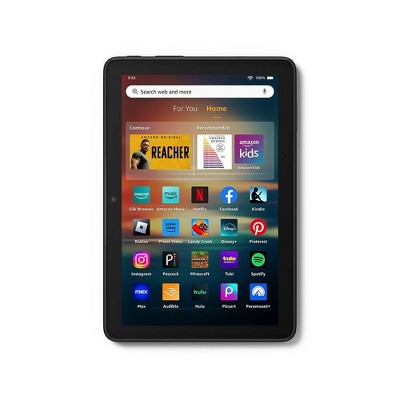
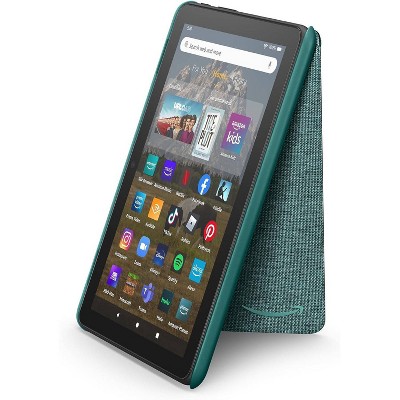
Amazon Fire HD 8 Tablet (2024) - 2 of 4Amazon Fire HD 8 Tablet (2024) - 3 of 4Amazon Fire HD 8 Tablet (2024) - 4 of 4
Amazon Fire HD 8 Tablet (2024) - 1 of 4

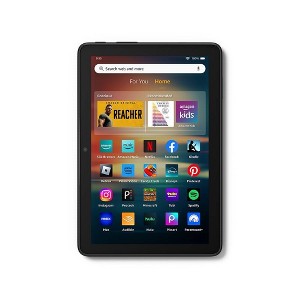
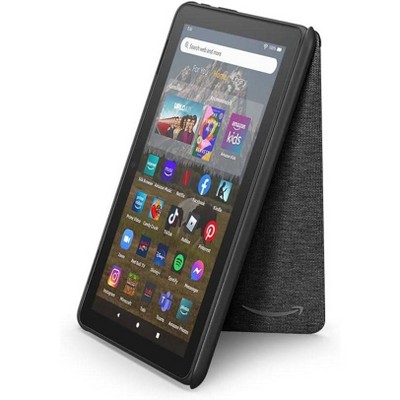
Amazon Fire HD 8 Tablet (2024) - Black

$99.99

ColorBlack

In Stock

Eligible for registries and wish lists

About this item

Highlights

  • Responsive with all day battery life - Includes 3GB RAM (50% more than 2022 release), 32GB of storage, and up to 1 TB of expandable storage (sold separately). Up to 13 hours of reading, browsing the web, watching videos, gaming, and listening to music at home and on-the-go.
  • Stream or download your favorite shows, movies, and games (like Minecraft, Roblox, and more). Enjoy your favorite content from Facebook, Hulu, Instagram, TikTok, and more through Amazon’s Appstore (Google Play not supported. Subscription for some apps required).
  • Stay connected with family and friends - ask Alexa to make video calls to friends and family or download apps like Zoom.
  • Do more with Alexa - Ask Alexa to listen to music, get news and weather, update shopping lists, and set reminders. Control your smart home, or ask Alexa to make video calls to friends and family with apps like Zoom.
  • Customize your wallpaper (coming soon) - Choose from a list of curated prompts, or type your own description to create an image using the power of generative AI that you can then set as the wallpaper.

Description

Vibrant, fast, and responsive - Enjoy a vivid 8” HD display, with a screen made of strengthened aluminosilicate glass. Includes up to 4 GB RAM (2X more than 2022 release), and a hexa-core processor for fast, responsive performance. Up to 13-hour battery life so you can stream content and download videos, music, and books all day. Choose from 32GB or 64GB (add up to 1TB of expandable storage via microSD card). Designed to be thin, light, and durable. In the box: Fire HD 8 tablet (12th gen, 2024 release), USB-C (2.0) cable, 5W power adapter, and Quick Start Guide. This is an ad supported device that displays sponsored screensavers on the devices lockscreen
Dimensions (Overall): .37 Inches (H) x 5.41 Inches (W) x 7.95 Inches (D)
Weight: .74 Pounds
Product Model: Amazon Fire HD 8
Electronics Condition: New
Electronics Features: Built-In Bluetooth, High-Definition Display, Front-Facing Camera, Built-In Speaker, Built-In Microphone
Connection Type: USB-C, 3.5mm Audio, MicroSD
Operating System: Fire OS
Data Storage Capacity: 32GB
Wireless Technology: Bluetooth 5.0, Wi-Fi 5 (IEEE 802.11ac)
Screen Size: 8 Inches
Processor Speed: 12 GHz
System RAM: 3 GB
Industry or Government Certifications: Energy Star Certified
Data storage type: EMMC
Processor model: MTK/MT8169A
Camera Megapixels (Front Facing): 2 MP
Maximum Battery Charge Life: 12.4 Hours
Camera Megapixels (Rear Facing): 5 MP
Battery: 1 Non-Universal Lithium Ion, Required, Non-Removable
Warranty: 90 Day Limited Warranty. To obtain a copy of the manufacturer's or supplier's warranty for this item prior to purchasing the item, please call Target Guest Services at 1-800-591-3869
Street Date: October 2, 2024
TCIN: 91563142
UPC: 840414613263
Item Number (DPCI): 056-01-2968
Origin: Imported
If the item details aren’t accurate or complete, we want to know about it.

Amazon

tablet
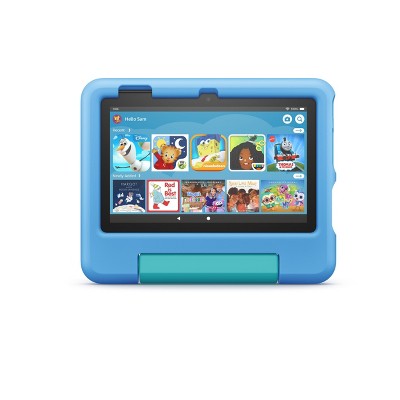
Features Fire Fire Plus Fire Kids Fire Kids Pro
Best for Brilliant and responsive entertainment Portable, fast entertainment Kids ages 3-7 Older kids ages 6-12
Display 7in, 8in HD, 10in HD 8in HD, 10in HD 7in, 8in HD, 10in HD 7in, 8in HD, 10in HD
Storage 16, 32, or 64 GB 32 or 64 GB 16 or 32 GB 16 or 32 GB
RAM 1-3 GB 3-4 GB 1-3 GB 1-3 GB
Warranty Starting at 90-day limited warranty Starting at 90-day limited warranty 2-year worry-free guarantee 2-year worry-free guarantee
Wireless Charging - X - -
1-year Amazon Kids+ subscription included - - X X
Case included - - X X
Digital store with parental controls - - - X

All Sizes in Inches Unless Otherwise Stated
Shipping details

Estimated ship dimensions: 10.13 inches length x 5.79 inches width x 1.34 inches height
Estimated ship weight: 1.014 pounds
We regret that this item cannot be shipped to PO Boxes.
This item cannot be shipped to the following locations: American Samoa (see also separate entry under AS), Guam (see also separate entry under GU), Northern Mariana Islands, Puerto Rico (see also separate entry under PR), United States Minor Outlying Islands, Virgin Islands, U.S., APO/FPO, Alaska, Hawaii
Return details

This item must be returned to any Target store.
This item must be returned within 30 days of the date it was purchased in store, delivered to the guest, delivered by a Shipt shopper, or picked up by the guest.
See the return policy for complete information.

Q: Can i use a sim card on this tablet?

submitted by Gio - 2 years ago
  • A: YES YOU MAY THUS SHELL, You may add up to1 TB. SD card.

    submitted byLucidGothicGod999 - 1 year ago
  • A: The Amazon Tablet supports a SD card for memory storage. It does Not support a sim card for calling. You should be able to use the ALEXA App for video calling thru WiFi. ENJOY

    submitted byA Mom - 2 years ago
  • A: Hi Gio, thanks for reaching out about Amazon Fire HD 8 Tablet (2024). Yes, it supports upto a 1tb MicroSD card. If you have any additional questions, we welcome you to contact MyTGTtech at 833-848-8324 every day, between 7am-11pm CST.

    submitted byMatt - 2 years ago
    Target expert support
  • A: Hello Gio, the Amazon Fire Tablets do not support SIM cards or cellular services. They connect to WI-FI to access the internet. Have a great day!

    submitted byAmazon Devices Customer Support - 2 years ago
    Brand expert

Q: Can you read books and see the screen in the sun?

submitted by Wahini - 9 months ago
  • A: Hello Wahini, thank you for your question. The Fire HD 8 does not have a glare-resistant screen. If you are looking for a device that is great for reading in the sunlight, I would suggest looking into Kindle devices. They are made specifically for reading, so they have a glare free screen and extended battery life. I hope that helps, have a great day!

    submitted byAmazon Devices Customer Support - 9 months ago
    Brand expert
  • A: You can buy non- glare film to put onto the screen. Reviews say it works great outdoors.

    submitted byChigirl - 7 months ago
  • A: Depends on the positions.

    submitted byCori - 4 months ago
  • A: Hi, thanks for reaching out about Amazon Fire HD 8 Tablet (2024). No, the Amazon Fire HD 8 (2024) is not ideal for reading in direct sunlight. If you have any additional questions, we welcome you to contact MyTGTtech at 833-848-8324 every day, between 7am-11pm CST.

    submitted byJoe - 9 months ago
    Target staff support

Q: Is this tablet good for note taking?

submitted by Note taking - 6 months ago
  • A: Hello Note taking and thank you for your question! There are plenty of note taking apps available on the Amazon App store that you can download and use on the Amazon Fire HD 8 Tablet. Hope this helps! Have a great day!

    submitted byAmazon Devices Customer Support - 6 months ago
    Brand expert
  • A: Hi, thanks for reaching out about Amazon Fire HD 8 Tablet (2024) Yes, this tablet can be great for note taking! This tablet runs the Android Operating System, meaning there is a very large and wide variety to the apps available to install, including accessories like a pen/stylus to help with quickly writing something. If you have any additional questions, we welcome you to contact MyTGTtech at 833-848-8324 every day, between 7am-11pm CST.

    submitted byMike - 6 months ago
    Target expert support

Q: can I transfer from my former tablet

submitted by annette1348 - 10 days ago
  • A: Hi, thanks for reaching out about Amazon Fire HD 8 Tablet (2024). Yes ✅ — you can transfer data to your Amazon Fire HD 8 (2024) from your old tablet. Here’s a clear, complete breakdown depending on what you’re coming from: 🔄 ✅ If your old tablet was another Amazon Fire 👉 This is the easiest case. During setup: Turn on the new Fire HD 8 Sign in with the same Amazon account Choose “Restore from backup” (if prompted) What transfers: Apps (from Amazon Appstore) Wi‑Fi settings Some layouts/settings 👉 This works because Fire tablets back up to your Amazon account automatically. 📱 🔁 If your old tablet was Android (Samsung, etc.) There’s no direct “clone,” but you can still move everything: Option 1: Cloud transfer (best & easiest) Upload on old tablet: Google Drive / Photos OneDrive Dropbox Then download on Fire tablet. Option 2: Use a computer Connect old tablet → copy files (photos, videos, docs) Connect Fire HD 8 → paste files 👉 Most reliable for large media transfers 🍎 If your old tablet was an iPad (Apple) There’s no automatic transfer, but you can still move your content: Use: iCloud → download files on Fire via browser Or transfer to a computer → then onto Fire tablet 👉 Apps and app data will NOT transfer directly 📲 Apps & accounts (important) You’ll need to reinstall apps manually Fire uses the Amazon Appstore, not Google Play by default 👉 Some apps: May not be available May need alternatives If you have any additional questions, we welcome you to contact MyTGTtech at 833-848-8324 every day, between 7am-11pm CST.

    submitted byJoe - 10 days ago
    Target staff support
  • A: Hello, Annette1348! Yes, you can absolutely transfer your data over! Because your digital purchases and settings are tied to your Amazon account, moving to a new Amazon Fire HD 8 (2024) is a pretty seamless process. The easiest way to do this is by creating a backup on your old tablet, which you can then restore on your new one during its initial setup. Here is how to do it step-by-step: Step 1: Back up your old tablet Before doing anything with the new tablet, make sure your old one has saved its most recent data to the cloud. 1 Turn on Backup & Restore On your old tablet Go to Settings > Device Options > Backup & Restore and make sure the toggle switch is turned ON. 2 Manually push a backup Ensure it's current Tap Back Up Now (or Manage backup settings depending on your older version) to force an immediate save of your home screen layout, bookmarks, and wireless settings. 3 Sync your Amazon content Final cloud check Go back one screen to Device Options and tap Sync Device. This ensures all your Kindle reading progress, audiobooks, and video watch histories are completely up-to-date in the cloud. Step 2: Set up your new Fire HD 8 Now you are ready to unbox the new device and pull that information down. Turn on your new Fire HD 8 and select your language. Connect it to your home Wi-Fi network. Sign in using the exact same Amazon account credentials you used on your old tablet. Once signed in, a prompt will appear asking if you want to Restore from a previous device. Select your most recent backup from the list. I hope this helps!

    submitted byAmazon Devices Customer Support - 8 days ago
    Brand expert

Q: Does this have built in speakers?

submitted by Remlap - 1 month ago
  • A: Hello Remlap, yes the Amazon Fire HD8 has built-in speakers. It also supports external Bluetooth speakers and headphones. Have a great day!

    submitted byAmazon Devices Customer Support - 1 month ago
    Brand expert
  • A: Hi, thanks for reaching out about Amazon Fire HD 8 Tablet (2024). Yes, this tablet does have built‑in speakers, allowing you to listen to music, watch videos, play games, and hear notifications without needing external speakers or headphones. If you have any additional questions, we welcome you to contact MyTGTtech at 833‑848‑8324 every day, between 7am–11pm CST.

    submitted byMike - 1 month ago
    Target expert support

Q: Can you download this website www.churchofjesuschrist.org on this device? looking for something that we can use to do geneology work

submitted by SG - 2 months ago
  • A: Hi SG! The Fire HD 8 has a fully featured web browser built-in, so you should have no trouble accessing the internet to do research. I hope that helps, have a great rest of your day!

    submitted byAmazon Devices Customer Support - 2 months ago
    Brand expert
  • A: Hi, thanks for reaching out about Amazon Fire HD 8 Tablet (2024) To better understand your individual needs, we welcome you to contact MyTGTtech at 833-848-8324 every day, between 7am-11pm CST.

    submitted byMike - 2 months ago
    Target expert support

Q: If you can't watch YouTube what good is it?

submitted by karen - 3 months ago
  • A: Hello, Karen. I completely understand your frustration. If you buy a tablet and find out you can't easily kick back and watch your favorite YouTube videos, it feels like a massive letdown—especially since YouTube is pretty much essential for entertainment these days. The good news is that you absolutely can watch YouTube on the Amazon Fire HD 8 (2024), even though Amazon makes it a bit confusing out of the box. Because Amazon and Google are competitors, Amazon doesn't include the official Google YouTube app in their built-in Appstore. But you aren't blocked from watching it. Here are the two best ways to get it working right now: ---Option 1: Use the Silk Web Browser (Easiest & Fastest) You don't actually need an app to watch YouTube. Open the Silk Browser app (the internet browser icon already on your home screen). Go to youtube.com. Log into your Google account just like you would on a computer. Pro Tip: Tap the three vertical dots in the top-right corner of the Silk browser and select "Add to Home Screen." This puts a shortcut icon directly on your tablet's home screen that looks and acts just like an app icon, opening YouTube in one tap. ---Option 2: Download a Third-Party YouTube App If you search "YouTube" inside the Amazon Appstore, you won't see the official Google version, but you will see highly-rated, free alternative apps like YouTube Web or FireTube. These are safe, modified browser wrappers designed specifically for Fire tablets that give you a very clean, app-like experience for watching videos. --- What else is the tablet good for? If you're wondering what else the Fire HD 8 excels at once you get YouTube sorted out, it's widely considered one of the best budget devices for portable entertainment: Streaming: It works flawlessly with Netflix, Disney+, Prime Video, and Hulu. Reading & Audiobooks: It is perfectly optimized for library apps like Libby, Kindle books, and listening to Audible. Portability: The 8-inch size is the "sweet spot" for slipping into a bag or using in the car without being bulky. I hope this helps!

    submitted byAmazon Devices Customer Support - 11 days ago
    Brand expert
  • A: Hi, thanks for reaching out about Amazon Fire HD 8 Tablet (2024). Gemini said I totally get the frustration—a tablet without the world's biggest video platform feels like a car without wheels. However, the idea that you "can't watch YouTube" on a Fire tablet is actually a bit of a myth! The confusion comes from the fact that Amazon and Google are competitors, so you won't find the official Google-made YouTube app in the Amazon Appstore. Here is how you actually watch it: 1. The "Official" Way (The Silk Browser) You don't actually need an app. The pre-installed Silk Browser is fully optimized for YouTube. Open Silk, go to YouTube.com, and sign in. Pro Tip: Tap the "three dots" in the browser menu and select "Add to Home Screen." This puts a YouTube icon right on your tablet's home page that works exactly like an app. 2. The "Power User" Way (Installing the Play Store) Since the Fire HD 8 (2024) runs on Fire OS 8 (based on Android 11), you can "sideload" the Google Play Store. This takes about 15 minutes and involves downloading four specific files (APKs) in a specific order. Once done, your Fire tablet acts like a regular Android tablet, and you can download the official YouTube and YouTube Kids apps directly. 3. Third-Party Apps There are "wrapper" apps in the Amazon Appstore (like Web Video Player for YouTube) that act as a gateway. They work okay, but using the Silk Browser (Method 1) is usually a much cleaner experience. If you have any additional questions, we welcome you to contact MyTGTtech at 833-848-8324 every day, between 7am-11pm CST.

    submitted byJoe - 3 months ago
    Target staff support

Q: Can you download square app on this tablet

submitted by Melissa - 4 months ago
  • A: Hello Melissa and thank you for your question! The Square App is not available on the Amazon App Store or supported for the Amazon Fire HD 8 Tablet. Hope this helps! Have a great day!

    submitted byAmazon Devices Customer Support - 4 months ago
    Brand expert
  • A: Hi, thank you for reaching out about Amazon Fire HD 8 Tablet (2024). The Square Point of Sale app is not officially supported on the Fire HD 8 (2024). If you have any additional questions, we welcome you to contact MyTGTtech at 833-848-8324 every day, between 7am-11pm CST.

    submitted byMatt - 4 months ago
    Target expert support

Q: Is this the same size as the 8 PRO?

submitted by LaTanyaM - 6 months ago
  • A: Hello LaTanyaM and thank you for your question! Yes, the Amazon Fire HD 8 Tablet is the same size as the 8 Pro. Hope this helps! Have a great day!

    submitted byAmazon Devices Customer Support - 6 months ago
    Brand expert
  • A: Hi, thanks for reaching out about Amazon Fire HD 8 Tablet (2024) It measures 7.94 by 5.40 by 0.37 inches (HWD) and weighs 11.88 ounces, making it identical in size and weight to its predecessor If you have any additional questions, we welcome you to contact MyTGTtech at 833-848-8324 every day, between 7am-11pm CST.

    submitted byJustin - 6 months ago
    Target expert support

Q: Can I watch YouTube on this device??

submitted by Shaqutta - 6 months ago
  • A: Hello Shaqutta and thank you for your question! The Amazon Fire HD 8 Tablet comes with the Amazon Fire OS with its own Amazon App Store. Unfortunately the YouTube app is unavailable in the app store, but you can go to the website and watch videos through the Silk Browser. Hope that helps! Have a great day!

    submitted byAmazon Devices Customer Support - 6 months ago
    Brand expert
  • A: Hi, thanks for reaching out about Amazon Fire HD 8 Tablet (2024). Yes, you can watch YouTube on the Amazon Fire HD 8 (2024), but there is one important thing to know: there is no "official" Google-made YouTube app in the Amazon Appstore. If you have any additional questions, we welcome you to contact MyTGTtech at 833-848-8324 every day, between 7am-11pm CST.

    submitted byJoe - 6 months ago
    Target staff support

Additional product information and recommendations

Discover more options

Guests also viewed

4.0 out of 5 stars with 141 reviews
67% would recommend
34 recommendations
1 out of 5 stars
Thumbs down graphic, would not recommend
21 May, 2026Verified purchase

Do not recommend

Barely reacted when I touched or swiped anything and would not hold a charge.
1 reply from Amazon Devices Customer Support team - 1 month ago
Hello Kym! Thank you for your feedback on the Fire HD 8 tablet. I'm sorry to hear about the touchscreen responsiveness and charging issues you've experienced. For the unresponsive touchscreen, here are a few steps that may help resolve the issue: Restart the tablet by pressing and holding the power button for 40 seconds, then turn it back on. Ensure the screen is clean and free of moisture, screen protectors, or debris that could interfere with touch sensitivity. Check for any pending software updates under Settings > Device Options > System Updates, as updates often include performance fixes. For the charging issue: Try a different charging cable and power adapter to rule out a faulty accessory. Ensure the charging port is free of dust or lint. Allow the tablet to charge for at least 30 minutes with the screen off before attempting to power it on. I hope this information helps. Thank you for your feedback and have a great day.
Kym
quality: 1 out of 5
value: 1 out of 5
Did you find this review helpful?
1 out of 5 stars
4 April, 2026Verified purchase

(no review title)

Not user friendly. Doesn’t have the updated apps such as Facebook.
1 reply from Amazon Devices Customer Support team - 3 months ago
Hi Rae, Thank you for sharing your feedback on the Fire HD 8 Tablet (2024). We're sorry to hear that you're finding the device less user-friendly than expected and that you're having difficulty accessing certain apps like Facebook. Fire tablets use the Amazon Appstore rather than the Google Play Store, which means app availability can differ from other Android devices. While many popular apps are available through the Amazon Appstore, some apps—including Facebook's native app—may not be available or may have limited versions. However, you can still access Facebook and other social media platforms through the Silk Browser (Amazon's web browser), which comes pre-installed on your Fire HD 8 Tablet. Simply open the Silk Browser and navigate to facebook.com to use the web version. We understand this isn't the same experience as having a dedicated app, and we appreciate you sharing your feedback about app availability and user-friendliness. Your input helps us understand what customers are looking for in their tablet experience. If you have any questions about finding apps in the Amazon Appstore or using the Silk Browser, our support team is available at 1-888-280-4331 or through the Fire Tablet settings menu under Help & Feedback.
Rae
Did you find this review helpful?
5 out of 5 stars
21 February, 2026Verified purchase

(no review title)

My son loves it.
Sarabear28
Did you find this review helpful?
4 out of 5 stars
Thumbs up graphic, would recommend
8 February, 2026Verified purchase

(no review title)

Still learning the tablet. Not used to using Silk Browser, a little different from Google. size of tablet is perfect for me. Screen quality and easy-to-use are great. overall, I'm happy
Lekina
quality: 4 out of 5
value: 4 out of 5
Did you find this review helpful?
1 out of 5 stars
29 January, 2026Verified purchase

Not acceptable

The tablet itself seems to work fine. I ordered it on line. When delivered the Target shipping box was obviously damged and taped back up. The was no packaging material inside so the tablet could just bounce around in there. Inside, the tablets packaging was opened, the tablet was on, only the tablet was in the box but none of the other items that were supposed to be in there. It was delivered by Fedex. Who ripped me off after it was in a Target labled package for shipping?
Mark
1 guest found this review helpful. Did you?
1 out of 5 stars
Thumbs down graphic, would not recommend
10 January, 2026Verified purchase

(no review title)

It was garbage,.I bought 2 they frozen and stop working in a week
1 reply from Amazon Devices Customer Support team - 5 months ago
Hello Kelvyn. Thank you for your feedback on the Fire HD 8 Tablet (2024). I'm sorry to hear that both devices froze and stopped working within a week. Here are some troubleshooting steps that may help resolve freezing and functionality issues: check that your devices have a strong internet connection, restart the tablets by powering them off completely and waiting 30 seconds before turning them back on, ensure the tablets are fully charged as low battery can affect performance, check for software updates in Settings to ensure you have the latest version, close any apps running in the background that may be causing performance issues, and if needed, reset your devices to factory settings to clear up most issues. I hope this information helps get your tablets working properly. Thank you!
Kelvyn
Did you find this review helpful?
1 out of 5 stars
1 January, 2026Verified purchase

(no review title)

Keeps crashing/ needs too much verification. Better off other tablets,
1 reply from Amazon Devices Customer Support team - 6 months ago
Hi GottiMaid, Thank you for sharing your feedback about the Amazon Fire HD 8 Tablet (2024). We're sorry to hear that you're experiencing frequent crashes and excessive verification requests with your device. We understand how frustrating it can be when a tablet doesn't perform reliably and constantly interrupts your experience with verification prompts. These issues can significantly impact usability and prevent you from enjoying the features and content you purchased the tablet for. Frequent crashing can sometimes be related to software updates, app compatibility, or memory management issues. If you haven't already, we'd recommend ensuring your tablet has the latest Fire OS updates installed and trying a restart of the device. However, if the verification issues are related to account or security settings, reaching out to Amazon Customer Service at 1 888-280-4331 may help resolve these persistent prompts. We appreciate you taking the time to share your honest experience with the Fire HD 8 Tablet, as your feedback helps us understand customer concerns.
GottiMaid
1 guest found this review helpful. Did you?
5 out of 5 stars
Thumbs up graphic, would recommend
28 December, 2025

Tablet

Kid loves this present, works great so far
John
quality: 5 out of 5
value: 5 out of 5
Did you find this review helpful?
3 out of 5 stars
Thumbs down graphic, would not recommend
27 December, 2025Verified purchase

(no review title)

It lags really bad for some reason
Not4Me
quality: 3 out of 5
value: 4 out of 5
Did you find this review helpful?
5 out of 5 stars
Thumbs up graphic, would recommend
27 December, 2025Verified purchase

(no review title)

My daughter loves it
Anna
quality: 4 out of 5
value: 5 out of 5
Did you find this review helpful?
1 out of 5 stars
24 December, 2025

(no review title)

Target delivered the the wrong location I never got the items
Valerie
1 guest found this review helpful. Did you?
5 out of 5 stars
Thumbs down graphic, would not recommend
21 December, 2025Verified purchase

(no review title)

love it
Dawn
Did you find this review helpful?
5 out of 5 stars
Thumbs up graphic, would recommend
11 December, 2025Verified purchase

(no review title)

Bought for daughter law for Christmas
Barbara
quality: 5 out of 5
value: 5 out of 5
Did you find this review helpful?
5 out of 5 stars
Thumbs up graphic, would recommend
10 December, 2025Verified purchase

(no review title)

very easy to use
Pam
quality: 5 out of 5
value: 5 out of 5
1 guest found this review helpful. Did you?
5 out of 5 stars
Thumbs up graphic, would recommend
10 December, 2025Verified purchase

(no review title)

The delivery was on time.
Annette
quality: 5 out of 5
value: 5 out of 5
Did you find this review helpful?
5 out of 5 stars
Thumbs up graphic, would recommend
9 December, 2025Verified purchase

(no review title)

works great and kid friendly.
Caitlin
quality: 5 out of 5
value: 5 out of 5
Did you find this review helpful?
1 out of 5 stars
Thumbs down graphic, would not recommend
8 December, 2025Verified purchase

Not great for roblox

Bought this for my daughter solely for roblox as advertised, but its too slow and the game play is choppy.
1 reply from Amazon Devices Customer Support team - 7 months ago
Dear Valued Customer, Thank you for taking the time to share your feedback about the Fire HD 8 Tablet. We're sorry to hear that the Roblox performance didn't meet your expectations. While the Fire HD 8 can run Roblox, you're right that some more complex Roblox games may experience slower performance compared to higher-end devices. For the best Roblox experience on the Fire HD 8, we recommend: Closing other background apps before playing Ensuring your tablet has the latest system updates Using lower graphics settings within Roblox Playing on a strong WiFi connection If you're still experiencing issues, our customer service team would be happy to help troubleshoot or discuss return options within the return window. Please contact us at 1 888-280-4331. We appreciate your feedback as it helps us improve our products for all customers. Best regards
Tc
quality: 3 out of 5
value: 5 out of 5
3 guests found this review helpful. Did you?
5 out of 5 stars
6 December, 2025Verified purchase

(no review title)

Satisfied with this
pamela
Did you find this review helpful?
5 out of 5 stars
Thumbs up graphic, would recommend
5 December, 2025Verified purchase

K8, my Christmas to me!

I love my new Kindle, have not had time to set it up
Vickyo
quality: 5 out of 5
value: 5 out of 5
Did you find this review helpful?
1 out of 5 stars
2 December, 2025Verified purchase

(no review title)

I could not get the initial setup completed. I had to reset to factory settings 2 times and could never get it completed due to advertisements locking the screen and there was no way to get back to where I was at. I then decided I would not be happy with it. The concept is great in size and weight for reading, which is basically what I intended it for. However, it is nice to be able to access the internet to download more book sources. I found the setup very frustrating.
1 reply from Amazon Devices Customer Support team - 7 months ago
Dear Donna, We're truly sorry about your 1-star experience with the Fire HD 8 tablet. The setup difficulties you encountered - including intrusive ads blocking the process and requiring multiple factory resets - are completely unacceptable, especially when they prevented you from even getting started with your device. You're right - the tablet's size and weight should make it perfect for reading, which was your intended use. It's particularly frustrating that basic setup issues prevented you from experiencing these benefits. For any customers experiencing similar setup issues: Our technical support team can help bypass ad-related setup blocks We can guide you through a clean setup process We can help configure the device specifically for reading use Please contact our support team at 1 888-280-4331 if you'd like assistance, or we can help with return process if preferred. Best regards,
Donna
1 guest found this review helpful. Did you?

Get top deals, latest trends, and more.

Privacy policy