Sponsored

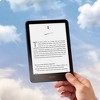
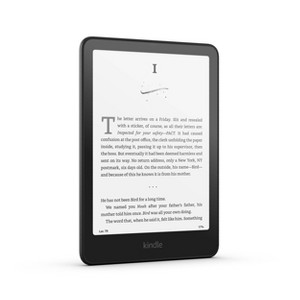
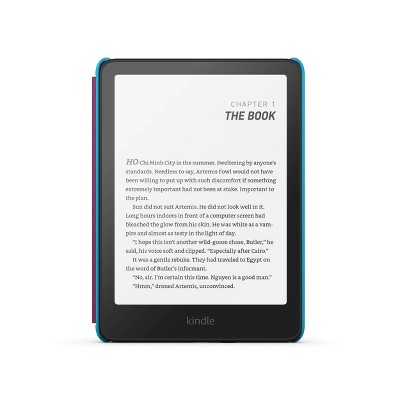
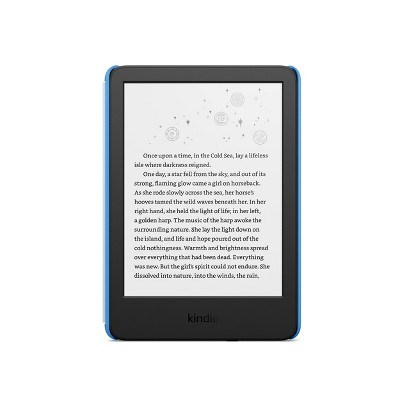
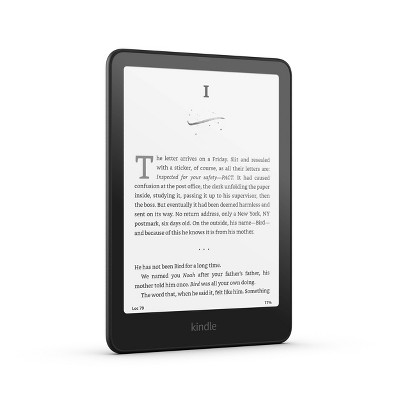
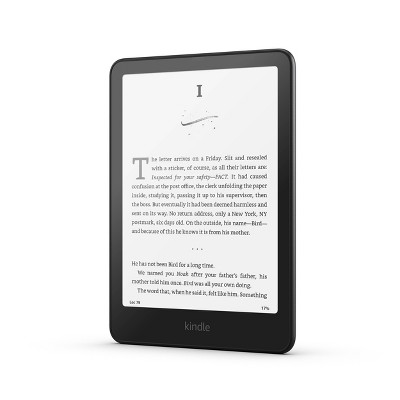
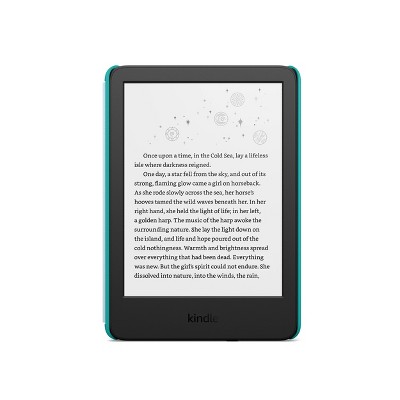
Amazon Kindle Paperwhite (2024)
In Stock
At a glance
Sponsored
About this item
Highlights
- Ready for travel – The ultra-thin design has a larger glare-free screen so pages stay sharp no matter where you are.
- Escape into your books – Your Kindle doesn’t have social media, notifications, or other distracting apps.
- Battery life for your longest novel – A single charge via USB-C lasts up to 12 weeks.
- Read in any light – Adjust the display from white to amber to read in bright sunlight or in the dark.
- Waterproof and worry-free – Take your stories by the pool, in the bath, or anywhere in between.
- Massive selection – Instantly access over 15 million titles in the Kindle Store worldwide, and add a Kindle Unlimited subscription for all-you-can read access to a catalog including best sellers.
Description
Shipping details
Return details
Q: Can you plug Ina micro card for more memory space?
A: Hi Paula! No, the Amazon Kindle Paperwhite (2024) does not have a micro SD card slot for expandable memory. The device comes with fixed internal storage options of either 16 GB or 32 GB, and there is no way to expand the storage capacity with a memory card. Unlike some older Kindle models that had micro SD card slots, the current generation Kindle Paperwhite and other recent Kindle e-readers no longer support expandable storage. When you purchase the device, you'll need to choose the storage capacity that best fits your needs, as you cannot add more storage later. For reference, the 16 GB model can hold thousands of e-books (a typical e-book is around 2-5 MB), while the 32 GB model provides even more space, which is particularly useful if you plan to store audiobooks, graphic novels, or manga that require more storage space. Hope this helps and have a great day!
submitted byAmazon Devices Customer Support - 4 days agoBrand expertA: Hi, thanks for reaching out about Amazon Kindle Paperwhite (2024) This Kindle Paperwhite does not have expandable storage. Current Kindle models do not include a microSD card slot or any other way to physically expand the internal storage. Instead, Amazon offers different models with different amounts of internal storage. The Standard Kindle Paperwhite (2024) comes with 16 GB of internal storage and the Kindle Paperwhite Signature Edition (2024) includes 32 GB of internal storage. Keep in mind that all books and content purchased through Amazon are stored for free in your Amazon Cloud (Kindle Library). You can download and remove books from your device as needed to free up space, as they will always be available in the Cloud. The internal storage is primarily necessary if you plan to keep a large library of audiobooks (which are very large files) or manga/graphic novels (which are large image files) downloaded simultaneously. If you have any additional questions, we welcome you to contact MyTGTtech at 833-848-8324 every day, between 7am-11pm CST.
submitted byMike - 21 days agoTarget expert support
Q: Am I able to transfer books from the kindle app on my iPad to the paper white?
A: Hi Paula! Once you set up the Kindle Paperwhite by signing in with your Amazon account, all of the books in your Kindle Library will be available to download. Not only that, but Whisper-sync will make sure that you never lose your place by keeping track of where you are in a book no matter what device you're using! Just make sure the devices are all connected to WiFi so they can share your progress. I hope that helps, have a great rest of your day!
submitted byAmazon Devices Customer Support - 27 days agoBrand expertA: Hi, thanks for reaching out about Amazon Kindle Paperwhite (2024) Kindle books are stored in your personal Amazon Kindle Cloud Library, not on the Kindle app itself. To get your books onto your new Kindle Paperwhite, you just need to ensure both devices are linked to the same Amazon account. If you have any additional questions, we welcome you to contact MyTGTtech at 833-848-8324 every day, between 7am-11pm CST.
submitted byMike - 28 days agoTarget expert support
Q: Is this Kindle ad free and not ad supported??
A: Hello Carla Visser and thank you for your question! This Kindle is not ad free, but can be upgraded to remove ads after purchase. Hope this helps! Have a great day
submitted byAmazon Devices Customer Support - 2 months agoBrand expertA: Hi, thanks for reaching out about the Amazon Kindle Paperwhite (2024) The standard Amazon Kindle Paperwhite (2024) has ads. The Signature Edition is Always Ad-Free If you have any additional questions, we welcome you to contact MyTGTtech at 833-848-8324 every day between 7 am and 11 pm CST.
submitted byRena - 2 months agoTarget expert support
Q: Can I use any usb-c wall charger for this or must I purchase a kindle one?
A: Hello totomama and thank you for your question! The Amazon Kindle Paperwhite does not need a specific USB-C wall charger as long as it provides 5V of output. Hope this helps! Have a great day!
submitted byAmazon Devices Customer Support - 2 months agoBrand expertA: Hi, thanks for reaching out about Amazon Kindle Paperwhite (2024) Yes, your 2024 Amazon Kindle Paperwhite can use a standard USB-C charger, though it's important the charger is compatible with the Kindle's power needs, typically a 5V output, to ensure it charges safely and efficiently. You can use a USB-C wall adapter or even charge it by plugging the USB-C cable into a computer with a USB-C port. If you have any additional questions, we welcome you to contact MyTGTtech at 833-848-8324 every day, between 7am-11pm CST.
submitted byJustin - 2 months agoTarget expert support
Q: Does this capable of playing audiobooks? Can I transfer my current kindle books to this ?
A: Hello Wendy, thank you for your question. Yes, an Amazon Kindle Paperwhite can play audiobooks purchased from Audible or included in a Kindle Unlimited subscription, but it requires Bluetooth headphones or a speaker. You can transfer your current kindle books by setting it up with your existing kindle account. I hope that helps, have a great day!
submitted byAmazon Devices Customer Support - 2 months agoBrand expertA: Hi, thanks for reaching out about Amazon Kindle Paperwhite (2024) Yes, the Amazon Kindle Paperwhite (2024) plays audiobooks, but you must use a Bluetooth-enabled headset or speaker for audio output, as it lacks a built-in speaker or headphone jack. You can download Audible audiobooks from your library on the device and then connect your Bluetooth device to listen. If you have any additional questions, we welcome you to contact MyTGTtech at 833-848-8324 every day, between 7am-11pm CST.
submitted byJustin - 2 months agoTarget expert support
Q: can you play games on the e reader
A: Hello Kathy and thank you for asking this question. There are currently no games available for Kindle e-readers, however there are thousands available on Fire tablets, which can also access the Kindle library. I hope this answers your question and that you have a great day.
submitted byAmazon Devices Customer Support - 3 months agoBrand expertA: Hi, thanks for reaching out about Amazon Kindle Paperwhite (2024). Kindle e-readers, including the Amazon Kindle Paperwhite (2024), are designed primarily for reading. They use an e-ink display, which is excellent for text but has a slow refresh rate and is grayscale, making it a poor choice for most games. Amazon stopped officially supporting games and apps (known as "Active Content") on its e-readers many years ago. The Kindle Store no longer has a dedicated section for these. If you have any additional questions, we welcome you to contact MyTGTtech at 833-848-8324 every day, between 7am-11pm CST.
submitted byJoe - 3 months agoTarget staff support
Q: this kindle paperwhite is the 12 generation (7" screen)?
A: Hello Jose E, this is the 12th gen version of the Amazon Kindle Paperwhite with a 7" screen. Have a great day!
submitted byAmazon Devices Customer Support - 6 months agoBrand expertA: Hi Jose E, thanks for reaching out about Amazon Kindle Paperwhite (2024). Yes, if a "Kindle Paperwhite (2024)" is being advertised, it is indeed the 12th generation of the Kindle Paperwhite and features a 7-inch screen. If you have any additional questions, we welcome you to contact MyTGTtech at 833-848-8324 every day, between 7am-11pm CST.
submitted byJoe - 7 months agoTarget staff support
Q: Is this compatible with hoopla?
A: Hi Jenn3, thanks for reaching out about Amazon Kindle Paperwhite (2024) The Kindle Paperwhite is not directly compatible with the Hoopla app. Hoopla is an app-based service: It requires a dedicated application to access its content, however this is an e-ink e-reader and does not support installing apps. They are designed primarily for reading eBooks from the Kindle Store or sideloaded in compatible formats. If you have any additional questions, we welcome you to contact MyTGTtech at 833-848-8324 every day, between 7am-11pm CST.
submitted byMike - 7 months agoTarget expert supportA: Hi Jenn3, thank you for your question. The Amazon Kindle Paperwhite is not compatible with the hoopla app as it requires a tablet to download. The Kindle Paperwhite is an e-reader and does not support app downloads. I hope this helps, have a great day!
submitted byAmazon Devices Customer Support - 7 months agoBrand expert
Q: Does this charge with Wireless Charger?
A: Hi Melissa, thank you for your question. The Amazon Kindle Paperwhite (2024) does not include wireless charging. I hope this helps, have a great day!
submitted byAmazon Devices Customer Support - 7 months agoBrand expertA: Hi Melissa, thanks for reaching out about Amazon Kindle Paperwhite (2024). No, this Kindle does not have wireless charging. If you have any additional questions, we welcome you to contact MyTGTtech at 833-848-8324 every day, between 7am-11pm CST.
submitted byMatt - 8 months agoTarget expert support
Q: Do either of the new 2024 16 GB kindle paperwhite versions (6" or 7") have a dark mode? (white text on black screen)
A: Hi Lisa, thanks for reaching out about Amazon Kindle Paperwhite (2024). Yes they have a Dark Mode. Accessing Dark Mode: -Swipe down on the Kindle Paperwhite screen to access quick settings. -Tap on the "Dark Mode" icon (a half-black, half-white circle). If you have any additional questions, we welcome you to contact MyTGTtech at 833-848-8324 every day, between 7am-11pm CST.
submitted byMatt - 8 months agoTarget expert supportA: Hello Lisa, all of the Amazon Kindle Paperwhites do have a Dark Mode. Simply swipe down from the top and select the Dark Mode option. Have a great day!
submitted byAmazon Devices Customer Support - 8 months agoBrand expert
Frequently bought together

Guests also viewed
Discover more options