Sponsored
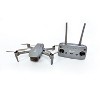
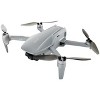
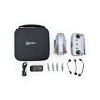
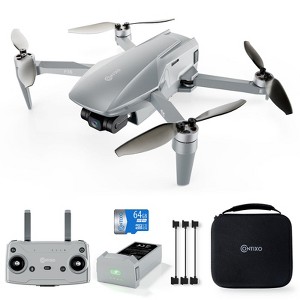
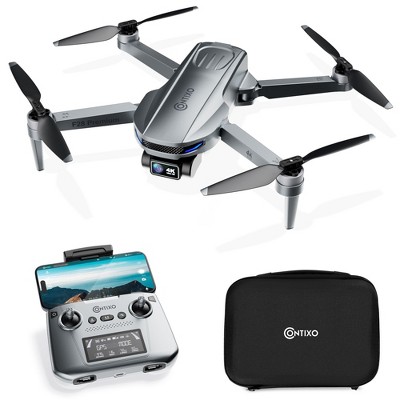
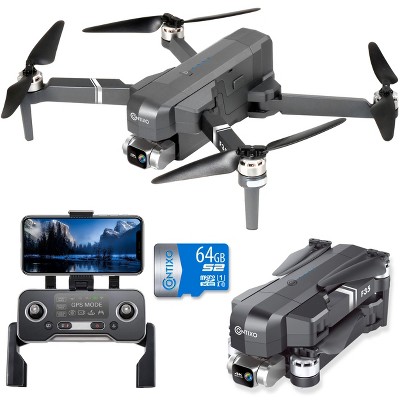
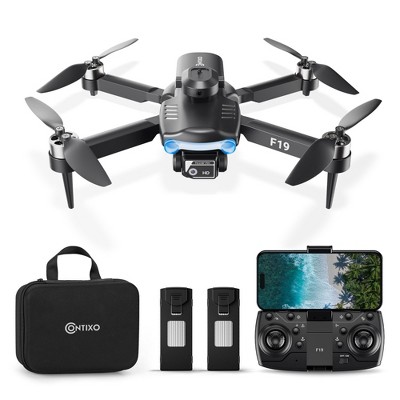
Contixo F36 GPS Drone 4K Camera, 3-Axis Gimbal, 25 Min Flight, 2-Mile Range, Foldable, Brushless, Follow Me, One-Key Return
In Stock
At a glance
Sponsored
About this item
Highlights
- Stunning 4K Ultra HD Camera with 3-Axis Gimbal – The professional drone captures breathtaking aerial photos and smooth, stabilized 4K videos with true-to-life colors and crisp details.
- Extended 25-Minute Flight Time & 2-Mile Transmission – Enjoy up to 25 minutes of uninterrupted flight and real-time WiFi FPV video streaming from as far as 2 miles away with this gps drone
- Smart GPS + Optical Flow Control – The camera drone comes with advanced GPS positioning and optical localization deliver precise hovering, effortless navigation, and accurate auto return-to-home.
- Compact, Foldable & FAA-Compliant – The beginner drone has lightweight design requires no FAA registration, making it easy to travel and fly right out of the box.
- Beginner-Friendly Intelligent Modes – The flying drone features Follow Me, One-Key Return, and 4X Intelligent Zoom for stunning shots, plus powerful brushless motors for a quiet, stable flight.
Description
Shipping details
Return details
Q: How does this hook up to iphone because i downloaded the app and it will not sink to my phone just keep saying scanning device i have jo video
A: It sounds like you're having trouble connecting your Contixo F36 Silver Horizon FPV Drone to your iPhone. Here are a few steps to troubleshoot and resolve the issue: Check the Drone and App Compatibility: Ensure the drone and the specific app you downloaded are compatible with your iPhone. Verify you have the correct app for the drone. For Contixo drones, the app is often called Contixo F or similar (check the manual for the exact name). Turn On the Drone and Connect to Wi-Fi: Power on the drone and make sure it’s in a stable location. Go to your iPhone’s Wi-Fi settings and look for the drone's network. It might appear as something like Contixo_F36_XXXX. Connect to the drone’s Wi-Fi. There might be no internet access, but that’s normal. Reopen the App: After connecting to the drone’s Wi-Fi, open the app again. The app should detect the drone. Ensure the Drone is in Range: Keep your phone and the drone within a close range during the initial connection process. Check for Updates: Ensure the app is up to date by visiting the App Store. If the app prompts for firmware updates for the drone, follow the instructions carefully. Reset the Connection: Turn off the drone and close the app. Reboot your iPhone. Start the connection process again from step 2. Test with Another Phone: If possible, try connecting the drone to another phone to rule out a potential issue with your iPhone. Consult the Manual or Customer Support: Refer to the drone’s manual for specific instructions or troubleshooting tips. If the problem persists, contact Contixo customer support for further assistance.
submitted byContixo Support - 1 year agoBrand expertA: Hi Quin, thanks for reaching out about the Contixo F36 Silver Horizon FPV Drone with 4K Camera & 64GB Card. We apologize for the issue you are experiencing and have a few suggestions that may help: Power On: Ensure both the drone and the remote controller are fully powered on. Distance: Be within a reasonable distance from the drone (generally within the line of sight). Interference: Avoid areas with strong Wi-Fi interference from other devices or sources. Connect to Drone's Wi-Fi: Go to your iPhone's Settings > Wi-Fi. Select the Wi-Fi network that starts with "Contixo" (e.g., "Contixo_F36"). Enter the Wi-Fi password (usually found in the drone's manual or on a sticker). Update the App: Reinstall the App: Give App Permissions: Check for Firmware Updates: Reset Drone: Rebind Controller. If you've tried all these steps and are still having trouble reach out to Contixo customer support for assistance. If you have any additional questions, we welcome you to contact MyTGTtech at 833-848-8324 every day, between 7 am-11 pm CST.
submitted byRena - 1 year agoTarget expert support
Q: Does the drone weigh less than 250 grams with battery installed?
A: Yes, the Contixo F36 Silver Horizon FPV Drone with 4K Camera and 64GB Card weighs approximately 238 grams (0.52 pounds) with the battery installed. This weight is below the 250-gram threshold set by the Federal Aviation Administration (FAA) in the United States, meaning that registration is not required for this drone. However, it's important to note that while FAA registration may not be necessary, drone operators are still required to follow all applicable regulations and guidelines for safe and responsible flying. This includes adhering to airspace restrictions, maintaining visual line of sight, and respecting the privacy of others. For more information on drone regulations and safety guidelines, you can visit the FAA's official website.
submitted byContixo Support - 1 year agoBrand expertA: Hi biglarrr, thanks for reaching out about Yoto The Magic Treehouse Audio Card Collection (8 Card Pack) This Drone weighs 238g (grams) with the battery included. This is equivalent to approximately 0.52 pounds. If you have any additional questions, we welcome you to contact MyTGTtech at 833-848-8324 every day, between 7am-11pm CST.
submitted byMike - 1 year agoTarget expert support