
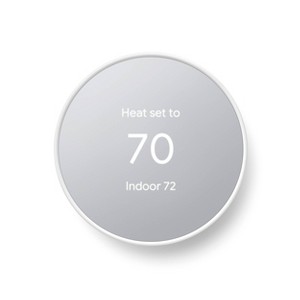
Designed to work without a C wire in most homes. But for some systems, including heating-only, cooling-only, zone-controlled, and heat pump systems, you’ll need a C wire or other compatible power accessory.
Description
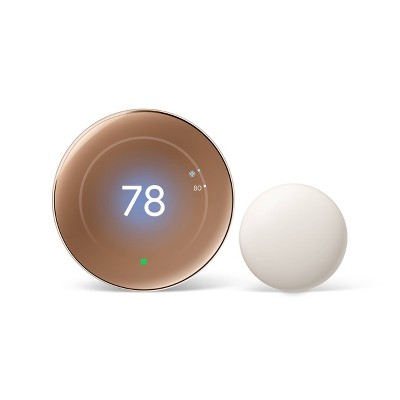
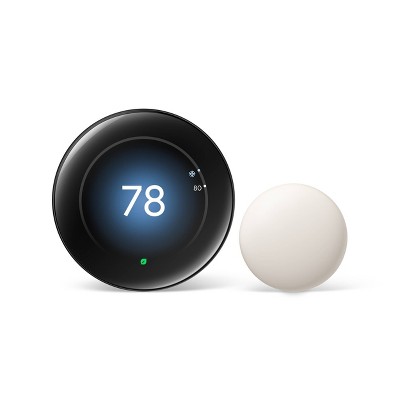
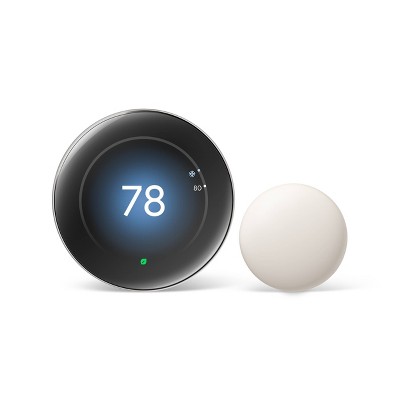
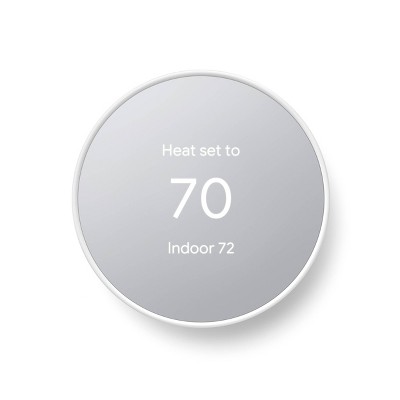
Meet the Nest Thermostat, the helpful thermostat with a cozy price. It can turn itself down to save energy when you leave the house. You can control it from anywhere with the Google Home app - whether you're on an errand or in bed. And it's easy to install yourself.
Easy to install and use. Designed so you can install yourself. Installation usually takes 30 minutes or less. You can quickly create a schedule that’s right for you. To change the temperature, swipe the touch bar on the side or use the Google Home app from anywhere.
Control from anywhere. You can change the temperature, adjust your schedule, and more from the free Google home app.* Or ask Google to change the temperature - just say, "Hey Google, turn up the heat."**
Compatible with the Google Home app. Easily adjust temperature and comfort settings from anywhere using your Google Home app.*
Heating and cooling system care. Your thermostat can monitor your heating and cooling system and alert you if something doesn't seem right.*** It can also send helpful reminders like when it's time to replace your filter.
ENERGY STAR® certified thermostat. The Nest Thermostat energy-saving features earned an ENERGY STAR® from the EPA.**** Also, the Nest Thermostat can use sensors and your phone's location to check if you've left the house. Then it can set itself to an Eco temperature to save energy.
Designed with the environment in mind. The Nest Thermostat is designed with recycled materials to reduce waste. Its plastic parts contain 49% recycled post-consumer plastic.
Finds ways to help you save. Savings finder looks for more ways to save, and suggests tweaks to your schedule.
Nest Renew from Google makes it easy to support clean energy, right from your home. It works with your compatible Nest thermostat1 to help you automatically prioritize your usage2 to times when energy is cleaner3 or less expensive.4 Nest Renew is free to join, and helps you track the positive difference you’re making to the environment and communities across the country. And for $10 a month, extend your positive impact even further by matching the fossil fuel electricity used in your home with enough clean energy to cover the average U.S. household.5 Because when we each do a little, it can add up to a lot.*****
*Remote control and mobile notifications require working internet and Wi-Fi.
**Compatible devices required.
***We provide alerts to notify you of potential issues with your HVAC system. Goal is to provide helpful information, but make no endorsement, representation, or warranty of any kind about the health of your HVAC system. Alerts aren't intended to replace a diagnosis by a qualified HVAC professional.
****ENERGY STAR and the ENERGY STAR mark are registered trademarks owned by the U.S. Environmental Protection Agency.
*****Nest Renew disclaimers: Nest Renew requires 3rd generation Nest Learning Thermostat, Nest Thermostat E, or the newest Nest Thermostat (sold separately), connected to a Google account. Nest Renew available in select locations - see g.co/nest/reloc for more information. Adjustments only shift electricity usage from your heating and cooling. Only available in areas served by major continental US grids, visit g.co/nest/repwr for more information. Only available for customers on certain electric utility time-of-use rates, visit g.co/nest/retou to check availability. Learn how this is done with renewable energy credits at g.co/nest/ecred. Nest Renew will be purchasing RECs from wind and solar plants in the United States. The majority of these RECs will come from our flagship project Bethel Wind in Castro County, TX, with the remainder coming from US solar.
Dimensions (Overall): 3.3 Inches (H) x 3.3 Inches (W) x 1.07 Inches (D)
Industry or Government Certifications: Energy Star Certified
Compatible With: Google Assistant
Material: Plastic
Battery: 2 AAA Alkaline
Warranty: 1 Year Limited Warranty. To obtain a copy of the manufacturer's or supplier's warranty for this item prior to purchasing the item, please call Target Guest Services at 1-800-591-3869
TCIN: 80786143
UPC: 193575007649
Item Number (DPCI): 085-00-2890
Origin: Imported
If the item details aren’t accurate or complete, we want to know about it.
google
google-nest-thermostat
Thermostats
Nest Learning Thermostat
Nest Thermostat
Price
$
$$
Control from anywhere with your phone
X
X
Turns itself down after you leave
X
X
Easy scheduling
Auto-schedule or manual
Guided setup
Display
High-res color
Mirrored
Farsighted shows you the time, temperature or weather
X
-
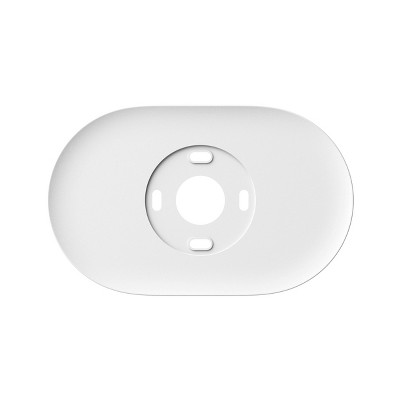
Trim kit
Included
Sold separately
Voice Control with Google Assistant or Alexa
X
X
Compatibility with 24V heating and cooling
Works with 95% of systems
Works with 85% of systems
Required app (free)
Nest app
Google Home app
Shipping details
Estimated ship dimensions: 4.8 inches length x 4.8 inches width x 1.9 inches height
Estimated ship weight: 0.6 pounds
Return details
This item can be returned to any Target store or Target.com.
This item must be returned within 90 days of the date it was purchased in store, shipped, delivered by a Shipt shopper, or made ready for pickup.
Q: Is this considered a google nest learning thermostat?
submitted by Joyce O - 1 year ago
A: Hey there, Joyce O. No, the Nest Programmable Thermostat is not the same as the Nest Learning Thermostat. Reach out to our support team if you have any questions.
submitted byGoogle Team - 1 year ago
Brand expert
Q: Just realized I need a w2 wire. Is there a way to install that one this one?
submitted by Evan - 1 year ago
A: Hey there, Evan. Yes, you can get a W2 wire for The Nest Programmable Thermostat. We have a compatibility checker if you need to help confirm what is needed. Don’t hesitate to reach out to our support team for more help.
submitted byGoogle Team - 1 year ago
Brand expert
Q: Will my iPhone work to control the temperature?
submitted by Sharon - 3 years ago
A: Hi, Sharon! Absolutely! The Nest Thermostat uses the Google Home app that you can download on your iPhone or iPad with iOS 14.0 or later. You can also use a mobile phone or tablet with Android 8.0 or later. Visit the Google Nest Help page for more information.
submitted byGoogle Nest Support - 3 years ago
Brand expert
A: In therory, but you'll likely have problems. If the wifi goes out for a second the device disconnects. The only way to get it reconnected to the app is manually resetting the device. Very frustrating.
submitted byVictoria - 3 years ago
Q: My Nest Learning Thermostat which I am replacing has wires connected to RH and W1
Is the R terminal the correct one for the RH wire?
submitted by Darbytomusa - 18 days ago
A: Hi there, Darbytomusa. If you only have one R wire (no Rh or Rc), you can connect your R wire to either Rc or Rh on the Nest thermostat. Check out this link for more information: https://support.google.com/googlenest/answer/9452748
We’re here to lend a helping hand: https://support.google.com/googlenest/gethelp
submitted byGoogle Team - 15 days ago
Brand expert
Q: I live off the electric grid. If my power goes out will the Nest notify me of that or notify me when house temp drops to 60⁰? Does it have battery backup to make notifications if power goes out?
submitted by Lin - 2 months ago
A: Great question, Lin. The Nest thermostat is designed to maintain a safe temperature range. If the room temperature exceeds the set Safety Temperatures, the thermostat will automatically adjust the heating or cooling. You will receive notifications in the Nest or Home app Feed when this adjustment occurs and when the temperature returns to normal. Additionally, the Nest Thermostat is powered by two standard 1.5 V AAA alkaline batteries. Check out this link for more information: https://support.google.com/googlenest/answer/9249790
submitted byGoogle Team - 2 months ago
Brand expert
Q: Are there zones on this product
submitted by Lucy - 2 months ago
A: Hi there, Lucy. Nest thermostats are usually compatible with zoned systems that use multiple thermostats, including zoned systems with dampers. However, some zoned systems that require thermostat damper control aren’t compatible with Nest thermostats. Other zoned systems may need a C or common wire, or the Nest Power Connector, to be compatible. Check out this article for more information: https://support.google.com/googlenest/gethelp
submitted byGoogle Team - 2 months ago
Brand expert
Q: Does it work with Alexa
submitted by Lou - 2 months ago
A: Great question, Lou. Yes, you can add a Smart Home skill to the Google Home app in order to control the Nest Thermostat through Alexa — here’s how to add it:
1.Open the Google Home app.
2. Tap your account.
3. Verify that the Google Account shown is the one linked to your Google device. If correct, tap Close to exit the account window.
4. Tap Settings.
5. Tap Services and then Amazon Alexa skill.
6. Follow the instructions on the screen to enable the skill in the Alexa app.
Here’s a guide with more details: https://support.google.com/googlenest/answer/9325080
submitted byGoogle Team - 2 months ago
Brand expert
Q: Which generation is this one
submitted by Tammy - 3 months ago
A: Thanks for asking, Tammy. This Nest Thermostat is the 1st generation of this iteration. For more insight on each device, here’s a link: https://support.google.com/googlenest/answer/9246551?hl=en
submitted byGoogle Team - 3 months ago
Brand expert
Q: Since google doesn’t allow nest older thermostats to work from phones anymore I am trying to see what versions I need to purchase now. Can I still control my thermostat with my phone with this version? 
submitted by Nikki - 3 months ago
A: Hey there, Nikki. Yes, this Nest Thermostat will let you control the temperature through the Google Home app. Here’s a link with more information: https://support.google.com/googlenest/answer/10178773
submitted byGoogle Team - 3 months ago
Brand expert
Q: what generation is this device?
submitted by Disappointed customer - 3 months ago
A: Thanks for asking. This Nest Thermostat is the 1st generation of this iteration. Here’s a link to help identify each thermostat: https://support.google.com/googlenest/answer/9246551?hl=en
The Nest Thermostat has received mixed reviews. Guests appreciate its easy installation, modern design, and remote control capabilities. However, many have experienced connectivity issues, compatibility problems with certain HVAC systems, and frequent disconnections from Wi-Fi. The thermostat's app integration and manual controls have also been points of contention.
Summary created by AI from text of reviews reflecting recent feedback provided across different star ratings (includes incentivized reviews)
3.8
3.8 out of 5 stars
1795 star ratings
3.8 out of 5 stars with 1795 reviews
quality
2.3 out of 5
quality: 2.3 out of 5
value
2.1 out of 5
value: 2.12 out of 5
21% would recommend
37 recommendations
5 out of 5 stars
Thumbs up graphic, would recommendWould recommend
20 January, 2026Verified purchase
Worthwhile Investment
Bought as a gift for Christmas. Few problems installing it and works great. Feel it will help keep the house at right temperature and save energy.
nutwic
quality
5.0 out of 5
quality: 5 out of 5
value
4.0 out of 5
value: 4 out of 5
Did you find this review helpful?
1 out of 5 stars
Thumbs down graphic, would not recommendWould not recommend
26 November, 2025
Do not recommend.
As an hvac contractor, we see nothing but issues with these and do not recommend. They are difficult to work with even as a professional, and they disconnect constantly. We would not install these for any system.
1 reply from Google Team team - 2 months ago
Hi there, Kayleehatch. We’re sorry to see your experiences with the Nest Thermostat haven't been the best. We’d like to learn more about your time with the devices and get additional feedback — when you have a moment, here’s a survey: https://google.qualtrics.com/jfe/form/SV_2aStd8wsbcLGvwG
Kayleehatch
quality
2.0 out of 5
quality: 2 out of 5
value
2.0 out of 5
value: 2 out of 5
3 guests found this review helpful. Did you?
1 out of 5 stars
Thumbs down graphic, would not recommendWould not recommend
3 November, 2025
Dont buy
They saw you the thermostat and say that you can use it with an app. Then they turn the app off and give you a to buy a new one at twice the price what paid for the old one. Stay away from this company. They are thieves.
1 reply from Google Team team - 3 months ago
Thanks for being part of the Nest family. If you have questions or concerns about this change, get answers in our Thermostat help center, or ask other Thermostat owners in the Google Nest Community. Contact our support team for personalized assistance if online resources don't resolve your issue: https://support.google.com/googlenest/gethelp?
Dont buy Google Nest
quality
1.0 out of 5
quality: 1 out of 5
value
1.0 out of 5
value: 1 out of 5
1 guest found this review helpful. Did you?
1 out of 5 stars
Thumbs down graphic, would not recommendWould not recommend
27 October, 2025Verified purchase
Doesn't work after 10 months
Thing stopped working after 10 months, changed the batteries and everything. Furnace runs just fine with my old thermostat.
1 reply from Google Team team - 3 months ago
Hey there, Josh. Sorry to see your Nest Thermostat didn’t last as long as anticipated — this seems unusual. We’d like to look into this further with you and get you the best solution we can. When you’re ready, reach out to us here: https://support.google.com/googlenest/gethelp?
Josh
quality
1.0 out of 5
quality: 1 out of 5
value
1.0 out of 5
value: 1 out of 5
Did you find this review helpful?
1 out of 5 stars
Thumbs down graphic, would not recommendWould not recommend
12 September, 2025
Terrible dont recommend!!
This thing is terrible. Doesn’t work. Can’t move from one house to another. Would never purchase again. So many glitches and complicated setups.
1 reply from Google Team team - 5 months ago
Hey there, Amanda Lu. Sorry you’re having trouble bringing the Nest Thermostat to your new home. We try to make moving the device as easy as possible — here’s how to set it up when moving: If your Wi-Fi network will change: If you bring your thermostat to a new house, and you have a new Wi-Fi router or ISP, connect your thermostat to the new Wi-Fi network. If your router and Wi-Fi network will stay the same: Once you've set up your Wi-Fi network in your new home, install your thermostat. It will automatically connect to your network and be ready to use. We’re here 24/7 to lend an extra hand: https://support.google.com/googlenest/gethelp?
Amanda Lu
quality
1.0 out of 5
quality: 1 out of 5
value
1.0 out of 5
value: 1 out of 5
Did you find this review helpful?
5 out of 5 stars
Thumbs up graphic, would recommendWould recommend
15 August, 2025Verified purchase
Great price and easy to use
Love the ease of use and install
Jamesfromdfw
quality
5.0 out of 5
quality: 5 out of 5
value
5.0 out of 5
value: 5 out of 5
1 guest found this review helpful. Did you?
1 out of 5 stars
Thumbs down graphic, would not recommendWould not recommend
19 March, 2025
Compressor turning off
After having a lot of trouble with high humidity and ending up with the AC unit replaced, we found out that the compressor was turning off because there’s a setting in the app that shuts off the compressor to save energy! If you, like many others, are having this problem go to Google Home app/ Temperatures Preferences/ Airwave and turn OFF this setting!
1 reply from Google Nest Support team - 11 months ago
Hey there, Annie. We’re glad you were able to resolve the issue with the compressor. That said, we understand your frustration — if you need support in the future, we’re here 24/7: https://support.google.com/googlenest/gethelp?
Annie
quality
1.0 out of 5
quality: 1 out of 5
value
1.0 out of 5
value: 1 out of 5
1 guest found this review helpful. Did you?
1 out of 5 stars
Thumbs down graphic, would not recommendWould not recommend
12 February, 2025Verified purchase
Not what I expected.
Listen to all bad reviews including mine. Unreliable, keeps disconnecting from the app. It is so inconsistent and so inaccurate. I had the older model and thought the newer one was better . Can’t return it now. Save your money and buy something else.
1 reply from Google Nest Support team - 1 year ago
Hey there, Adri. We’re sorry your experience with the Nest Thermostat hasn’t been the best. There could be few things impacting your device’s connection — here’s some troubleshooting steps to resolve the problem: 1. Check the thermostat's battery levels: If your thermostat’s battery level is low, it'll disconnect from Wi-Fi. If your thermostat repeatedly loses battery charge, it may require a C wire or the Nest Power Connector. 2. Connect thermostat to a new network: If the thermostat and the network it’s connected to aren’t compatible, it might cause the thermostat to disconnect. Temporarily connect your thermostat to a mobile hotspot to check how the thermostat behaves when connected to a different network 3. Check for messages and help codes on your thermostat: Sometimes, your thermostat tells you what’s happening. Don’t hesitate to reach out to us for support.
Adri
quality
2.0 out of 5
quality: 2 out of 5
value
1.0 out of 5
value: 1 out of 5
Did you find this review helpful?
1 out of 5 stars
Thumbs down graphic, would not recommendWould not recommend
9 February, 2025Verified purchase
garbage product
i've had good luck with old nest thermostats (i guess before google bought that company?). This one sucks. Simple two wire heat only system. After a couple of days, buying another thermostat.
1 reply from Google Nest Support team - 1 year ago
Hey there, mj. We’re sorry to hear your experience with the Nest Thermostat hasn’t been the best. Here’s a compatibility checker to see what may work for you: https://store.google.com/intl/en/widget/compatibility/thermostat/ If you need an extra hand, reach out to us here: https://support.google.com/googlenest/gethelp?
mj
quality
1.0 out of 5
quality: 1 out of 5
value
1.0 out of 5
value: 1 out of 5
1 guest found this review helpful. Did you?
2 out of 5 stars
Thumbs down graphic, would not recommendWould not recommend
12 January, 2025Verified purchase
Nest Sensors Not Compatible
It is not compatible with Google Nest Temperature Sensors. So if you are planning on using them to regularly room temperatures, don’t get this model. Older model and newer (most expensive) are compatible.
1 reply from Google Nest Support team - 1 year ago
Hey there, Rod. We understand your frustration with the Nest Temperature Sensor not being compatible with the Nest Programmable Thermostat. The Temperature Sensor is only compatible with the Google Nest Thermostat E and Nest Learning Thermostat (3rd gen and 4th gen). If you need any additional help, don’t hesitate to reach out to our support team.
Rod
quality
4.0 out of 5
quality: 4 out of 5
value
1.0 out of 5
value: 1 out of 5
1 guest found this review helpful. Did you?
1 out of 5 stars
Thumbs down graphic, would not recommendWould not recommend
11 November, 2024
Do not buy
Unreliable - do not buy. Frustrating. We had to switch back to a standard thermostat after trying this one and having the heat and air conditioning functions not work due to technical problems with the Nest.
1 reply from Google Team team - 1 year ago
Hey There, We appreciate you taking the time to share your experience. We're truly sorry to hear that your Nest Thermostat didn't meet your expectations. Your feedback is invaluable to us as we strive to improve. Please share your thoughts here: https://google.qualtrics.com/jfe/form/SV_2aStd8wsbcLGvwG
Disappointed
value
1.0 out of 5
value: 1 out of 5
quality
1.0 out of 5
quality: 1 out of 5
1 guest found this review helpful. Did you?
1 out of 5 stars
Thumbs down graphic, would not recommendWould not recommend
15 October, 2024
Waste!
I had a brand new system and Nest installed December 2022; within weeks the Nest failed, leaving the house with no heat during a blizzard (major Christmas blizzard in my area). The HVAC repair came out and replaced the Nest. Now It's October 2024, not even two years later and all of a sudden there's a "no power" error code, and during 40 degree outdoor temps there is cold air blowing. Never lost power to my house and the electric was never modified, etc. Two thermostats in two years. Not worth it at all!
1 reply from Google Team team - 1 year ago
Hi there, we're sorry to hear about the experience that you've had with your Nest Thermostat 2020, especially during extreme weather conditions. To help us provide the most accurate solution, we'd like to gather some more information, please contact us here at your convenience: https://support.google.com/googlenest/gethelp
Jenn
quality
1.0 out of 5
quality: 1 out of 5
value
1.0 out of 5
value: 1 out of 5
3 guests found this review helpful. Did you?
1 out of 5 stars
Thumbs down graphic, would not recommendWould not recommend
9 October, 2024Verified purchase
This version is horrible
I have one nest that is east to use this model is impoissble to use I paid to have it installed and now jsut paid to have it removed and another user friendly thermostat installed!!!! So frustrating and now it is to late to make a return.
1 reply from Google Nest Support team - 1 year ago
Hey There, thank you for sharing your feedback regarding your Google Nest Thermostat Cotton Snow. We apologize for any inconvenience you experienced. Your comments will be carefully considered as we strive to improve our products. Your feedback is super helpful in making our products even better. Please share your thoughts on:https://google.qualtrics.com/jfe/form/SV_2aStd8wsbcLGvwG
dva
value
1.0 out of 5
value: 1 out of 5
quality
1.0 out of 5
quality: 1 out of 5
1 guest found this review helpful. Did you?
1 out of 5 stars
Thumbs down graphic, would not recommendWould not recommend
11 July, 2024Verified purchase
Horrible
Not even worth 1 star this ruined my ac unit and I can't even tell how horrible the support team was .. didn't speak good English I couldn't understand one word she said and we were disconnected and she didn't call back.. do NOT buy this
TM
5 guests found this review helpful. Did you?
5 out of 5 stars
Thumbs up graphic, would recommendWould recommend
10 January, 2024Verified purchase
Great product
We have one so I purchased one for my secret Santa person on Christmas. We love ours and I'm sure she'll love hers too!
T
quality
5.0 out of 5
quality: 5 out of 5
value
5.0 out of 5
value: 5 out of 5
Did you find this review helpful?
3 out of 5 stars
Thumbs up graphic, would recommendWould recommend
8 January, 2024Verified purchase
Wrong type…worked out anyway
Listed as Cotton snow...recieved "mirror" type. Don't know if listing was wrong or employee gave us wrong one at pick up. Didn't realize it till we got home. Decided to keep it. Working fine. Check your order at pick up.
1 reply from Nest Support team - 2 years ago
Hi there, Review Master. Thanks for sharing your experience with the Nest Thermostat! It's good to hear the thermostat is working fine, even though it wasn't the color you originally expected. It's understandable that receiving the wrong color can be frustrating and we encourage you to reach out to the retailer so you can properly address your concerns. If you have additional questions and concerns, please reach out to our dedicated team of specialists on the Google Help Center "Contact Us" page.
Review Master
quality
5.0 out of 5
quality: 5 out of 5
value
5.0 out of 5
value: 5 out of 5
1 guest found this review helpful. Did you?
1 out of 5 stars
Thumbs down graphic, would not recommendWould not recommend
27 December, 2023
Just No
Beware! Do not buy this as a gift, even though there is no signage in store or at the policy at customer service you can not return without receipt.
1 reply from Nest Support team - 2 years ago
Hello there, Jennifer. We're sorry to hear that your experience with the retailer where you purchased your Nest Thermostat has been disappointing. If you need any technical assistance with troubleshooting the device, please don't hesitate to reach out to our team of specialists on the Google Help site for immediate support.
Jennifer
2 guests found this review helpful. Did you?
5 out of 5 stars
Thumbs up graphic, would recommendWould recommend
1 December, 2023Verified purchase
Get it while it last
It’s so easy to understand and use.
Eddy
quality
5.0 out of 5
quality: 5 out of 5
value
5.0 out of 5
value: 5 out of 5
Did you find this review helpful?
1 out of 5 stars
Thumbs down graphic, would not recommendWould not recommend
1 October, 2023
Doesnt last long, dont waste your money
Not only is this difficult to manually use compared to other Nest thermostats, but it only lasts maybe 2 years. It’s kicked itself off of our Wi-Fi and will NOT reconnect. I’ve been trying and troubleshooting for days now and nothing. This is my 2nd and last Nest Thermostat.
1 reply from Nest Support team - 2 years ago
Hey there, Kat. Thank you for sharing your concern about your Nest Thermostat. We're sorry to hear that you're experiencing connectivity issues with the device and appreciate your efforts in troubleshooting it on your end. It's important to us that we provide you with the best help possible and identify the cause of the issues you’re having with your device. Please reach out to our dedicated team of specialists on our Google Help site for immediate support.
Kat
quality
1.0 out of 5
quality: 1 out of 5
value
1.0 out of 5
value: 1 out of 5
4 guests found this review helpful. Did you?
1 out of 5 stars
Thumbs down graphic, would not recommendWould not recommend
27 July, 2023Verified purchase
Lasted 3 months - destroyed my HVAC motor
The unit worked great for about 3 months until it started to automatically shut off the fan when the AC was running. This put extra pressure on the HVAC motor and eventually killed it. The HVAC was only 3 years old so the repair guy was pretty confused why it was failing - and then figured out it was the thermostat not letting the fan run. Cost me over $400 to replace the motor in labor (luckily the motor was covered). Google refused to pay for any of this. They offered to replace the thermostat, but would only ship it ground - about 4 days to arrive, and in the middle of a heat wave. Not a good experience.
1 reply from Nest Support team - 3 years ago
Hello there. Thanks for sharing a review. It’s unfortunate to hear you ran into these issues with the Nest Thermostat. We’ll definitely share your feedback with the right team for future improvements with our products, services, including how we handle customer concerns with accuracy and efficiency. Meanwhile,your thermostat or the Home app may show you a message with a code if it detects something that needs your attention. Please refer to the “Troubleshoot Nest thermostat help codes” article for troubleshooting guidance. Alternatively, you’re always welcome to contact us again via Google Nest Help Page if immediate assistance is required.