
Target New ArrivalsFourth of JulyBack to SchoolCollegeClothing, Shoes & AccessoriesHome & DecorKitchen & DiningOutdoor Living & GardenGroceryHousehold EssentialsBabyBeautyPersonal CareSports & OutdoorsHealthWellnessSchool & Office SuppliesToys & GamesElectronicsVideo GamesMovies, Music & BooksParty SuppliesGift IdeasGift CardsPetsUlta Beauty at TargetShop by CommunityTarget OpticalDealsClearanceNew ArrivalsBack to SchoolCollegeTop DealsTarget Circle DealsWeekly AdShop Order PickupShop Same Day DeliveryRegistryRedCardTarget CircleFind Stores
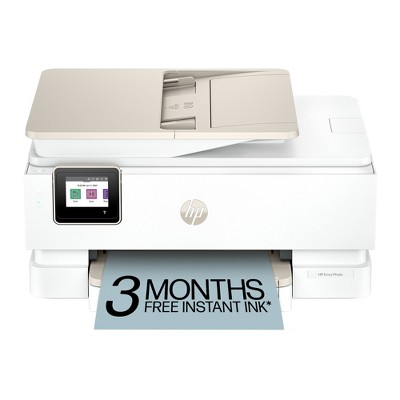
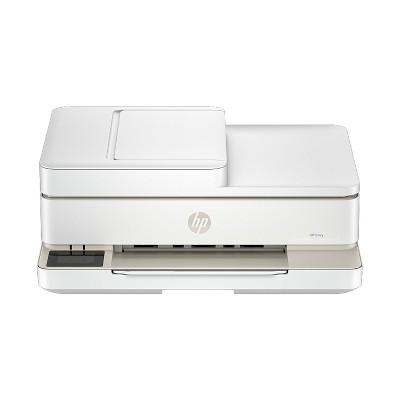
HP Envy 6555e Wireless All-in-One Color Printer Scanner Copier with Instant Ink & HP+ (714N5A) - 2 of 4HP Envy 6555e Wireless All-in-One Color Printer Scanner Copier with Instant Ink & HP+ (714N5A) - 3 of 4HP Envy 6555e Wireless All-in-One Color Printer Scanner Copier with Instant Ink & HP+ (714N5A) - 4 of 4
HP Envy 6555e Wireless All-in-One Color Printer Scanner Copier with Instant Ink & HP+ (714N5A) - 1 of 4

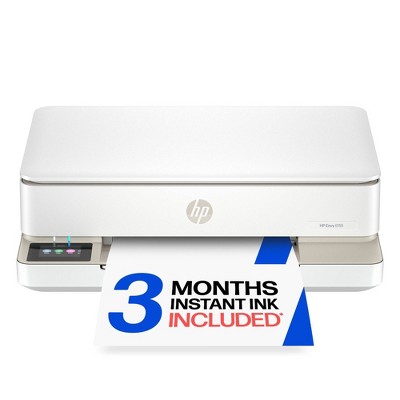
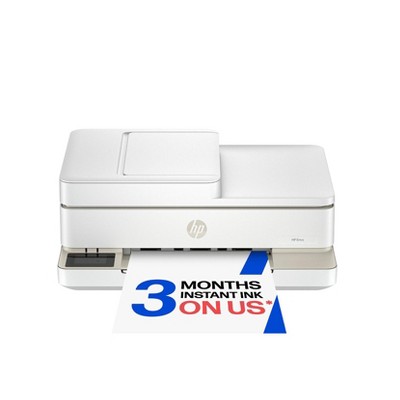
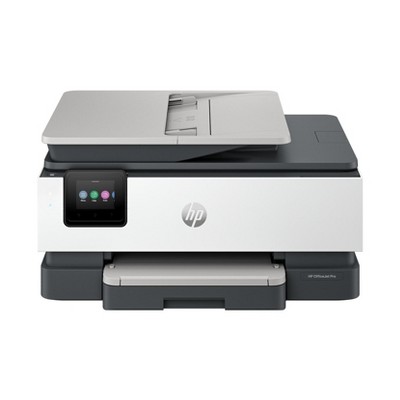
HP Envy 6555e Wireless All-in-One Color Printer Scanner Copier with Instant Ink & HP+ (714N5A)

$179.99

In Stock
Eligible for registries and wish lists

About this item

Highlights

  • Best for home printing
  • Print, scan, copy and fax on the go with HP Smart app
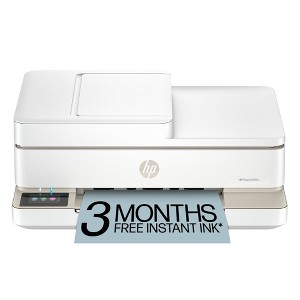
  • 3 months of free Instant Ink included
  • Built-in wireless
  • Easy mobile setup
  • Print up to 10 pages per minute (black), 7 pages per minute (color)
  • 35-sheet auto document feeder
  • USB 2.0

Description

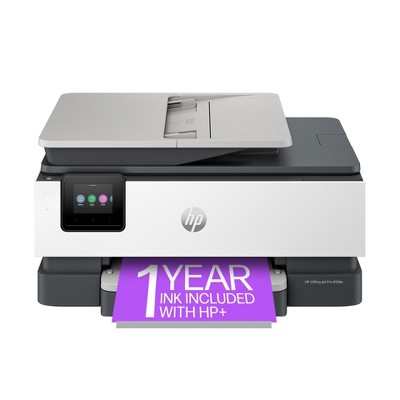
The HP Envy 6555e All-in-One delivers color printing, scanning and copying, plus a 35-sheet auto document feeder and 100-sheet paper capacity. It includes wireless and mobile printing capabilities to keep your multifunction printer connected, and prints high-quality documents and photos every time with true-to-screen tech. This inkjet printer also lets you easily navigate print jobs with its intuitive color touchscreen.

FROM AMERICA'S MOST TRUSTED PRINTER BRAND: The Envy 6555e is perfect for homes printing everyday high-quality color documents like homework and borderless photos. Print speeds up to 7 ppm color, 10 ppm black.

KEY FEATURES: Color print, copy and scan, plus auto 2-sided printing, a 35-sheet auto document feeder and a 100-sheet input tray

HP'S MOST INTUITIVE COLOR TOUCHSCREEN: Smoothly navigate your printer with the easy-to-use 2.4" touchscreen

WIRELESS PRINTING: Stay connected with our most reliable dual-band Wi-Fi®, which automatically detects and resolves connection issues

TRUE-TO-SCREEN TECH: Print documents and photos that look as vibrant as they do on your screen with HP's P3 technology

HP APP: Print, scan, copy, or fax right from your smartphone with the easiest-to-use print app

3 MONTHS OF FREE INK WITH HP+ ACTIVATION: Subscribe to Instant Ink delivery service to get ink delivered directly to your door before you run out. After 3 months, monthly fee applies unless cancelled, and you save up to 50%.

SUSTAINABLE DESIGN: Made with at least 60% recycled plastic. Choose HP to help forests thrive—for every page you print, HP protects, restores and manages forests.

DYNAMIC SECURITY: This printer is intended to work only with cartridges with original HP chips or circuitry and will block cartridges using non-HP chips or circuitry. Periodic firmware updates will maintain the effectiveness of these measures. More at www.hp.com/learn/ds.
Dimensions (Overall): 16.1 Inches (H) x 18.62 Inches (W) x 18.74 Inches (D)
Weight: 18.08 Pounds
B&W Print Speed: 10 Pages per Minute
Color Print Speed: 7 Pages per Minute
Electronics Condition: New
Electronics Features: Printer
Maximum capacity: 100 Sheets
Operating System Compatibility: Windows Mobile, macOS
Maximum Resolution: 1200 x 1200 (Color)
Wireless Technology: Wi-Fi
Printer Ink Color: White
Compatible With: Up to 8.5" x 14" Documents
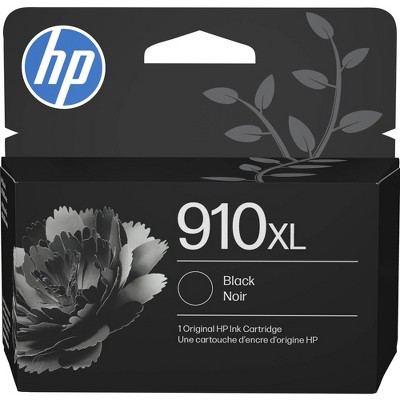
Ink Series: HP 68 Series
Battery: No Battery Used
Warranty: 1 Year Limited Warranty. To obtain a copy of the manufacturer's or supplier's warranty for this item prior to purchasing the item, please call Target Guest Services at 1-800-591-3869
TCIN: 92146005
UPC: 197029817617
Item Number (DPCI): 056-03-0109
Origin: Imported
If the item details aren’t accurate or complete, we want to know about it.

Shipping details

Estimated ship dimensions: 18.66 inches length x 16.45 inches width x 8.81 inches height
Estimated ship weight: 17.57 pounds

Return details

This item can be returned to any Target store or Target.com.
This item must be returned within 30 days of the date it was purchased in store, delivered to the guest, delivered by a Shipt shopper, or picked up by the guest.
See the return policy for complete information.

Q: Does this printer require an ink subscription to work? If you cancel the subscription does it stop working?

submitted by Flaff - 1 year ago
  • A: Hello and thank you for asking. The HP Envy 6555e printer is eligible to participate in the optional HP+ program and to optionally subscribe to HP Instant Ink, where you save up to 50% on ink and never run out. Again, both programs are 100% optional. If you do elect to subscribe to Instant Ink and then cancel the subscription, the printer will stop working on your last billing date. Just replace both Instant Ink cartridges with genuine HP 68 ink cartridges and your printer work again. When you cancel Netflix, you cannot watch shows or movies there any longer, so if you cancel Instant Ink, you would not be able to use the ink in those cartridges any longer.

    submitted byHP Team - 1 year ago
    Brand expert

Q: Do I have to subscribe to an internet program

submitted by Erf - 1 year ago
  • A: Thanks for your question. You do not have to subscribe to HP Instant Ink to use the HP Envy 6555e printer. You can still buy the ink cartridges.

    submitted byHP Team - 1 year ago
    Brand expert

Q: Can this printer reduce or increase original documents to a custom size?

submitted by Simply - 1 year ago
  • A: Hello and thank you for asking. You can use the free HP Smart app on your computer or smartphone to enlarge or reduce copies of documents for printing on the HP Envy 6555e printer.

    submitted byHP Team - 1 year ago
    Brand expert

Q: How long does the ink?

submitted by Michelle R - 1 year ago
  • A: Hi Michelle R, thanks for reaching out about HP Envy 6555e Wireless All-in-One Color Printer Scanner Copier with Instant Ink and HP+ (714N5A) This printer utlizes the 68 TriColor (approx 120 pages) the 68 Black (approx 160 pages) and the 68e Black (320 pages) If you have any additional questions, we welcome you to contact MyTGTtech at 833-848-8324 every day, between 7am-11pm CST.

    submitted byJustin - 1 year ago
    Target expert support
  • A: Thank you for your question, the HP Envy 6555e uses HP 68 ink. The black ink yields about 160 pages and the tri-color yields about 120 pages.

    submitted byHP Team - 1 year ago
    Brand expert

Q: Has anyone had any issues with the printer staying connected to the wireless connection?

submitted by Tdownes68 - 2 years ago
  • A: Yes, the printer has a problem recognizing the router after awhile

    submitted byGayle - 1 year ago
  • A: Thank you for your purchase of this HP Envy printer! I am sorry to hear about your experience with the wireless connection. You can contact HP Support and they can diagnose the cause and give you a resolution.

    submitted byHP Team - 2 years ago
    Brand expert

Q: Can it do vinal sticker printing?

submitted by Luci1313 - 2 months ago
  • A: Hi, thanks for reaching out about the HP Envy 6555e Wireless All-in-One Color Printer Scanner Copier with Instant Ink & HP+ (714N5A) This printer can print on printable vinyl sticker paper, as long as the vinyl is specifically designed for inkjet printers. Many people use inkjet‑compatible vinyl sheets to make stickers with this model. Please keep in mind: The printer prints only; it does not cut the stickers It is not compatible with heat‑transfer vinyl (HTV) used for fabrics For best results, select the appropriate paper type and quality settings in the print menu and allow the ink to fully dry If you plan to make vinyl decals or cut designs, you would still need a separate cutting machine (such as a Cricut or Silhouette). If you have any additional questions, we welcome you to contact MyTGTtech at 833‑848‑8324 every day between 7am–11pm CST.

    submitted byMike - 2 months ago
    Target expert support

Q: is this compatible with mac?

submitted by lauren - 2 months ago
  • A: Hi, thanks for reaching out about HP Envy 6555e Wireless All-in-One Color Printer Scanner Copier with Instant Ink & HP+ (714N5A) Yes, the HP Envy 6555e Wireless All‑in‑One printer is fully compatible with macOS. If you have any additional questions, we welcome you to contact MyTGTtech at 833-848-8324 every day, between 7am-11pm CST.

    submitted byMike - 2 months ago
    Target expert support

Q: what size paper does this printer print on?

submitted by Annie - 2 months ago
  • A: Hi, thanks for reaching out about the HP Envy 6555e Wireless All-in-One Color Printer Scanner Copier with Instant Ink & HP+ (714N5A) The HP Envy 6555e can print on standard everyday paper sizes, up to about 8.5 × 11 inches (Letter) for normal use, plus some smaller photo and envelope sizes. If you have any additional questions, we welcome you to contact MyTGTtech at 833-848-8324 every day between 7 am and 11 pm CST.

    submitted byRena - 19 days ago
    Target expert support

Q: Does the ADF allow you to scan two-sided documents automatically or does that require manually flipping the two-sided documents you'd like to scan?

submitted by wubbaduckii - 2 months ago
  • A: Hi, thanks for reaching out about HP Envy 6555e Wireless All-in-One Color Printer Scanner Copier with Instant Ink & HP+ (714N5A) The HP Envy 6555e (714N5A) includes a 35-sheet Automatic Document Feeder (ADF) for scanning, but it does not support automatic 2-sided (duplex) scanning. The ADF only scans one side of the page. The printer does feature automatic 2-sided printing, and you can manually scan 2-sided documents using the HP Smart app or HP Scan software. If you have any additional questions, we welcome you to contact MyTGTtech at 833-848-8324 every day, between 7am-11pm CST.

    submitted byJustin - 2 months ago
    Target expert support

Q: Can I use cardstock or index paper to print in color?

submitted by B - 2 months ago
  • A: Hi, thanks for reaching out about HP Envy 6555e Wireless All-in-One Color Printer Scanner Copier with Instant Ink & HP+ (714N5A) Yes — you can print in color on cardstock and index cards with the HP Envy 6555e, as long as you stay within its supported paper limits and use the correct settings. If you have any additional questions, we welcome you to contact MyTGTtech at 833-848-8324 every day, between 7am-11pm CST.

    submitted byMike - 2 months ago
    Target expert support

Additional product information and recommendations
Discover more options

Guests also viewed

Guests are saying

The HP Envy 6530e printer has received positive feedback for its user-friendly setup, compact design, and good print quality. Guests appreciate the convenience of wireless printing and the instant ink program, which offers a hassle-free ink supply. While some have experienced issues with ink consumption and connectivity, many find it a reliable choice for home and college use, making it a great value for those seeking a versatile printer.
    Summary created by AI from text of reviews reflecting recent feedback provided across different star ratings (includes incentivized reviews)
    4.2 out of 5 stars with 405 reviews
    quality: 3.14 out of 5
    value: 3 out of 5
    51% would recommend
    29 recommendations
    5 out of 5 stars
    9 June, 2026
    originally posted on hp.com
    Image

    good

    good printer, It reconnects to internet when internet is interrupted. Prints clean. I use it only for personal use, but having the ability to use both the 5mhz and 2.5 mhz is a big improvement for me
    Did you find this review helpful?
    1 out of 5 stars
    5 June, 2026
    originally posted on hp.com
    Image

    Faulty installation procedure

    I have yet to be able to install my Envy 6555e due to the instructions being in poor. In addition, I received emails with instructions to use code numbers that were provided.....completely wasteful. In stall all the new HP printers I have bought over the years as been a snap. Not with this one! Very disappointing.
    Did you find this review helpful?
    1 out of 5 stars
    Thumbs up graphic, would recommend
    4 June, 2026Verified purchase

    Great Printer and Value.

    Great printer. I bought 2 canons, 1 Epson and had to return Each of these were not good. Constantly off line or in error mode. This HP printer has been Great. No error codes, never offline. Installation was the easiest and most quick ever. Good quality. Highly recommend.
    Seaglass
    quality: 5 out of 5
    value: 5 out of 5
    1 guest found this review helpful. Did you?
    5 out of 5 stars
    3 June, 2026
    originally posted on hp.com
    Image

    HP ENVY 655e 'do everything' printer

    This printer was bought thanks to CNN UNDERSCORE vetting and customer reviews. I didn't need another printer BUT all of the accolades plus a very good price convinced me. The printer itself is a dream, set-up was easy and it just works flawlessly double sided as well as single. It is quiet, immediately responsive, cartridge changing is easy.
    BBPO
    Did you find this review helpful?
    1 out of 5 stars
    3 June, 2026
    originally posted on hp.com
    Image

    Set up is awful

    I haven’t been able to get it set up. It’s stuck in one mode and no on line help works
    Cdem
    Did you find this review helpful?
    5 out of 5 stars
    31 May, 2026
    originally posted on hp.com
    Image

    Easy to set up

    She easy to connect to the network. Very quiet operation. This is an upgrade from a previous HP printer and it's a 30% improvement, which is good for me.
    Did you find this review helpful?
    5 out of 5 stars
    27 May, 2026
    originally posted on hp.com
    Image

    Simply efficient

    Simple to operate and very efficient. We use it for our household needs and are very happy with it.
    Michelle R.
    Did you find this review helpful?
    5 out of 5 stars
    23 May, 2026
    originally posted on hp.com
    Image

    So worth the price and ink membership!

    Runs beautifully and fairly easy to activate and connect to phones and tablets! Works easily with multiple systems (ie Apple or Android)!
    Dee B.
    Did you find this review helpful?
    4 out of 5 stars
    21 May, 2026
    originally posted on hp.com
    Image

    Works well

    I haven't had the HP Envy6555e very long, so I gave it a four rather than a five. But that given, it has worked well since installing it. I did have a bit of a struggle installing it, but our 15 yr old grandson fixed that. At one point, I called HP support as the printer was not recognizing HP Smart and the support gentleman was very good.
    rosary
    Did you find this review helpful?
    5 out of 5 stars
    18 May, 2026
    originally posted on hp.com
    Image

    Envy printer

    I wanted a simple color printer with a larger screen readout that is easy to read. That is a really nice feature with the Envy! It is not cluttered with a lot of data so I can read it — that makes me happy. I wanted a printer that would print in color but with the ink cartridges I could easily clean, since I don’t print a lot and the ink can dry up. I recommend it.
    Did you find this review helpful?
    4 out of 5 stars
    17 May, 2026
    originally posted on store.hp.com
    Image

    Hate the cartridge

    Love the printer. Hate the ink cartridge. The brand new cartridge supplied with the printer ran out after just 67 colour prints
    DCB.
    1 guest found this review helpful. Did you?
    1 out of 5 stars
    16 May, 2026
    originally posted on hp.com
    Image

    PAPER JAM.

    I have had the hardest time with this printer! Since I got it it keeps saying there is a paper jam! Also I can’t scan to print because of the paper jam warning.
    Lupinlaura
    Did you find this review helpful?
    5 out of 5 stars
    11 May, 2026
    originally posted on hp.com
    Image

    Well pleased with ease of setup and performance.

    Replacement for personal use.
    DLP1273
    Did you find this review helpful?
    5 out of 5 stars
    11 May, 2026
    originally posted on hp.com
    Image

    Very satisfied

    Up to now I haven’t had any problem with this new printer.
    Did you find this review helpful?
    5 out of 5 stars
    6 May, 2026
    originally posted on hp.com
    Image

    Great value!

    It a good value for a basic printer with a few perks. Also like the instant ink deal that was available with my purchase. Only wish it were a little quieter but it is an ink jet. It works great fo all my scans, copies, photos and easy to follow the small screen prompts.
    Texas shopper
    Did you find this review helpful?
    4 out of 5 stars
    27 April, 2026
    originally posted on hp.com
    Image

    Seems a little light compared to previous photosmart model

    Seems to be working ok ....... not as heavy as the previous photosmart printer so do wonder about its robustness?
    Richard Cornwall
    Did you find this review helpful?
    5 out of 5 stars
    26 April, 2026
    originally posted on hp.com
    Image

    Always great support from HP

    Best ever setup experience
    Bob Piland
    Did you find this review helpful?
    5 out of 5 stars
    Thumbs up graphic, would recommend
    25 April, 2026Verified purchase

    (no review title)

    awesome gift item, great price and fast shipping
    Timothy
    quality: 5 out of 5
    Did you find this review helpful?
    4 out of 5 stars
    24 April, 2026
    originally posted on HP - New Zealand
    Image

    HP ENVY 6530e Printer

    I love the new printer of the HP ENVY 6530e Printer ive chosen off the website with some help from a sales consultant a few weeks ago. It's taken me a little bit 2 get use to working it & its updated 2 my new one.
    Steph 123
    Did you find this review helpful?
    5 out of 5 stars
    15 April, 2026
    originally posted on hp.com
    Image

    Very good

    Why would anyone want anything that did not have HP on it Terrific printer and longevity with the ink
    Ken Wardley
    Did you find this review helpful?

    Get top deals, latest trends, and more.

    Privacy policy