Sponsored
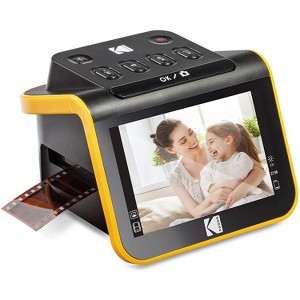
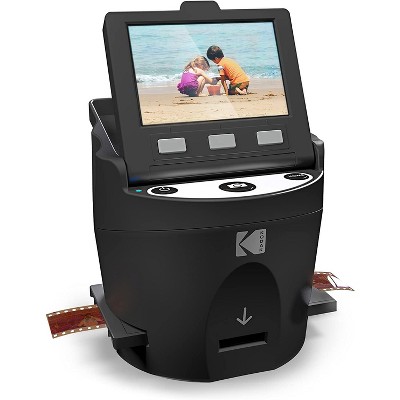
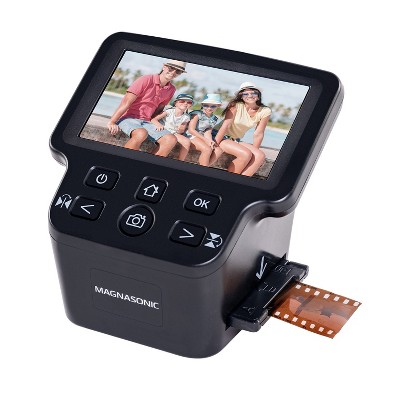
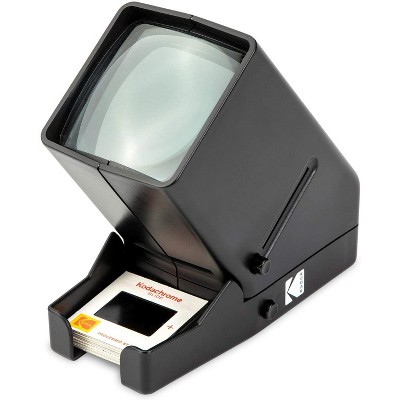
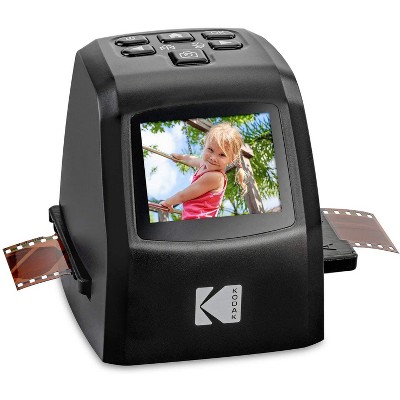
Kodak Slide N SCAN Film and Slide Scanner with 5" LCD Screen, Converts Negatives & Slides to JPEG
In Stock
Sponsored
About this item
Highlights
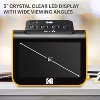
- Features 5" crystal-clear screen with wide viewing angle for instantly previewing & editing photos
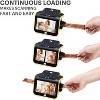
- Quick-feeding tray technology allows for continuous loading action, making scanning fast & simple
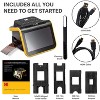
- Includes all you need to get started: USB & HDMI cables, cleaning brush, user manual, and adapters
- With photo editing features, set date & time to date your images, & adjust RGB levels & brightness
- Compatible with B&W negatives (135, 110, 126) and 50 mm slides (136, 110, 126)
- User interface comes with large, easy-to-use buttons for simpler control of your device
- Connect HDMI cable to view images and download them to an SD card or directly to your computer
- Easy options let you choose film type, adjust color/brightness & assign date/time
- The device rests comfortably where you want it, measuring just 5.27” x 5.35” x 3.74”
- Great for sharing with friends & family or using as an elegant digital picture frame in your home
Description
Shipping details
Return details
Q: Can it scan 120 film?
A: Hi Rich, thanks for reaching out about Kodak 5" SLIDE N SCAN Film & Slide Scanner, Portable Photo Viewer. In addition to the main 50mm slide holder, this includes three adapters provided for compatibility with 135, 110 and 126mm films. If you have any additional questions, we welcome you to contact MyTGTtech at 833-848-8324 every day, between 7am-11pm CST.
submitted byMike - 2 years agoTarget expert supportA: Hello Rich! This unit does have the capability to scan 135, 110 and 126mm film negatives.
submitted byFrom The Manufacturer - 2 years agoBrand expert
Q: Can you add a name or date to the photo?
A: Hi, thanks for reaching out about Kodak Slide N SCAN Film and Slide Scanner with 5" LCD Screen, Converts Negatives & Slides to JPEG Yes, you can add a date and time to a photo using the Kodak Slide N SCAN, but it is stored electronically in the image file and does not appear on the scanned image itself. To do this, you use the arrow buttons to navigate to the date/time setting on the device's screen, then press the "OK/Scan" button to set the date and time before scanning. If you have any additional questions, we welcome you to contact MyTGTtech at 833-848-8324 every day, between 7am-11pm CST.
submitted byJustin - 21 days agoTarget expert support
Q: Can I connect this device to a tv to view the slides on the tv?
A: Hi, thanks for reaching out about Kodak Slide N SCAN Film and Slide Scanner with 5" LCD Screen, Converts Negatives & Slides to JPEG. Yes, you can connect the Kodak Slide N SCAN Film and Slide Scanner to a TV to view your slides and negatives. 📺 The device specifications confirm it has an HDMI output specifically for this purpose. How to View on Your TV Check Contents: The scanner typically includes an HDMI cable (though some listings mention it's not included, the official manual suggests it is included with the 5" and 7" versions). Connect: Use the HDMI cable to connect the scanner's HDMI port to an available HDMI port on your television. Set TV Input: Switch your TV's input/source to the corresponding HDMI port you used. View: You can then use the scanner's controls to navigate the menus and view your scanned images in Playback/Gallery Mode on the larger TV screen. This feature lets you easily share your digitized memories with family and friends on a big screen without needing to transfer files to a computer first! If you have any additional questions, we welcome you to contact MyTGTtech at 833-848-8324 every day, between 7am-11pm CST.
submitted byJoe - 1 month agoTarget staff support
Q: What does this scan at? DPI?
A: Hi J, thanks for reaching out about Kodak 5" SLIDE N SCAN Film & Slide Scanner, Portable Photo Viewer The scan resolution of the Kodak 5" SLIDE N SCAN Film & Slide Scanner can be set to 14 megapixels (14MP) or 22 megapixels (22MP). The native resolution of the sensor is 13MP (4208 x 3120 at 72 DPI). The 22MP setting uses interpolation to enhance the resolution beyond the sensor's capabilities. If you have any additional questions, we welcome you to contact MyTGTtech at 833-848-8324 every day, between 7am-11pm CST.
submitted byJustin - 6 months agoTarget expert support
Q: Can this product scan to a thumb drive?
A: Hi Cindy, thanks for reaching out about Kodak 5" SLIDE N SCAN Film & Slide Scanner, Portable Photo Viewer This scanner scans to the SD card. The scanner does have a USB port, but its main function is for powering the device and for transferring files to a computer from the SD card. If you have any additional questions, we welcome you to contact MyTGTtech at 833-848-8324 every day, between 7am-11pm CST.
submitted byMike - 8 months agoTarget expert support
Q: How do you transfer the files of the pictures from the SD card to my iPhone?
A: Hi Bob, thanks for reaching out about the Kodak 5" SLIDE N SCAN Film & Slide Scanner, Portable Photo Viewer. Using an SD Card Reader for iPhone: Plug the SD card reader into your iPhone's Lightning or USB-C port. Insert the SD card into the reader. Your iPhone's Photos app should automatically open, or you can open it manually. The Photos app will recognize the SD card, and you'll be able to view and import the photos. Select the photos you want to transfer and tap "Import." Once the transfer is complete, you can safely remove the SD card reader. If you have any additional questions, we welcome you to contact MyTGTtech at 833-848-8324 every day between 7 am and 11 pm CST.
submitted byRena - 8 months agoTarget expert support
Frequently bought together