Sponsored
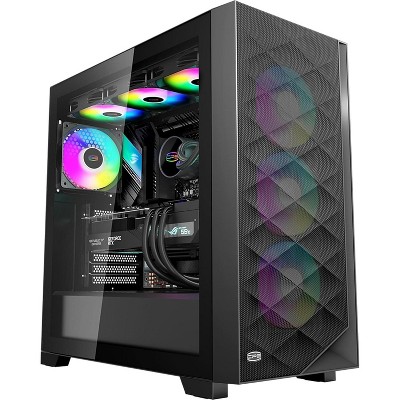
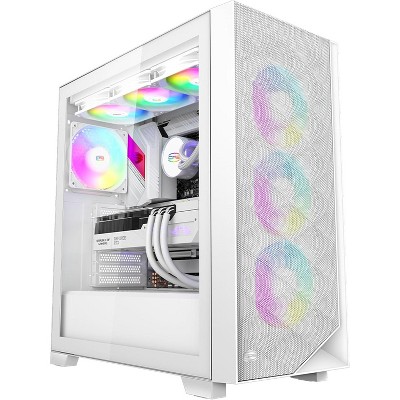
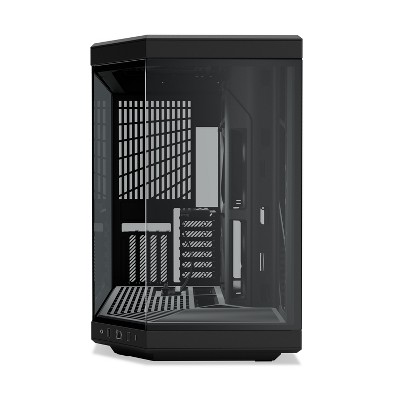
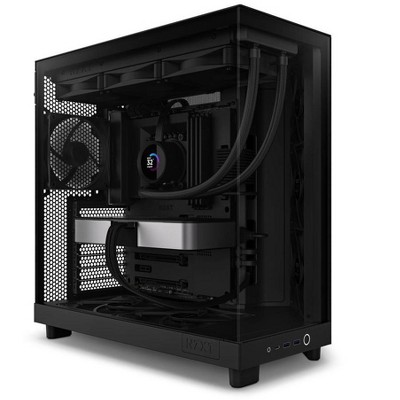
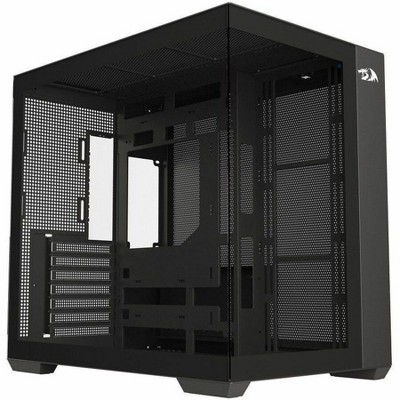
PCCOOLER C3T500 ARGB BK ATX ARGB CASE
In Stock
Sponsored
About this item
Highlights
- PCCOOLER desktop pc cases with simple design for more convenient installation. The PC case plate uses the snap-on quick-release design, no longer need to match a lot of screws, is adopted for the side panel, making it easy to be assembled and disassembled(Please refer to the installation instructions)
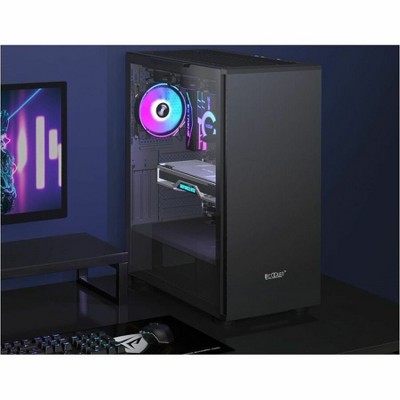
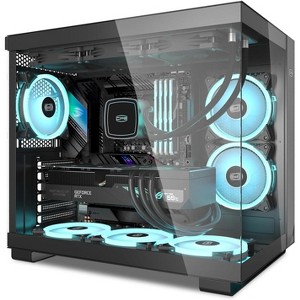
- CPS C3T500 pc case uses 3MM thick clear and high-definition transparent tempered glass, innovative column-free design will better show inside the well-designed computer cases by PC gamers. The other part of CPS computer case uses 0.7MM thick SPCC material, which has a high-end aesthetic while ensuring a long service life of the pc case.
Description
- CPS C3T500 pc case uses 3MM thick clear and high-definition transparent tempered glass, innovative column-free design will better show inside the well-designed computer cases by PC gamers. The other part of CPS computer case uses 0.7MM thick SPCC material, which has a high-end aesthetic while ensuring a long service life of the pc case.
- PCCOOLER desktop pc cases with simple design for more convenient installation. The PC case plate uses the snap-on quick-release design, no longer need to match a lot of screws, is adopted for the side panel, making it easy to be assembled and disassembled(Please refer to the installation instructions)
- 6 argb case fans(120mm×120mm) are included in the package of C3T500 PC case,PCCOOLER Considering that computer game players need a more powerful cooling systems,so we have reserved the installation position of the top and bottom CPU water cooling system in the computer case,supporting 280mm&360mm water cooling system,you can also choose height limit 175mm air cooling system.
Shipping details
Return details
Q: Is it the whole Pc or is it just a case and fans
A: Hi, thanks for reaching out about PCCOOLER C3T500 ARGB BK ATX ARGB CASE This listing is a dual-chamber mid-tower case that comes well-equipped for building a gaming PC. Included components are: PCCOOLER C3T500 ARGB Case: The main chassis with a dual-chamber design and tempered glass side/front panels. 6 x 120mm ARGB PWM Fans (Pre-installed): This is a key feature. Six 120mm Addressable RGB (ARGB) fans are pre-installed for cooling and lighting. Typically, 3 fans are installed in the bottom (with reversed blades for intake), 2 on the side, and 1 at the rear. 1 x ARGB Fan Hub/Controller: A controller is included (usually pre-installed in the rear chamber) to manage the speed (PWM) and lighting effects (ARGB) of the included fans. Screw Accessory Kit: A bag containing all necessary screws for mounting the motherboard, SSDs, HDDs, and power supply. Cable Ties/Zip Ties: Included for cable management. Product Specification/User Manual: Documentation for installation. If you have any additional questions, we welcome you to contact MyTGTtech at 833-848-8324 every day, between 7am-11pm CST.
submitted byMike - 1 month agoTarget expert support
Q: Do I have to assemble it?
A: Hi, thanks for reaching out about PCCOOLER C3T500 ARGB BK ATX ARGB CASE. That's an excellent question, as it distinguishes an empty case from a pre-built PC! The PCCOOLER C3T500 ARGB BK ATX ARGB CASE comes partially assembled, but you will still have a lot of work to do. Here is a breakdown of what is pre-assembled and what you must do yourself: ✅ What is Pre-Assembled (Good News) Case Frame: The core structure of the ATX Mid Tower case, including the main metal chassis and the tempered glass panels, is assembled and ready to use. Fans: The case comes with 6 ARGB fans pre-installed in their mounting locations (typically 3 on the bottom, 2 on the side, and 1 on the rear). Fan Hub: An ARGB Fan Hub is typically pre-installed and has the fans already connected and somewhat cable-managed. 🛠️ What You Must Assemble (The Core Build) Since this is just a case, you will still need to perform the entire PC build process yourself: Install Motherboard: You must screw the ATX (or smaller) motherboard into the case standoffs. Install Components: You must install the CPU cooler, RAM, and the Graphics Card (GPU). Install Storage: You must install the SSDs and/or HDDs into the drive bays. Install Power Supply: You must install the Power Supply Unit (PSU) into its dedicated rear chamber. Connect Cables: You must run and connect all PSU cables to the motherboard and components (the hardest part of any PC build). If you have any additional questions, we welcome you to contact MyTGTtech at 833-848-8324 every day, between 7am-11pm CST.
submitted byJoe - 1 month agoTarget staff support