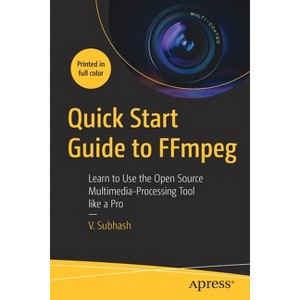
Create, edit, modify and convert multimedia files using FFmpeg, the most versatile open source audio and video processing tool available for Linux, Mac and Windows users.
About the Author: V. Subhash is an Indian writer, programmer and illustrator.
280 Pages
Computers + Internet, Programming
Description
About the Book
Create, edit, modify and convert multimedia files using FFmpeg, the open source audio and video processing tool available for Linux, Mac and Windows users.
Book Synopsis
Create, edit, modify and convert multimedia files using FFmpeg, the most versatile open source audio and video processing tool available for Linux, Mac and Windows users. After reading this book, you will be able to work with video and audio files, images, text, animations, fonts, subtitles and metadata like a pro.
It begins with a simple introduction to FFmpeg executables -- ffmpeg, ffprobe and ffplay, and explains how you can use them to process multimedia containers, streams, audio channels, maps and metadata. It then describes how you can easily edit, enhance and convert audio, video, image and text files. There are dedicated chapters for filters, audio, subtitles and metadata, as well as FFmpeg tips and tricks. Sample lists of FFmpeg filters, encoders, decoders, formats and codecs are also available as appendices.
Quick Start Guide to FFmpeg is for anyone who needs to edit or process multimedia files including studio professionals, broadcast personnel, content creators, podcasters, librarians, archivists and webmasters. It will be indispensable for those wanting to process a variety of multimedia files from the command line and inside shell scripts or custom-built software.
You Will Learn To:
Convert from one format to another e.g. video-to-video, video-to-audio, video-to-image, image-to-video, video-to-animation, animation-to-video, text-to-audio, text-to-video
Edit video files by cutting them with and without re-encoding, appending, resizing, changing frame rate and aspect ratio, mixing in audio
Use filters to rotate, flip, crop, overlay (side-by-side or inset), remove logos, blur, smooth and sharpen, apply transitions as well as speed up or down playback
Edit audio files by changing, normalizing or compressing volume, mixing and splitting channels and detecting silence. Also, learn to generate waveforms as video or images
Add subtitles, place them anywhere on the screen, use custom fonts and colors, and use different languages
Learn how to import, export and remove metadata, add MP3 tags (including album art), set global and stream-specific metadata, export and remove metadata
This Book For: Content creators and bloggers from professional studio employees to Youtubers and hobbyists who need to process their own multimedia content; multimedia archivists and librarians; regular Linux desktop users
From the Back Cover
Create, edit, modify and convert multimedia files using FFmpeg, the most versatile open source audio and video processing tool available for Linux, Mac and Windows users. After reading this book, you will be able to work with video and audio files, images, text, animations, fonts, subtitles and metadata like a pro.
It begins with a simple introduction to FFmpeg executables -- ffmpeg, ffprobe and ffplay, and explains how you can use them to process multimedia containers, streams, audio channels, maps and metadata. It then describes how you can easily edit, enhance and convert audio, video, image and text files. There are dedicated chapters for filters, audio, subtitles and metadata, as well as FFmpeg tips and tricks. Sample lists of FFmpeg filters, encoders, decoders, formats and codecs are also available as appendices.
Quick Start Guide to FFmpeg is for anyone who needs to edit or process multimedia files including studio professionals, broadcast personnel, content creators, podcasters, librarians, archivists and webmasters. It will be indispensable for those wanting to process a variety of multimedia files from the command line and inside shell scripts or custom-built software.
You will:
Convert from one format to another e.g. video-to-video, video-to-audio, video-to-image, image-to-video, video-to-animation, animation-to-video, text-to-audio, text-to-video
Edit video files by cutting them with and without re-encoding, appending, resizing, changing frame rate and aspect ratio, mixing in audio
Use filters to rotate, flip, crop, overlay (side-by-side or inset), remove logos, blur, smooth and sharpen, apply transitions as well as speed up or down playback
Edit audio files by changing, normalizing or compressing volume, mixing and splitting channels and detecting silence. Also, learn to generate waveforms as video or images
Addsubtitles, place them anywhere on the screen, use custom fonts and colors, and use different languages
Learn how to import, export and remove metadata, add MP3 tags (including album art), set global and stream-specific metadata, export and remove metadata
Automate your FFmpeg tasks
About the Author
V. Subhash is an Indian writer, programmer and illustrator. He is the author of over two dozen mostly non-fiction books including Linux Command-Line Tips & Tricks, CommonMark Ready Reference, PC Hardware Explained, Cool Electronic Projects and How To Install Solar. He wrote, illustrated, designed and produced all of his books using only open-source software. Subhash has programmed in more than a dozen languages (as varied as assembly, Java and Javascript); published software for desktop (NetCheck), mobile (Subhash Browser & RSS Reader) and web (TweetsToRSS); and designed several websites. As of early 2023, he is working on a portable Javascript-free CMS using plain-jane PHP and SQLite. Subhash also occasionally writes for Open Source For You magazine and CodeProject.com.
Dimensions (Overall): 9.21 Inches (H) x 6.14 Inches (W) x .64 Inches (D)
Weight: .94 Pounds
Suggested Age: 22 Years and Up
Number of Pages: 280
Genre: Computers + Internet
Sub-Genre: Programming
Publisher: Apress
Theme: Open Source
Format: Paperback
Author: V Subhash
Language: English
Street Date: February 3, 2023
TCIN: 1011991429

UPC: 9781484287002
Item Number (DPCI): 247-23-8965
Origin: Made in the USA or Imported
If the item details aren’t accurate or complete, we want to know about it.
Shipping details
Estimated ship dimensions: 0.64 inches length x 6.14 inches width x 9.21 inches height
Estimated ship weight: 0.94 pounds
We regret that this item cannot be shipped to PO Boxes.
This item cannot be shipped to the following locations: American Samoa (see also separate entry under AS), Guam (see also separate entry under GU), Northern Mariana Islands, Puerto Rico (see also separate entry under PR), United States Minor Outlying Islands, Virgin Islands, U.S., APO/FPO, Alaska, Hawaii
Return details
This item can be returned to any Target store or Target.com.
This item must be returned within 90 days of the date it was purchased in store, delivered to the guest, delivered by a Shipt shopper, or picked up by the guest.