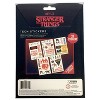
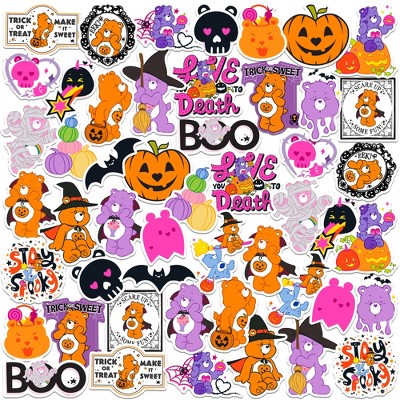
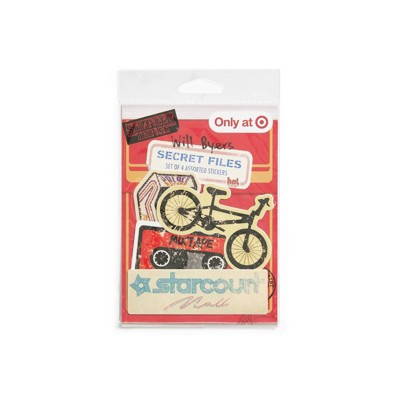
Ideal for decorating laptops, phone cases, tablets, notebooks, or water bottles
Makes a fun gift or collectible for Stranger Things fans
Peel-and-stick format means easy application and repositioning
Adds a bit of fandom flair without permanently altering your device
Imported
Description
Transform your gadgets into portals to Hawkins with this officially licensed Upside Down Tech Sticker set — perfect for expressing your Stranger Things obsession in the digital age.
If the item details aren’t accurate or complete, we want to know about it.
Shipping details
Estimated ship dimensions: 6.82 inches length x 9.42 inches width x 0.35 inches height
Estimated ship weight: 0.154 pounds
Return details
This item can be returned to any Target store or Target.com.
This item must be returned within 30 days of the date it was purchased in store, delivered to the guest, delivered by a Shipt shopper, or picked up by the guest.
A: Hi, thanks for reaching out about Stranger Things (The Upside Down) Tech Stickers.
Those "Upside Down" tech sticker packs are usually made from removable vinyl, meaning they are designed specifically to be safe for electronics without leaving a sticky mess behind.
Since the theme is Stranger Things, you can get pretty creative with "hidden" placements or "portal" effects. Here are the best spots to put them:
1. The Classic Tech Gear
The Laptop Lid: This is the "billboard" for your stickers. Pro tip: If you have a dark-colored laptop (black or space gray), the Upside Down designs usually pop much better.
The Trackpad "Sidecar": Put a smaller sticker (like a Demogorgon or a tiny bike) to the left or right of your trackpad. Most vinyl stickers are thin enough that they won't interfere with your wrists.
Tablet Backs: If you use an iPad or tablet with a folio case, stick them on the case rather than the device to preserve the resale value.
2. Gaming Setup
Console Faceplates: On a PS5 or Xbox Series X, these look great on the flat side panels.
Controller Grips: Use the smallest stickers on the handles of your controller—just make sure they aren't where your palms sweat the most, or they might peel over time.
PC Case Windows: If you have a desktop with a glass side panel, placing stickers on the inside of the glass (facing out) looks incredibly sleek and keeps the sticker protected.
3. "Portal" Placements (Creative Ideas)
The "Underside" Surprise: Put a "Gateway" or "Upside Down" sticker on the bottom of your laptop. It’s a literal "down" side for the Upside Down.
Inside the Laptop: A small sticker near the webcam or in the corner of the bezel (if it’s wide enough) can look like a monster is peeking into our world.
Charging Bricks: Those boring white or black power bricks for your phone/laptop are perfect canvases for smaller icons like Eleven’s waffles or the Alphabet Wall.
⚠️ A Few "Don'ts" for Tech
Avoid the Vents: Never cover the fan grilles or heat exhaust ports on your laptop or console. This can cause overheating and hardware damage.
Skip the Screen: Never put stickers directly on the display. The adhesive can damage the anti-reflective coating.
Keyboard Keys: Unless they are specifically "keycap skins," avoid putting regular stickers on the keys; they’ll get gunky and feel weird under your fingers within a week.
If you have any additional questions, we welcome you to contact MyTGTtech at 833-848-8324 every day, between 7am-11pm CST.