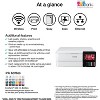
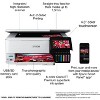
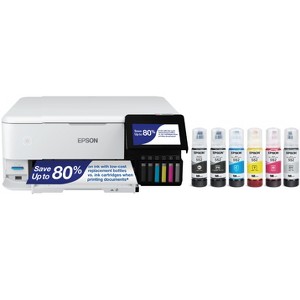
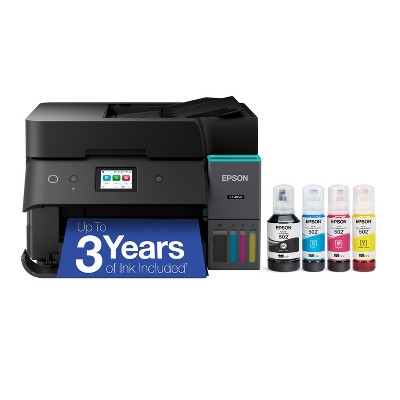
Epson EcoTank Photo ET-8500 Wireless Color All-in-One Supertank Printer
$699.99
In Stock
Add plans or services
Make your selection before adding to cart
2 Year Electronics Protection Plan ($600-$699.99) - Allstate
$75.00

Free & easy returns
Return this item by mail or in store within 30 days for a full refund.
Sold & shipped by Epson
Eligible for registries and wish lists
About this item
Additional product information and recommendations
Related Categories
Guests are saying
The printer is highly praised for its exceptional print quality, especially on glossy photo paper, making it ideal for home use and creative projects. Guests appreciate the ease of use, intuitive controls, and the eco-friendly ink tank system that eliminates the need for cartridges. While some guests experienced issues with paper jams and connectivity, the overall sentiment remains positive, highlighting its reliability for both photo and document printing.
Summary created by AI from text of reviews reflecting recent feedback provided across different star ratings (includes incentivized reviews)
4.5 out of 5 stars with 167 reviews
100% would recommend
2 recommendations
5 out of 5 stars
10 October, 2026
originally posted on epson.com

Best printer for home use
This printer is outstanding for home. Great quality on glossy photo paper or plain paper, just pick the right type of paper setting. The best part though is the ease of use, everything works exactly as it should. If you had travel exercising a feature it is most likely that you did not follow the instructions. These are well explained via the included LCD screen. I have had my 8500 for two years and aside from print drying which required a power clean, the printer has worked flawlessly. The WiFi works, the photo printing works, the document printing works, the scanner works, the parts move as they should without binding, and the touch controls on the LCD are logical and easy to follow. This is the best printer I have used for my home printing projects. Expensive? Yes but well worth it especially when EPSON has it on sale under $500.
5 out of 5 stars
Thumbs up graphic, would recommend
27 May, 2026Verified purchase
So far so good
Love no ink cartridges. Have another Epson so got this one. So far everything printed looks great. Haven’t tried photos yet. Easy set up but watch when filling ink. Had a drip.
4 out of 5 stars
24 May, 2026
originally posted on epson.com
I recommend the extended warranty!
This printer delivers great print quality and definitely saves ink. However, it feels like it only lasts about two years before problems start appearing. My first printer stopped printing after around two years and kept showing a paper jam error even though there was no paper inside. I thoroughly cleaned it, but the issue never went away. My second printer started printing shadows after about two years as well. I cleaned the encoder strip and tried all the recommended fixes, but nothing solved the problem. At this point, I may end up buying another one, so I highly recommend purchasing the extended warranty.
5 out of 5 stars
22 May, 2026
originally posted on epson.com
Best ever
What a great photo and general purpose printer
5 out of 5 stars
18 May, 2026
originally posted on epson.com
EcoTank is the best. Worth every penny.
Bought mine 2 years ago, incredible printer. Photo quality is amazing. Don't use the scanner, I also bought an Epson V850 scanner. An unbeatable combination! Highly recommend the ET8500. .
5 out of 5 stars
16 May, 2026
originally posted on epson.com
Crafting
Great product! I do crafting so this works perfect for my printing
1 out of 5 stars
16 April, 2026
originally posted on epson.com
Horrible Product
Absolutely the worst printer I have ever worked with. The frustration trying to get it t work for printing two-sided copies are horrible for the money you pay. You actually have to manually put in the paper. Wow Epson has a long way to go for technology. The first time set up was a breeze but images on copies were blurry at best. Wasted a lot of ink just to get it to print right. Still blurry. I am going to return it. Please don’t waste your money.
From The Epson Team team
Hello CEF2, we apologize for the disappointing experience you’ve encountered with your Epson printer. Your ET-8500 includes free technical support for the life of your product. Please reach out to our Epson Support Team for assistance at (562) 276-4382; Hours: Monday – Friday, 7 a.m. to 4 p.m. (PT). We’re here to help. Sincerely, Joseph – The Epson Team.
7 months ago
5 out of 5 stars
17 March, 2026
originally posted on epson.com
Tanks are a brilliant concept
The eco tank system is brilliant! Soooo much easier, and easy to maintain. Output is beautiful. Thanks, Epson!
5 out of 5 stars
2 March, 2026
originally posted on epson.com
Absolute Best!
Best printer I have ever had. The color is fantastic and the rear paper feeder is a must have. Especially for crafters and artists that use high GSM paper.
1 out of 5 stars
9 February, 2026
originally posted on epson.com
NOT compatible with Wi-Fi 6
NOT compatible with Wi-Fi 6
From The Epson Team team
Hi Johnny S, we apologize about the disappointing experience you are having with your Epson printer's Wi-Fi connection. Your ET-8500 includes free technical support for the life of your product. Please call and let our Epson Support Team assist. Our support number is (562) 276-4382. Our support hours of operation are Monday – Friday, 7 a.m. to 4 p.m. (PT). We’re here to help. Sincerely, Joseph – The Epson Team.
9 months ago
5 out of 5 stars
13 August, 2025
originally posted on epson.com
Improved across the boards
Perfect match for my needs and intentions, to make inkjet note cards for mailing to friends, using a fine Italian-crafted art paper that does not work well with laser-printed images. The features are common sensical, the controls and texts on the LED screen straightforward. Most gratifying is the relatively more economical use of ink by the refillable tanks as opposed to the old-fashioned plastic prefilled ink cartridges.
5 out of 5 stars
25 June, 2025
originally posted on epson.com
Great photo printer
It's been working great for me for the last few years. Print quality is great and ink lasts for a long long time.
5 out of 5 stars
Thumbs up graphic, would recommend
3 May, 2025Verified purchase
Printer
Printer works so far I've printed a bunch of test prints and official art and it's has no streaks or problems.
5 out of 5 stars
13 April, 2025
originally posted on epson.com
Awesome features!
I bought this printer recently and it is wonderful
5 out of 5 stars
23 March, 2025
originally posted on epson.com
So far great
I’ve been using Epson printers for well over 25 years and for the most part they always proven be to great printers. My go to photo printer is my Epson Expression Photo HD XP-15000 that I had for the last 5 years and under moderate use it still works perfectly. The photos out of the ET-8500 are just a tad less in quality then my HD XP-15000 but barely noticeable with both on the highest quality print settings. Set up was a breeze, had my printer unboxed and up and running on my network in a little over 30 minutes, not bad at all. This is my first Eco Tank print and I like that I have to always change the ink cartridges. The build quality on the ET-8500 is very good, unlike some Epson printers that I owned in the past that had very cheap flimsy plastic. I love this printer so far and can highly recommended to anyone that wants beautiful photos.
4 out of 5 stars
14 February, 2025
originally posted on epson.com
(no review title)
Great printer! and scanner. The liquid ink is a bit strange to handle after the cartridges. short time, you wont even notice it any more. A plastic bag is provided to carry the printer to avoid spilling the ink? Set up is very easy, almost done by itself. You need to install some drivers, its fast. The colour quality is amazing, even on plain paper. A fast, quiet photo-printer. No auto paper feed. Paper tray seems week, so far so good. A bit expensive to start with.
1 out of 5 stars
2 February, 2025
originally posted on http://www.dell.com/en-us

Terrible
Terrible!!!! Bought this printer to start my small printing business and decided to spend extra money to get this one! I set up everything correctly and adjust all the printing options before hit the print. Unfortunately, I have waited 1 hour to only 20% of photo printed out!!!! How is it even possible!!! What if I needed to print 100 pages even more for my business! I send print even Standart quality not high!!! Should I exchange it or return!!! Why it took forever to print!!!!!
5 out of 5 stars
9 January, 2025
originally posted on epson.com
Love This Printer!
I've had this printer for a year now and absolutely love it! No more cassette ink cartridges!!! I have always bought Epson printers, ever since I started using computers/printers in the 90's, because I love how the Epson printers print photos! And, I always buy genuine Epson inks, too. Highly recommend this printer!
5 out of 5 stars
3 January, 2025
originally posted on http://www.dell.com/en-us
(no review title)
5
4 out of 5 stars
6 December, 2024
originally posted on epson.com
Good but could be better.
Purchased this to print some of my wife's artwork. So far so good, setup was very easy on all of our devices (PC and Mac). Output quality is very nice and most of the paper feed options work great. Biggest complaint is the rear feed option for heavy card stock. Though the feed handles heavy paper well it takes some re configuring to use and is tricky getting the paper to feed in straight.