
Target New ArrivalsFourth of JulyClothing, Shoes & AccessoriesHome & DecorKitchen & DiningOutdoor Living & GardenGroceryHousehold EssentialsBabyBeautyPersonal CareSports & OutdoorsHealthWellnessBackpack & LuggageSchool & Office SuppliesToys & GamesElectronicsVideo GamesMovies, Music & BooksParty SuppliesGift IdeasGift CardsPetsUlta Beauty at TargetShop by CommunityTarget OpticalDealsClearanceNew ArrivalsBack to SchoolCollegeTop DealsTarget Circle DealsWeekly AdShop Order PickupShop Same Day DeliveryRegistryRedCardTarget CircleFind Stores
Cricut Explore 5 Cutting Machine Essential Bundle Taupe - 2 of 4Cricut Explore 5 Cutting Machine Essential Bundle Taupe - 3 of 4Cricut Explore 5 Cutting Machine Essential Bundle Taupe - 4 of 4
Cricut Explore 5 Cutting Machine Essential Bundle Taupe - 1 of 4

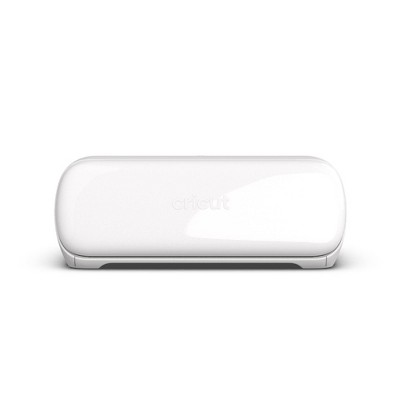
Cricut Explore 5 Cutting Machine Essential Bundle Taupe

See price in cart

In Stock

Eligible for registries and wish lists

At a glance

About this item

Highlights

  • 12 in (30.5 cm) Cutting Machine: **Cricut Explore 5 is the newest generation of our Cricut Explore machines — perfect for making a variety of projects like custom decals, personalized apparel, full-color stickers, cards, so much more. You can even make in multiples!
  • Sleek, Modern Design:** 30% more compact than previous models, Cricut Explore 5 features an aesthetic new look and simplified interface for a more intuitive experience – all with the same dependable 12 in (30.5 cm) cutting performance. Available in a brand-new Taupe color.
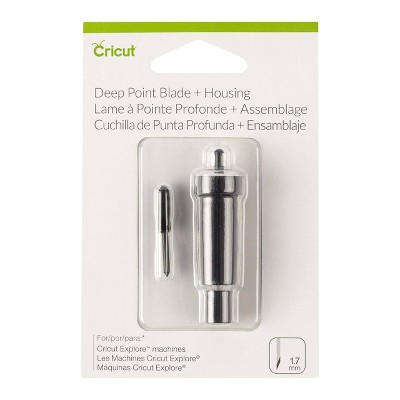
  • Compatibility: **Precision-cuts 100+** **popular materials, including vinyl, iron-on, cardstock & printable materials,1 plus this machine writes, draws, foils, scores & cuts intricate designs with precision.3 Works with six tools, including Deep Cutting Tool (sold separately) for working with thicker materials like foam & rubber.** **Plus, it features a new hassle-free snap-in pen holder.
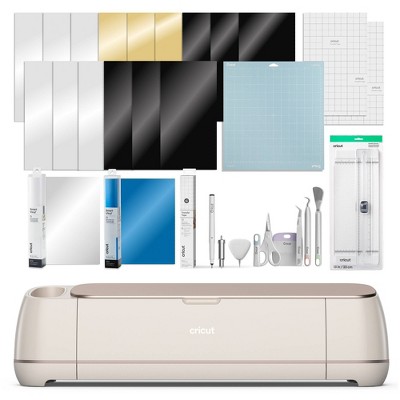
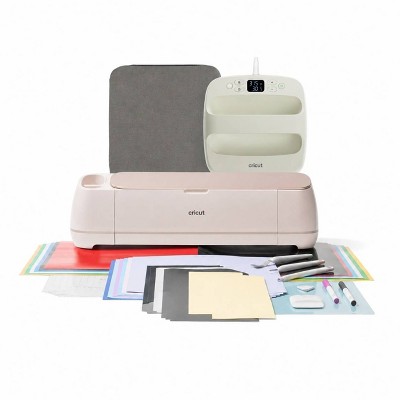
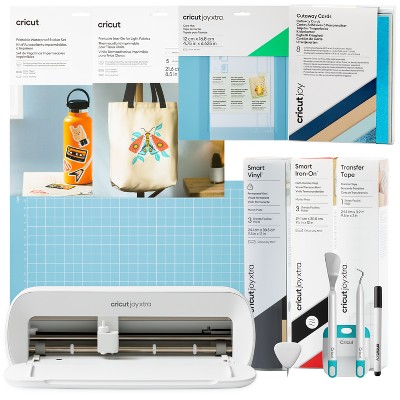
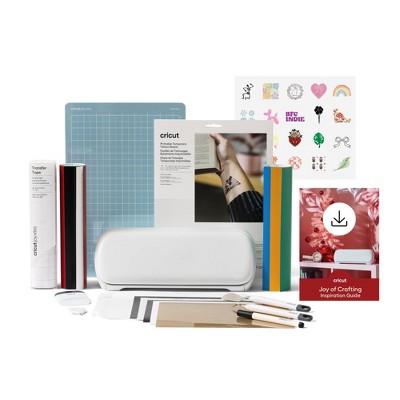
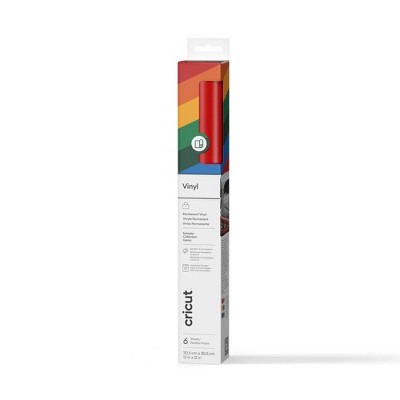
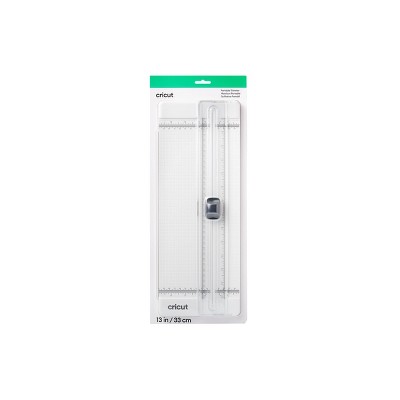
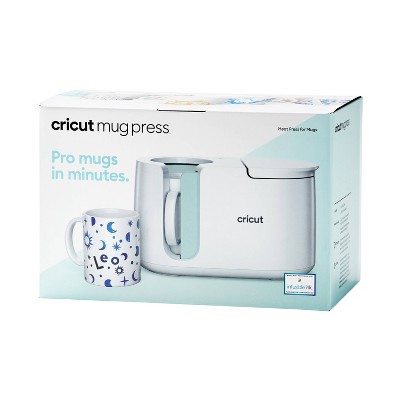
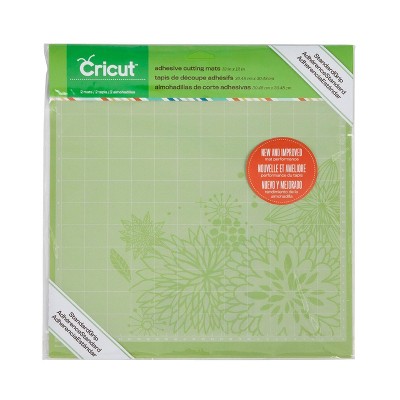
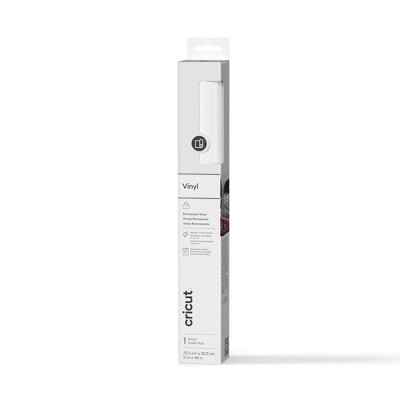
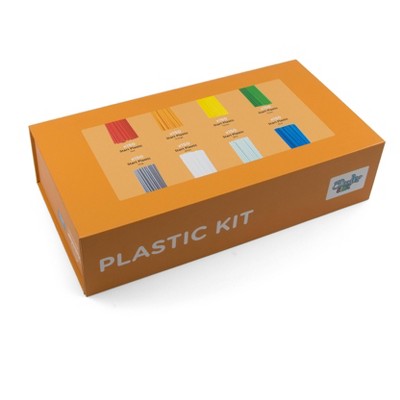
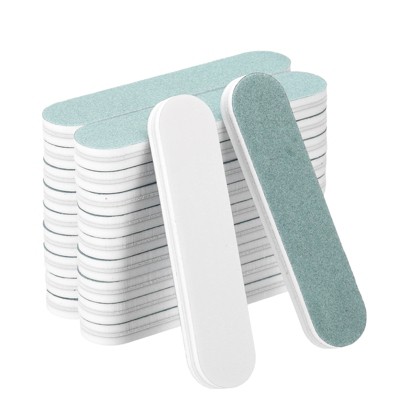
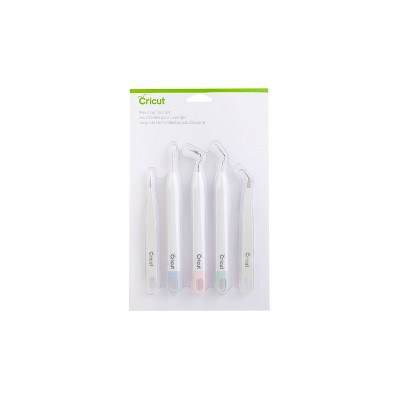
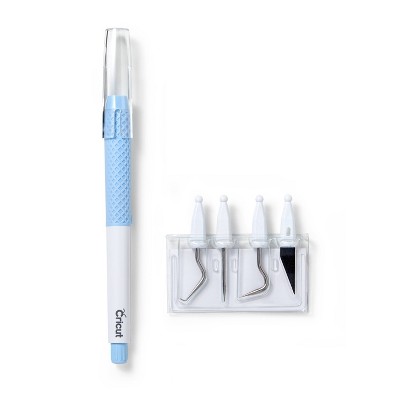
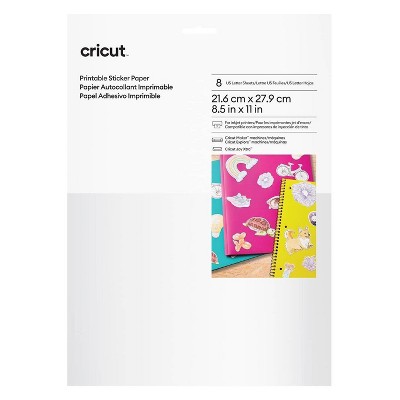
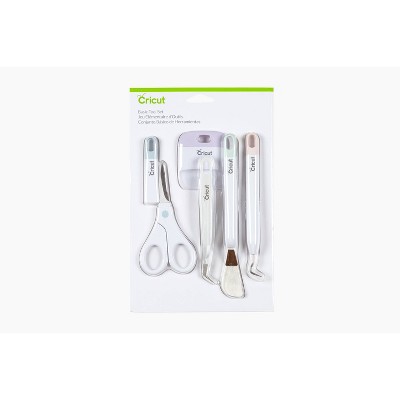
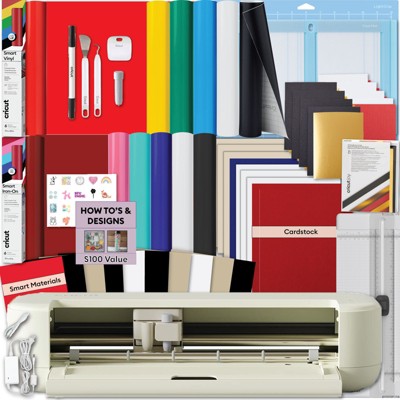
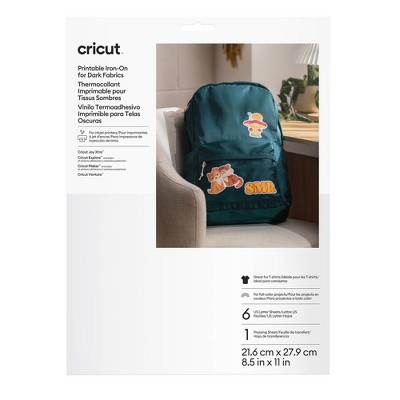
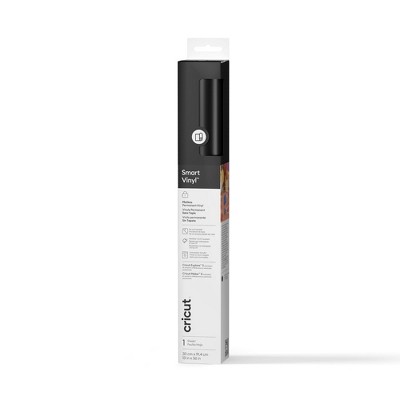
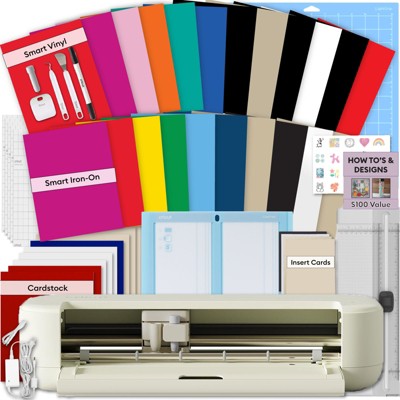
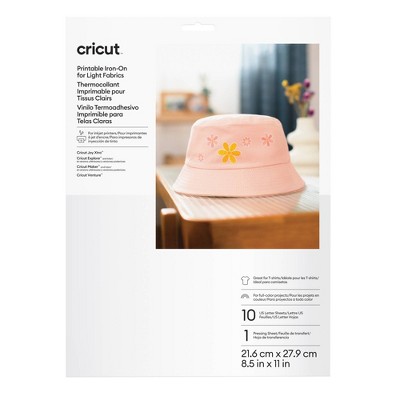
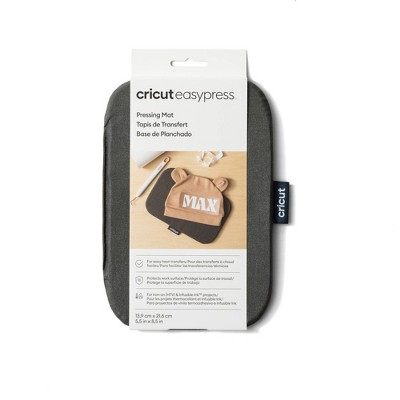
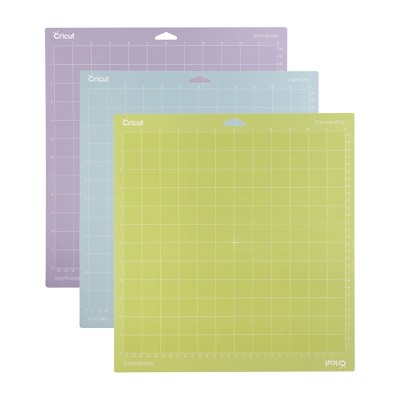
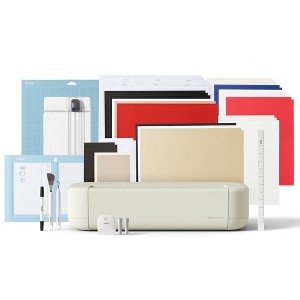
  • Bundle & Save: **Make a wide variety of projects right out of the box and save even more! The Essential Bundle includes must-have tools and materials like Smart Vinyl™, Smart Iron-On™, Value Cardstock, Insert Card Sets, and Printable Vinyl. It's enough supplies to create up to 65 projects.
  • Full-Color Possibilities: **Print your design with your home inkjet printer, then your Cricut cutting machine automatically recognizes & precision-cuts around inkjet-printed images to create full-color stickers, decals, apparel & more.
  • No Design Experience Required:** Use your mobile or desktop device4 and connect through Bluetooth® to Design Space®, our free, easy-to-use app that helps you turn your ideas into something one of a kind. With step-by-step design flows, customizable templates, AI-image generation**,**5** **and a huge content library, it makes personalization feel effortless. Our free out-of-the box content library includes 3,000+ images, 100+ fonts, and 1,000+ projects to help get you started. Additional content can always be purchased a la carte, or go all in with a Cricut Access™ Subscription to unlock our ever-growing library for a small reoccurring monthly or annual fee.
  • Create with over 1.5 million images: **Our ever-growing content library includes a total of 1,500,000+ images, 1,000+ fonts, and 100,000+ projects, and it's all yours with a Cricut Access Subscription.
  • Helpful Resources:** We’ve made your crafting journey easier with how-to videos, step-by-step instructions, cheat sheets, an engaged community, and our Member Care team of experts available worldwide.

Description

Make it one of a kind every time with Cricut Explore® 5 – the sleek, simplified making experience you’ve been waiting for. The next generation of our 12-inch cutting machine precision-cuts at top-tier speeds and works with over 100 materials1 to help you create custom decals, personalized apparel, full-color stickers, cards, and so much more. You can even make in multiples! The Essential Bundle comes with must-have crafting tools as well as an assortment of popular materials. This bundle is perfect for those looking to make a wide variety of projects right out of the box — and save. It's enough supplies to make up to 65 projects.
Dimensions (Overall): 22.38 Inches (L), 7.5 Inches (W)
Weight: 10.4 Pounds
Material: Metal, Plastic
Power Source: Electric
Warranty: 1 Year Limited Warranty. To obtain a copy of the manufacturer's or supplier's warranty for this item prior to purchasing the item, please call Target Guest Services at 1-800-591-3869
TCIN: 94898635
UPC: 093573838330
Item Number (DPCI): 081-22-3305
Origin: Imported
If the item details aren’t accurate or complete, we want to know about it.

Shipping details

Estimated ship dimensions: 7.5 inches length x 19.8 inches width x 4.7 inches height
Estimated ship weight: 10.4 pounds

Return details

This item can be returned to any Target store or Target.com.
This item must be returned within 90 days of the date it was purchased in store, delivered to the guest, delivered by a Shipt shopper, or picked up by the guest.
See the return policy for complete information.

Q: Does this engrave metal?

submitted by Ari P - 21 days ago

Q: is the newest blade included

submitted by diana - 24 days ago
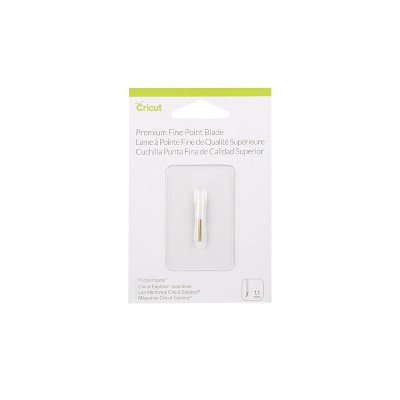
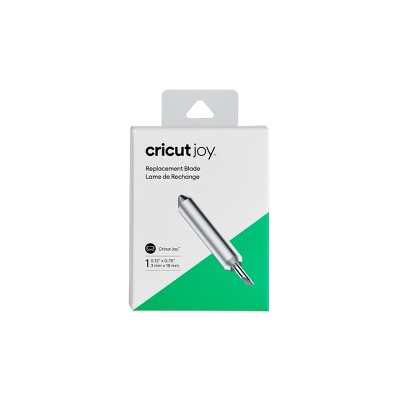
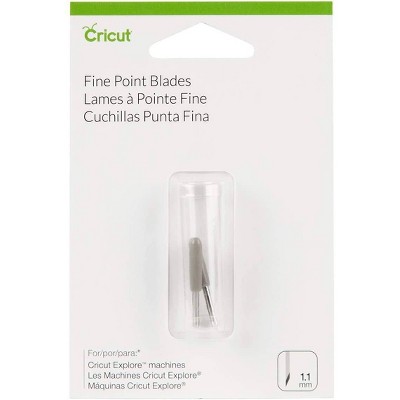
  • A: The Explore 5 includes a Premium Fine Point Blade and Housing.

    submitted byCricut - 24 days ago
    Brand expert

Q: Will this work for closing decals?

submitted by Anonymous - 2 months ago
  • A: There are a lot of projects you can do with the Explore 5. Please reach out to Cricut Member Care, and we would be happy to discuss specific projects with you.

    submitted byCricut - 2 months ago
    Brand expert

Q: Does this include the cricut machine?

submitted by Caridad - 2 months ago
  • A: Yes, this bundle does include the machine.

    submitted byCricut - 2 months ago
    Brand expert

Q: What types of projects can I create with this machine?

submitted by AI Shopping Assistant - 3 months ago
  • A: You can create custom decals, personalized apparel, full-color stickers, and cards, among other projects.

    submitted byAI Shopping Assistant - 3 months ago
    Ai generated

Q: What materials is the Cricut Explore 5 compatible with?

submitted by AI Shopping Assistant - 3 months ago
  • A: It can precision-cut over 100 materials, including vinyl, iron-on, and cardstock.

    submitted byAI Shopping Assistant - 3 months ago
    Ai generated

Q: How does the Cricut Explore 5 connect to design software?

submitted by AI Shopping Assistant - 3 months ago
  • A: It connects to Design Space via Bluetooth using your mobile or desktop device for easy design management.

    submitted byAI Shopping Assistant - 3 months ago
    Ai generated

Q: What additional resources are available for users?

submitted by AI Shopping Assistant - 3 months ago
  • A: Resources include how-to videos, step-by-step instructions, and support from the engaged community and Member Care team.

    submitted byAI Shopping Assistant - 3 months ago
    Ai generated

Q: What is included in the essential bundle?

submitted by AI Shopping Assistant - 3 months ago
  • A: The essential bundle includes must-have crafting tools and an assortment of popular materials for project creation.

    submitted byAI Shopping Assistant - 3 months ago
    Ai generated

Q: does it include cricut membership?

submitted by clava - 4 days ago

Additional product information and recommendations
Discover more options

Frequently bought together

Guests also viewed

Guests are saying

The Cricut Explore 5 impresses with its speed, precision, and user-friendly features, making it an excellent choice for both beginners and experienced crafters. Guests appreciate the compact design, load and go functionality, and compatibility with various materials. However, some have noted issues with pen compatibility and the lack of an on/off button. Overall, it offers a great balance of performance and convenience for creative projects.
    Summary created by AI from text of reviews reflecting recent feedback provided across different star ratings (includes incentivized reviews)
    4.4 out of 5 stars with 105 reviews
    quality: 5 out of 5
    value: 5 out of 5
    100% would recommend
    1 recommendations
    5 out of 5 stars
    Thumbs up graphic, would recommend
    21 June, 2026Verified purchase

    (no review title)

    Loved the starter kit
    quality: 5 out of 5
    value: 5 out of 5
    Did you find this review helpful?
    3 out of 5 stars
    18 June, 2026
    originally posted on Cricut
    Image

    Pen change is very inconvenient

    I don’t understand why you had to change the size of the pens. I have so many of your pens that I use in my Maker. I use them a lot and this change is very frustrating to me.
    1 reply from Cricut team - 4 days ago
    Hello, Thank you for taking the time to share your experience with us. We want you to know that we take all feedback seriously, and your comments will be shared with our team for review. We understand your frustration, and we appreciate your honesty in letting us know about your experience.
    KCD
    Did you find this review helpful?
    4 out of 5 stars
    18 June, 2026
    originally posted on Cricut
    Image

    Amazing ( After setup )

    Hi there, when we got this machine, it was our first in the industry, so we had our share of ups and downs. The cutting was amazing, and the precision blades, the setup was a bit hard, I had some issues when the software did not complete and spent an hour setting it up, but still great!! The machine is very fast and versatile. The materials that came with it were high quality and great for our first cuts! We did end up pursuing another account.
    1 reply from Cricut team - 4 days ago
    We’re glad you loved the cutting precision, speed, and material quality. We’re sorry the setup and software took longer than expected, and we’ll be sure to share that feedback with our team. If you ever need help in the future, our Member Care team is here for you.
    Did you find this review helpful?
    5 out of 5 stars
    14 June, 2026
    originally posted on Cricut
    Image

    Flawless Cutting

    Easy to set up and connect with each of my laptops. Flawless cutting.
    1 reply from Cricut team - 7 days ago
    Hello Allan, we are glad to hear that you are happy with your Explore 5 and Bundle Items. Please let us know if there is anything we can do for you.
    Allan
    Did you find this review helpful?
    5 out of 5 stars
    12 June, 2026
    originally posted on Cricut
    Image

    Love this (slightly smaller) machine!

    I purchased the Explore 5 to replace an Explore 2. More versatility, faster, simple to use (I think would be a great machine for a beginner) and really well priced of the lot. I started in 2008 with the little cutter, mainly scrapbooking and cards, progressed to decor (banners for parties, etc) and it was finicky sticking things on with glue. I also learned to do stencils for etching glasses and also for using fabric paint, a LOT of fun personalizing things. I am loving the pen abilities of this machine, the size (compact!) and how neatly it cuts, and as I get to know more materials and tools/abilities in Design Space, (high honestly overwhelmed me at first) I am having sooo much fun and I haven’t even scratched the surface of what one can make with this great little machine!
    1 reply from Cricut team - 7 days ago
    Thank you for sharing your creative journey. We love hearing how much you’re enjoying your Explore 5! It’s exciting to see all the fun you’re having, and all that’s still ahead. Happy crafting, and thank you for being a valued Cricut member!
    CanadaEllen
    Did you find this review helpful?
    5 out of 5 stars
    11 June, 2026
    originally posted on Cricut
    Image

    It fits on my desk easily!

    I’m thrilled that the Explore 5 can sit right in front of me on my desk. I just pull it toward me a little bit when I want to use it. Works great and I’ve got a lot of supplies to play w that came w the bundle.
    1 reply from Cricut team - 7 days ago
    Hello Heidi, we are glad to hear that you are happy with your Explore 5. Please let us know if there is anything we can do for you.
    Heidi Higginbotham
    Did you find this review helpful?
    1 out of 5 stars
    9 June, 2026
    originally posted on Cricut
    Image

    Unable to return

    I tried to cancel and unfortunately was told that I was not able to return the product even though it’s never been used and if I did return it, I would have to pay a fee so very unhappy with this product
    1 reply from Cricut team - 12 days ago
    Hello Myra, We’re sorry to hear you were not able to return your machine. We understand your frustration and want to make sure you get the support you deserve. Please contact our Member Care team, so they can help find a solution.
    Myra
    Did you find this review helpful?
    1 out of 5 stars
    5 June, 2026
    originally posted on Cricut
    Image

    Not worth the money or frustration

    I was happy with my Cricut Air Explore. I didn't realize it worked like a dream until this Explore 5. Cuts are inconsistent/non-existent. Old pens are incompatible. The pen it came with broke after one use. The pen text looks nothing like the font. Fabric blade doesn't cut, original blade is inconsistent, the deep cut seems to be ok. Had to change pressure settings and I'm going through mats now. I'm close to throwing it all away.
    1 reply from Cricut team - 14 days ago
    Hello Kristina, thank you for sharing your experience with your Explore 5. We're sorry you’re running into multiple issues. This isn’t what we want for your Cricut experience. We’ll share your feedback with our team as we work to improve. Please contact our Member Care team, so they can help find a solution and assist you.
    Kristina656543
    Did you find this review helpful?
    5 out of 5 stars
    2 June, 2026
    originally posted on Cricut
    Image

    Super fast!

    I got an upgrade from air 2, this machine is amazing. How it cuts, super fast and is not that loud!
    Franco
    Did you find this review helpful?
    5 out of 5 stars
    30 May, 2026
    originally posted on Cricut
    Image

    Love it!

    I love my Cricut Explore 5. It is much faster and quieter than my Explore2.
    1 reply from Cricut team - 21 days ago
    We are so glad you are loving your Explore 5. Thank you for taking the time to leave a review.
    Debbie
    Did you find this review helpful?
    5 out of 5 stars
    28 May, 2026
    originally posted on Cricut
    Image

    Great Quality

    Great machine easy to use Very helpful support as well
    1 reply from Cricut team - 24 days ago
    Thank you so much for your kind review! We’re delighted to hear that you’re enjoying the machine and that you’ve found it easy to use. We truly appreciate you taking the time to share your experience and hope you continue to enjoy creating with your machine.
    Lg678
    Did you find this review helpful?
    4 out of 5 stars
    22 May, 2026
    originally posted on Cricut
    Image

    Cricut Explore 5

    It’s lighter and smaller and cuts lightening fast, I would just say read instructions carefully for the pen holder. It does move down which makes he one too long. It can be pushed up to work properly…so far I love it.
    1 reply from Cricut team - 1 month ago
    Hello Liz, we are glad to hear that you are happy with your Explore 5. Please let us know if there is anything we can do for you.
    Liz
    Did you find this review helpful?
    5 out of 5 stars
    22 May, 2026
    originally posted on Cricut
    Image

    I LOVE it!!

    This machine is so fast! The only thing I don’t like is how it has an open top feature instead of a “lid” to cover it. With my dusty house, I have covers on my machines anyway, this one currently has a dish towel.
    1 reply from Cricut team - 1 month ago
    Hello Rae, we are glad to hear that you are happy with your Explore 5. We are glad to hear that you found a way to be creative with covering your machine up. Please let us know if there is anything we can do for you.
    Rae
    Did you find this review helpful?
    1 out of 5 stars
    18 May, 2026
    originally posted on Cricut
    Image

    Does not work

    I purchased this with high expectations, but it doesn’t cut all the way through. I contacted support, and after spending nearly 3 hours troubleshooting and feeling like I was being blamed for the issue, they finally agreed to send a replacement cutter. I’m hoping that solves the problem, but I’m not very confident at this point. I have a feeling I’ll end up spending another few hours with support if the replacement doesn’t fix it.
    1 reply from Cricut team - 1 month ago
    Thank you for sharing your experience with us. We’re truly sorry to hear that the cutter didn’t perform as expected and that the troubleshooting process left you feeling frustrated. That’s not the experience we want for our customers. Your feedback is incredibly important, and we appreciate you taking the time to let us know what happened. Someone will be reaching out to you to make sure you end up with a product that works the way it should.
    Julie
    Did you find this review helpful?
    5 out of 5 stars
    17 May, 2026
    originally posted on Cricut
    Image

    Explore 5 bundle

    Explore 5 is so new and exciting to me. I last bought the explore air in 2016 The machines are so different. I hope I get as many years of joy with the 5 as I did and continue to get from my explore. The bundle is packed with everything you could possibly need to get started right out of the gate! Im looking forward to getting plenty if use out if my premium membership. Im all set!
    1 reply from Cricut team - 1 month ago
    Thank you for your kind review! We’re so glad you’re excited about your new Explore 5 and that the bundle has you ready to get started. Wishing you many more years of crafting joy!
    Arlene
    Did you find this review helpful?
    3 out of 5 stars
    16 May, 2026
    originally posted on Cricut
    Image

    Machine is great, app is ok

    The machine is great and works very well. Very crisp cuts, fast, precise. Quality of the output is great. My issues are with the applications running it. I’ve had it freeze up on me where it will not finish through to the printer/cutter. Moving files around, reorganizing, etc is not user friendly. The app will not allow me to delete files. I think there is a lot of room for improvement in the app to make usability, creating, organizing, etc more user friendly.
    1 reply from Cricut team - 1 month ago
    Hello Scott, Thank you for taking the time to let us know about the experience. We are so happy to hear that you love your machine. We understand your frustration with Design Space and appreciate you for letting us know the impact that it has on your journey with creating. We want to assure you that we take all feedback seriously, and we will forward this on to the appropriate team for review.
    Scott
    Did you find this review helpful?
    5 out of 5 stars
    8 May, 2026
    originally posted on Cricut
    Image

    So slick

    Took me a bit to get it set up but boy once it’s set w- love it.
    1 reply from Cricut team - 1 month ago
    Hello, we are glad to hear that you are happy with your Explore 5 and Essential Bundle Items. Please let us know if there is anything we can do for you.
    KLB
    Did you find this review helpful?
    3 out of 5 stars
    8 May, 2026
    originally posted on Cricut
    Image

    It takes some learning

    I bought this and for the life of me I don’t get how to work this no matter how many tutorials I watch.
    1 reply from Cricut team - 1 month ago
    Hello JJ. We’re sorry you encountered issues setting up your Explore 5. Rest assured, our Member Care team of experts is available to help, so you and your machine can make DIY magic again asap.
    JJ
    Did you find this review helpful?
    5 out of 5 stars
    7 May, 2026
    originally posted on Cricut
    Image

    Fast precise cutting

    Machine is perfect for beginners and experts. Cut speed is precise and fast like Maker 4!
    1 reply from Cricut team - 1 month ago
    We’re so happy to hear that! It’s great to know the machine works just as well for beginners and experienced crafters, with fast and precise cuts like the Maker 4. Thanks for sharing!
    Sandy H
    Did you find this review helpful?
    5 out of 5 stars
    2 May, 2026
    originally posted on Cricut
    Image

    Needed to buy new pens. Not happy about that !!

    Love my explore 5 but very disappointed that they changed the pens so I can't use all the pens I already have from my explore 2. Just another way for the customer to spend more money on their products.
    1 reply from Cricut team - 2 months ago
    Hello Ginger, Thank you for taking the time to write to us about your experience with your Explore 5. We also appreciate you letting us know how we can further improve your user experience.
    Ginger
    Did you find this review helpful?

    Get top deals, latest trends, and more.

    Privacy policy