New ArrivalsValentine’s DayClothing, Shoes & AccessoriesHomeKitchen & DiningGroceryHousehold EssentialsFurnitureOutdoor Living & GardenBabyToysVideo GamesElectronicsMovies, Music & BooksBeautyHealthPersonal CareGift IdeasParty SuppliesCharacter ShopSports & OutdoorsBackpacks & LuggageSchool & Office SuppliesPetsUlta Beauty at TargetShop by CommunityTarget OpticalGift CardsDealsClearanceTarget New ArrivalsValentine’s DayGalentine’s Day IdeasWomen’s Western OutfitsTop DealsTarget Circle DealsWeekly AdShop Order PickupShop Same Day DeliveryRegistryRedCardTarget CircleFind Stores
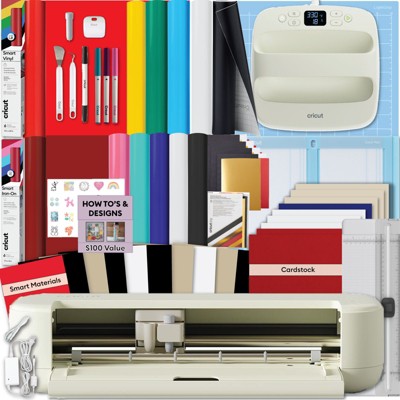
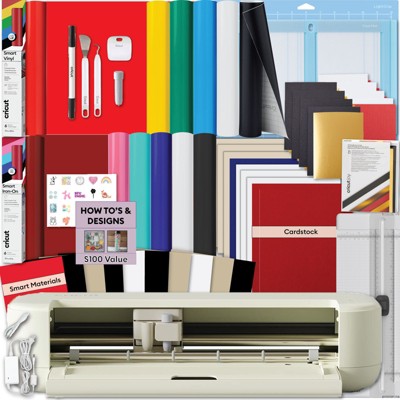
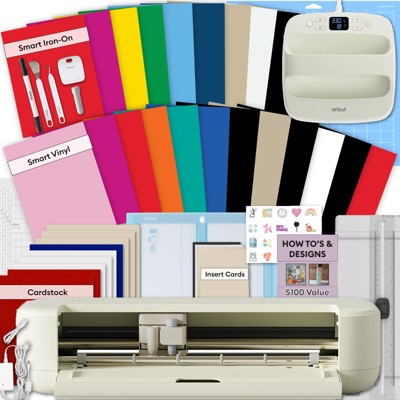
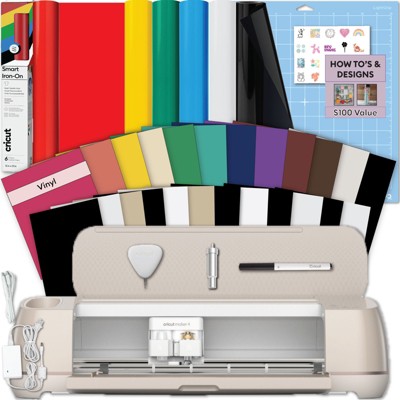
Cricut Joy Xtra Cutting Machine White - 2 of 4Cricut Joy Xtra Cutting Machine White - 3 of 4Cricut Joy Xtra Cutting Machine White - 4 of 4
Cricut Joy Xtra Cutting Machine White - 1 of 4

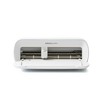
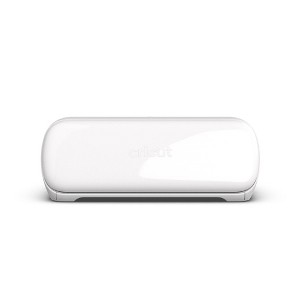
Cricut Joy Xtra Cutting Machine White

$149.00 reg $179.00
Sale save $30.00 (17% off)

In Stock

Eligible for registries and wish lists

At a glance

About this item

Highlights

  • Works with 50+ materials, including popular materials like vinyl, iron-on & cardstock1
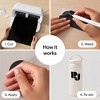
  • Compatible with your home inkjet printer to print then cut full-color designs
  • Cuts intricate designs with precision
  • Writes, draws, and foils2
  • Works with popular material sizes, including US Letter and A4
  • Bluetooth® wireless technology3
  • Upload & cut your own designs or choose from the Cricut Design Space library
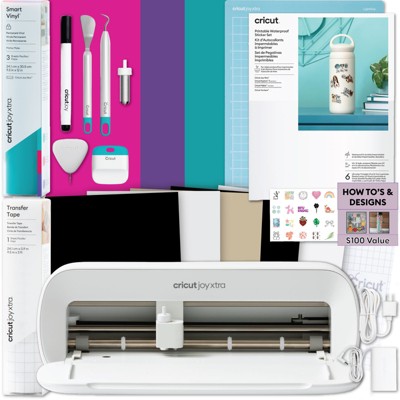
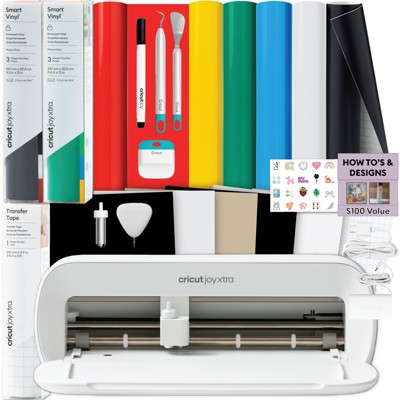
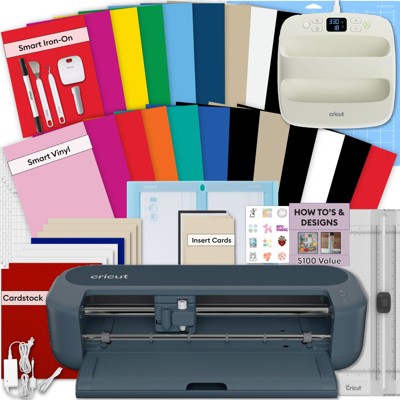
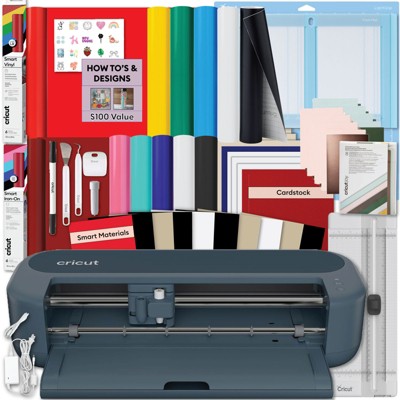
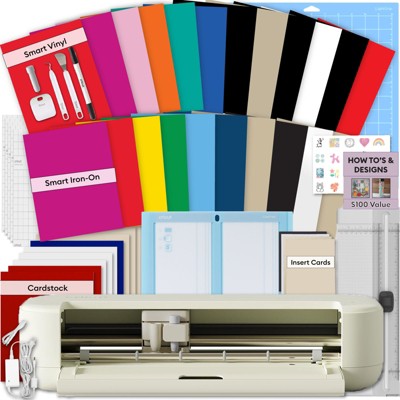
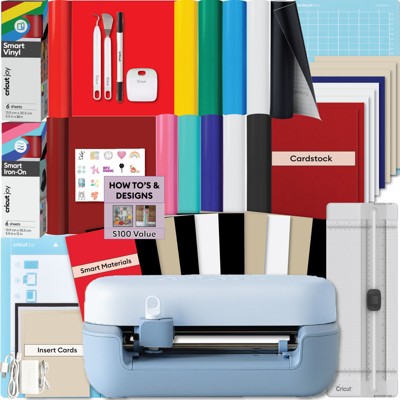
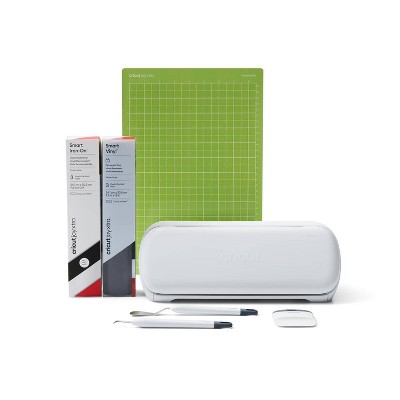
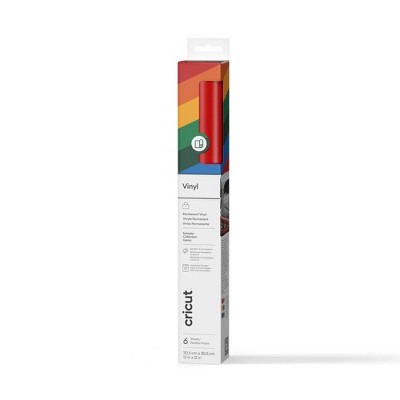
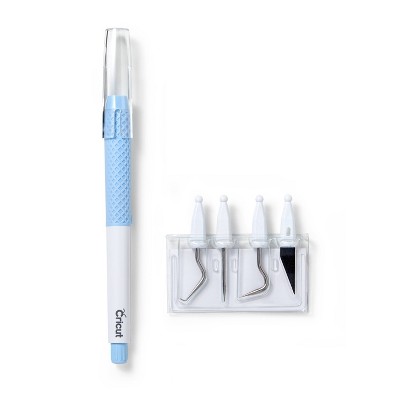
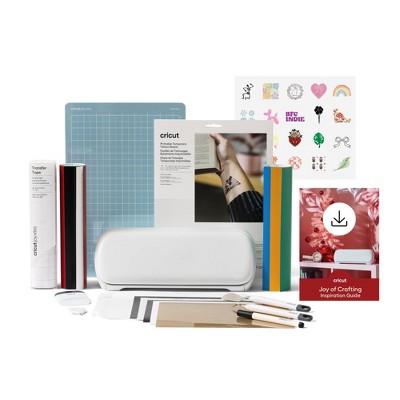
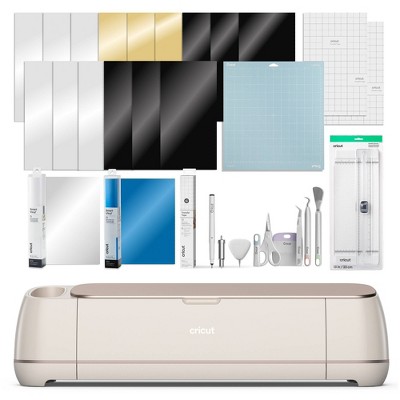
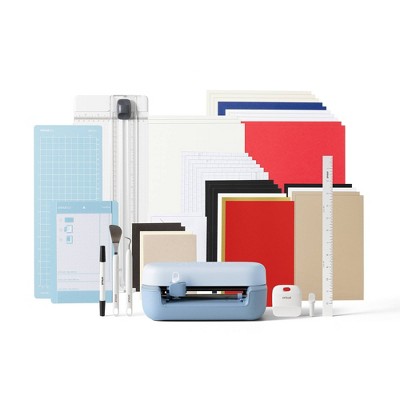
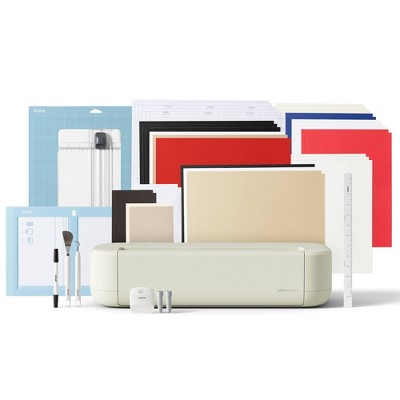
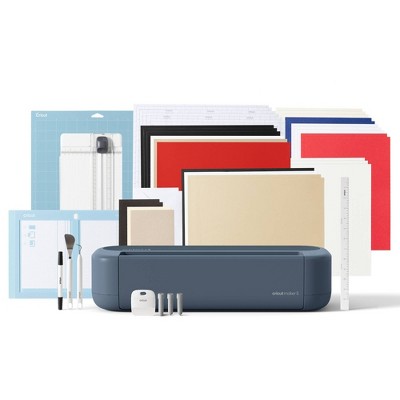
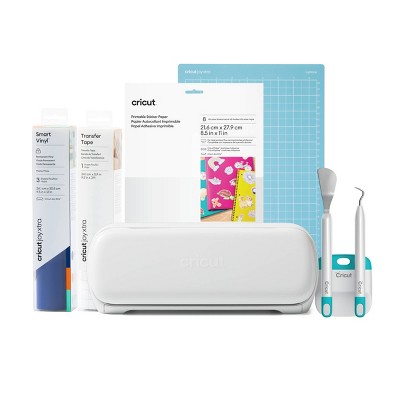
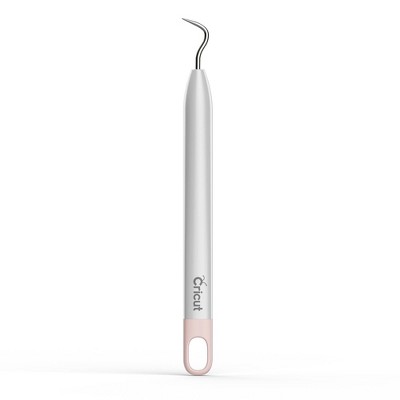
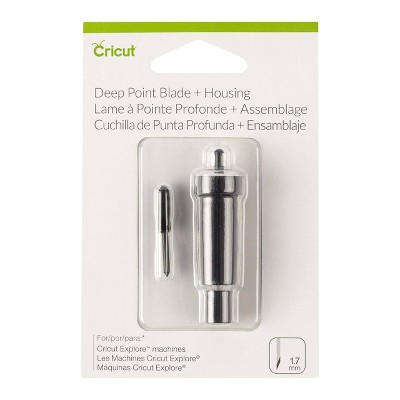
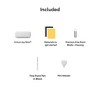
  • Cricut Joy Xtra machine Premium Fine-Point Blade + Housing Cricut Joy™ Fine Point Pen Cricut Mini Weeder Welcome card Power adapter Free trial subscription to Cricut Access™ (for new subscribers) 50 free, pre-designed projects in the companion app Materials for a practice cut

Description

Cricut Joy Xtra™ fits-in-any-space, looks-good-anywhere smart cutting machine. The Cricut Joy Xtra™ cuts, writes, draws, and foils to make popular projects like full-color stickers, custom cards, T-shirts, vinyl decals & more. Works with 50+ materials, including popular materials like vinyl, iron-on & cardstock. Works with free, easy-to-learn Design Space app.
Dimensions (Overall): 15.22 Inches (L), 9.15 Inches (W)
Weight: 9.5 Pounds
Material: Metal
Power Source: Electric
Warranty: 1 Year Limited Warranty. To obtain a copy of the manufacturer's or supplier's warranty for this item prior to purchasing the item, please call Target Guest Services at 1-800-591-3869
TCIN: 89191395
UPC: 093573787140
Item Number (DPCI): 081-22-2220
Origin: Imported
If the item details aren’t accurate or complete, we want to know about it.

Shipping details

Estimated ship dimensions: 14.57 inches length x 8.41 inches width x 6.89 inches height
Estimated ship weight: 7.99 pounds
We regret that this item cannot be shipped to PO Boxes.
This item cannot be shipped to the following locations: American Samoa (see also separate entry under AS), Guam (see also separate entry under GU), Northern Mariana Islands, Puerto Rico (see also separate entry under PR), United States Minor Outlying Islands, Virgin Islands, U.S., APO/FPO

Return details

This item can be returned to any Target store or Target.com.
This item must be returned within 90 days of the date it was purchased in store, shipped, delivered by a Shipt shopper, or made ready for pickup.
See the return policy for complete information.

Q: What size vinyl can I use? It doesn’t specify if this fits 12x12 vinyl.

submitted by F Schultz - 10 months ago
  • A: A 12x12 vinyl is not compatible with the Cricut Joy Xtra. The Max cut size using a Joy Xtra mat is 8.2 in x 11.7 in (20.8 cm x 29.7 cm). The max cut size using Smart Materials is 8.5 in x 4 ft (21.6 cm x 1.2 m).

    submitted byCricut - 10 months ago
    Brand expert

Q: What exactly does this machine come with?

submitted by NY - 19 days ago
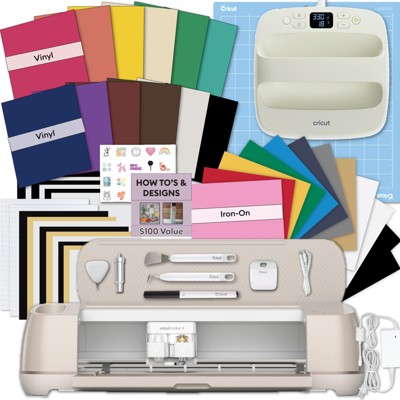
  • A: Hi. The Joy Xtra comes with the machine itself, a Blade and Housing, a Mini Weeded, a Joy Fine Point Pen, a Welcome Card, a User Guide, a power adapter and cord, a one month free trial for Cricut Access(new subscribers only), ready to make projects online, materials for a practice cut, some additional bonus materials, and a warranty document.

    submitted byCricut - 9 days ago
    Brand expert

Q: What smart materials samples does it come with and what are they for ?

submitted by Aaaal - 1 month ago
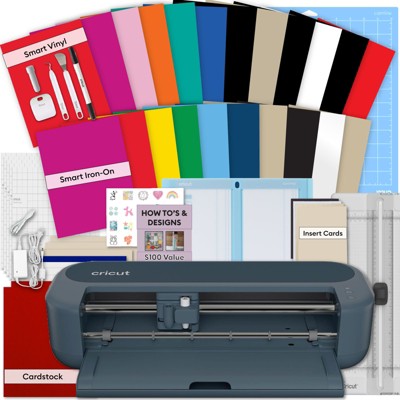
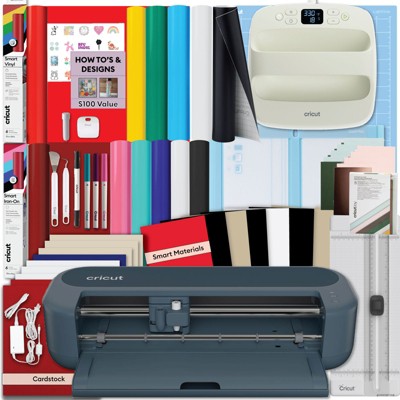
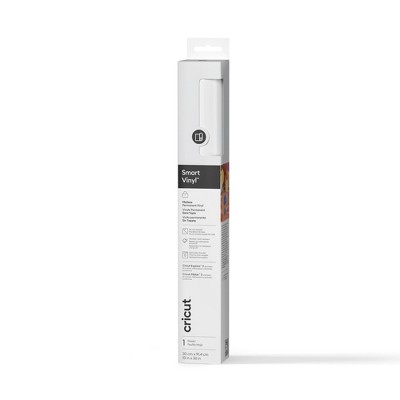
  • A: Thank you for your question. We at Cricut do not have information about what is in the Target bundle, but it would likely be a combination of Cricut vinyl, which is great for applying to walls, car windows, notebooks, water bottles and more. It would also likely contain Iron On materials, which are for making designs to be ironed onto T-shirts, hats, bags, decorative pillows, etc. The bundle might have "smart" materials, meaning that they can be cut in the Cricut Machine without a mat. Materials that don't say "Smart" will require a mat to be cut in the Joy Xtra. If you have more questions you can visit Cricut.com to see a wider variety of the materials we offer.

    submitted byCricut - 1 month ago
    Brand expert

Q: Does this machine print our own design and later we can cut ?

submitted by Hanu - 2 months ago
  • A: Hi Hanu. Thanks for your questions. This machine actually does not print. However, you can use our software(which is free) to send a print to your regular home printer, and then take that print and cut it in the Joy Xtra. We call this process Print Then Cut.

    submitted byCricut - 2 months ago
    Brand expert

Q: Does the Cricut Joy Xtra cut comic book backing boards that are? 24-point (0.024") thick?

submitted by Disappointed - 6 months ago
  • A: This is not a material that has been tested for the Joy Xtra. Our Joy Xtra can cut up to 2 mm thick materials.

    submitted byCricut - 5 months ago
    Brand expert

Q: Does this machine cut fondant for cakes or can you cut fondant

submitted by Katy - 7 months ago
  • A: We do not recommend using this product with food, such as fondant.

    submitted byCricut - 6 months ago
    Brand expert

Q: Does this come with the weeder tool?

submitted by Natasha - 8 months ago
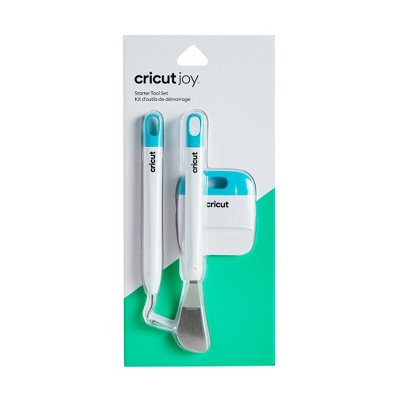
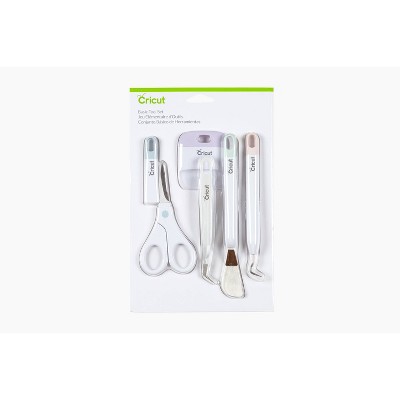
  • A: The Cricut Joy Xtra comes with a mini weeder in the box!

    submitted byCricut - 8 months ago
    Brand expert

Q: Can the Cricut Joy or Cricut Joy Xtra cut small letters like 1/8" in height??? And what is the difference between these two machines? Thank you.

submitted by Tolefairie - 1 year ago
  • A: Going as small as 1/8 of an inch, results may vary depending on the intricacy of the font. We recommend testing on copy paper before committing to the project material. The biggest difference is that the Joy Xtra has the ability to do Print then Cut projects, whereas the Joy does not.

    submitted byCricut - 1 year ago
    Brand expert

Q: Can you use the print and cut feature on this for stickers?

submitted by Knich0 - 1 year ago
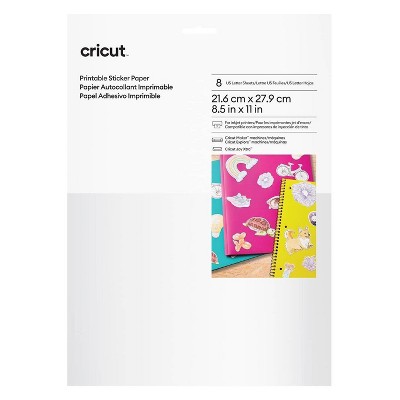
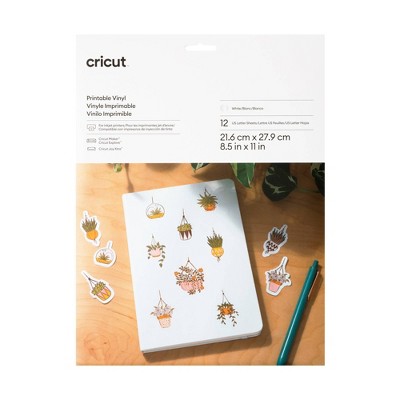
  • A: Yes! We recommend using Cricut-branded sticker paper or printable vinyl for the best results.

    submitted byCricut - 1 year ago
    Brand expert

Q: Does this machine come with a mat?

submitted by Suede - 1 year ago
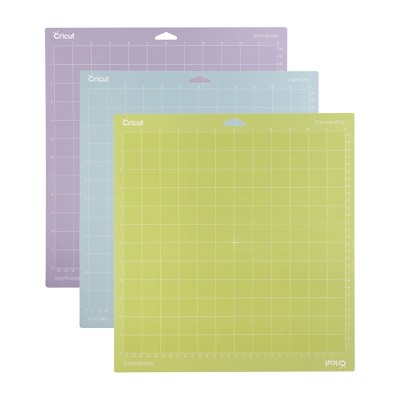
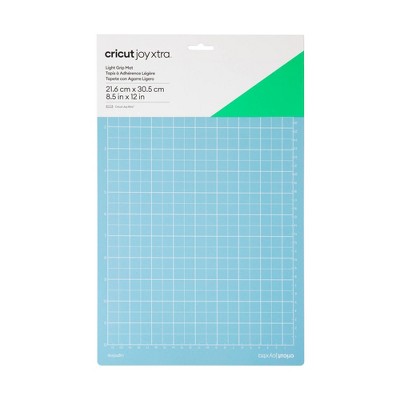
  • A: It does not. It comes with a few samples of Smart Materials. For a full list of included items, please view the "Details" section of the product listing.

    submitted byCricut - 1 year ago
    Brand expert

Additional product information and recommendations

Guests are saying

The Cricut Joy Xtra is a compact and versatile cutting machine that is perfect for crafting on the go. Guests appreciate its portability, ease of use, and ability to handle a variety of materials, making it ideal for projects like stickers, cards, and t-shirts. While some users have experienced issues with calibration and connectivity, the overall sentiment is positive, highlighting the machine's fun and creative potential for both beginners and experienced crafters alike.
    Summary created by AI from text of reviews reflecting recent feedback provided across different star ratings (includes incentivized reviews)
    4.5 out of 5 stars with 555 reviews
    quality: 3.14 out of 5
    value: 2.86 out of 5
    42% would recommend
    7 recommendations
    5 out of 5 stars
    9 February, 2026
    originally posted on Cricut
    Image

    Xtra Love

    I love my Maker, my Joy and now my JoyXtra! It is perfect to be beside me in my liviing room so I'm near it and my printer. Love the larger paper size more than the Joy for sure. I haven't been able to use my Maker for quite some time now due to it not connecting anymore with my bluetooth on any device so the Xtra is the perfect stand in!
    STACY
    Did you find this review helpful?
    5 out of 5 stars
    5 February, 2026
    originally posted on Cricut
    Image

    Cricut Joy Xtra

    Love my new machine! It’s small and compact but does almost everything my Explore Air 2 does. It’ll be great to take to all day crops.
    Linda M
    Did you find this review helpful?
    5 out of 5 stars
    31 January, 2026
    originally posted on Cricut
    Image

    Lovin’ It!!

    Super easy to get started, great instructions. I’ve only had it a little while and I’ve made 6 projects already. I love it so much I’m keeping it on my craft table instead of on my Cricut Cart. The size is perfect because it uses 8.5 x 11 paper or smaller. Super product!!
    LyndaC
    Did you find this review helpful?
    3 out of 5 stars
    29 January, 2026
    originally posted on Cricut
    Image

    Not having a good feel.

    My Cricut Joy I just received is not supported by my computer so I am hesitant about getting a different machine!
    1 reply from Cricut team - 12 days ago
    Thank you so much for your response. We are so sorry to hear about your experience. Our team would love to make sure that we can get you taken care of. Please contact our Member Care with your details and we will get you up and running.
    Kab
    Did you find this review helpful?
    1 out of 5 stars
    27 January, 2026
    originally posted on Cricut
    Image

    Bricked after 2 years

    The hardware is ok, software is absolutely awful. iOS app could connect to bluetooth but not find the device or load any of my information; Windows app would randomly forget my user info. Tried using it today; wouldn't connect to Bluetooth and support says I'm SOL. I thought the terrible app and constant upselling attempts were the worst parts but this thing completely sucks.
    1 reply from Cricut team - 7 days ago
    Thank you for taking the time to share your experience. It’s clear how frustrating this has been, and we're truly sorry you’ve run into so many issues with the software and connectivity. The problems you described with Bluetooth, account recognition, and inconsistent app behavior are not the experience we want anyone to have. Your feedback about both the iOS and Windows apps is incredibly important, and it’s being shared with the teams who work on improving stability and reliability. We're especially sorry to hear that your recent support interaction left you feeling stuck. If you’re open to it, we’d really like another chance to review your case and see what options might still be available. Please reach out again with your ticket number so we can take a closer look.
    no
    Did you find this review helpful?
    5 out of 5 stars
    26 January, 2026
    originally posted on Cricut
    Image

    It does it all!

    This is a compact Cricut Maker 3! I can keep it handy because it is smaller. I love it!! Many of the Cricut products are already copy paper size and work well with the Extra. Extra-special!!
    Oregonian Loving the Xtra
    Did you find this review helpful?
    4 out of 5 stars
    22 January, 2026
    originally posted on Cricut
    Image

    Joy Extra

    I like it, however l find it difficult to load the mat straight.
    Slfinnie
    Did you find this review helpful?
    1 out of 5 stars
    20 January, 2026
    originally posted on Cricut
    Image

    Required software does not work

    Was very excited to finally get and use a Cricut for my crafting, and everything was great until I ran the Cricut Design Space app, which is required to use the Cricut, and it only throws generic errors and refuses to run. I've tried to resolve this for several weeks, trying everything I can find on the support site or elsewhere online and none have worked. Despite tons of people running into this issue there is no apparent solution to getting this software working on a Windows 11 PC, making the device useless. If anyone from Cricut sees this, I am an experienced desktop software developer and would love to help get this problem fixed. If I can provide any info, testing, repro steps, or core dumps, please reach out to me. My order # is 182779901 to assist in looking up my order and contact info.
    Jared
    Did you find this review helpful?
    5 out of 5 stars
    20 January, 2026
    originally posted on Cricut
    Image

    Great Tool

    I purchased the original joy and the Cricut Maker, but wanted something that could do more than the Joy but not as big as the maker that could sit on my work desk and the Xtra is just perfect. It can cut and print . Works fantastic and Cricut support has improved greatly .
    Nofei
    Did you find this review helpful?
    1 out of 5 stars
    16 January, 2026
    originally posted on Cricut
    Image

    Not user friendly

    Junk .. save your money, pay somebody to make your business merch ..vinyl window lettering and logos, and business cards because of subscription doesn't get you anything if you want to use your own designs.
    1 reply from Cricut team - 26 days ago
    Thank you for sharing your detailed feedback. We appreciate you taking the time to outline your experience, as we are always looking for ways to improve our members' experience. The optional Cricut Access subscription includes over 1,500,000 Images, 1,000 fonts, and 100,000 pre-made projects. If you choose not to subscribe, Images, Fonts, and Projects can be uploaded to Design Space if you prefer. If our Member Care team can offer any support, please don't hesitate to reach out. Thank you!
    Totally Browtiful
    Did you find this review helpful?
    5 out of 5 stars
    14 January, 2026
    originally posted on Cricut
    Image

    Love my little Cricut!

    I debated getting the Joy Xtra as I already have a Maker but after a bit of research decided to get it as a Christmas gift for myself. I love it! It's easy to use and I don't need to clear a big area to make a few quick cards or projects.
    GloriaR
    Did you find this review helpful?
    1 out of 5 stars
    10 January, 2026
    originally posted on Cricut
    Image

    Not a good experience

    The device technically functions, but reliability and ease of use were major issues in my experience. Performance is highly dependent on using a higher-end printer, and setup required frequent calibration to achieve usable results. The hardware has no physical controls and relies entirely on Bluetooth and the companion app. The app requests broad permissions and frequently promotes the paid subscription, with many features locked behind it. During regular use, the app was unstable and often froze or stopped mid-process on both a high-end Windows PC and a MacBook Pro. Overall, this product may work for users with very specific equipment and patience for ongoing calibration and software interruptions, but it did not meet expectations for consistency, usability, or overall experience, even when using official Cricut materials. Hindsight I would not purchase again and advise against it.
    1 reply from Cricut team - 29 days ago
    Hello! We're sorry to hear that your Cricut machine and Design Space software haven’t met your expectations, and thank you for taking the time to share your experience. Your insights are incredibly important to us, and we’re continuously working to improve both our hardware and software to create the best experience for our members that we can. We’d love the opportunity to connect directly and offer support to help improve your experience. Please don’t hesitate to reach out to our Member Care team so we can address your concerns and explore solutions together. Thank you! cricut.com/contact
    Yusuf
    1 guest found this review helpful. Did you?
    4 out of 5 stars
    9 January, 2026
    originally posted on Cricut
    Image

    Nice and versatile but needs different mats

    I really like this for projects on the go but am a bit disappointed at not being able to use smaller mats.
    Theresa
    Did you find this review helpful?
    5 out of 5 stars
    6 January, 2026
    originally posted on Cricut
    Image

    wow!

    amazing, what you can do i am truly surprised,stamps,writing fonts a lots more. i am still looking for things to make.GOOD JOB!
    MIRIAN D
    Did you find this review helpful?
    4 out of 5 stars
    4 January, 2026
    originally posted on Cricut
    Image

    Awesome and simply the best

    Cricut is great it works amazing and the app is very helpful with the setup 100% recommend
    Kiki
    Did you find this review helpful?
    5 out of 5 stars
    3 January, 2026
    originally posted on Cricut
    Image

    cricut joy xtra

    This is my first cricuit so I chose the xtra because it cuts and writes. Originally setup using an ipad, viewed the tutorials but a bit tricky following my youtube videos. Installed on laptop and found it so much easier to navigate and follow along. I’m sure that once I get acclimated to using it more I can transition over to using it on my ipad. It is a nice machine for a beginner.
    SuzeR
    1 guest found this review helpful. Did you?
    4 out of 5 stars
    2 January, 2026
    originally posted on Cricut
    Image

    Love the size

    I got myself this product for my christmas gift. Wanted a smaller foot print for small jobs. It was super easy to set up- pretty much plug and play. Only used it once so far and it cuts good. will do what I want it to. I think they could have thrown in a mat for it though. I have every cricut up through the original Maker and love everything about them EXCEPT the software. They STILL have not improved the ease of use- YES they add features which are great but I still find the navigation very hard.
    craftycindyr
    2 guests found this review helpful. Did you?
    4 out of 5 stars
    2 January, 2026
    originally posted on Cricut
    Image

    Joy xtra

    I'm very happy with it. The only problem I'm having is not able to get the mat in correctly.It ends up hitting the machine in the corner and making loud cracking noise. Is there an easier way to load the mats?
    Ginni
    Did you find this review helpful?
    5 out of 5 stars
    29 December, 2025
    originally posted on Cricut
    Image

    Stickers!!!

    I bought it to make print then cut stickers and it is great for that. I haven’t tried anything else, but that’s what I bought it for. I am excited to create other things with it though.
    Anita
    1 guest found this review helpful. Did you?
    5 out of 5 stars
    29 December, 2025
    originally posted on Cricut
    Image

    Easy to use

    I’m happy with my new Cricut Joy xtra, it’s easy to use for my DIY projects.
    Gigi
    Did you find this review helpful?

    Get top deals, latest trends, and more.

    Privacy policy

    Footer

    About Us

    About TargetCareersNews & BlogTarget BrandsBullseye ShopSustainability & GovernancePress CenterAdvertise with UsInvestorsAffiliates & PartnersSuppliersTargetPlus

    Help

    Target HelpReturnsTrack OrdersRecallsContact UsFeedbackAccessibilitySecurity & FraudTeam Member ServicesLegal & Privacy

    Stores

    Find a StoreClinicPharmacyTarget OpticalMore In-Store Services

    Services

    Target Circle™Target Circle™ CardTarget Circle 360™Target AppRegistrySame Day DeliveryOrder PickupDrive UpFree 2-Day ShippingShipping & DeliveryMore Services
    PinterestFacebookInstagramXYoutubeTiktokTermsCA Supply ChainPrivacy PolicyCA Privacy RightsYour Privacy ChoicesInterest Based AdsHealth Privacy Policy