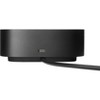
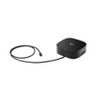
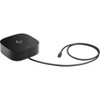
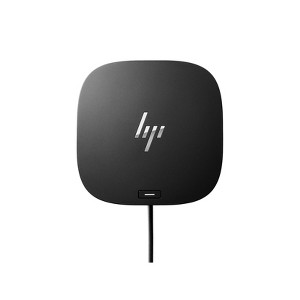
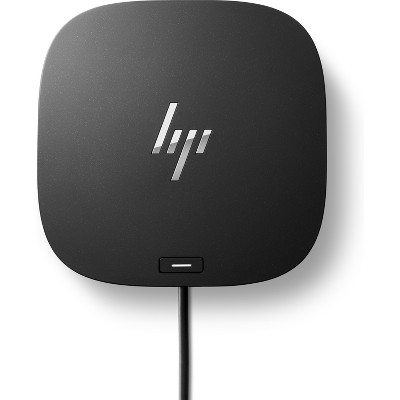
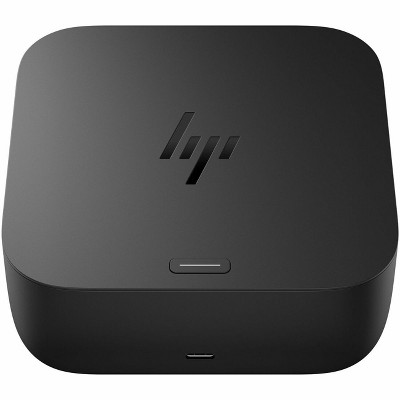
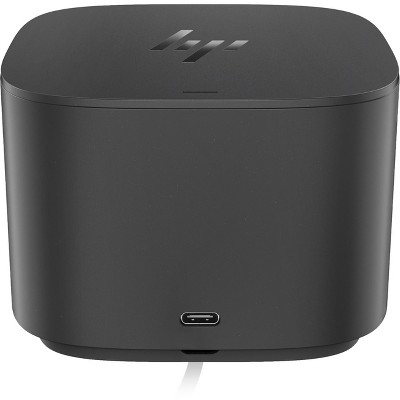
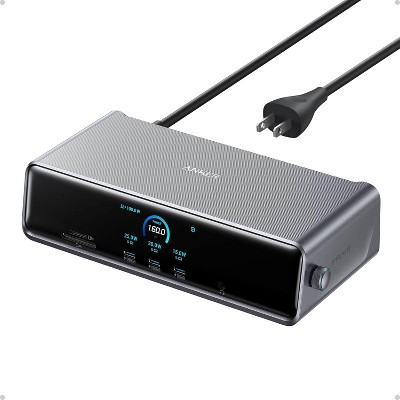
HP USB-C Dock G5
$259.99
In Stock

Free & easy returns
Return this item by mail or in store within 30 days for a full refund.
Sold & shipped by HP Official Store
Eligible for registries and wish lists
About this item
Additional product information and recommendations
Discover more options
Frequently bought together
- $559.99 - $919.99reg $933.32 - $1,533.32 Sale4.3 out of 5 stars with 6 ratings
- $559.99 - $919.99reg $933.32 - $1,533.32 Sale4.3 out of 5 stars with 6 ratings

Guests also viewed
Related Categories
Guests are saying
The HP USB-C Dock G5 is a versatile docking station that enhances productivity by allowing guests to connect multiple peripherals and monitors with ease. Many guests appreciate its compact design and the convenience of a single cable connection for power and data. However, compatibility issues with certain HP laptops have been noted, which may affect some users' experiences. Overall, it offers a solid solution for those needing a reliable docking station.
Summary created by AI from text of reviews reflecting recent feedback provided across different star ratings (includes incentivized reviews)
4.1 out of 5 stars with 223 reviews
1 out of 5 stars
22 February, 2026
originally posted on store.hp.com

Useless to me
Doesn't work with my HP laptop. updated Bios and required drivers and still won't work. You would think a HP dock would work on ANY HP laptop.
1 out of 5 stars
11 February, 2026
originally posted on hp.com

not compatible with my HP laptop
not compatible with my 6 month old HP laptop. Total stupidity.
5 out of 5 stars
8 February, 2026
originally posted on store.hp.com
Neat and compact
Works perfectly with an Elitebook laptop. Also works OK with an Omen 15 laptop apart from power button and charging. You need to use the Omen’s power button to switch on and plug in Omen’s charger. Apart from that, all good.
5 out of 5 stars
5 February, 2026
originally posted on store.hp.com
A+ service
A+ service. Product arrived sooner than expected and entire transaction was seamless. Fantastic communication and updates through the process.
5 out of 5 stars
22 January, 2026
originally posted on store.hp.com
It's Fine
No issues. It's a bit bigger than expected.
3 out of 5 stars
14 January, 2026
originally posted on hp.com
G5 Docking Station
It is not compatible with all your laptops.
5 out of 5 stars
5 January, 2026
originally posted on store.hp.com
Great hub for stand up work station
Great hub and reliable, but a little pricy
5 out of 5 stars
2 January, 2026
originally posted on hp.com
USB Dock/Power is very convenient
USB Dock/Power is very convenient and easy to setup your external devices (i.e. display, printer, et
1 out of 5 stars
31 December, 2025
originally posted on hp.com
USBC G5 Dock
it does not work.
1 out of 5 stars
30 December, 2025
originally posted on hp.com
Does not work with shopping network HP laptops
If you purchase an HP laptop over TV shopping networks, the likelihood of this device working with your laptop is NOT!. I could not find documentation on the HP website on what docking station to connect my HP laptop. I read horror stories of folks trying to return this.
5 out of 5 stars
21 December, 2025
originally posted on hp.com
VERY GOOD
I WILL RECOMMEND IT TO ANYBODY.
3 out of 5 stars
16 December, 2025
originally posted on hp.com
haven't used it yet
Still getting the bloatware, adware etc., off my new omnibook X flip first so it's usable. lol!!
5 out of 5 stars
11 December, 2025
originally posted on hp.com
Works great
The dock works great. I love the fact that it also charges the laptop, so there's only one cord to plug in or remove. And the power button on the top of the dock turns the laptop on, which is very convenient. The size and shape can be awkward if space it tight.
5 out of 5 stars
15 November, 2025
originally posted on hp.com
Thoughts on the hub
Works great! Lots of ports, perfect to bundle with monitor.
5 out of 5 stars
20 October, 2025
originally posted on store.hp.com
Great product.
Great product. Easy to set up and use.
3 out of 5 stars
2 October, 2025
originally posted on store.hp.com
(no review title)
Please accept this as not critical feedback. The Dock was received in very good timing however I wasn't at home at the time. I installed it when I did get at home however it didn't work. It had power to the dock but wouldn't turn on so no power out. I had to go away after that and still won't get home again until next week so have yet to make contact with you to tell you about it. I will call next week and see if we can resolve the issue. Thanks
1 reply from HP Support Team team - 28 days ago
Thank you for choosing HP! Your product includes a 1-year warranty. During this period, you can review its performance and reach out to our Customer Service team at 1800-108-4749 for any assistance.
5 out of 5 stars
3 August, 2025
originally posted on store.hp.com
Functionality and Flexibility
Recently purchased a second HP USB_C Dock G5. This additional purchase has allowed me to replicate facilities at my Main Office and my Regional Office. Allows me the functionality and flexibility I require at both sites without having to pack and setup each time I travel between Offices.
2 out of 5 stars
23 June, 2025
originally posted on hp.com
The nonfuntional docking station !
Not the universal copck station we had hoped for. Wiht the Laptop we receved the Dock will not connect to the 2nd monitor, the printer or provide power to the laptop. This make it about the same as pluging the devices directly into the Laptop directly which is not helpfull at all.
1 out of 5 stars
19 June, 2025
originally posted on hp.com
The rare HP Hardware Nightmare
We’ve used multiple HP USB-C docks with no issues, but the G5 is unfortunately a serious outlier. We purchased nine of them, and nearly all had significant problems—primarily only delivering power but not handling data or video. Yes, just power. Imagine plugging in a dock and watching your monitor stay blank like it's silently judging you. I want to be clear: we’re long-time HP users. We like HP. We plan to continue purchasing HP laptops, docks, and monitors well into the future. But this model genuinely tested our patience—and our IT department’s will to live. After digging through forums we finally found a Reddit post that offered a workaround. That fixed the worst of it, but a product like this shouldn’t require sleuthing on social media just to function properly. Here’s hoping HP addresses this with better firmware, or at the very least, a disclaimer that reads: “Works best after community-sourced black magic
1 out of 5 stars
19 June, 2025
originally posted on hp.com
doesn't work with pavilion laptop
wouldn't work with my HP pavilion laptop