


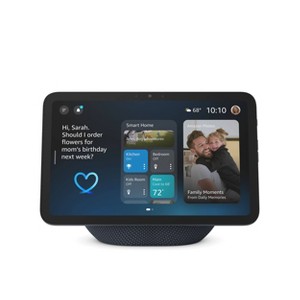
Amazon Echo Show 8 - Graphite
$149.99 reg $199.99
$50 off
In Stock
Eligible for registries and wish lists
About this item
Additional product information and recommendations
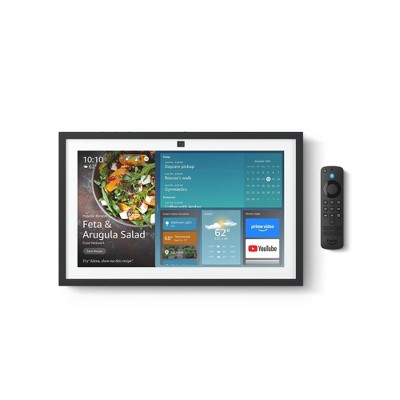
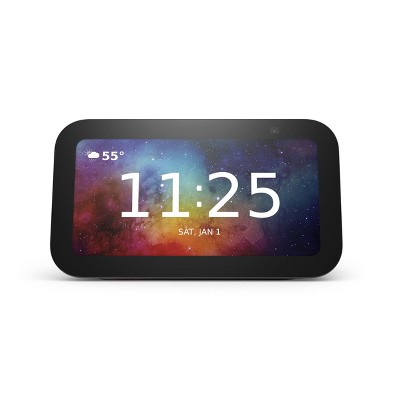
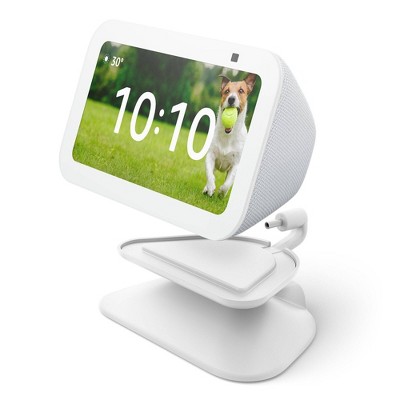
Frequently bought together
- $20.99Buy 1 get 1 40% off light bulbs4.5 out of 5 stars with 8 ratings
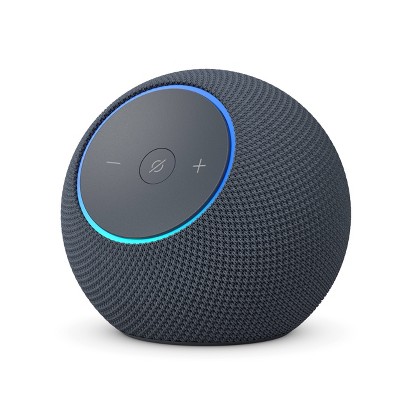
Related Categories
4.5 out of 5 stars with 66 reviews
quality: 3.63 out of 5
value: 3.38 out of 5
57% would recommend
7 recommendations
5 out of 5 stars
Thumbs up graphic, would recommend
5 October, 2026Verified purchase
(no review title)
Love my new Alexa 8 gen 4
2 out of 5 stars
25 August, 2026Verified purchase
(no review title)
I don’t like that after two months of use, it suddenly stopped doing drop ins. It says it is dropping in but it doesn’t.
1 reply from Amazon Devices Customer Support team - 2 months ago
Hello Gina, thank you for your feedback on the Echo Show 8. I'm sorry to hear that the Drop In feature stopped working after two months of reliable use — especially when the device appears to initiate the call but never actually connects. That's a frustrating experience when you depend on this feature for staying in touch with family or checking in around your home. There are several steps that can help restore Drop In functionality. Start by ensuring your Echo Show 8 has the latest software — go to Settings > Device Options > Check for Software Updates and install any available updates. Next, verify that Drop In permissions are still enabled by opening the Alexa app, navigating to Devices, selecting your Echo Show 8, then Communications, and confirming that Drop In is set to your preferred permission level (My Household or All Contacts). Additionally, check that Do Not Disturb mode has not been inadvertently enabled on either the calling or receiving device, as this will silently block Drop In connections. Restarting the Echo Show 8 by unplugging it for 30 seconds and plugging it back in can also resolve communication glitches that develop over time. Finally, confirm your Wi-Fi connection is strong and stable, as a weak signal can cause Drop In to appear to connect without completing the call. If the issue persists after these steps, Amazon Customer Service is available 24/7 at 1-888-280-4331 for further assistance. I hope this helps restore the Drop In feature for you. Thank you for sharing your experience.
5 out of 5 stars
Thumbs up graphic, would recommend
25 August, 2026Verified purchase
(no review title)
It was easy to set up. This was a recommendation and it is serving our needs.
1 out of 5 stars
Thumbs down graphic, would not recommend
21 August, 2026
Wrong item in box
I wasn’t able to use this product because I picked it up at Target, when I opened the box the Echo was actually a Google Nest display. Very disappointed.
2 out of 5 stars
Thumbs down graphic, would not recommend
13 May, 2026Verified purchase
Meh
The sound is great, clear picture yes however the screen goes dark when I ask Alexa to “go to home” or as for anything she says she “cant do that yet” and instead is says to let them know if i want to play a game. On the app i try and ask for assistance and it never responds unless its something about its factory downloads. Its not great all together. Its hard to maneuver it as well, the screen gets slow and doesnt slide, its hard to find the home screen and its own Alexa says she “cant take me to there” even to settings.
1 reply from Amazon Devices Customer Support team - 5 months ago
Hi Jmdos, Thank you for sharing your experience with the Echo Show 8 (2025). We're sorry to hear it hasn't been living up to expectations — we understand how frustrating it is when a device doesn't respond to basic commands or navigate smoothly. The issues you're describing — the screen going dark, Alexa saying she "can't do that yet," and difficulty navigating to the home screen or settings — are not the experience we intend for our customers. Here are a few steps that may help: Restart the device: Unplug the Echo Show 8 for about 30 seconds, then plug it back in. This can resolve software glitches causing unresponsive behavior. Check for software updates: Go to Settings > Device Options > Check for Software Updates. A pending update may be causing compatibility issues with certain commands. Factory reset: If the device continues to be unresponsive, a factory reset (Settings > Device Options > Reset to Factory Defaults) can resolve deeper software issues. You can also perform a reset by holding the mute and volume down buttons simultaneously for 15 seconds. Screen responsiveness: If the touchscreen is lagging or not sliding properly, make sure the screen is clean and free of screen protectors that may interfere with touch sensitivity. Alexa command issues: The "can't do that yet" responses may indicate the device is still rolling out certain features in your region or that a software update is needed to enable full functionality. We want to make sure your Echo Show 8 works the way it should. Please reach out to us at 1-888-280-4331 or through the Alexa app so our technical team can look into the specific command failures you're experiencing and get this resolved for you. Thank you for your honest feedback — it helps us improve
5 out of 5 stars
15 February, 2026Verified purchase
(no review title)
Excelente
1 out of 5 stars
Thumbs down graphic, would not recommend
15 January, 2026
Ads ads and more ads
Nothing but ads all the time and now it freezes on wanting you to update to Alexa plus
1 reply from Amazon Devices Customer Support team - 9 months ago
Hello JC Fisher! Thank you for your feedback on the Echo Show 8. To address the freezing and update prompt issue, start by restarting your Echo Show 8 unplug it from power, wait 30 seconds, then plug it back in. Check that your device has a strong internet connection, as connectivity issues can cause freezing during update prompts. You can also try manually checking for software updates by swiping down from the top of the screen, selecting Settings, then Device Options, and Check for Software Updates. If the device continues to freeze on the update screen, you may need to reset your Echo Show 8 to factory settings, which will clear up most persistent issues. Regarding the advertisements, you can customize your home screen content by going to Settings and then Home Content on your Echo Show 8 to adjust what appears on the display when idle. While some promotional content is part of the device experience, you can minimize certain types of content through these settings. If these troubleshooting steps don't resolve the freezing issue and you're still unable to use your Echo Show 8 normally, Amazon Customer Support is available 24/7 for assistance at 1-888-280-4331. Thank you for providing this feedback and hoe you have a great rest of your day!
5 out of 5 stars
2 January, 2026Verified purchase
(no review title)
It was really good
5 out of 5 stars
29 December, 2025Verified purchase
Awesome!
Awesome upgrade with the screen
5 out of 5 stars
Thumbs up graphic, would recommend
28 December, 2025Verified purchase
(no review title)
excellent
1 out of 5 stars
26 December, 2025Verified purchase
(no review title)
i just can’t get it to work. had my grandson look at it today and i’m not alone he said return it. so unfortunate it will go back.
1 reply from Amazon Devices Customer Support team - 10 months ago
Hi Patricia, Thank you for sharing your experience with the Echo Show 8. I'm truly sorry to hear that you've had difficulty getting it set up and working properly. It's especially frustrating when technology doesn't cooperate, even with help from family. Setup issues can sometimes be related to Wi-Fi connectivity, account linking, or initial configuration steps that can be tricky to navigate. While I understand you and your grandson have already decided to return it, I want you to know that our support team is available if you'd ever like to give it another try—they can walk through setup step-by-step over the phone or chat. I completely respect your decision to return the device, and I'm sorry it didn't work out this time. Your feedback is valuable and helps us understand where we can improve the setup experience to make it more user-friendly.
1 out of 5 stars
17 December, 2025Verified purchase
I dont know if this is a joke. But thr original item wasnt in thr box. Whats in yje box is a different model.
I am confused. To what I’m witnessing
4 out of 5 stars
Thumbs up graphic, would recommend
15 November, 2025Verified purchase
(no review title)
Loving my new Echo. Enjoyed seeing in store before buying. Works really well. Love the size and quality. Good sound, nice features.